


Microsoft is removing eight OneDrive-linked Copilot actions from Windows 11’s File Explorer context menu, trimming a set of shortcuts for common document and image tasks. The staged change is scheduled to begin in mid-November 2026 and finish by early December. Copilot remains available through other entry points, including “Ask Copilot.”
Key takeaways
- Eight OneDrive Copilot actions are being removed from File Explorer’s right-click menu.
- “Ask Copilot,” the File Explorer Home icon and OneDrive’s activity center will continue to provide access.
- The rollout is expected to run from mid-November through early December 2026.
Which File Explorer actions are going away
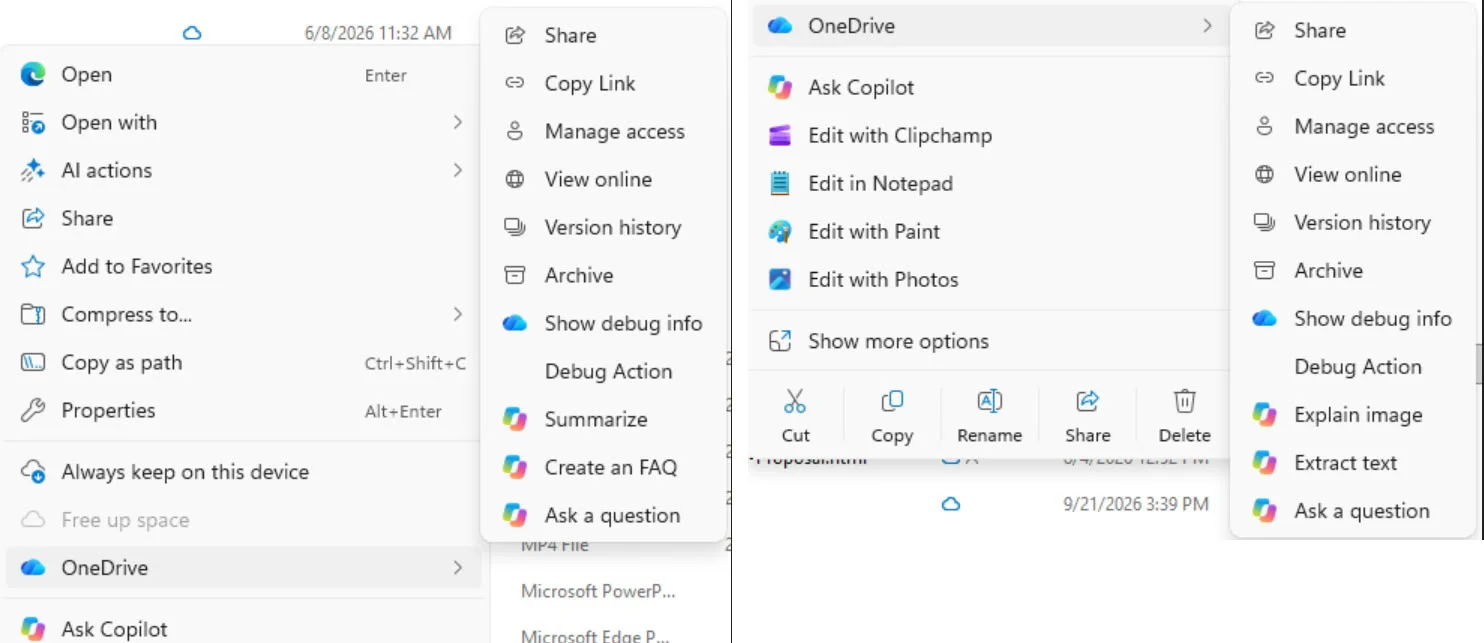
Microsoft’s retirement notice lists Summarize, Create FAQ, Compare Files, Ask a question, Explain image, Explain images, Compare images and Extract text. The commands appeared in the context menu for eligible OneDrive files, providing direct access to specific Copilot tasks.
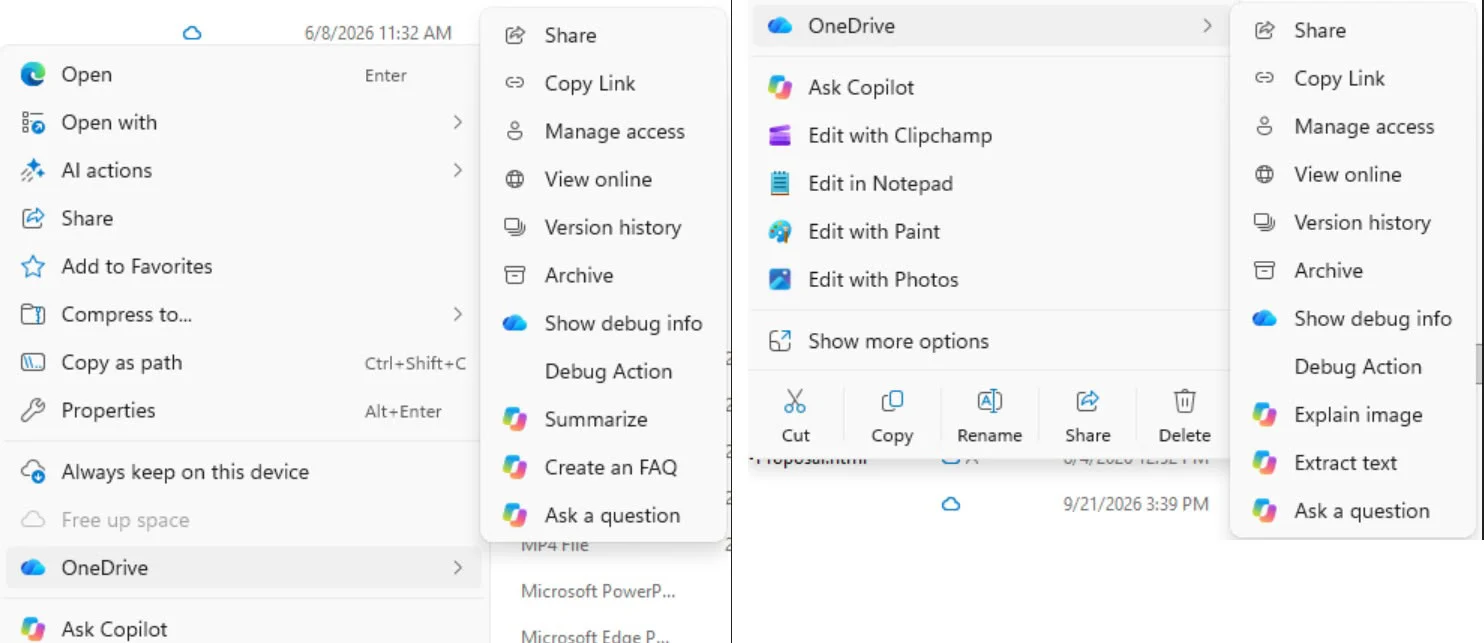
The change removes those dedicated shortcuts, not the underlying Copilot features. Users will still be able to start a conversation about a selected file using “Ask Copilot,” or access Copilot from the File Explorer Home icon or OneDrive activity center. Availability may vary by account, subscription and feature eligibility.
What changes for PC users
For Windows users, the immediate effect is a shorter right-click menu and an extra step for launching a specific task. Instead of selecting, for example, a summary command directly, users can open “Ask Copilot” and prompt the assistant with the file attached. Microsoft says the change is intended to simplify how Copilot is accessed in File Explorer.
That trade-off may matter to people who rely on quick file-management workflows, but it also addresses a familiar usability issue: adding multiple similar AI commands can make an already busy context menu harder to scan. For PC enthusiasts who prefer fast, predictable desktop interactions, fewer entries may be welcome—even if the remaining route is less direct.
Part of a broader Copilot adjustment
The move follows Microsoft’s March 2026 statement that it would be more deliberate about where Copilot appears and reduce unnecessary entry points. Windows Latest has also reported other changes across Windows apps, including removing or renaming some Copilot-branded features. Those steps point to a shift in presentation and placement, rather than an end to Microsoft’s AI work.
The File Explorer change is limited in scope: Copilot remains integrated, and Microsoft has not said that the underlying OneDrive capabilities are being discontinued. The staged rollout means the shortcuts may disappear at different times for users, with the company expecting the removal to be complete by early December.
Via Windows Latest