


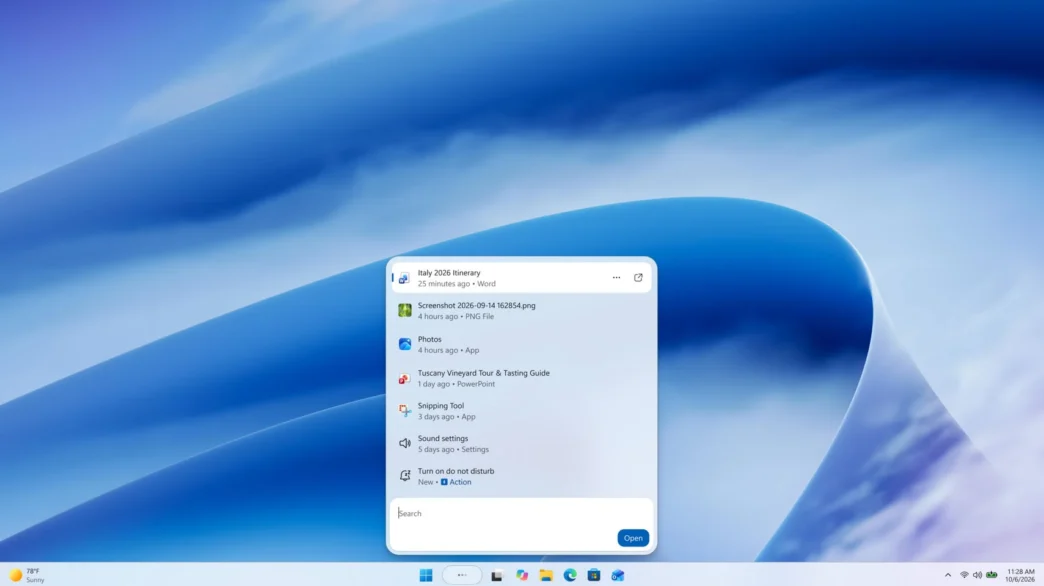
Microsoft is rebuilding Windows 11 Search with a redesigned, single-list interface and typed actions that can change settings or organize open windows from the taskbar. The new experience is built on WinUI 3, which Microsoft says has improved performance and memory use in early tests. It begins rolling out to Windows Insiders on October 7.
Key takeaways
- The redesigned Search uses WinUI 3 and replaces the two-pane layout with one list of results.
- Typed actions can switch settings, adjust the screen, mute audio and arrange windows.
- Microsoft is also working on better typo and synonym matching, file previews and richer web results.
- The initial preview is rolling out in English to Insiders in the Experimental channel.
The changes target both speed and everyday usability. For PC users who rely on taskbar Search to launch apps, locate files or change system settings, Microsoft’s aim is to bring those tasks together in a simpler interface.
A leaner Search interface
Microsoft says early testing has shown substantial performance and memory-use improvements from rebuilding Search on WinUI 3, its modern interface framework. The company has not published benchmark figures, so the scale of those gains remains unquantified.
The new layout gathers results into one list instead of splitting them between results and a large preview pane. Microsoft says usage data showed most clicks were on the results list, informing the move to a less cluttered design. Search is also being tuned to better recognize typos and synonyms.
Actions bring controls to the taskbar
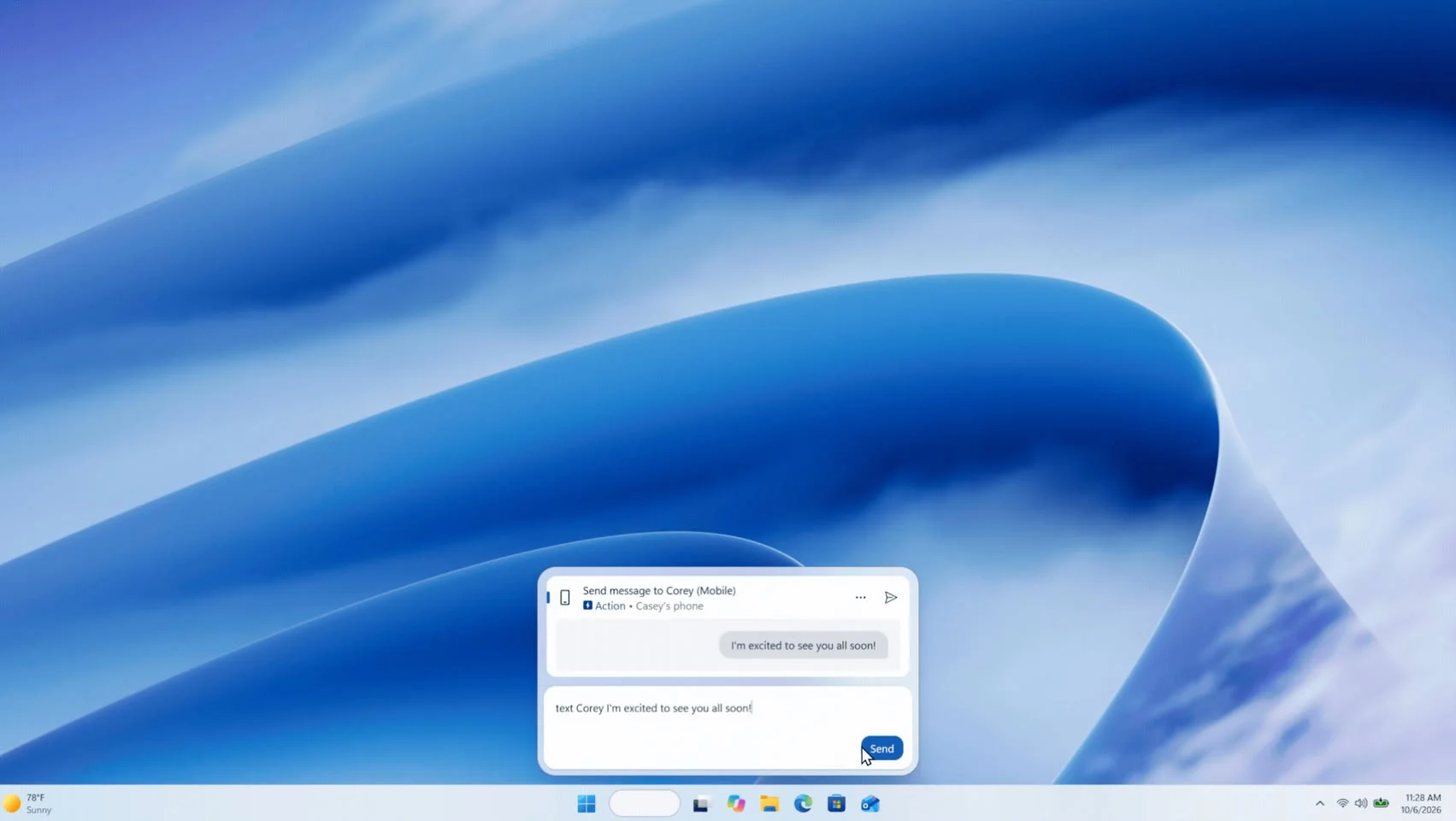
Search is expanding beyond finding files, apps and settings. Users can type requests such as “turn on Bluetooth,” “switch to dark mode,” “dim my screen” or “mute,” then use the resulting inline control to make the change. Workspace commands include minimizing windows or arranging them on screen.
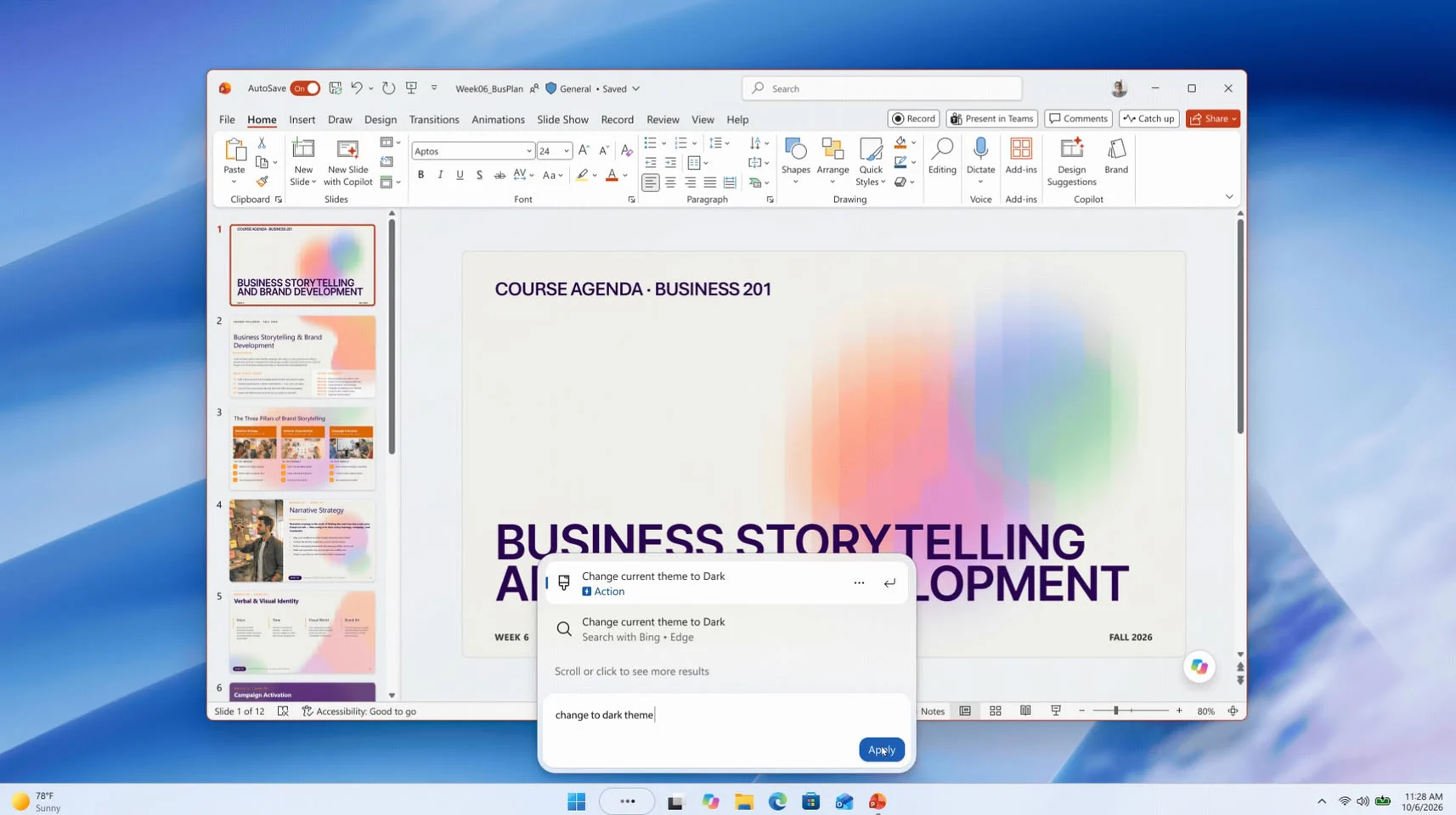
Microsoft says it is starting with common tasks and plans to add more over time. Phone Link actions, including sending a text from a connected phone, are also planned. The company has described Copilot integrations as part of its longer-term direction for Search, while some event coverage has reported that Copilot responses can appear within the interface.
More previews and a staged rollout
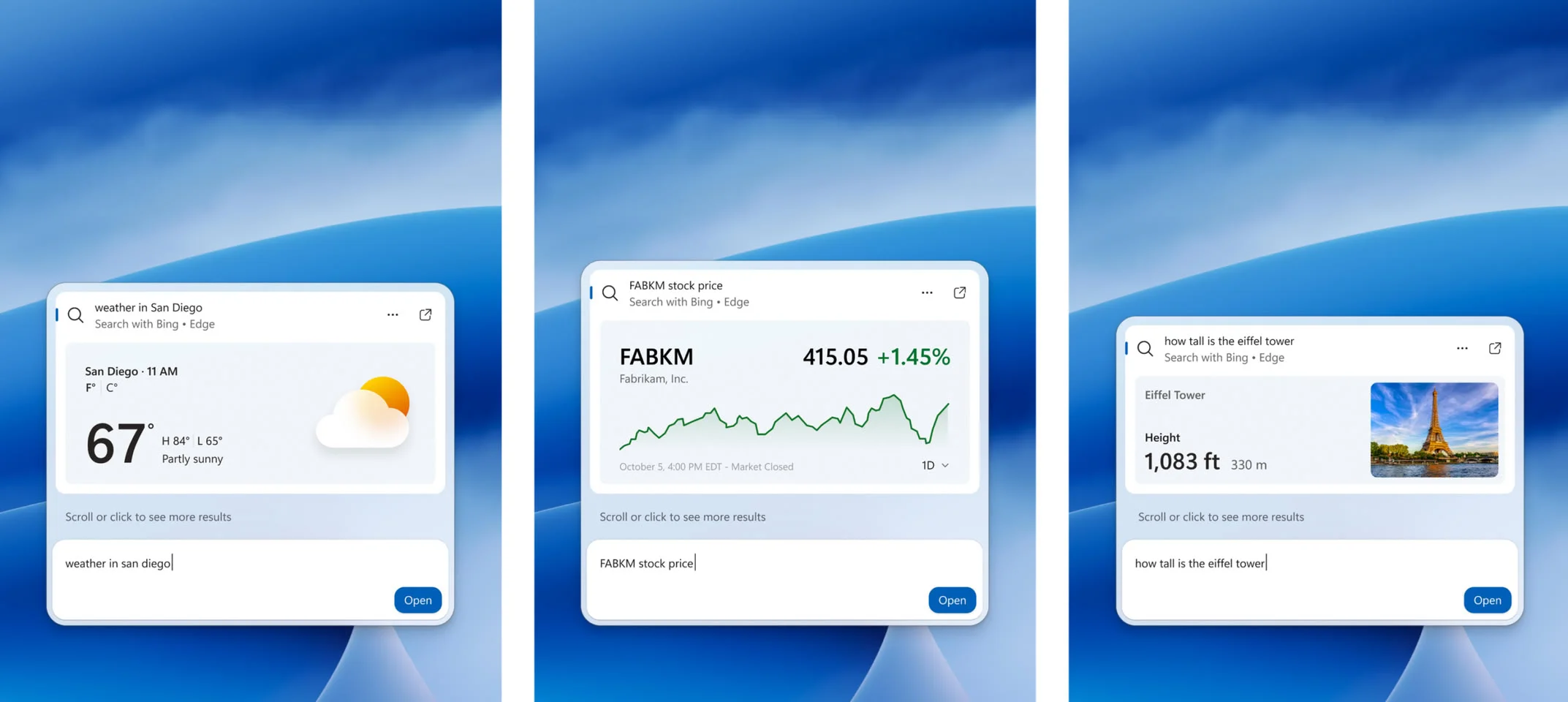
Later this year, Microsoft plans to add inline file previews and richer details to help distinguish similar results. Search is also expected to show web information—such as weather or landmark facts—in the results panel, and filters will help narrow category searches.
The preview is gradually rolling out to Windows Insiders in the Experimental channel, with English as the initial supported language. Microsoft lists build 26340.9616 for Experimental and 28120.3181 for Experimental (26H1); eligible users must check for updates and restart before the feature flag appears. Microsoft also says it is working toward bringing the new Search experience to Start and adapting it to different taskbar positions in the year ahead.
Via Microsoft