Corsair K65 RGB Mini Gaming Keyboard Overview
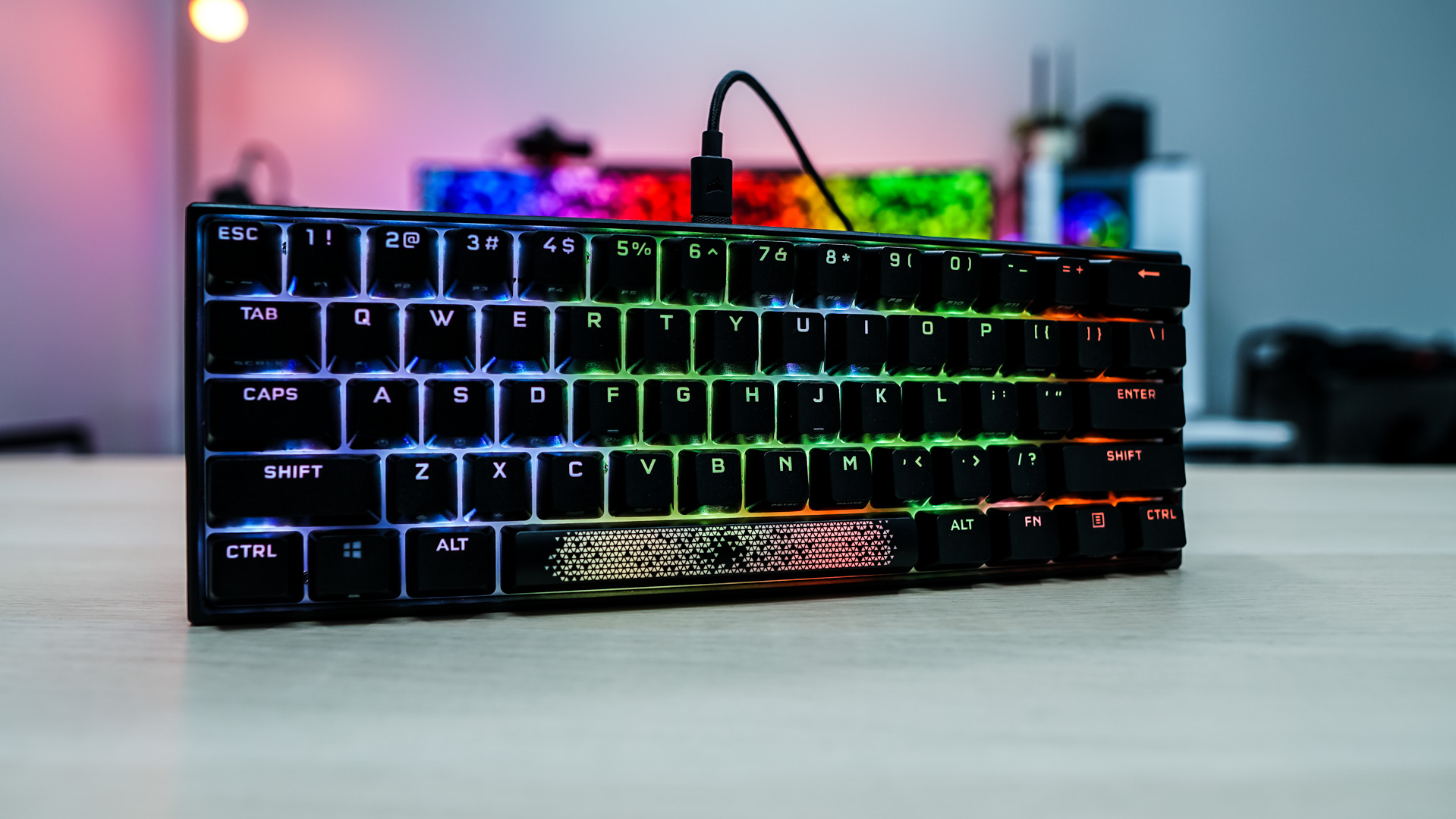
The Corsair K65 RGB Mini is of course a 60% keyboard. If you are not familiar with this form factor imagine taking a tenkeyless keyboard and cutting off the right section where the arrow keys are as well as the entire top function row. I also say 60% is as low as you can go before you really start loosing keys you need for everyday use. The official dimensions of the keyboard are 294 mm x 105 mm x 44 (LxWxH).

For those who might worry about loosing certain functions there are legends for many alternate functions on the front of many of the keycaps. You of course would hold the function key to access these functions.

Talking about the keycaps Corsair is making use of double-shot PBT keycaps. Once you use a keyboard with double-shot PBT keycaps you won’t go back to using standard ABS keycaps. They feel better and don’t wear or carry shine. Corsair started using PBT double-shot keycaps on their K100 RGB and it is good to see them here.


Under those keycaps we have Cherry MX Red mechanical key switches. As I mentioned earlier Corsair will be offering Cherry MX Red, Silent, and Speed mechanical key switches with the K65 RGB Mini. We can also see the white top plate, which should help the RGB lighting on the switches have a more even glow.

Looking at the keyboard from the side we can see it is set at an angle. There is no adjustment, so this is how your keyboard will sit at all times. The first two rows of keys are angled down, while the last three and angled up.

The keyboard itself has a plastic casing, but it does feel pretty solid and it has some nice weight to it. On the top edge of the keyboard you’ll find a small Corsair logo and right in the center is a USB-C connection.


Flipping the keyboard over there are four small rubber feet that will keep it in place on your desk.

The included cable is a 6ft USB-C to USB-A cable that has a thin braided design and the more current Corsair fit and finish on each end.