Microsoft has begun a noticeable shift in its integration of artificial intelligence within Windows 11, starting with the removal of Copilot branding from core applications like Notepad and Snipping Tool. This move follows user criticism and a broader company acknowledgment of overzealous AI implementation.
Key Takeaways
- Microsoft is rebranding Copilot features in Windows 11 apps, starting with Notepad and Snipping Tool.
- The Copilot icon and branding have been replaced with more generic terms like “Writing tools.”
- Underlying AI functionality generally remains, but its presentation is less prominent.
- This change is part of a larger effort to address user feedback and improve the Windows 11 experience.
A Subtler Approach to AI Integration
In a significant move for Windows 11 users, Microsoft is scaling back the prominent presence of its AI assistant, Copilot. The latest updates to Notepad for Windows Insiders have seen the colorful Copilot logo replaced with a more discreet “Writing tools” icon. This rebranding extends to the settings, where AI features are now categorized under “Advanced features” rather than “AI Features.”
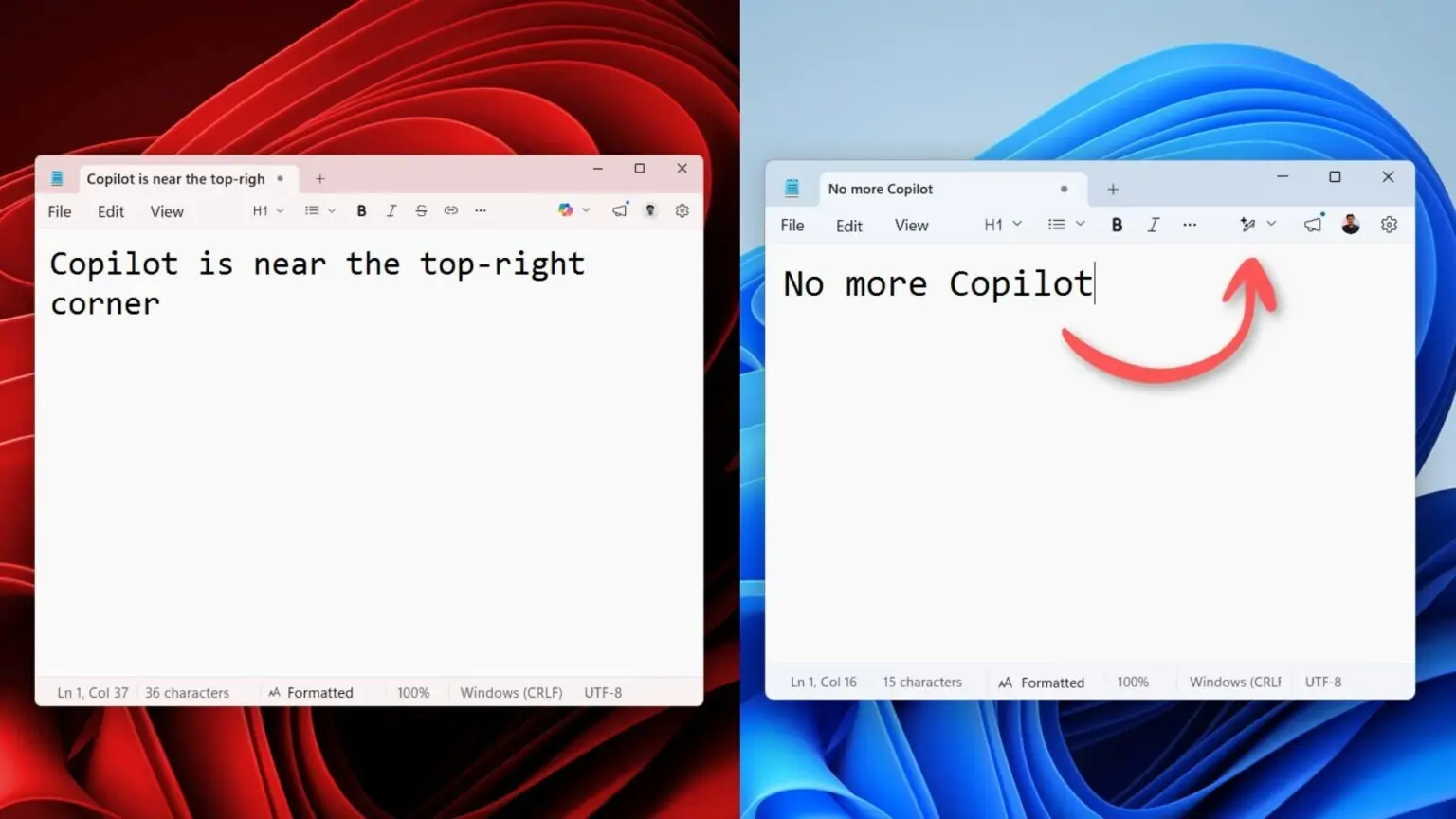
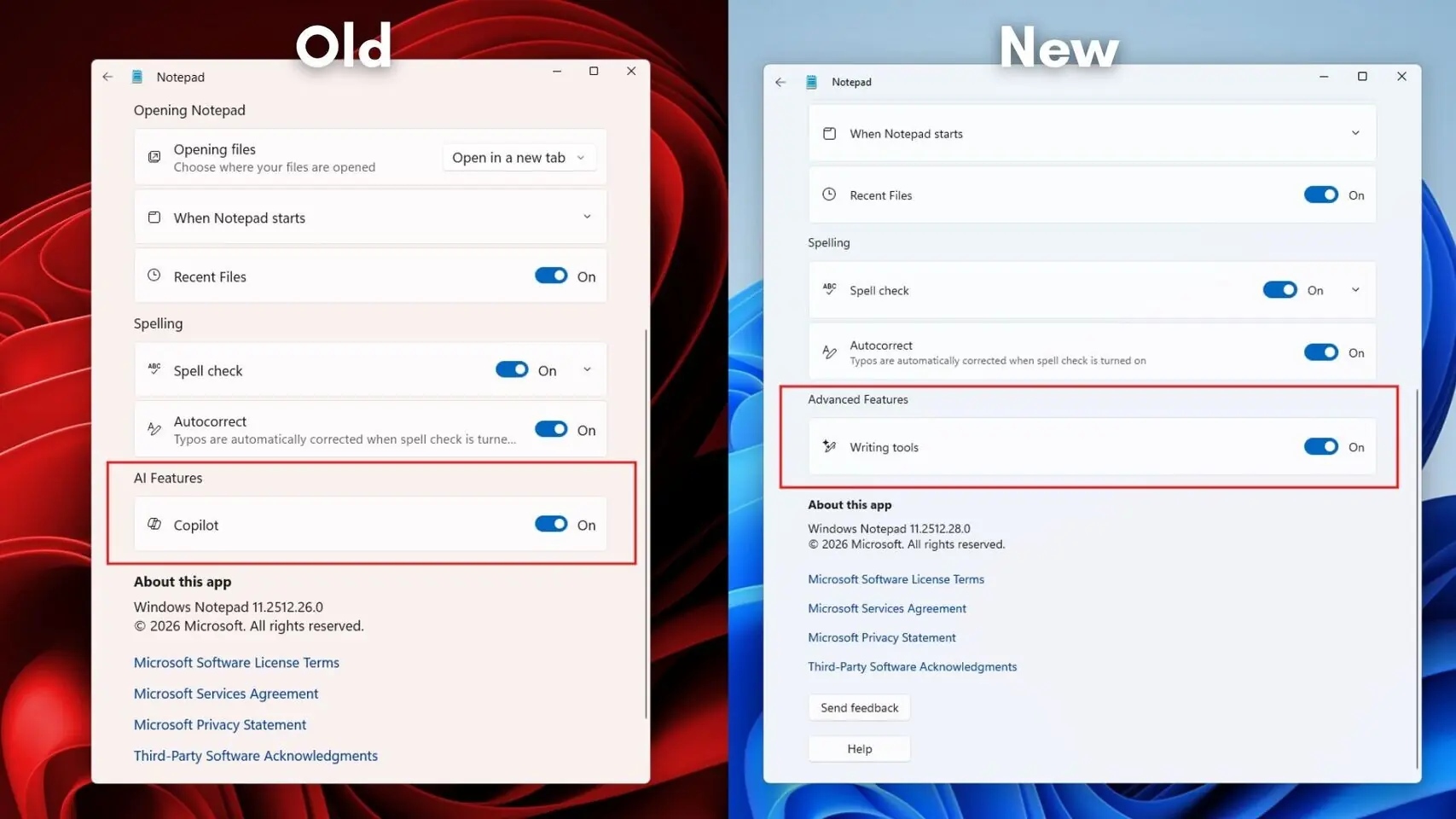
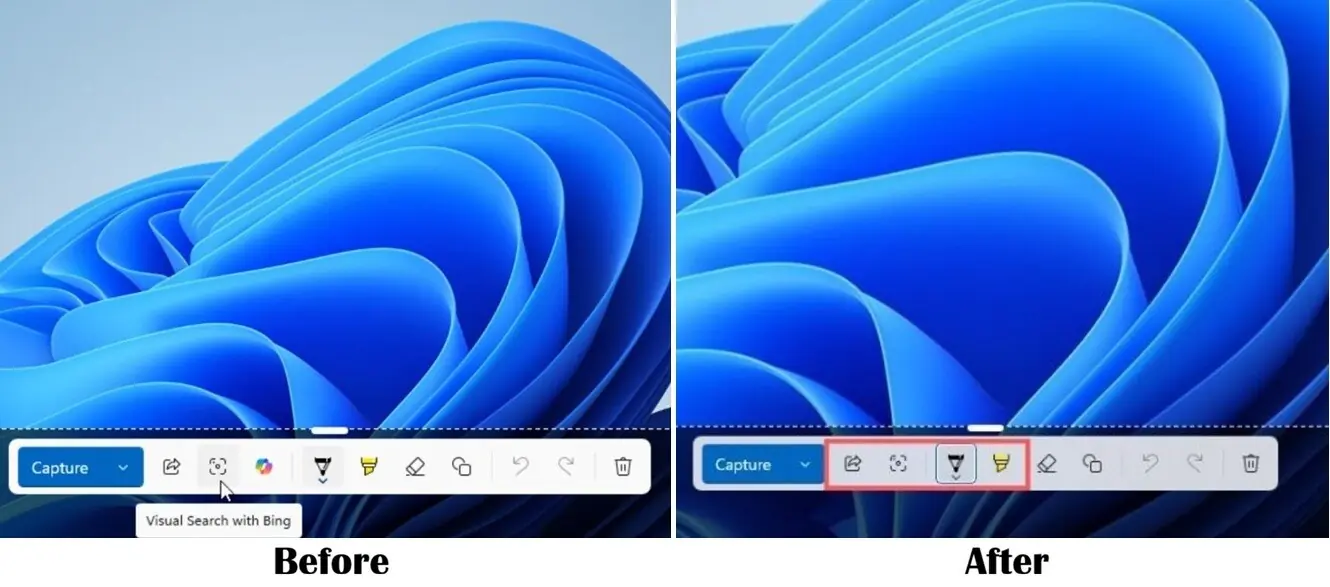
Similarly, the Snipping Tool has also seen its Copilot integration removed entirely. Previously, a Copilot button would appear after capturing a screenshot for markup. Now, this button is absent, marking a complete removal of the AI feature from this utility.
Responding to User Feedback
This strategic shift aligns with recent statements from Microsoft leadership, acknowledging that the company may have pushed AI integration too aggressively. A blog post from the President of Windows and Devices indicated a commitment to reducing “unnecessary Copilot entry points” in applications such as Snipping Tool, Photos, Widgets, and Notepad. The current rollout is the first visible step in this promised adjustment.
While the Copilot branding is being removed or downplayed, the underlying AI capabilities often persist. In Notepad, for instance, the “Writing tools” still leverage AI for functions like rewriting and summarizing text, though users can disable these features if they prefer.
What’s Next for Copilot in Windows?
Microsoft has suggested that this is just the beginning of a broader effort to refine how AI is presented within Windows 11. Applications like Paint and File Explorer, which also feature Copilot integrations, are expected to undergo similar rebranding or removal of prominent AI branding in the future. The company aims to strike a better balance, ensuring AI features are integrated more tactfully and are less intrusive for users who may not want them.
This move is seen by many as a positive step towards improving the overall user experience in Windows 11, addressing concerns about bloat and the pervasive nature of AI features.
Via Windows Latest