Microsoft’s new Gaming Copilot AI feature, integrated into Windows 11’s Game Bar, is facing significant backlash from users and privacy advocates. Reports indicate that the AI is enabled by default to capture screenshots of gameplay for the purpose of training its large language models, raising concerns about user privacy and potential data breaches, especially for those working with unreleased games under NDA.
Key Takeaways
- Gaming Copilot’s “Model training on text” feature is enabled by default, capturing screenshots for AI training.
- Users were reportedly not explicitly informed about this data collection during setup.
- Concerns exist about potential breaches of Non-Disclosure Agreements (NDAs) for unreleased games.
- Microsoft states screenshots are not used for AI model training, but text/voice conversations may be.
- The feature can also slightly impact game performance.
Default Data Collection Raises Privacy Red Flags
Reports first surfaced on forums like ResetEra, where users discovered through network traffic analysis that Gaming Copilot was transmitting screenshots of their games to Microsoft servers. This data, processed using Optical Character Recognition (OCR), is reportedly used to train Microsoft’s AI models. The critical issue is that this feature is enabled by default, meaning users are unknowingly contributing their gameplay data unless they actively opt-out.
This practice has drawn parallels to Microsoft’s controversial Recall feature, which was also criticized for its default data collection practices. The lack of clear consent prompts during the setup of Gaming Copilot has exacerbated these concerns, particularly for individuals working in the game industry who might be testing games under strict NDAs. The automatic capture of in-game text could inadvertently leak sensitive, unreleased content.
Microsoft’s Response and User Control
In response to the growing concerns, Microsoft has issued a statement clarifying the functionality of Gaming Copilot. A spokesperson stated that while the feature can use screenshots to better understand gameplay for more helpful responses, these screenshots are not used for AI model training. However, the company did confirm that text or voice conversations with Gaming Copilot may be used to train and improve its AI. Gaming Copilot is described as an optional feature that only accesses gameplay when actively being used by the player.
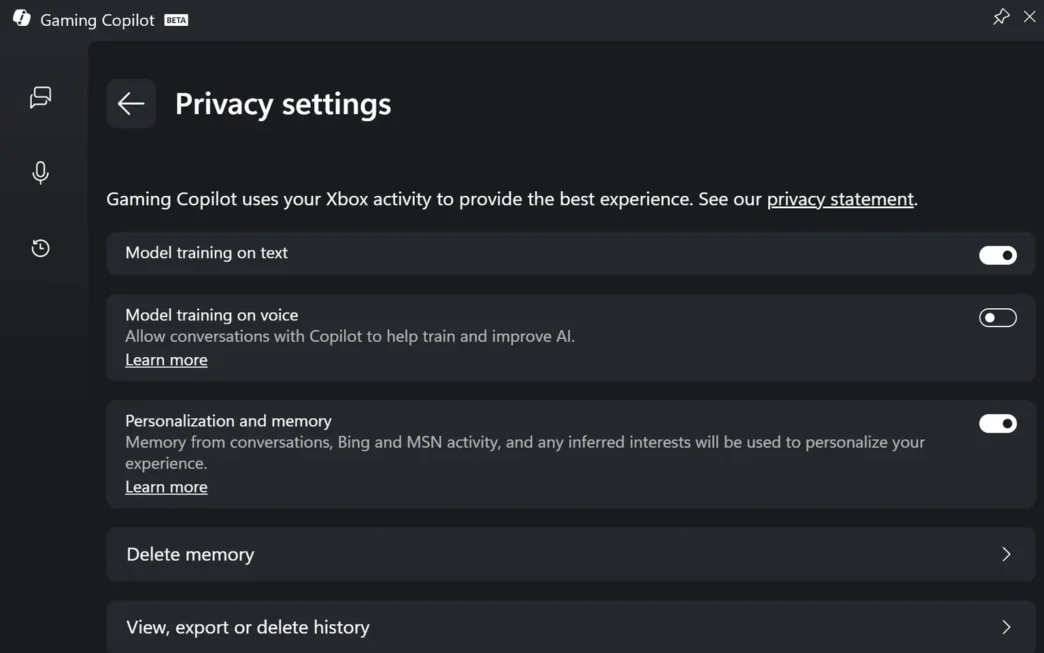
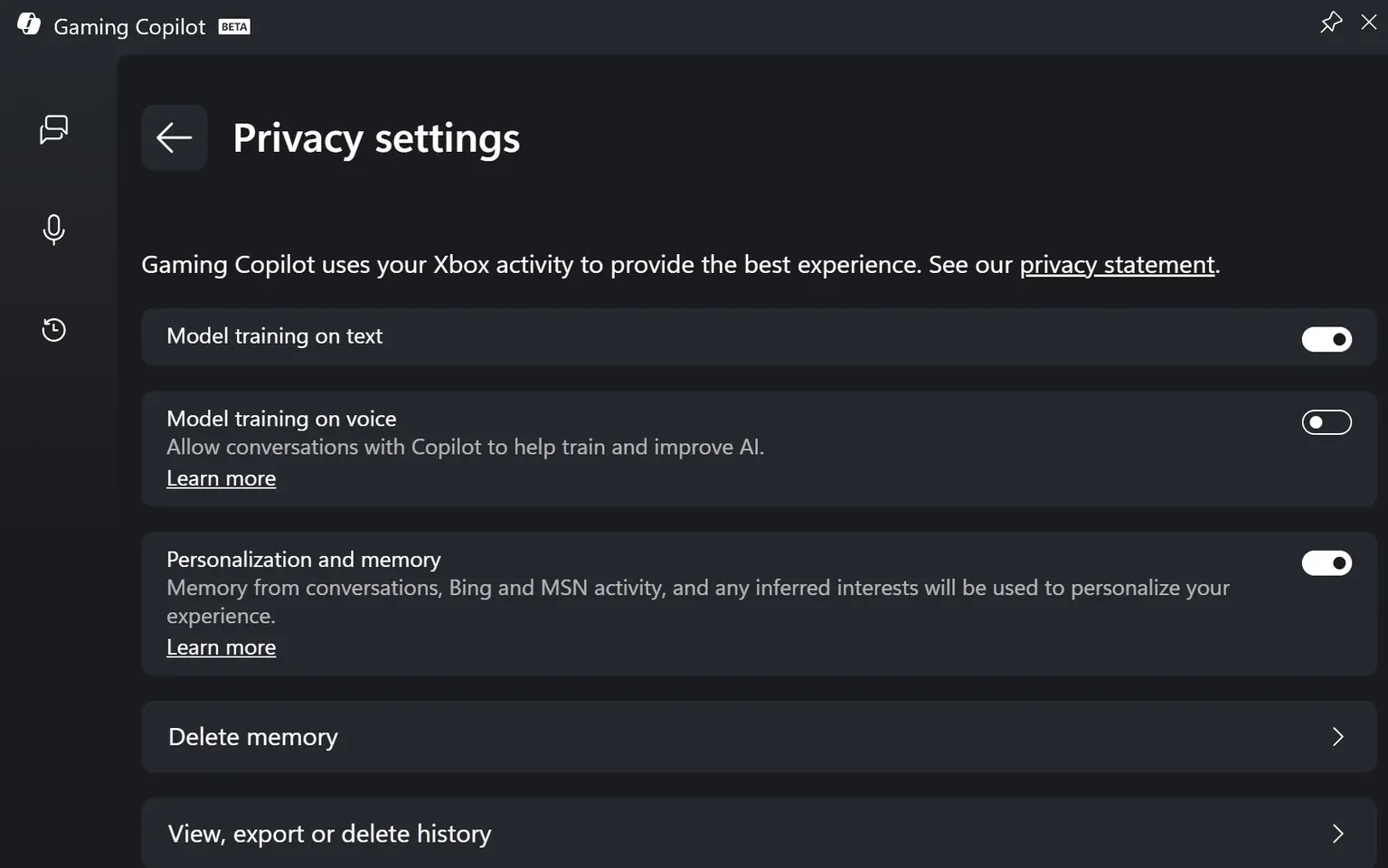
Users can manage these settings through the Game Bar. By navigating to Settings, then Privacy Settings within Gaming Copilot, users can disable the “Model training on text” option. Additionally, there’s an option for “Model training on voice,” which is thankfully disabled by default. Some users have also noted that the “Enable screenshots (experimental)” option under Capture settings may also be enabled by default.
Performance Impact and Broader Concerns
Beyond privacy, some users have reported a slight impact on gaming performance when Gaming Copilot is active, with frame rates experiencing minor dips. While not a significant drop for most, it adds to the cumulative effect of background processes on system performance, especially on lower-end hardware.
The situation has reignited broader discussions about Microsoft’s data collection policies and the increasing integration of AI across its products. Many users express frustration with what they perceive as a pattern of intrusive default settings, leading some to consider alternative operating systems like Linux or specialized Windows versions like IoT LTSC for greater control over their data.
Via Resetera