


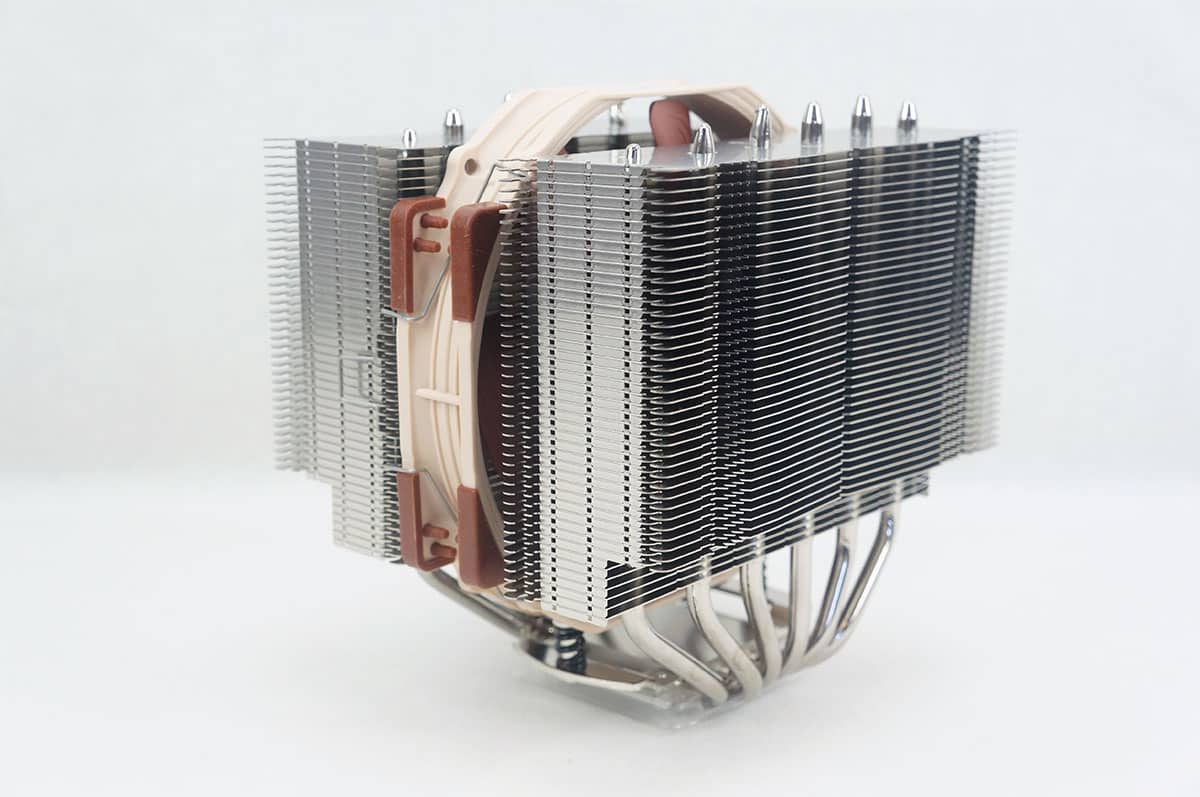
Testing
We will be testing the Scythe Tatsumi in our Intel X79 system.
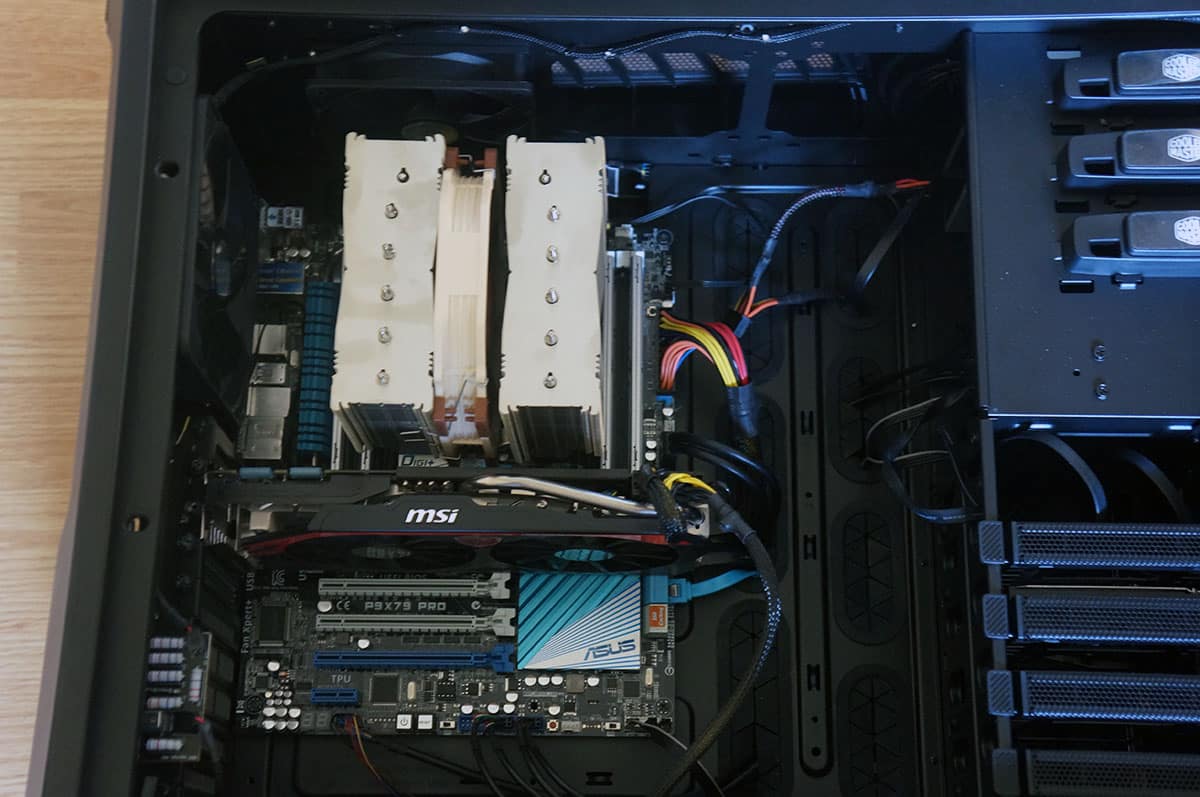
It is comprised of the following components.
Processor: Intel Core i7-4960X Extreme Edition
Motherboard: ASUS P9X79 Pro
Video Card: MSI GeForce GTX 770 Twin Frozr Gaming OC
Memory: 16GB Kingston 10th Anniversary
Power: Thermaltake Toughpower DPS G 850W Power Supply
Storage: 750GB SATA II Drive
Cooling: Noctua NH-D15S
Case: Cooler Master Cosmos II with 5 fans
For testing we will be using the Intel Burn Test with the AVX instruction set. We use this instead of Prime 95 as it will push the processor much harder. We have it set on the maximum setting and let it run through 3 passes. This gives us a realistic idea of the temperatures the processor would hit when it is under full load.
Keep in mind this is an Extreme Edition processor. These run much hotter than normal chips. First up we have our idle test.

Now for the load test.
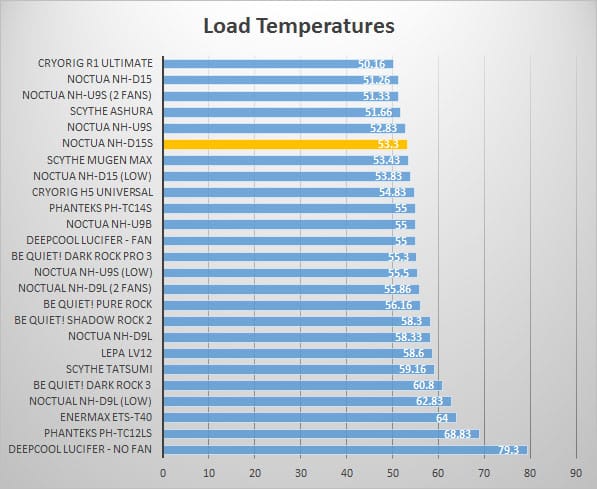
As you can see the NH-D15S sits in the top of our test group when it comes to load testing, very impressive!
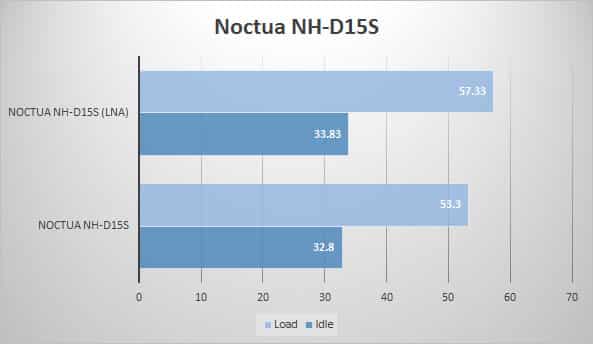
The cooler comes with a Low Noise Adapter (LNA) that slows the fan speed down. Here is the difference between running the cooler with the LNA and without it.


Are you sure you installed this the right way around? I thought the whole point of the asymmetrical design was to make it so the first pci slot isn’t blocked at all on just about any motherboard (excluding some itx boards with the slot right next to the socket). I think the intended vertical installation is with it rotated 180 degrees, so it doesn’t block the pci slot and instead extends above the cpu socket.
You guys know you mounted that heatsink upside down right? It’s offset so you DON’T cover the top pcie slot..
Good job on the correction with the fitment.
Okay, this is a little dated but I’ve been waiting along time for the CPU I wanted to find a moderately reasonable price bracket before purchasing at Intel’s over-inflated gouging. So yeah, I’ve had this puppy in my store room for over a year now and the last item on my build list will be, you guessed it… RAM. I’ve made some exhaustive searches using four different engines but still cannot find any satisfactory information regarding using this cooler in conjunction with a full set (8 sticks) of Corsair DDR4 DOMINATOR RAM. Are there clearance issues? What about using it with the fans that come with the RAM? Anyone know?