In today’s digital age, video conversion is essential for anyone who works with media files to ensure compatibility, quality, and ease of access across all devices. From casual users wanting to convert videos for personal use to professionals editing high-quality content, such as reducing file size, social media sharing, streaming, or extracting audio for specific projects, having the best video converter is required. In this guide, you will explore the video converter for 2024, highlighting features, prices, and unique advantages.
How to Choose a Good Video Converter
Selecting the right video converter involves evaluating several key factors to ensure it meets your functional and security needs.
Assessing Safety and Security Features
The best video converter should prioritize user security, particularly if it’s online or requires installation. Look for converters that are ad-free and have a proven track record in data protection.
Evaluating Conversion Speed and Performance
A video converter offers fast conversion times without compromising quality. This is especially crucial when working with large or high-definition files.
Exploring Supported File Formats
This will support various formats, including MP4, AVI, MOV, and MKV. Choose software that meets your current and potential future needs.
Importance of a User-Friendly Interface
The interface should be easy for all experience levels to navigate the software efficiently. Look for drag-and-drop functionality and clear output settings.
Additional Features to Enhance Functionality
Many converters now offer extra features, such as video editing, batch processing, or built-in media players, providing greater versatility for both professional and casual users.
Recommended Software List
Here are the 10 best video converter of 2025, each selected for its unique features, reliability, and performance.
1. HitPaw Video Converter
HitPaw Video Converter is the best video converter software for Mac and Windows. Known for its user-friendly interface and compatibility with Apple Music, YouTube Music, Deezer, and other platforms, it offers seamless integration and high-quality output. You can enjoy quick conversions with an extensive format range, i.e., M4A, MP3, WAV, FLAC, etc. It also offers the batch conversion feature to save time and effort. You can even easily access various built-in tools to enhance the video conversion experience.
Features
- Support converting to/from 1000+ formats
- Help you convert playlists and channels at a quick speed
- Remove DRM protection and Keep ID3 tags of Apple Music
- Offer built-in player for video and audio playback
- Provide an editing toolkit to enhance the output
Verdict: Excellent choice for beginners and professionals needing a versatile, user-friendly tool.
Price: Free and Paid. $19.95 Monthly, S39.95 Yearly, $79.95 Lifetime
Steps to Convert Video with HitPaw Video Converter
Step 1. Add Videos
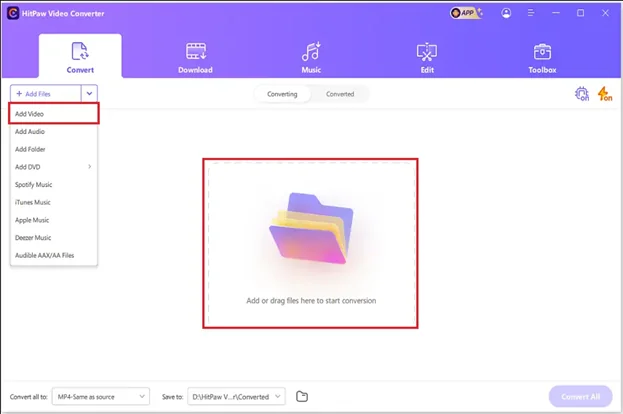
The first step involves launching the software, opening its “Convert” section, and adding the video files.
Step 2. Choose an Output Format
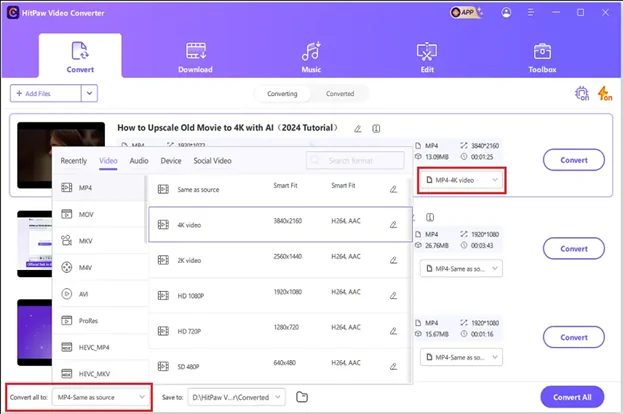
Now, expand the “Save all to” tab and pick the format from the “Video,” “Audio,” “Device,” or “Social Video” section. You can click the pen icon to adjust the parameters like sample rate, encoder, resolution, bitrate, etc.
Step 3. Convert and Access
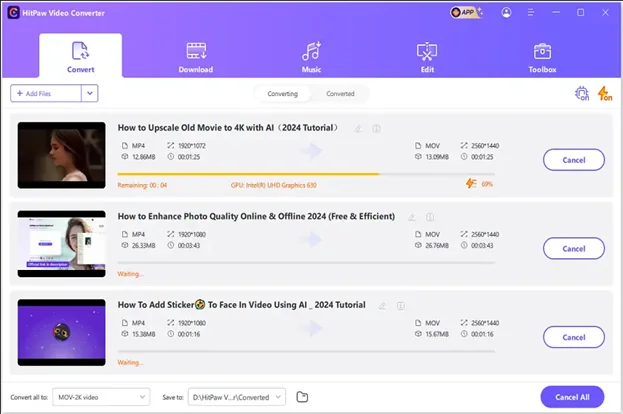
Lastly, enable the lossless conversion and hit “Convert all.” Once the conversion is complete, access the “Converted” section. That’s all!
2. HandBrake
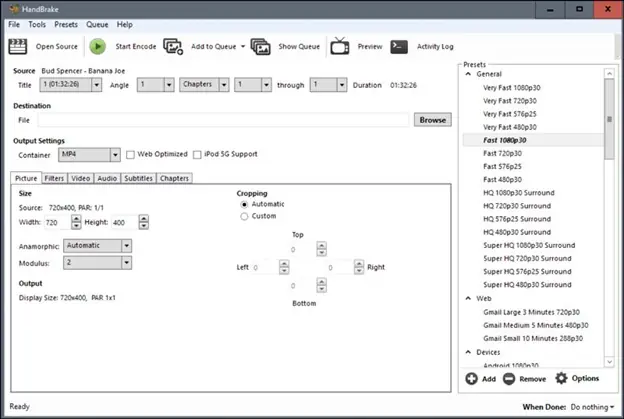
HandBrake is a free, open-source video converter popular among advanced users for its customizable settings and high-quality outputs, up to 4K resolution. It is a powerful software that uses third-party libraries like FFMPEG, X265, etc., to convert various popular formats, including H.264, H.265, MPEG-2, MPEG-4, Theora, and more.
Features
- Available for Windows, macOS, and Linux
- Convert videos for smartphones, Chromecast, Roku, and more
- Let you change bitrate, codec, resolution, and add subtitles
Verdict: Suitable for those who need more control over output settings.
Price: Free
3. Any Video Converter
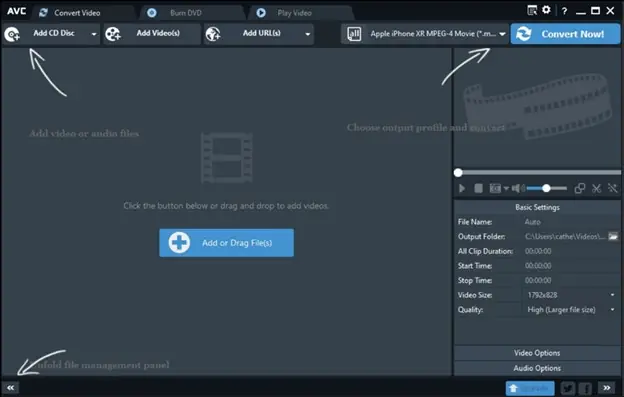
With a simple interface and support for multiple formats, Any Video Converter is a reliable choice for Windows 10 and 11 users seeking quick, high-quality conversions. It offers 150+ device presets to convert a video for a specific device. You can also access the video compression and editing features.
Features
- Offer both online and offline video conversion
- Convert multiple videos simultaneously (up to 5)
- Increase video resolution to 200% of the original video
Verdict: Great for beginners looking for ease of use with basic editing features.
Price: Free and Paid. $9.95 Monthly, $29.95 Yearly, $49.95 Perpetual
4. Freemake Video Converter
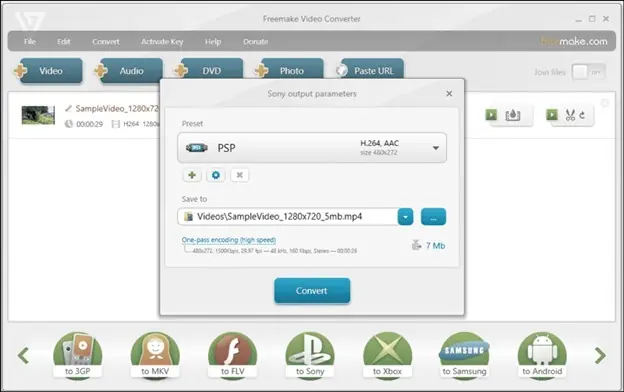
Freemake Video Converter is a remarkable software for basic yet efficient conversion. It supports 500+ audio & video formats and gadgets for free. You can also edit videos at a basic level, burn videos to DVD, share them on YouTube, or extract audio from video clips. However, the output will come up with a watermark.
Features
- Simple and easy-to-use interface
- High quality and fast speed
- Wide range of preset profiles
Verdict: A straightforward tool designed for quick video conversions.
Price: Free and Paid. $59.95 Lifetime
5. Movavi Video Converter
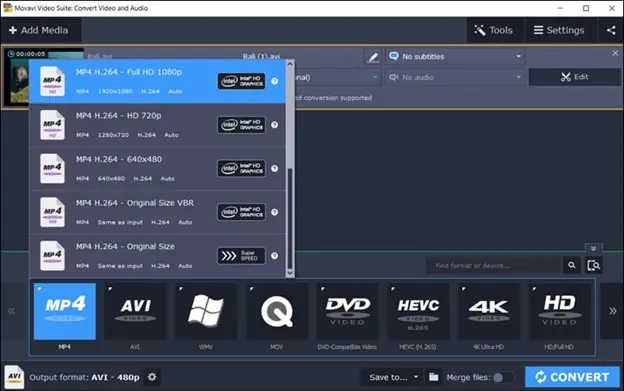
Movavi Video Converter is a powerful yet user-friendly tool for high-speed and high-quality processing. It supports over 180 formats, including DVDs and HD videos like FLV, MKV, MP4, 3GP, and more. It also offers a SuperSpeed mode; however, this is only available for converting a video to the same codec and resolution. It is ideal for quick, professional results with minimal effort.
6. DivX
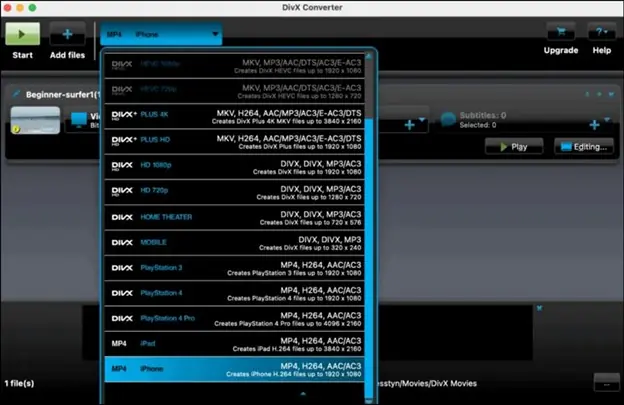
If you a looking for a video converter that can handle 4K and all other popular formats, DivX must be your way to go. You can enjoy HD conversion with enhanced streaming capabilities. It supports HEVC, enabling high-quality compression with reduced file sizes. It also includes a media server feature for streaming files to various devices.
7. Shutter Encoder
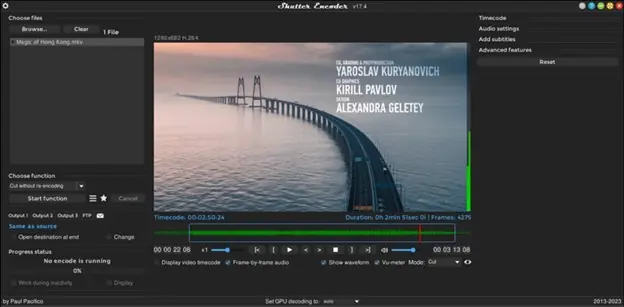
Shutter Encoder is a free, open-source video converter, available for free. It is often used by professionals for its advanced conversion options. It supports an impressive range of codecs, including output formats like Cinepak, ProRes, etc. You can access video editing features like color grading and compression. It is perfect for high customization of encoding and broadcasting workflows.
8. Prism Video Converter

Prism Video Converter is a lightweight software for basic conversions and batch processing. Supporting popular video formats like MP4, AVI, and MOV, it offers fast, straightforward conversions. This software also includes simple editing options, making it a great choice for quick conversions without extensive features.
9. Convertio
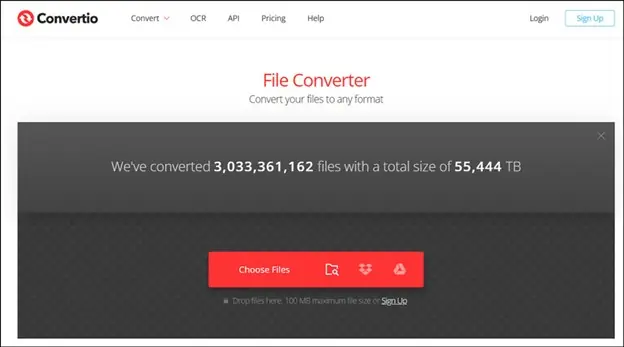
Convertio is an online video converter that supports over 300+ file formats, including video, images, documents, ebooks, etc., making it a highly versatile tool. With cloud-based processing, you don’t require installation and can convert files directly from Google Drive, Dropbox, or URL links. You can also tweak quality, aspect ratio, and codec settings.
10. Zamzar

Zamzar is a straightforward online conversion tool specializing in quick conversions for 1200 file types, including audio, video, and documents. It also provides email notifications once conversions are complete, streamlining the process. You can import the file from the cloud and computer. However, it might be a drawback for users needing advanced customization options.
FAQs
How does Video Conversion Tool Work?
A video converter decodes the video into a raw format and encodes the file to a new chosen format as well as alters the other properties, such as frame rate or resolution.
Is it illegal to use a YouTube to MP3 converter?
Using YouTube to MP3 converters can be against the platform’s terms of service. However, it’s generally legal when converting your content, content with appropriate licensing, or for personal use.
Who uses video converter software most often?
People often want to play videos on devices like smartphones, tablets, smart TVs, and gaming consoles to satisfy their personal or professional needs.
Conclusion
Choosing the best video converter in 2024 depends on your needs, from compatibility with devices to ensuring secure, high-quality conversions. You can select any from the top 10 options. Consider the balance between conversion speed, supported formats, and additional features.
In this case, the HitPaw Video Converter stands out for its ease of use, efficient processing, advanced customization, comprehensive functionalities, unmatched versatility, and integration with platforms like Apple Music. Try it now and enjoy high-quality conversion in a snap!