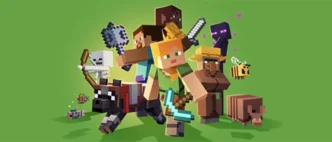
Minecraft’s version numbers used to be a comfy background detail. You could glance at “1.20” or “1.21” and instantly know roughly where the game was in its timeline. Now Mojang is talking in a different style — “26.1” — and it looks like the game jumped forward for no reason.
It didn’t. What changed is the way the version label communicates the release cycle.
Mojang’s new approach ties the main number to the calendar year. “26” points to 2026, and “.1” represents the first major release line in that year. It’s less “Minecraft is suddenly ancient” and more “Minecraft is naming its cycle in a way you can decode in half a second.”
The problem Mojang is trying to solve
The old 1.x numbering made sense when updates were easy to describe as “big release, then a few patches.” But Minecraft isn’t shipped like that anymore. Content arrives in smaller drops, fixes land more often, and changes can roll out in waves.
That flexibility is good for development and for players, but it also created a communication mess:
- People say “latest version” and mean different things.
- Servers update on their own schedule.
- Java and Bedrock timelines don’t always feel identical.
- Add-ons get blamed for problems that are really just version mismatch.
When you’re coordinating with friends, running a server, or troubleshooting a modded setup, the version number isn’t trivia — it’s the first clue.
A year-based system makes that clue more obvious. “26.1” immediately tells you, “this belongs to the 2026 cycle,” without forcing you to remember whether 1.21.4 was before or after 1.21.2, or which patch was the one that changed the thing you care about.
Who benefits the most? Anyone using mods
Vanilla players can usually update whenever and be fine. But the moment you use mods, you’re relying on an ecosystem that has to move in sync.
A new release line arrives. Mod loaders update. Libraries update. Mods update. Modpacks update. Server tooling updates.
Most of the time, this is smooth — but there’s almost always a short period where “it technically works” and “it’s stable” are two different things. The new numbering doesn’t magically speed that up, but it does make it easier to talk about.
Instead of a vague “I’m on the latest,” you can point to a clear cycle label and avoid half the back-and-forth.
Texture packs are part of the same upgrade reality
Texture packs (resource packs) often survive updates better than heavier add-ons, but they still depend on the game’s asset structure staying predictable. New blocks, renamed items, or reorganized assets can create small visual oddities until pack authors update.
If you like keeping an eye on what’s being prepared around the upcoming 26.1 cycle, it helps to have a single place to check rather than chasing scattered downloads: a Minecraft 26.1 texture pack list.
Shaders are the most obvious example (because FPS tells the truth)
Shaders are where the new version cycle feels the most “real,” because you notice changes immediately. Lighting, shadows, water, sky — and most importantly, performance.
When Minecraft’s baseline shifts, shader setups can need time to settle. A pack might technically load but behave differently. A setting that used to be fine might suddenly cause stutter. A small engine tweak can move the performance sweet spot.
That’s why it’s smarter to treat early-cycle shader advice as something you revisit, not something you grab once and forget. If you’re aiming for Minecraft 26.1 visuals, it helps to follow a hub that stays updated as compatibility improves — like an shaders list for Minecraft 26.1.
What you should do with this information
You don’t need to memorize the new numbering system. You just need to use it the way it’s intended:
- As a quick signal of which yearly cycle you’re in.
- As a way to communicate clearly when troubleshooting.
- As a reminder that add-ons (mods, texture packs, shaders) may need a settling period.
For most players, the shift will feel weird for a week and then become normal. The long-term benefit is clarity: fewer “wait, which version?” moments, easier coordination, and less confusion when a new release line arrives.
Minecraft didn’t become a different game overnight — it just got a version label that tells you more, faster.