
Closed circuit television (CCTV) systems have become an essential tool for enhancing the security of homes, businesses and public spaces. These systems allow for real-time monitoring, recording of events, and deterrence of potential threats. Installing a CCTV system may seem daunting, but with proper planning and execution, it can be a straightforward process that significantly increases security and peace of mind. This guide provides an expert-level overview of CCTV installation tailored for a wide audience, including homeowners, small business owners, and property managers. We’ll cover everything from initial planning to ongoing maintenance, ensuring that you understand the key principles without getting bogged down in unnecessary technical complexities. By the end, you’ll be able to handle a basic installation yourself or effectively oversee a professional installation.
CCTV technology has evolved rapidly, offering high-definition video, remote access via smartphones, and integration with smart home devices. However, the core goal remains the same: to capture clear images to protect people and property. Keep in mind that while do-it-yourself installations are possible for simpler setups, complex systems may require certified professionals to comply with local regulations and ensure optimal performance.
Planning your CCTV system
Thorough planning is essential before purchasing any equipment. Start by evaluating your security needs. Identify vulnerable areas such as entrances, driveways, parking lots, or high-traffic areas. For a home, this might include front doors, backyards, and garages. For a business, focus on cash registers, storage areas, and employee entrances.
Conduct a site survey. Walk around the property at different times of day to note lighting conditions, potential blind spots, and environmental factors such as weather exposure. Consider the purpose: Is it for deterrence (visible cameras), discreet surveillance (hidden cameras), or both? Determine the number of cameras needed – typically 4-8 for a standard home and more for larger properties.
Budgeting is next. Consider the cost of cameras, recorders, cables, power supplies, and potential mounting hardware. Ongoing costs include storage media and power. Strike a balance between quality and affordability; higher-resolution cameras provide better detail but use more storage.
Legal considerations are paramount. In many regions, CCTV installations must respect privacy laws. For example, cameras should not be pointed at neighboring properties or public spaces without permission. Check local regulations regarding signage (e.g., “CCTV in operation”) and data retention periods. In the European Union, GDPR compliance is essential for handling personal data captured on video.
Finally, decide on the type of system: wired for reliability in stable environments or wireless for flexibility in remote areas. Hybrid systems combine both. Wired setups provide uninterrupted signals but require cabling, while wireless setups are easier to install but can suffer from interference.
Choosing the right equipment
Choosing CCTV components without focusing on specific brands requires an understanding of key features. Cameras come in several types: bullet (cylindrical, weatherproof for outdoor use), dome (discreet, vandal-resistant for indoor use), PTZ (pan-tilt-zoom for wide coverage) and infrared (night vision).
Resolution matters – choose at least 1080p (Full HD) for clear images; 4K offers superior detail but requires more bandwidth and storage. Field of view (FOV) determines coverage area; wide-angle lenses (90-120 degrees) are good for wide open spaces, while narrower lenses (30-60 degrees) focus on details.
For recording, network video recorders (NVRs) work with IP cameras, while digital video recorders (DVRs) work with analog cameras. Storage capacity should allow for 7-30 days of footage, depending on your needs. 1-4TB hard drives are common starters.
Power sources include Power over Ethernet (PoE) for IP systems, which simplifies cabling by combining data and power in one cable. Battery or solar options suit remote installations.
Accessories such as mounts, enclosures (for harsh weather), and monitors add functionality. Ensure compatibility: All components should support the same protocols, such as ONVIF, for interoperability.
When selecting, prioritize weatherproofing (IP66 or higher for outdoor use) and low-light performance (measured in lux). Motion detection and alarms reduce false alarms and save storage space.
Prepare for installation
Gather tools: screwdrivers, drills, cable strippers, ladders, and continuity testers. Safety equipment such as gloves and eye protection is essential. Test all equipment before installation to avoid rework.
Plan camera positions for optimal angles – aim for a height of 7-10 feet to prevent tampering while capturing faces clearly. Avoid direct sunlight or reflections that could wash out footage.
For wired systems, plan cable runs. Use conduit to protect cables from damage and weather. Measure distances accurately; use coax for analog systems or Ethernet for IP.
Wireless setups require strong Wi-Fi signals; use extenders if necessary. Secure networks with encryption to prevent hacking.
Step-by-step installation process
1. Mounting cameras
Start with the outdoor cameras. Drill holes for brackets, making sure they’re level. Secure brackets to walls or ceilings using anchors for masonry or screws for wood. Mount the camera and adjust angles for desired coverage. Test views temporarily before finalizing.
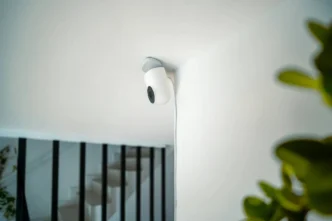
Ceiling mounts are ideal for indoor domes. Make sure there are no obstructions such as furniture blocking the lens.
2. Running Cables
For wired installations, route cables through walls or along baseboards. Use fish tape for confined spaces. Connect to the recorder and label each one for easy identification. Avoid operating near power lines to minimize interference.
PoE systems streamline this: Use a single Cat5e or Cat6 cable per camera.
Wireless: Pair devices through apps or software to ensure they’re on the same network.
3. Connecting to the Recorder
Connect the cameras to the NVR/DVR ports. Turn on the system and format the storage devices. Configure basic settings such as date/time and user accounts.
4. Powering the System
Use dedicated outlets or surge protectors. For PoE, use a switch to distribute power.
5. Testing the Setup
Verify that each camera is providing live video. Test night vision by dimming the lights. Test motion detection by walking into view. Verify that remote access via mobile applications works.
Configuring Software and Features
Modern CCTV systems include easy-to-use software. Set recording modes: continuous for constant capture or motion-triggered to save space. Adjust sensitivity to avoid alerts from wind or animals.
Enable event notifications sent via email or app pushes. Integrate with alerts for comprehensive security.
For remote viewing, port forward on routers (with caution to avoid vulnerabilities) or use cloud services. Update firmware regularly to patch security vulnerabilities.
Storage management: Set overwrite rules to automatically delete old footage as space fills.
Advanced features such as analytics (e.g., line crossing detection) can be enabled, if supported, to provide smarter alerts.
Wiring Best Practices
Proper wiring will ensure longevity. For analog, use shielded cables to reduce noise. For IP, Cat6 supports higher speeds over longer distances (up to 100 meters).
Ground systems to prevent electrical surges. For outdoor runs, bury cables in conduit at least 18 inches deep or use aerial methods with UV-resistant covers.
Troubleshoot common problems: No signal? Check the connections. Interference? Reroute cables. Power failure? Check adapters.
Maintenance and Troubleshooting
Regular maintenance extends the life of the system. Clean lenses monthly to remove dust or cobwebs. Check cables for wear, especially outdoors.
Back up important recordings regularly. Monitor storage health; replace drives every 3-5 years.
Common problems: Blurry images-clean or refocus lens. No night vision – check IR LEDs. Lost connectivity – reboot router or check Wi-Fi strength.
If problems persist, check software error logs. Annual professional inspections are recommended for complex setups.
Legal and Ethical Considerations
Beyond initial planning, ongoing compliance is key. Inform residents or employees about the surveillance. Retain footage only as needed-typically 30-90 days-to minimize privacy risks.
For public-facing businesses, make sure cameras don’t record sensitive areas such as restrooms. Data breaches can result in fines; use strong passwords and encryption.
Ethically, CCTV should promote security without invading privacy. Balance coverage with respect for the individual.
Advanced Tips for Optimal Performance
To enhance your system, consider redundancy: Backup power supplies for outages. Multiple recorders for large sites.
Integrate with smart technology: Connect to doorbells or lights for automated responses.
Scalability: Designed for future expansion, such as adding more cameras.
Environmental adaptations: In cold climates, use heated enclosures; in humid areas, use moisture-resistant equipment.
Conclusion
Installing a CCTV system is a proactive step toward improved security. By following this guide-from planning and selection to installation and maintenance-you can create a reliable system tailored to your needs. While the process requires attention to detail, the benefits in deterrence, evidence collection, and peace of mind are invaluable. For those new to the process, start small and expand as confidence grows. Always prioritize security, legality, and ethics to ensure that your system serves its purpose effectively.