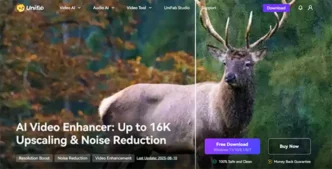

Do you have old videos that look blurry or low-light clips with annoying grain? UniFab Video Enhancer AI can use artificial intelligence to make your videos clear and sharp. It is easy to use, even if you are a beginner without any skills.
What Can UniFab Enhancer AI Do?
- Upscale to high resolution: Convert low-resolution videos to 1080P, 4K, 8K or even 16K. This AI tool makes videos look clearer and better.
- Remove noise: The tool identifies noise, removes it, and preserves details at the same time.
- Video conversion and editing: You can convert videos to over 1,000 formats. It can also compress files, trim videos, crop frames, etc.
- Simple for Everyone to Use: You don’t need to be a tech expert. The tool has a simple and clear interface.
How to Use it?
- Open UniFab and upload your video.
- Pick what you want to do (upscale,denoise, etc.).
- Let it work and export
Who Will Benefit Most?
Content Creators: YouTubers and vloggers can make their videos look better and more professional by using UniFab
Archivists and Historians: They can restore old movies or family footage with better quality.
Everyone: Even if you just want your home video to be clean and sharp, this tool helps.
Try and Buy
UniFab lets you try it for free for 30 days. You get full access to the features and no watermarks. If you like it, you can buy a lifetime license or other plans—it’s a one-time purchase with no monthly fees.
Summary
UniFab Enhancer AI is a smart, easy, and powerful tool. It can upscale your video, remove noise, make motion smooth, and let you convert files. Whether you are a creator or just fixing an old video, it makes your footage clear and beautiful. Try UniFab Video Enhancer today and enjoy better videos in just a click!