Small businesses require visibility to scale up income and attract potential customers. Often, this involves strategic content creation and service branding.
While there are various ready-made tools for promotion techniques, particularly video content, Vmake is one of the online tools that stand out. With an expansive workspace, the AI provides multiple editing options for creators and business owners.
Below, we have further broken down all you need to know about the AI video creation tool for small businesses.
What is the Vmake AI?
Vmake is a workspace that simplifies video creation and editing processes. Powered by AI technology, the suite features different tools that are handy for everyday workflow. From creators to small business owners, users can describe their ideas with text and generate high-performing UGC videos. It also supports photos and video modifications while saving time with speed maintenance.
With an intuitive interface, users can edit multiple videos in minutes without previous design experience. Simply put, the Vmake AI enables creators to modify media files without the complexities of editing.
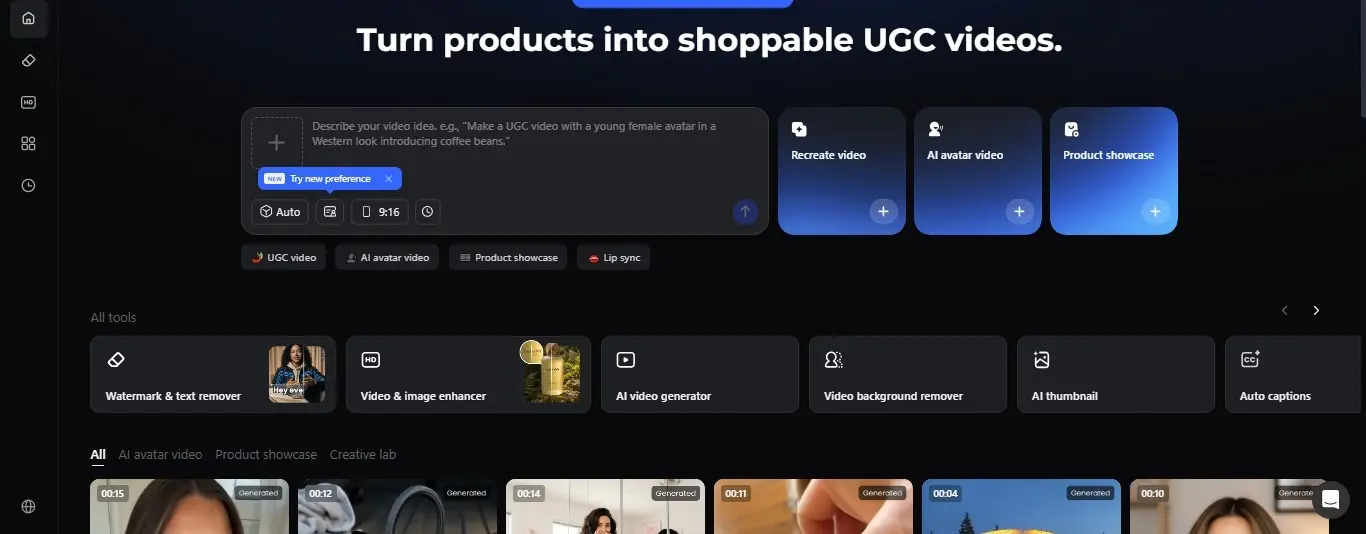
Vmake AI Video Tools
From a clear background to zero-watermark overlays, Vmake AI offers a range of tools for an all-around editing experience. Beyond upscaling promotional videos to studio-quality, it comprises tools that match small businesses’ workflow.
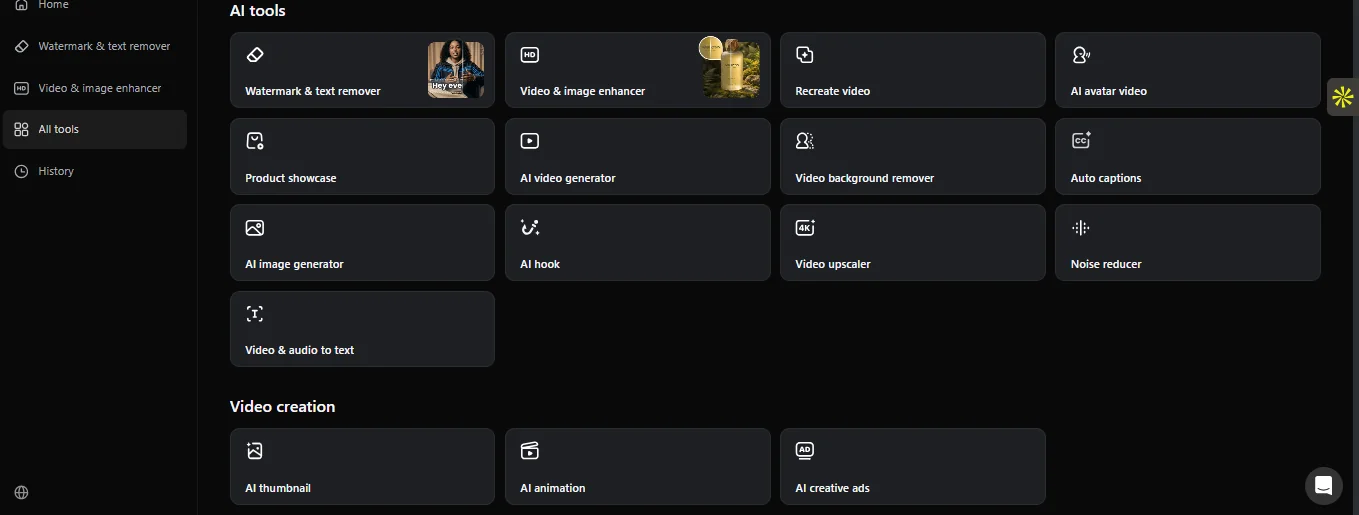
- Watermark Text Remover: The Watermark Remover is one of the best Vmake features for creating clean video content. You can remove distracting watermarks from videos, including logos. With a simple upload, the AI detects and processes the media file for a watermark-free result.
- The Video Enhancer: This feature is a plus to enhance low-quality business videos to a higher resolution. High-quality videos offer a clear view and a catchy appeal. The Vmake video enhancer improves video uploads to stunning clarity – up to 2K and 4K resolution. Also, you can process and unblur low-resolution videos using specialised models, including portrait, product, low-light, and anime.
- AI Video Generator: Need to generate a video from scratch? The AI video generator is flexible for creators and small businesses to create videos. You can generate videos with a text-to-video prompt or an image-to-video prompt. It simply turns ideas into studio-like content with every element and frame in place. The user guide is also easy to navigate if you are unfamiliar with video creation.
- Auto-Captions: Generate captions for your videos with the Vmake AI. The auto-caption editing tool transcribes video content to text for clarity – whether you are a customer or a creator. You can create precise and synced subtitles with the AI generator. Even better, it lets users change the style, font, and colour of captions.
- Background Remover: Remove unwanted backgrounds in your video with the background remover. Aside from generating videos, Vmake AI allows users to edit backgrounds, including AI-generated files and recordings. You can replace your background with a green or transparent background with just a simple click. With high-resolution post-edits, the tool maintains the quality after export.
Who can use the Vmake AI?
The Vmake AI is a professional video tool for creators and editing enthusiasts. It is a plus for small businesses that need video content to improve workflow. Aside from personal vlogging and product promotions, these categories of individuals can use the Vmake AI.
Small Businesses
If you own a small business, the Vmake AI is handy for brand promotions. Want to generate ad-like videos? The AI tool creates studio-quality content without the need to hire professional editors and spend more. With high-quality visual outputs, you can use the AI tool to improve your conversion rates.
E-Commerce
Scale up your e-commerce with Vmake AI, which improves efficiency. With many tasks at hand, the AI handles extras that may come with manual editing. It simply processes prompts automatically – from watermark edits to background removal. You can also create product videos for buyers by generating a customer-oriented video.
Marketers
Beyond content creation, the Vmake AI supports product marketing with tools that align with your target audience. You can quickly generate videos that align with customers’ aesthetic preferences. The AI tool is an add-on that provides a perfect product description.
How can you use Vmake for Small Businesses?
Do you have a small business you want to scale up? Do you need an extra AI tool on the side to utilise? You can use the Vmake AI for your enterprise. With its built-in features, this tool can be used in many ways by small businesses.
● Ads Video Creations
Create video ads to describe your business offerings with the Vmake AI. If you are looking to expand your marketing techniques, you can use the UGC Video Generator to generate quality ads that explain the message you want to pass to your audience. Whether short- or long-form videos generated from text prompts or images, the AI delivers clear-cut results that benefit small business owners.
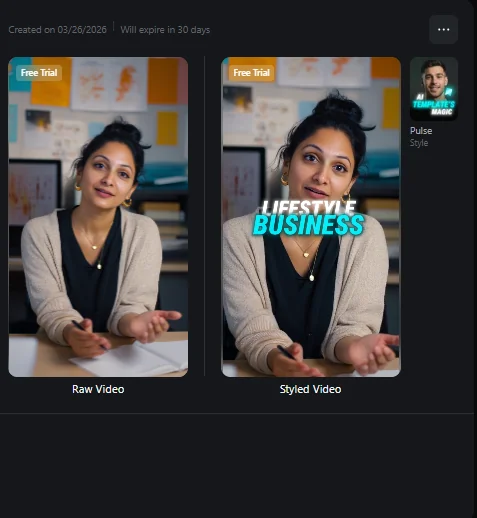
Screenshot of a video ad generated with the Vmake UGC Generator.
● Brand Videos
Vmake offers businesses a way to give their brand a facelift with high-quality videos. Refine your content with the AI video generator that offers up to 4K output. And generate modern clips. The video background remover tool is a plus for editing the background and creating a catchy brand.
● Create Talking Videos
Create talking videos with the Vmake AI to outline and communicate your business services. If you are new to content creation or unfamiliar with video recording, the AI tool is helpful. From product descriptions to reviews, you can create talking videos in a few clicks.
● Enhanced Video Quality
You can improve the resolution of your business video with the Vmake AI. Take a step away from recirculating old videos and refine the overall quality. A high-quality video appeals more to viewers – the Vmake AI works on the upgrade just that way.
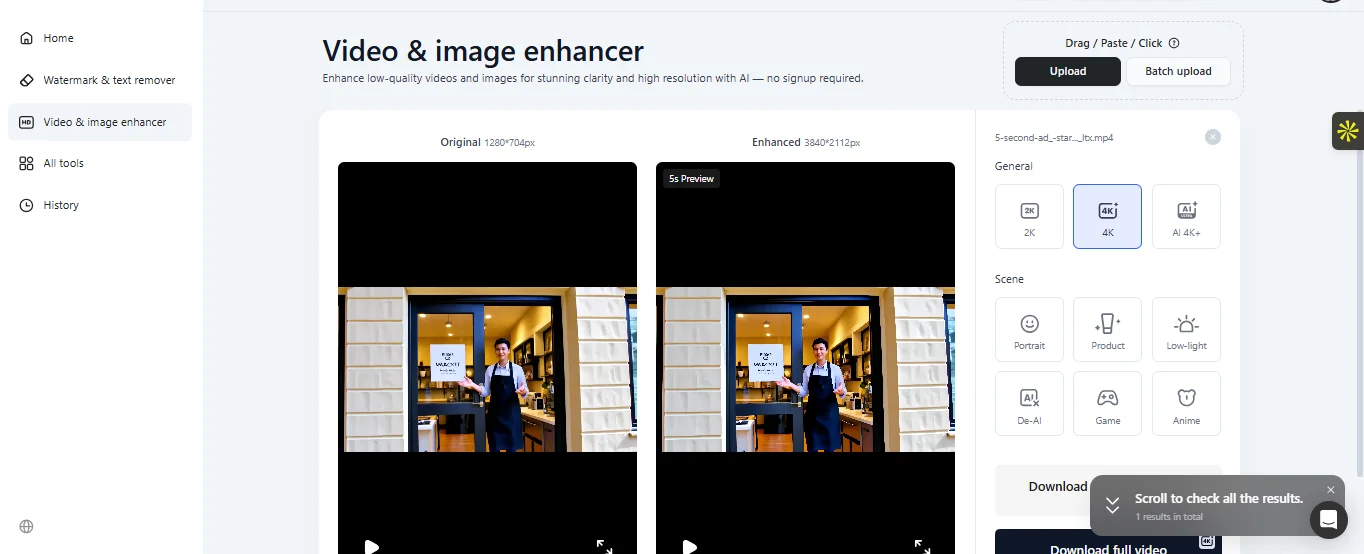
Screenshots of a 720P resolution video (L) enhanced to 4K (R) with the Vmake Video Enhancer.
● Video Photography
As a small business owner, you can make a new shift with video photography. The Vmake AI supports this feature, enabling you to deliver the best quality to your customers.