What is performance like on the ADATA SC735 External SSD?
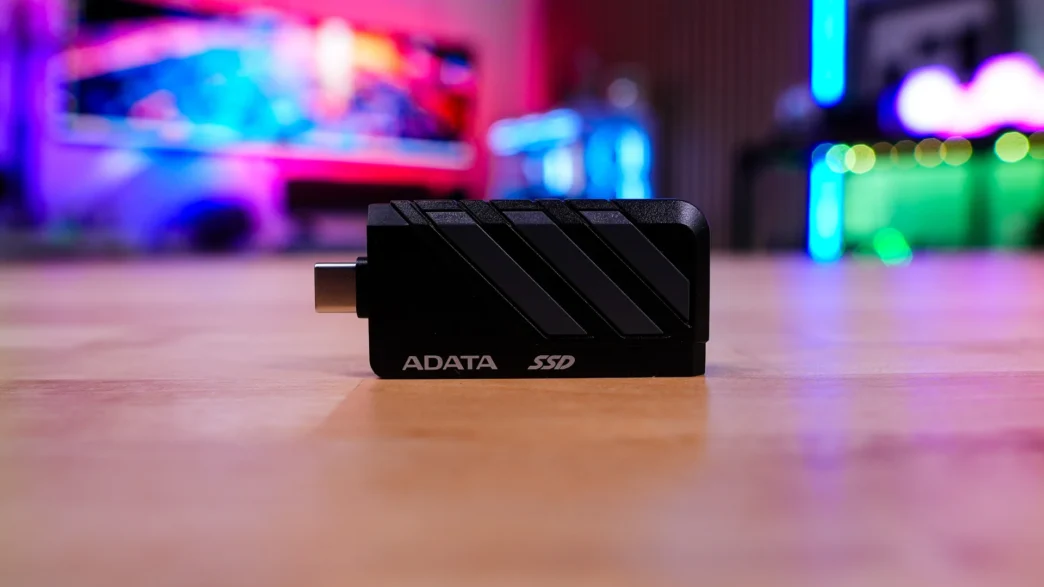
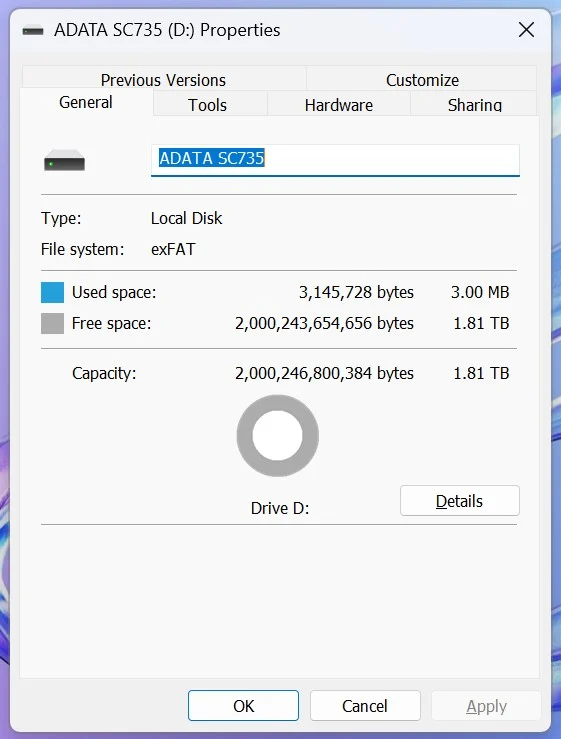
To get started with the SC735 all you have to do is plug it into any open USB-C port on your device. You do of course want to make sure it is a USB 3.2 gen 2 port or higher for the best performance. The drive is formatted as exFAT by default, so it should work on any device you plug it into. The 2TB version of the drive will have 1.81 TB of usable space.
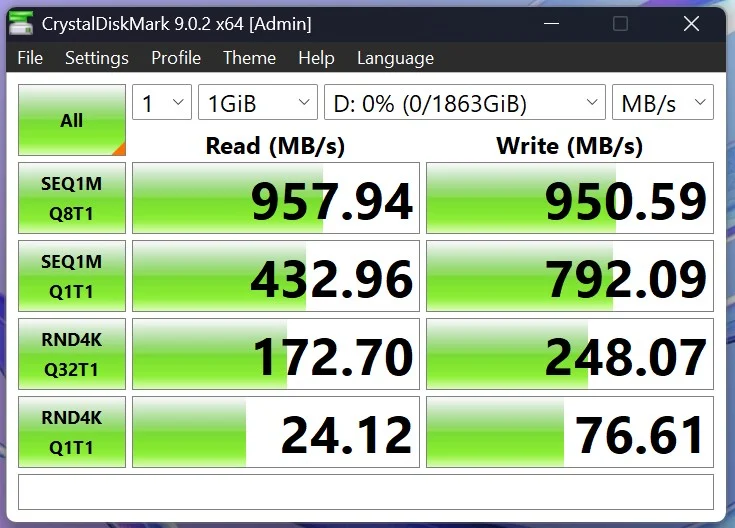
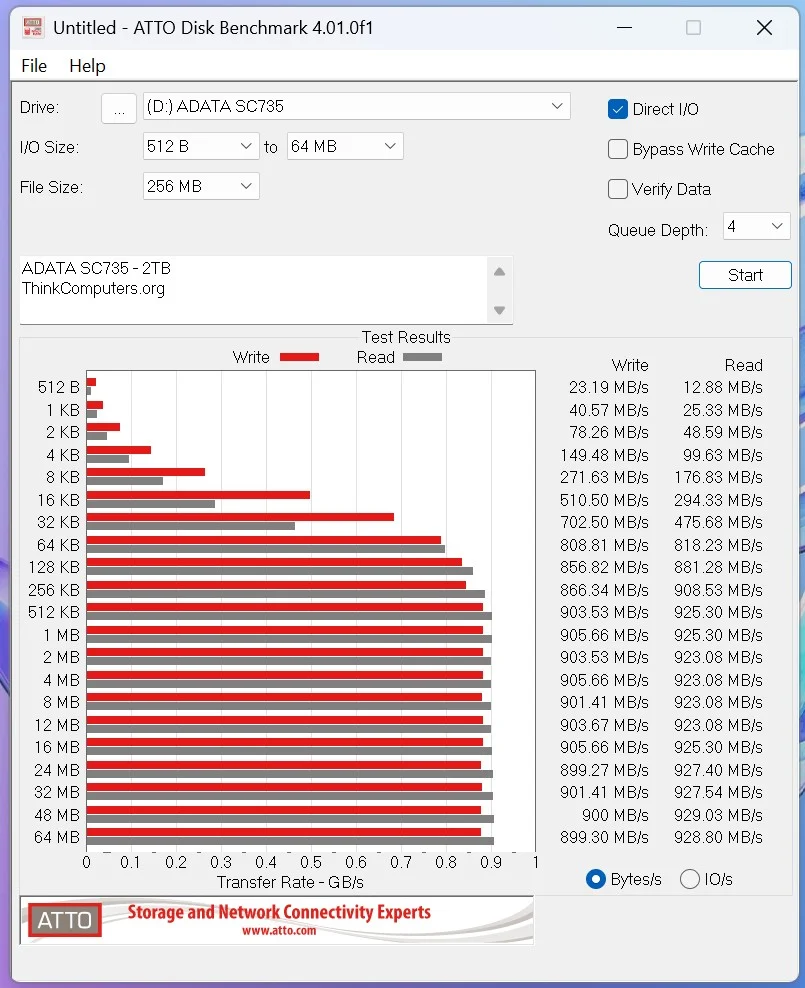
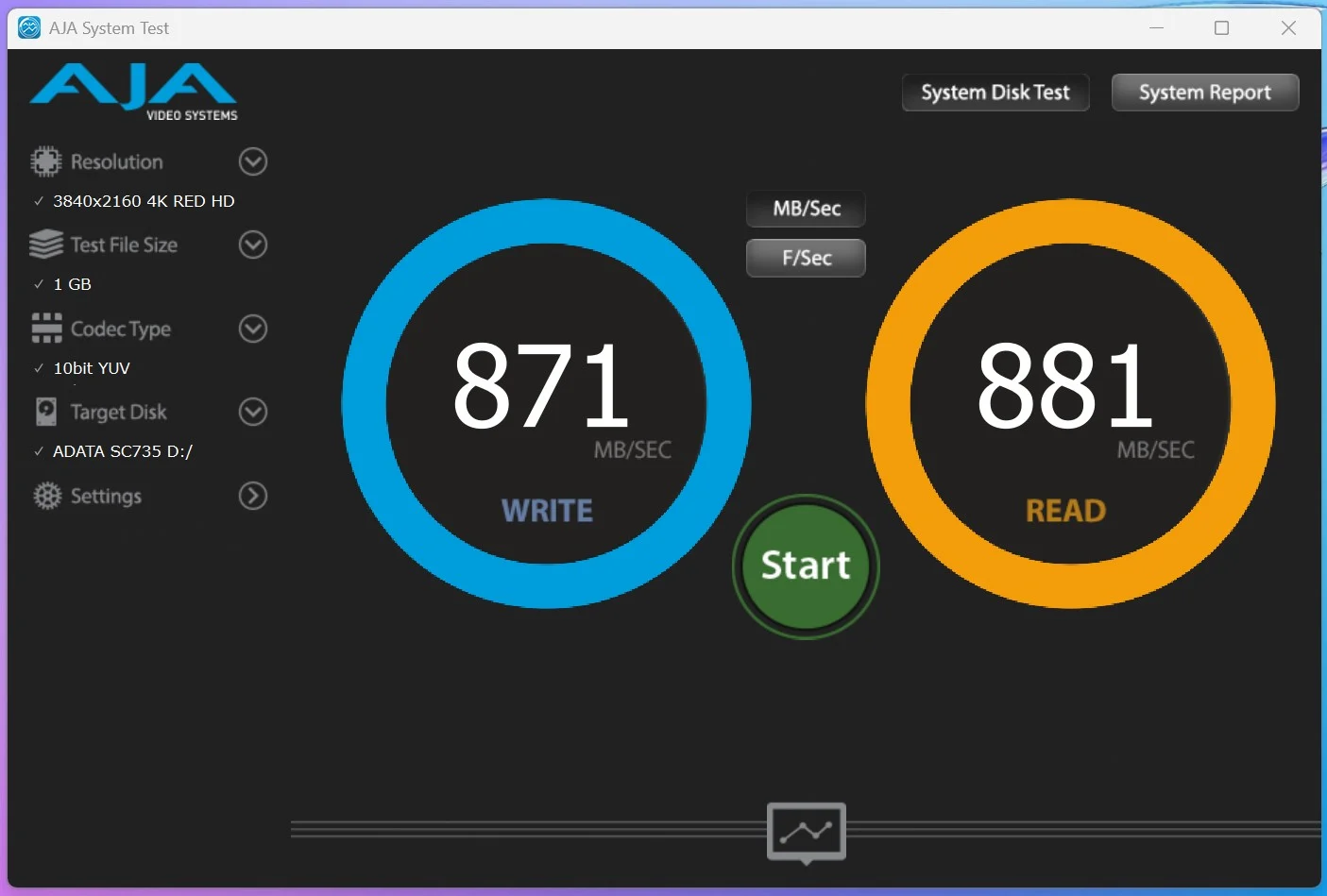
For testing we will be running the SC735 through a handful of different storage benchmarks. As a reminder the listed speeds for the SC735 are 1050 MB/s read and 1000 MB/s write.