
Final Thoughts on the ASRock Phantom Gaming X870 Riptide WiFi Motherboard
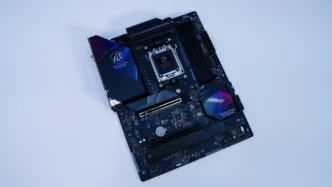
With the holiday season upon us many people are going to be taking advantage of holiday sales to build new systems and this motherboard might be the perfect thing. While there are completely spec’d about boards in the X870E range, most people, including gamers don’t need all of that.
When it comes to a new Ryzen build this board has pretty much all of the features you are going to want. You are going to get PCI-Express 5.0 support for your graphics as well as that top M.2 slots. Need more M.2 storage? There are two more slots on the board. Talking about those M.2 slots the top one is completely tool-less while the bottom one you’ll need a screwdriver to remove the heatsink, but the actual M.2 installation is tool-less. You are going to get two USB4 Type-C ports on the rear I/O, support for DDR5 memory up to 8000 MHz, 2.5G LAN, and of course WiFi 7. The 14+2+1 power phase design will be able to handle Ryzen processors no problem.
The A-Tuning software has been essentially the same for quite a long time. Compared to other motherboard companion software it just feels dated. It will allow you to do some tuning, but not much more than that. The BIOS on this board is fine as well, it is nice to see an Easy Mode on the AMD side from ASRock.
A few things I would have liked to have seen on this board would have been a dedicated Clear CMOS button as well as a GPU release button. There is of course a clear CMOS jumper, but a button makes things so much easier. And while the top PCI-Express slot is pretty easy to access to release your GPU having a button would be a lot more convenient.
While X870E motherboards can cost quite a lot, this board comes in at $219.99, making it one of the most affordable options for a new Ryzen build that is still feature packed! Overall ThinkComputers gives the ASRock Phantom Gaming X870 Riptide WiFi Motherboard a 9 out of 10 score.

Pros:
– Price
– Great overall performance
– Gen5 on both graphics and M.2
– Tool-less M.2 installation
– USB4
Cons:
– Software seems dated
– No clear CMOS button