Finding the right CPU cooler makes a huge difference in pushing your processor to its limits. Modern CPUs can reach high temperatures fast during overclocking, making proper cooling essential.
The best CPU coolers for overclocking help maintain safe temperatures while boosting performance. Ready to discover top cooling solutions that match your needs and budget?
Key Takeaways
- The Thermalright Phantom Spirit 120 EVO handles up to 238 watts of heat and costs just $43, making it a top budget air cooler for overclocking.
- Premium liquid coolers like the ASUS ROG Ryujin III 360 ($300) and Corsair iCUE H170i Elite LCD XT ($300+) offer the best cooling power with added features like LCD displays.
- Air coolers need less maintenance and last longer than liquid coolers, while running at lower noise levels – the Noctua NH-D15 G2 operates at just 24.8 dBA.
- CPU coolers need cleaning every 3-6 months, with liquid coolers requiring monthly checks for leaks and yearly coolant changes.
- Proper thermal paste application makes a 5-10°C difference in CPU temps, and users should keep CPU temperatures under 85°C during overclocking for safety.
How to Choose the Best CPU Cooler for Overclocking
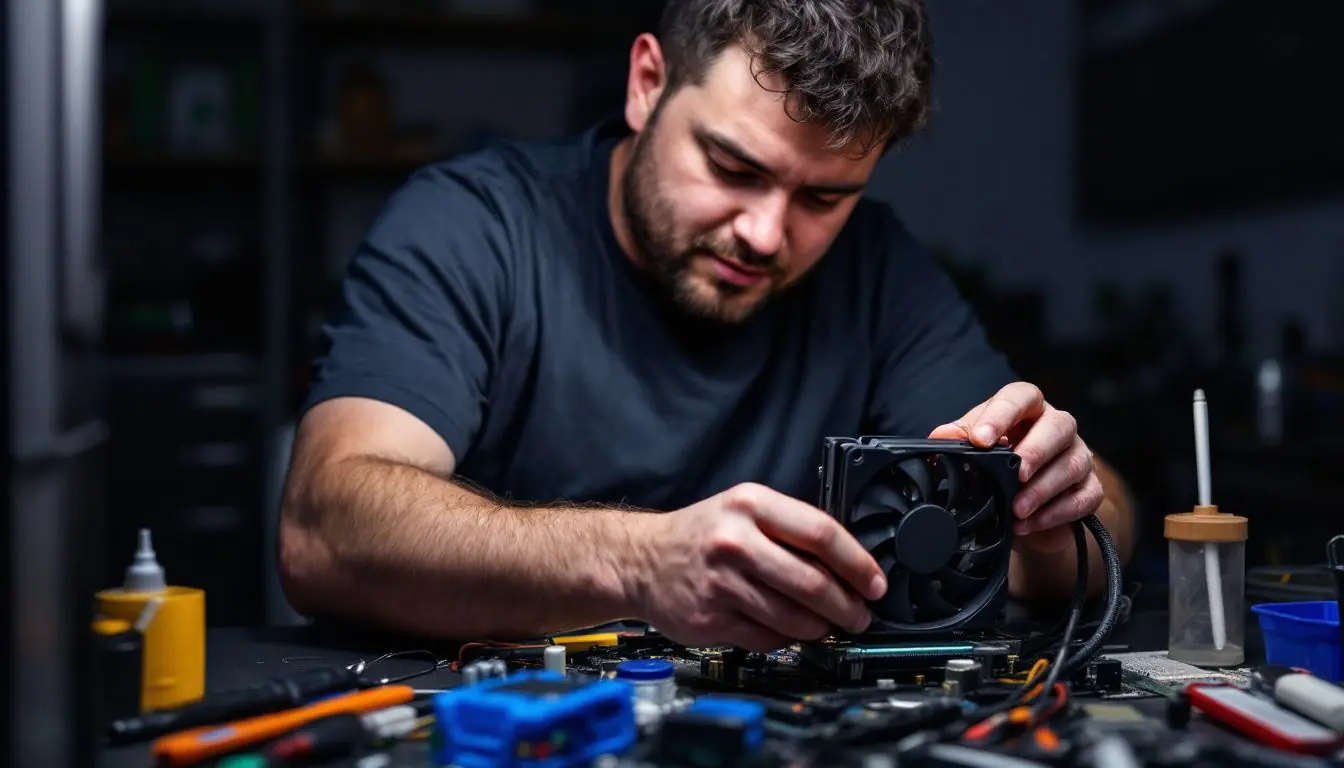
Picking the right CPU cooler makes a huge difference in your overclocking success. Your choice depends on factors like cooling power, space in your case, and how much noise you can handle while pushing your processor to its limits.
Air cooler vs. liquid cooler: Which is better?
Air coolers offer a simple and reliable cooling solution at a lower cost. These coolers use metal heat pipes and fins to move heat away from your CPU, making them perfect for basic overclocking needs.
The large size of air coolers can block RAM slots or cause fit issues in smaller cases, yet they need zero maintenance and last longer than liquid options.
Liquid coolers excel at keeping high-end CPUs cool during intense overclocking sessions. The closed-loop design pumps coolant through a radiator, creating less noise than air coolers while taking up less space near the CPU socket.
Modern AIO (all-in-one) liquid coolers deliver superior cooling power and run quieter than their air-based rivals. The main trade-off lies in their higher price tag and shorter lifespan due to pump wear over time.
Importance of thermal design power (TDP)
Thermal Design Power (TDP) plays a vital role in CPU cooling performance. Your processor creates heat during operation, and TDP measures this heat output in watts. Modern CPUs need proper cooling to maintain their boost clocks and prevent thermal throttling.
The latest high-performance coolers, like the Thermalright Phantom Spirit 120 EVO, can handle up to 238 watts of heat load during intense tasks.
The right CPU cooler must match or exceed your processor’s TDP rating for stable overclocking. A cooler with higher TDP capacity gives more headroom for pushing clock speeds beyond stock settings.
This thermal overhead lets you achieve better gaming performance and faster workstation tasks. The next key factor in choosing a CPU cooler involves picking between air and liquid cooling solutions.
Noise levels and aesthetics
CPU coolers need both power and style. Modern coolers balance noise control with visual appeal for a great gaming setup. The Thermalright Peerless Assassin 120 SE runs at 34.5 dBA – perfect for quiet operation.
The Noctua NH-D15 G2 proves even quieter at 24.8 dBA, making it ideal for noise-sensitive users.
RGB lighting and sleek designs make CPU coolers stand out in custom builds. Most coolers now feature RGB fans and aluminum finishes that match popular motherboards and cases. The best coolers combine low noise with eye-catching looks without losing cooling performance.
Compatibility with your CPU and motherboard
Beyond looks and noise, socket compatibility matters most for your cooling setup. Modern coolers like the Thermalright Phantom Spirit 120 EVO fit both Intel LGA 1700/115x/1200/2011/2066 and AMD AM5/AM4 sockets.
Your motherboard’s layout affects cooler clearance – tall RAM modules or VRM heatsinks might block some air coolers.
Socket types change with each processor generation. The Cooler Master Master Liquid 360 Atmos supports newer sockets like Intel 1700 and AMD AM5. Check your case dimensions too – larger coolers need enough space for proper airflow.
The mounting brackets must match your specific socket type for a secure fit.
Best Air Coolers for Overclocking
Air coolers pack serious cooling power for your overclocked CPU – from budget-friendly options to premium dual-tower designs that rival liquid cooling performance.
Thermalright Phantom Spirit 120 EVO
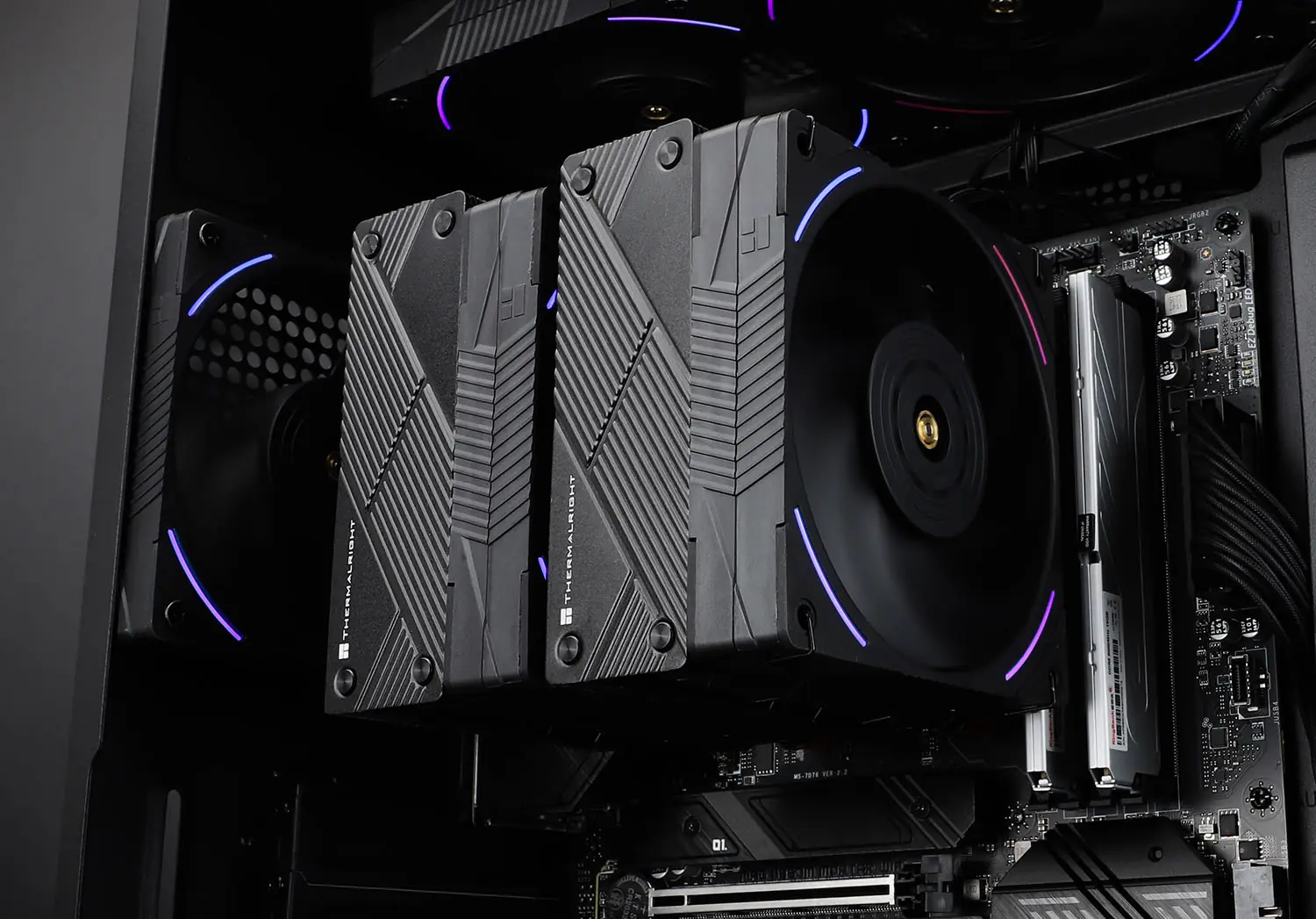
The Thermalright Phantom Spirit 120 EVO stands out as a powerful CPU cooler for overclocking needs. This air cooler measures 110 x 125 x 157 mm and handles up to 238 watts during intense benchmarking tests.
The cooler fits most modern Intel and AMD processors through its square ILM mounting system. Users will appreciate its $43 price tag, making it a cost-effective choice for high-performance cooling.
The cooler packs impressive VRM cooling features and comes with a solid 3-year warranty. Its dual tower design maximizes heat dissipation through direct contact with the CPU. The Phantom Spirit 120 EVO works great with both Raptor Lake and Ryzen processors.
The cooler runs quietly while maintaining optimal temperatures for overclocked systems.
Thermalright Peerless Assassin 120 SE
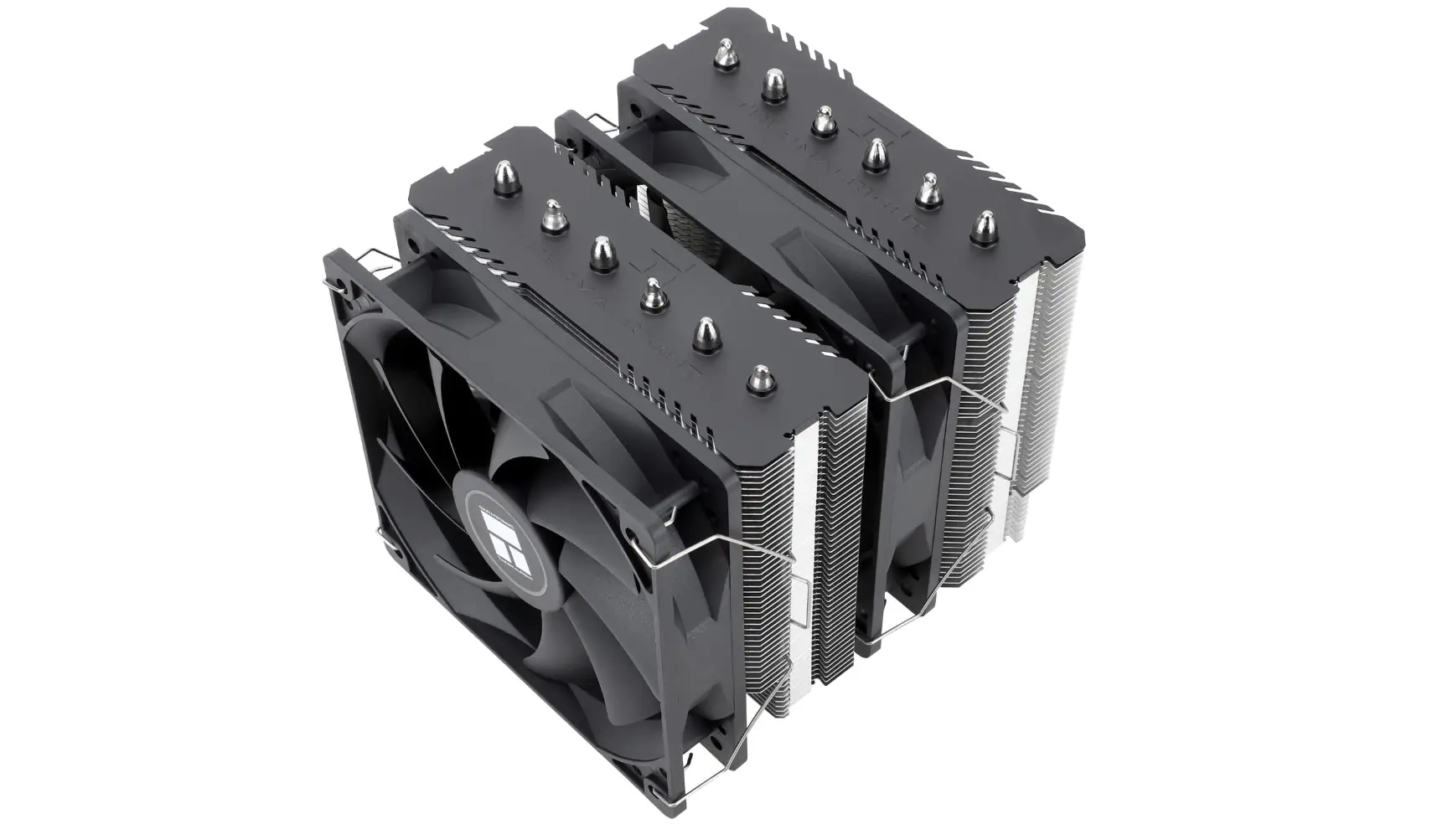
Moving up from the Phantom Spirit, Thermalright offers another powerful cooling solution. The Peerless Assassin 120 SE stands out with its 155 x 125 x 110 mm frame. This dual-tower air cooler packs serious cooling power at just $36, making it a smart choice for budget-conscious builders.
Its cooling performance handles over 200 watts of heat while staying whisper-quiet at 34.5 dBA. Users get solid value with a 2-year warranty and reliable VRM cooling support. The cooler fits most modern Intel and AMD chipsets, proving ideal for both gaming rigs and workstation builds.
Noctua NH-D15 G2
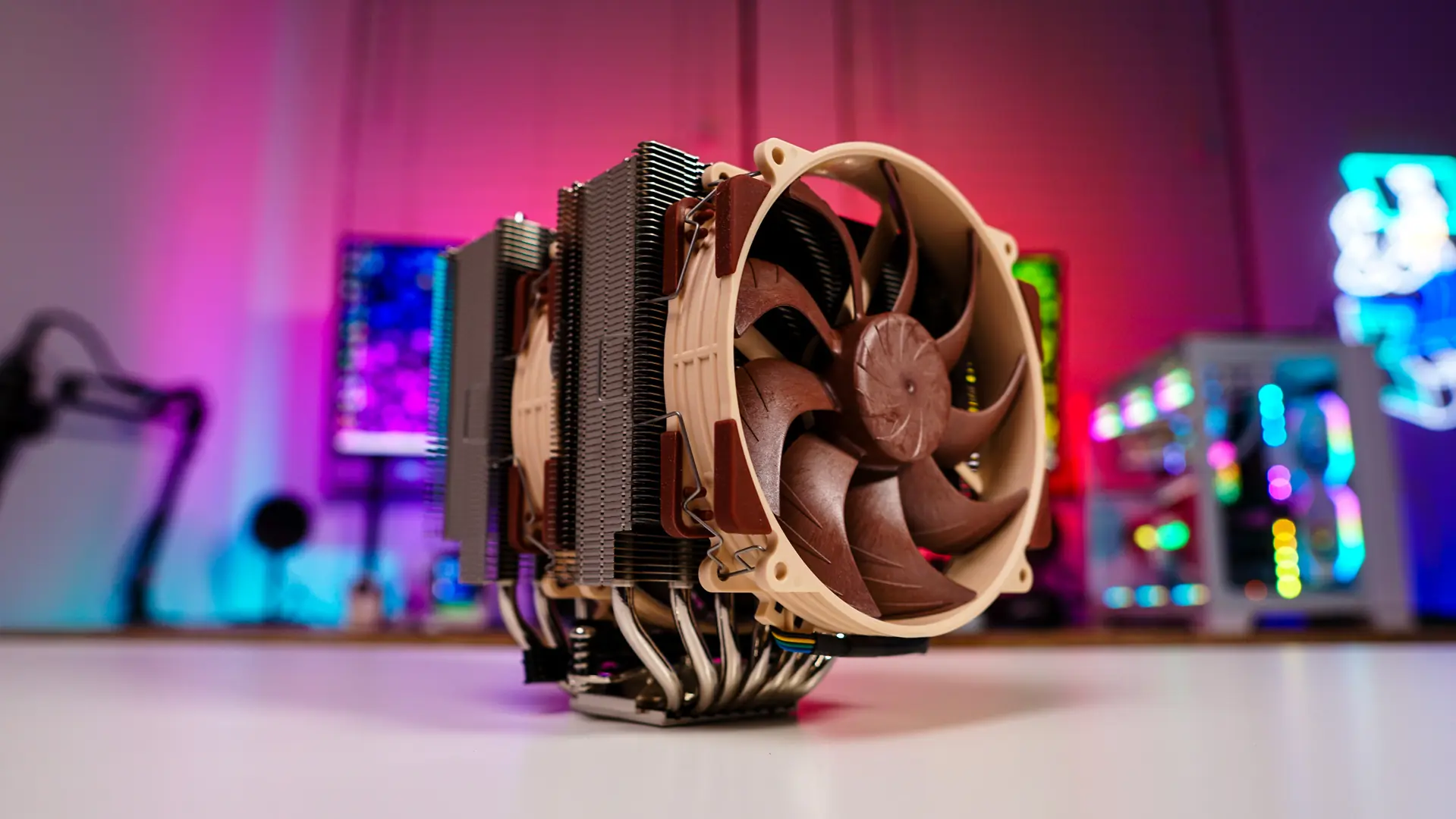
The Noctua NH-D15 G2 stands as a top-tier air cooler for serious overclocking needs. This dual-tower cooler fits most Intel and AMD sockets with its 87 x 121 x 155 mm frame. The cooler runs quiet at 24.8 dBA while pushing cool air through its dense fin array.
The G2 model packs six copper heat pipes and two 140mm fans for maximum heat transfer from your CPU. Its nickel-plated base makes direct contact with your processor, spreading heat fast across the cooling towers.
The fans spin up smoothly under load, keeping noise levels low for silent operation during intense gaming or workstation tasks.
Best AIO Liquid Coolers for Overclocking
AIO liquid coolers stand as top choices for serious overclockers who need maximum cooling power. These coolers pack strong thermal performance and sleek RGB lighting into a simple, pre-built package that fits most modern PC cases.
Arctic Liquid Freezer III A-RGB
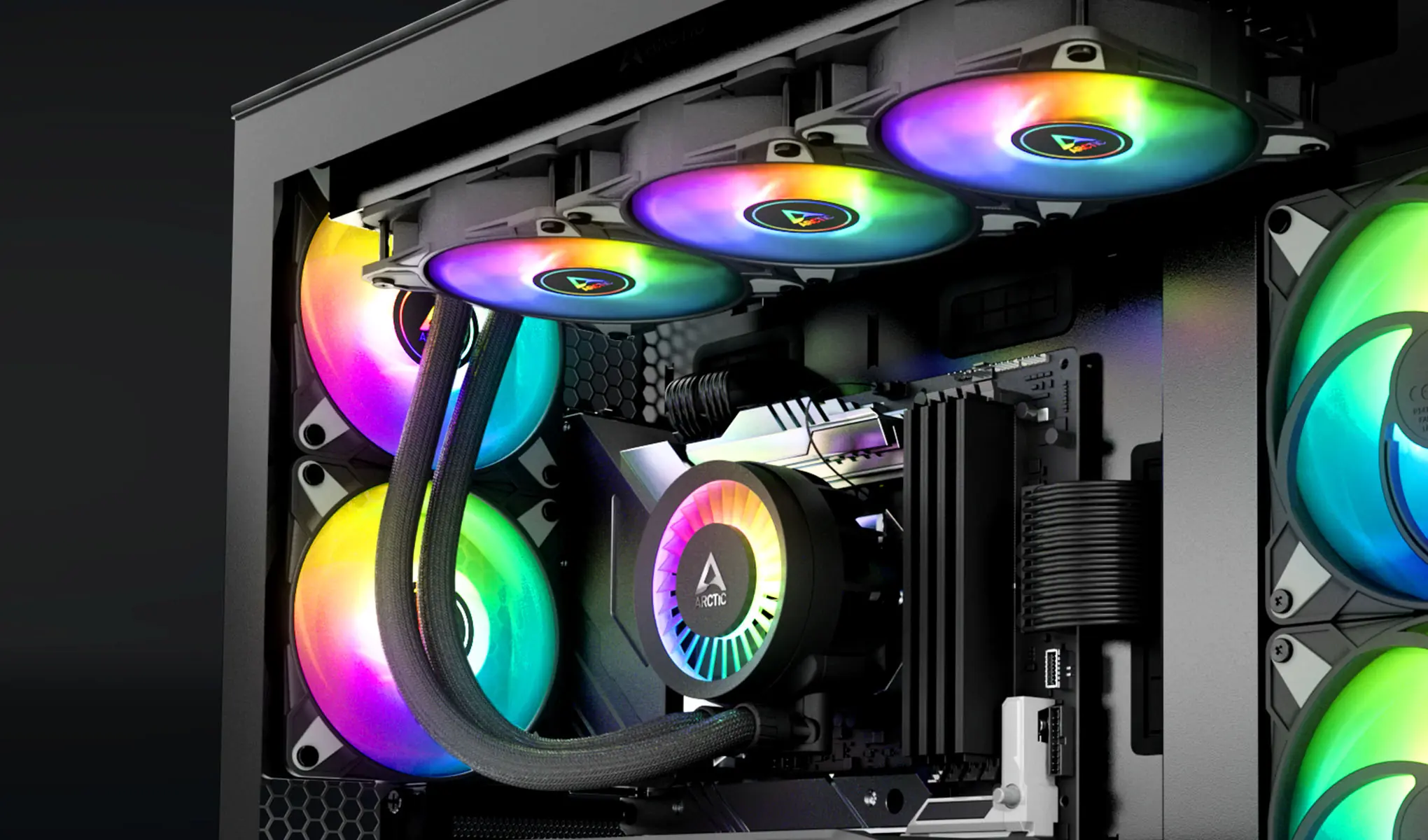
The Arctic Liquid Freezer III A-RGB stands as a top performer in CPU cooling. This cooler packs strong cooling power with its 240mm, 280mm, and 360mm size options. The fans run at speeds between 200-2000 RPM, letting users find their sweet spot between cooling and noise levels.
RGB lighting adds style to its sleek design without hurting performance.
The cooler brings excellent value through its VRM cooling features and premium build quality. Its fans use fluid dynamic bearings for longer life and quieter operation. The pump head includes a small fan that cools nearby motherboard components – a rare feature in most AIOs.
Users praise its easy installation process and included thermal paste.
Corsair iCUE H170i Elite LCD XT
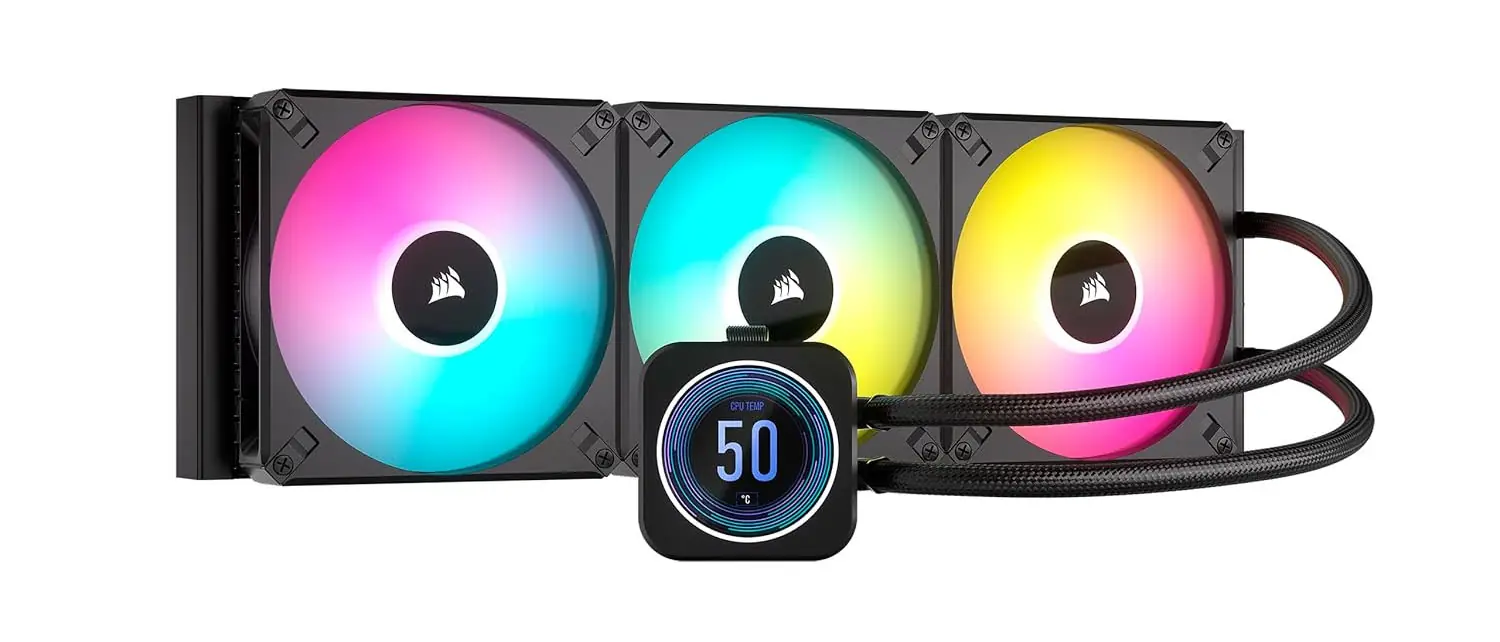
Corsair iCUE H170i Elite LCD XT stands out as a premium liquid cooling solution for high-end CPUs. This cooler packs a 457mm x 140mm x 27mm radiator size, making it ideal for extreme overclocking tasks.
Users get a bright LCD screen that shows real-time CPU temps and custom GIFs.
A 5-year warranty backs this $300+ cooler, proving Corsair’s faith in its build quality. Its large surface area helps cool both Intel and AMD processors under heavy loads. RGB fans light up your build while keeping noise levels low during intense gaming or workstation tasks.
ASUS ROG Ryujin III 360
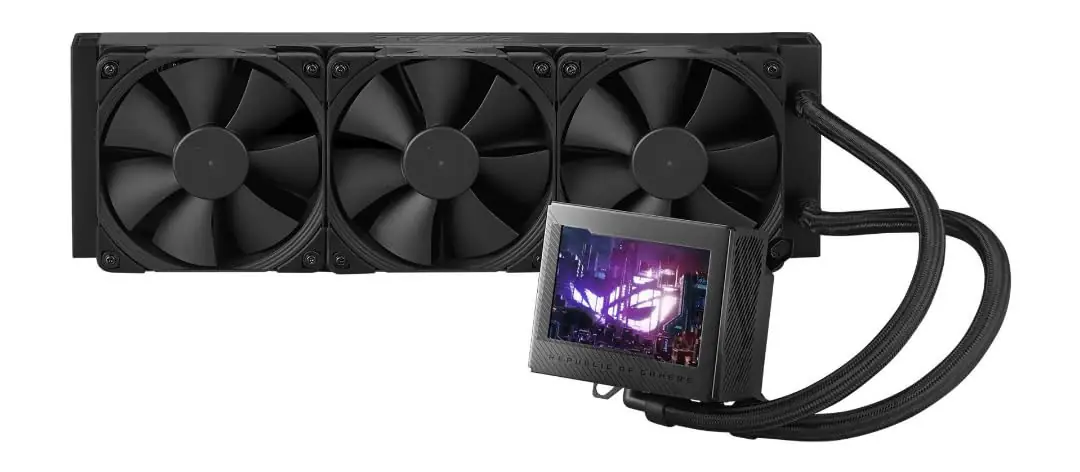
Moving from Corsair’s LCD display options, ASUS takes cooling to new heights with the ROG Ryujin III 360. This premium liquid cooler stands out with its 3.5-inch IPS LCD screen, perfect for tracking system stats or showing custom graphics.
The cooler fits most modern CPUs through its wide socket support for Intel 1700, 1200, 1151, 115x, and AMD AM5/AM4 platforms.
The ROG Ryujin III 360 costs ~$300 and uses high-quality fans that spin up to 2200 RPM. These fans keep noise levels low while pushing strong airflow through the radiator. The cooler skips RGB lighting, making it ideal for clean, professional builds focused on pure cooling power.
Thermalright Grand Vision 360
The Thermalright Grand Vision 360 stands out as a top performer for CPU cooling. This liquid cooler measures 403 x 120 x 53 mm and packs serious cooling power for high-end processors.
The $129 price tag offers great value for enthusiast PC builders who need reliable thermal control.
The Grand Vision 360 includes a strong 3-year warranty and supports both Intel and AMD platforms. Its triple-fan radiator design moves heat fast from overclocked CPUs while keeping noise levels low.
The pump head uses advanced cold plate technology to maximize heat transfer from your processor.
Cooler Master Master Liquid 360 Atmos

Cooler Master Master Liquid 360 Atmos stands out as a top performer for extreme overclocking needs. This 360mm AIO liquid cooler packs serious cooling power with its triple-fan setup and advanced pump design.
Users will find the dimensions of 394 x 119.6 x 52.2 mm perfect for most PC cases.
A $149.99 price tag makes this cooler a solid mid-range choice for enthusiast builds. Its 5-year warranty offers peace of mind for long-term use. RGB lighting adds style points while maintaining strong thermal performance for high TDP processors like the i9-13900K or Ryzen 9 7950X.
Factors for Overclocking Performance
Proper overclocking needs more than just a good CPU cooler. Your power supply, case airflow, and thermal paste application play vital roles in pushing your processor to its limits.
Importance of a good power supply
A stable power supply forms the backbone of successful CPU overclocking. Your PSU must deliver clean, steady power to maintain system stability during intense tasks. Poor voltage regulation leads to crashes and thermal throttling, which ruins overclocking results.
Your power supply needs to handle the extra heat from pushing CPU limits. Quality PSUs prevent system failures and protect overclocked parts from damage. The right power supply keeps voltage steady and components cool – making it vital for safe, reliable overclocking performance.
Optimal airflow and case design
Proper airflow design makes a huge impact on CPU cooling during overclocking. Your case needs strategic fan placement and smart component layout to move hot air out fast. Cable management plays a key role too – messy cables block airflow and trap heat inside your case.
Most modern PC cases come with spots for intake fans at the front and exhaust fans at the rear or top.
Smart case design helps prevent thermal throttling and keeps your overclocked CPU running cool. The right mix of intake and exhaust fans creates positive air pressure, which pushes dust out through case vents.
Desktop cases with mesh front panels work great for airflow. Your graphics card and VRMs need good airflow too, since they create extra heat during heavy loads. Clean cable routing through dedicated paths keeps air moving freely to all components.
Applying thermal paste correctly
Great airflow sets the stage for your cooling success. Thermal paste application stands as the final step to achieve peak CPU cooling performance.
- A pea-sized dot of thermal paste in the center of your CPU creates the best coverage for heat transfer.
- Clean both the CPU and cooler surfaces with 99% isopropyl alcohol before applying new thermal paste.
- High-quality thermal paste makes a 5-10°C difference in CPU temperatures during overclocking.
- Too much thermal paste blocks heat transfer and causes higher temperatures on overclocked CPUs.
- Spread methods like the X-pattern work well for larger CPUs like Intel’s Core i9 or AMD’s Ryzen 9.
- Replace your thermal paste every 2-3 years to maintain optimal cooling performance.
- Metal-based thermal pastes offer better heat transfer for extreme overclocking needs.
- Direct pressure from mounting the CPU cooler spreads the thermal paste evenly.
- Poor thermal paste application leads to temperature spikes during heavy CPU loads.
- Budget coolers gain 15-20% more cooling power with correct thermal paste application.
- Fresh thermal paste helps maintain stable frequencies on overclocked processors.
- The paste fills microscopic gaps between the CPU and cooler for maximum heat transfer.
Frequently Asked Questions (FAQs)
Common questions about CPU cooling need clear answers for safe overclocking. These FAQs address key concerns about liquid cooling needs, CPU safety, and cooler maintenance schedules.
Do I need liquid cooling for overclocking?
Liquid cooling is not a must for CPU overclocking. High-quality air coolers from brands like Noctua can handle most overclocking needs. Air coolers cost less and need less upkeep than liquid cooling systems.
Liquid coolers shine with high-end CPUs in tight spaces. They move heat better than air coolers during heavy loads. The Deepcool LS520 proves budget liquid coolers can match pricier options for basic overclocking tasks.
Many users pick liquid cooling for its mix of cooling power and style. The next section covers safe overclocking practices for your CPU.
Is overclocking safe for my CPU?
A proper cooling system makes overclocking safe for modern CPUs. Your processor needs the right thermal management to handle higher clock speeds. Most current CPUs have built-in safety features that prevent damage from excessive heat.
These features will throttle or shut down the system before any harm occurs.
The risks stay low if you follow basic safety rules. Keep your CPU temperature under 85°C during stress tests. Use quality thermal paste and a reliable power supply. Make small clock speed changes and test stability after each adjustment.
Many processors like the Ryzen 7 and Intel i7 series support safe overclocking with good cooling solutions. The right CPU cooler – air or liquid – helps maintain steady temperatures for stable performance gains.
How often should I clean and maintain my cooler?
CPU coolers need regular cleaning every 3-6 months to work their best. Dust builds up fast in air coolers and blocks airflow, making your CPU run hotter. Liquid coolers demand closer attention – check them monthly for leaks and proper pump operation.
High-end CPUs with custom cooling setups might need cleaning more often due to their heavy heat output.
Your cleaning schedule depends on your room’s dust levels and how hard you push your system. Gaming PCs and overclocked systems create more heat, so they need more frequent maintenance.
Clean your cooler right away if CPU temps rise above normal or if you spot visible dust buildup. Liquid-cooled systems should get fresh coolant yearly to prevent buildup that could harm cooling performance.
Conclusion
The right cooling solution makes a huge difference in your overclocking success. Modern air and liquid coolers offer excellent choices for every budget and need. Your perfect match depends on your CPU, case size, and performance goals.
Smart cooling picks lead to better overclocking results and system stability. Pick the cooler that fits your needs from our tested options, and enjoy pushing your system to new heights.