Upgrading your PS5 storage can transform your gaming experience. This article will guide you to the best SSDs for your PlayStation 5, ensuring faster load times and more game storage.
Discover the perfect upgrade now.
Key Takeaways
- The PS5 needs a Gen 4.0 NVMe SSD with a heatsink for better performance and cooling.
- SSDs can now increase PS5 storage up to 8TB, offering more space for games.
- Speed is crucial; the PS5 requires SSDs with read speeds of at least 5,500 MB/s for faster game loads.
- The WD Black SN850X is great overall, while Adata XPG Gammix S70 Blade offers value. Samsung 990 Pro is top-notch for high-end buyers.
- External options like WD_Black P40 make expanding storage easier but are best used for storing rather than playing games directly.
Understanding PS5 SSD Requirements

For your PS5, you need the right SSD that fits and works fast. It should hold a lot of games and load them quickly.
Compatibility with PS5
Your PS5 needs the right SSD to work well. It must be a Gen 4.0 NVMe model. This means it’s fast and fits in your console. The SSD should not be wider than 22mm. If it is, it won’t fit in the space provided by Sony.
Also, even though there are newer Gen 5 SSDs, your PS5 can only use up to Gen 4 speeds effectively.
To get more storage for games and faster load times, choose an M.2 NVMe PCIe Gen4 SSD with a heatsink attached or add one yourself for better thermal management. Ensure the drive meets these specs to avoid any issues with installation or performance during gaming sessions on your PlayStation 5.
With that understanding of what makes an SSD compatible with PS5, let’s look into required storage capacity next.
Required storage capacity
After ensuring your SSD is compatible with PS5, consider how much space you need. Most gamers find a 1TB solid-state drive ample for their needs, allowing plenty of room for several games without filling up too quickly.
For those planning ahead or with larger game libraries, a 2TB option offers extra space. The PlayStation’s latest system software now supports solid-state drives up to 8TB, pushing past the previous 4TB limit.
This upgrade means even more room for games and media on your console.
The maximum supported storage expansion size is directly affected by the PS5’s firmware updates.
Speed requirements
For a PS5 SSD upgrade, speed is key. The console needs SSDs to read data at 5,500MB/s or faster. This ensures games load quickly and run smoothly. Sony’s tests check how fast an SSD can move files and how long it takes games to start.
PS5 compatible SSDs must meet this minimum read speed of 5,500 MB/second. Finding one that does means better game performance and less waiting for loading screens. Look for M.2 NVMe types that fit this need perfectly.
Best Overall SSD for PS5: WD Black SN850X
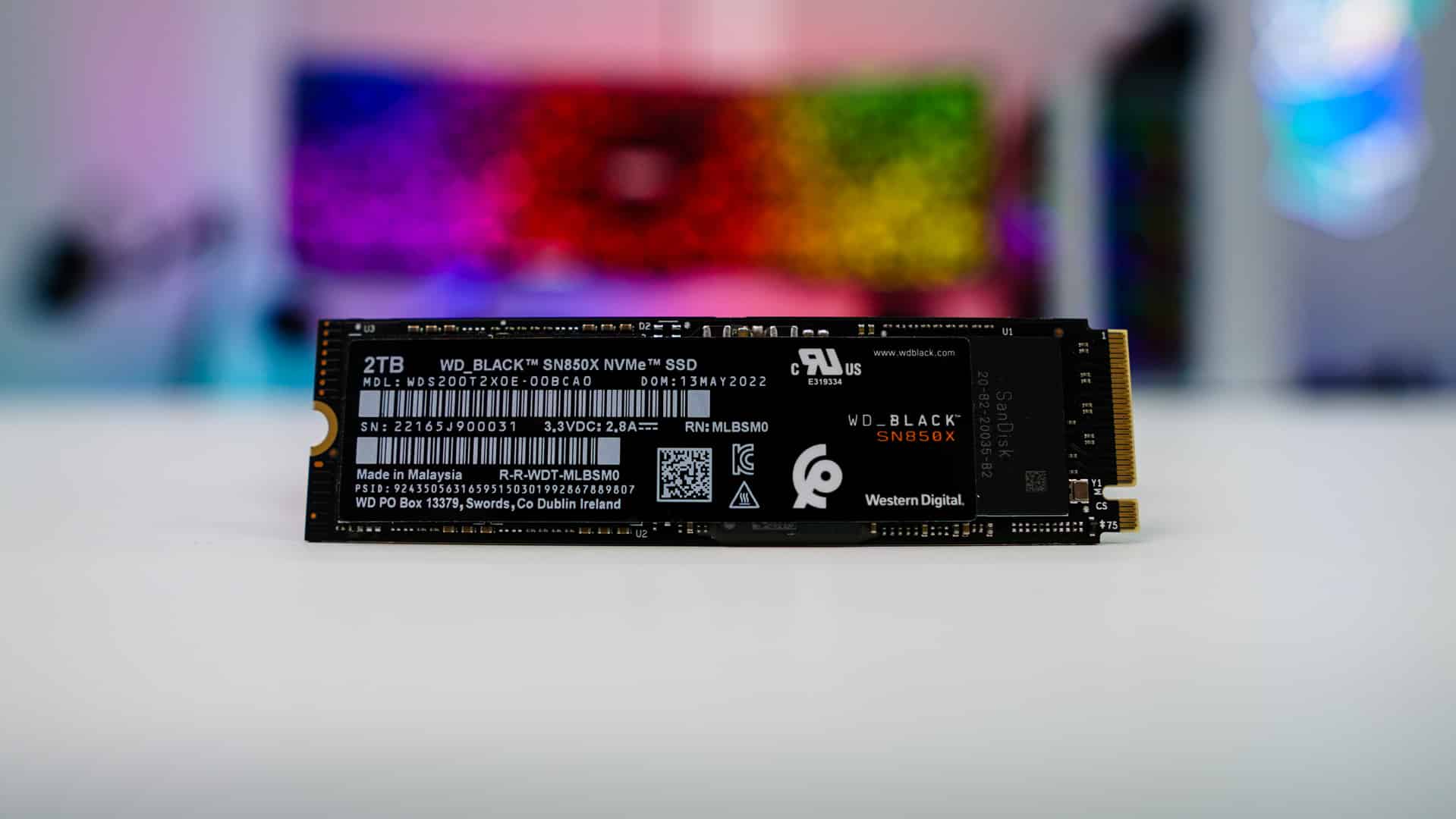
The WD Black SN850X stands out as the top pick for PS5, offering quick game loads and large storage. It fits perfectly with PS5, making games run smoothly and fast.
Features & Description (WD Black SN850X)
WD Black SN850X stands out as a top choice for expanding PlayStation 5 storage. This SSD offers sizes of 1TB, 2TB, and 4TB to store many games. It uses PCIe 4.0 x4 / NVMe, allowing fast transfer speeds up to 7,300 MBps for reading and 6,600 MBps for writing data.
These speeds mean games load quickly and run smoothly on PS5.
Boost your console’s performance with WD Black SN850X’s impressive speed.
With a warranty of five years or up to 2400 TBW (terabytes written), gamers can trust this drive to last long and hold many game installs without worry. Its compatibility with M.2 NVMe SSD slots makes it an ideal fit for PS5 users seeking a quick storage upgrade that meets Sony approved SSDs criteria.
Pros & Cons (WD Black SN850X)
Moving from what makes the WD Black SN850X stand out, let’s talk about its strengths and weaknesses. This SSD boosts your PlayStation 5 with lightning-fast read/write speeds, making game loading times nearly vanish.
It comes in various sizes, giving you the freedom to choose how much space you need for your games. Fast loading reduces waiting time for open-world adventures and intense gaming sessions.
Yet, this performance has a cost. The WD Black SN850X is pricier than many other options on the market. If you’re looking to upgrade without spending a lot, there are cheaper SSDs out there but they might not match up in speed or capacity.
So while it offers top-notch performance and plenty of storage choices, consider whether its higher price fits your budget before deciding.
Best Budget SSD for PS5: Adata XPG Gammix S70 Blade
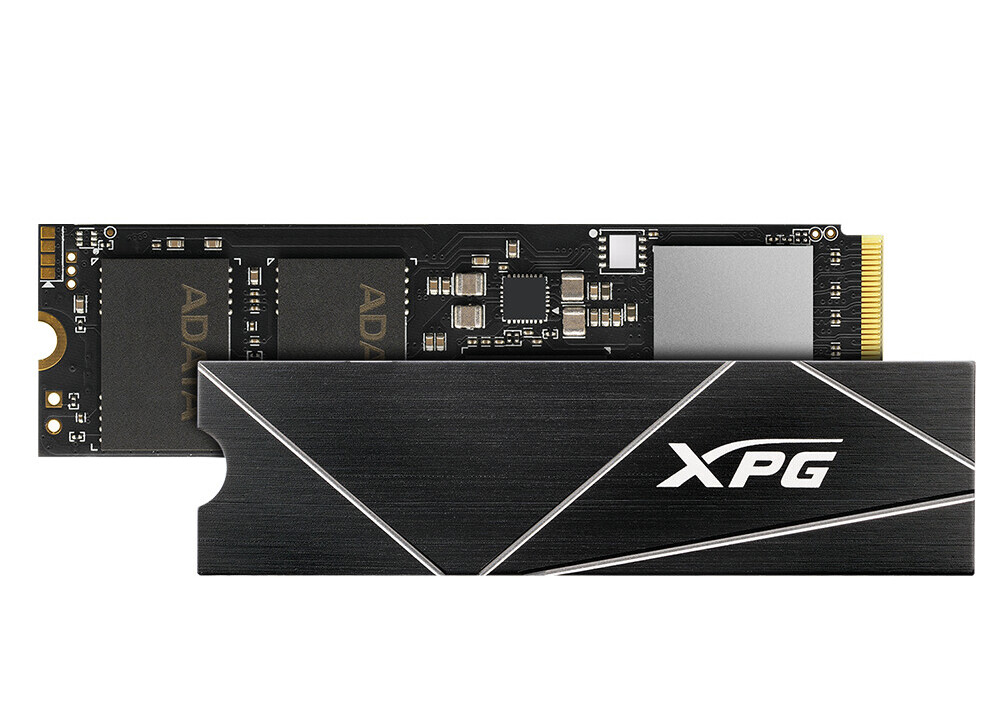
The Adata XPG Gammix S70 Blade is a wallet-friendly choice for your PS5. It offers great speed and enough room for many games without costing too much.
Features & Description (Adata XPG Gammix S70 Blade)
Adata XPG Gammix S70 Blade packs a punch with its PCIe Gen4 x4 NVMe 1.4 interface, reaching top speeds that make games load in the blink of an eye. It boasts impressive sequential read/write speeds up to 7,400 / 6,400 MB/s, setting a high bar for gaming SSDs.
With capacities up to 2TB, it provides ample space for your PlayStation 5 storage expansion needs. The drive also comes with a generous five-year warranty, giving gamers peace of mind about their investment.
This SSD is designed to meet the demands of next-gen console storage technology. Gamers seeking fast loading times on PS5 will find the Adata XPG Gammix S70 Blade more than capable.
Its high-speed storage ensures that open-world game performance on the PS5 hits new heights without any bottlenecks.
Upgrade your PS5 experience with lightning-fast load times and expansive storage capacity.
Pros & Cons (Adata XPG Gammix S70 Blade)
The Adata XPG Gammix S70 Blade offers a great price for expanding PS5 storage. It has fast read/write speeds that make games load quickly. But it comes in limited size options, which might not be enough for keeping many large games installed.
Next, let’s look at the Samsung 990 Pro for those seeking top performance.
Best High-End SSD for PS5: Samsung 990 Pro

The Samsung 990 Pro stands at the top for PS5 gamers wanting speed and space. This drive offers fast load times and huge storage, making it a leader in premium SSD options.
Features & Description (Samsung 990 Pro)
Samsung 990 Pro steps up the gaming SSD game. It comes in sizes of 1TB, 2TB, and a massive 4TB. This storage drive fits perfectly into your PS5, offering vast space for all your games and saves.
With its PCIe Gen 4.0 x4 interface, it promises top-notch speeds: reading at 7,462 MB/s and writing at 6,877 MB/s. Gamers can expect their PlayStation 5 to load games faster than ever.
This SSD doesn’t just speed things up; it also stays around for the long haul with a solid five-year warranty backing it up. Whether you’re exploring expansive open-world games that demand quick loading or simply looking to expand your console’s storage without sacrificing performance, the Samsung 990 Pro is perfect for you.
Its high read/write speeds ensure that game load times shrink dramatically, so players spend more time playing and less time waiting.
Pros & Cons (Samsung 990 Pro)
Moving from the detailed features of the Samsung 990 Pro, its strengths and pitfalls come into focus. This premium SSD offers exceptional speed and high storage capacities, meeting the needs for fast PS5 game loading times.
It is designed for gamers seeking quick access to their expansive digital worlds.
The drawback lies in its price. The Samsung 990 Pro comes at a cost higher than many competitors, making it a significant investment for your gaming setup. Despite this, its performance justifies the expense for those prioritizing cutting-edge speed and space.
Exceptional speed meets premium pricing in the Samsung 990 Pro.
Best SSD with Integrated Heatsink: Corsair MP600 Elite
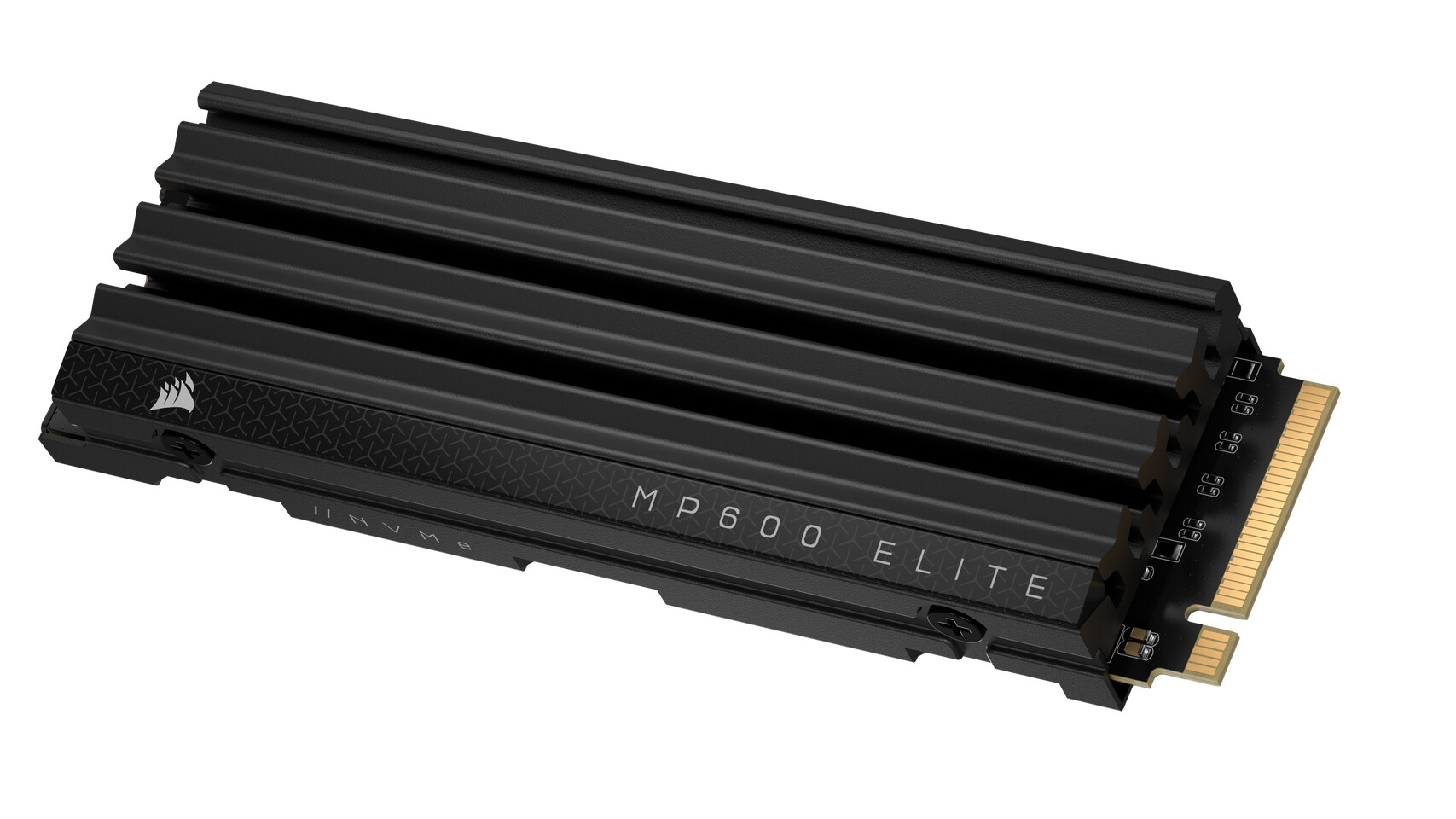
The Corsair MP600 Elite stands out for its built-in cooling technology. It keeps your games running smooth and fast, making it a top choice for PS5 upgrades.
Features & Description (Corsair MP600 Elite)
Corsair MP600 Elite stands out as a high-speed storage option for PS5 gamers. It uses PCIe Gen4 x4 NVMe 1.4 tech to move your games fast. Your load times drop thanks to speeds up to 7,000 MB/s for reading and 6,500 MB/s when writing data.
Gamers can choose between 1TB and 2TB sizes, giving plenty of space for all types of games.
This SSD also brings peace of mind with a five-year warranty. It’s designed not just to speed up game loads but also to last through many gaming sessions. With such fast read/write speeds, the Corsair MP600 Elite ensures that PS5 users experience reduced loading times and smoother in-game action.
Pros & Cons (Corsair MP600 Elite)
The Corsair MP600 Elite shines with its built-in heatsink and strong performance. This makes games load faster on your PS5, giving you an edge. But it stops at 2TB, limiting how many games you can store.
Next up is the Seagate FireCuda 530 1TB Heatsink option for expanding your console storage even further.
Best 1TB SSD Option: Seagate FireCuda 530 1TB Heatsink
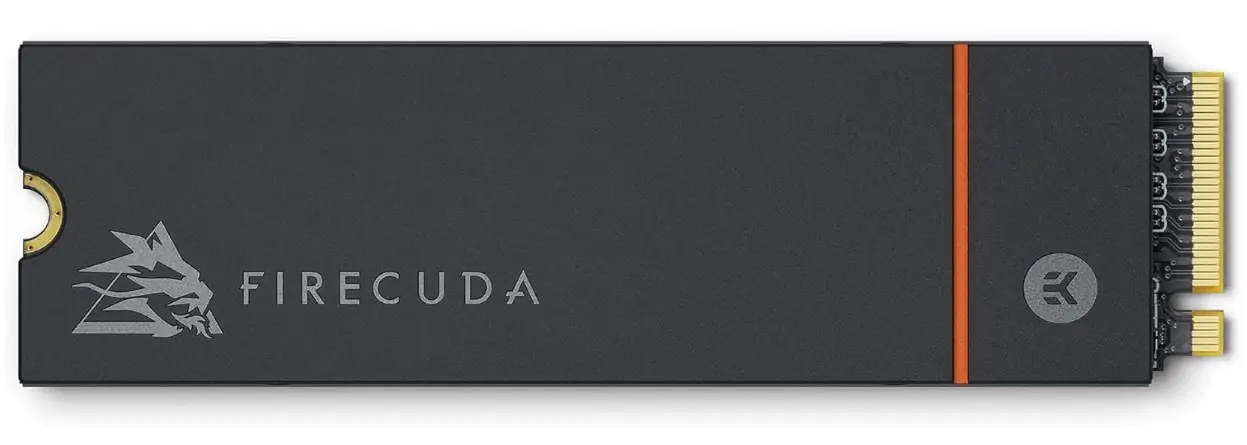
The Seagate FireCuda 530 with a heatsink is the top pick for a 1TB storage device for PS5. It’s fast and built to last, making games load quickly and run smoothly.
Features & Description (Seagate FireCuda 530 1TB Heatsink)
Seagate FireCuda 530 with 1TB Heatsink stands out as a top choice for PS5 storage upgrades. It offers huge storage of up to 4TB, but the 1TB model hits a sweet spot for gamers. With lightning-fast read/write speeds of 7,300/6,900 MB/s, games load quickly, keeping you in the action without delay.
This SSD brings unmatched speed and reliability to your gaming setup.
Its built-in heatsink keeps temperatures down during intense gaming sessions. This feature ensures peak performance without throttling and prolongs the life of the drive under heavy use.
Seagate guarantees this performance with a solid five-year warranty, giving gamers confidence in their upgrade choice.
Pros & Cons (Seagate FireCuda 530 1TB Heatsink)
The Seagate FireCuda 530 with a heatsink shines because of its fast read/write speeds, making it a standout for the PS5. Users will see games load quickly and run smoothly. This SSD is also just right for those looking to add 1TB of extra space to their console.
Yet, you’ll pay more per GB with this model than some others on the market.
But if longevity and steady speed are top priorities for your console’s upgrade, the Samsung 980 Pro stands out as a solid choice.
Best Value SSD for PS5: Samsung 980 Pro 1TB Heatsink
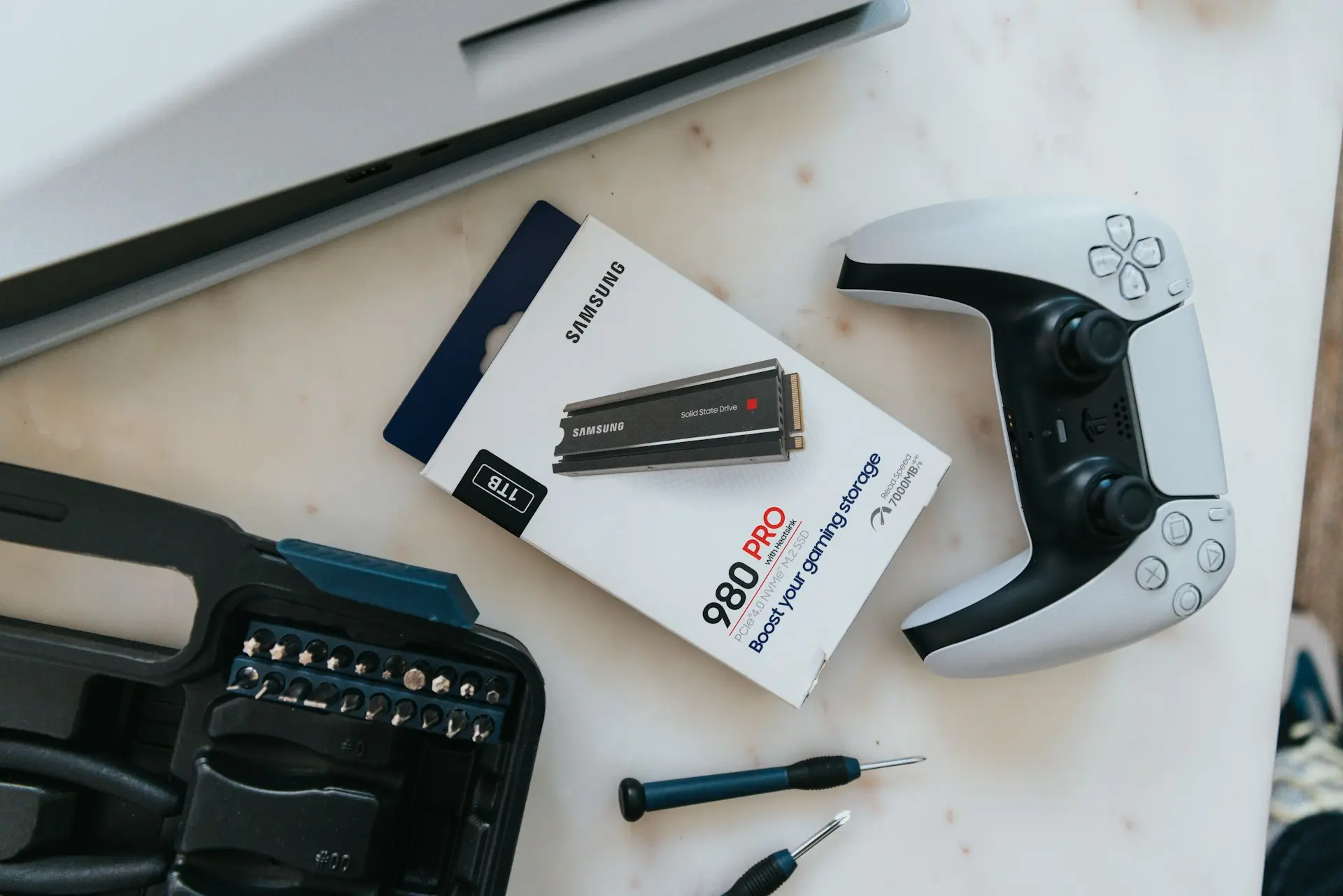
The Samsung 980 Pro 1TB Heatsink offers great speed and reliability for PS5 gamers. With its 1TB storage, it’s a top pick for those who want quality without breaking the bank.
Features & Description (Samsung 980 Pro 1TB Heatsink)
Samsung 980 Pro 1TB Heatsink offers top-notch performance for PS5 upgrades. With a PCIe Gen 4.0 x4 interface, this SSD reaches impressive speeds: up to 7000 MB/s read and up to 5000 MB/s write.
This speed is ideal for fast loading times on the PlayStation 5, making games start quicker and run smoother. The built-in heatsink design keeps it cool under pressure, ensuring consistent high-speed gaming without thermal throttling.
This model has enough space for plenty of games with its 1TB capacity. It also boasts durability, backed by a five-year warranty, giving gamers peace of mind about their investment.
Choose Samsung’s SSD for an unmatched blend of speed, reliability, and cooling technology in your PS5 console upgrade.
Pros & Cons (Samsung 980 Pro 1TB Heatsink)
The Samsung 980 Pro 1TB Heatsink model offers a great balance between cost and performance. With this drive, gamers get fast loading times for PS5 games. It’s made by a brand known for reliability.
The main downside is that if you buy a version without a heatsink, you’ll need to get one separately. Installing it can be an extra step.
This SSD model gives your PS5 quicker access to data, enhancing game start times and level loading speeds. The included heatsink prevents overheating, ensuring top speed during heavy gaming sessions.
On the flip side, preparing the non-heatsink variant for use requires buying and attaching an external heatsink yourself, which adds to the overall expense and setup time.
Installation Tips for PS5 SSD Upgrades
For PS5 SSD upgrades, follow a clear step guide. This makes sure your new storage works right and fits in your console fast.
Step-by-step guide
To upgrade your PS5 storage with an SSD, first find a flat surface. Grab a Philips screwdriver. Make sure you have enough light to see what you’re doing. Next, locate the PS5’s expandable storage cover and remove it carefully.
You’ll see a slot for the M.2 NVMe SSD here. Take your chosen SSD — it should meet the speed requirements and have the recommended heatsink attached if necessary for better thermal performance.
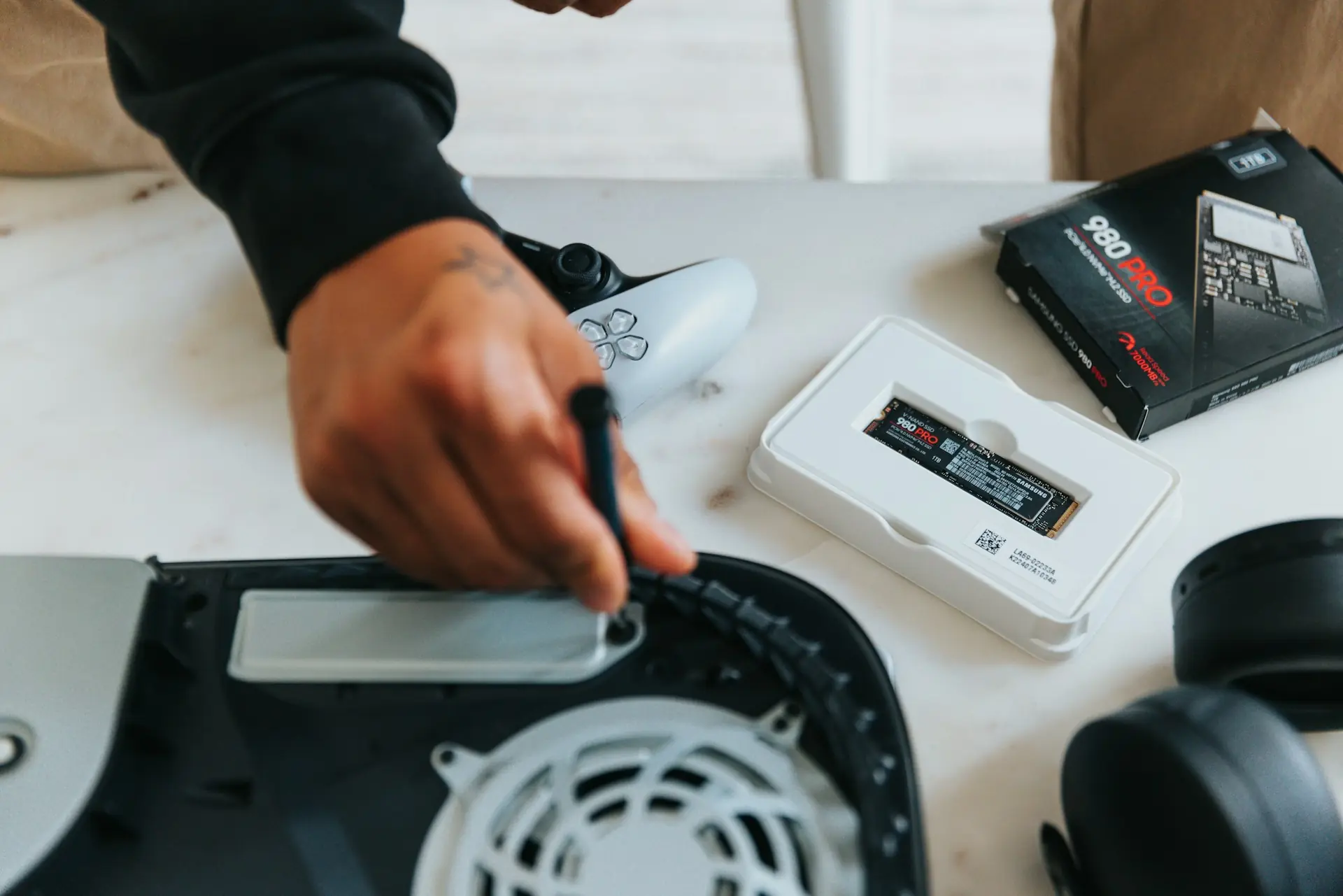
Now, insert the SSD into the slot at a slight angle, then press down gently until it’s firmly in place under its securing screw hole. Use your screwdriver to tighten the retention screw that holds the SSD securely within your console.
Once done, replace the storage cover back onto your PS3 console body tightly so no parts are loose or hanging out.
Moving forward, explore questions many gamers ask about upgrading their PlayStation 5 with new storage solutions.
FAQs About SSDs for PS5
Got questions about SSDs for your PS5? We have answers to help you pick the right one and get it running smoothly.
Do I need a heatsink for my SSD on PS5?
Yes, your PS5 SSD needs a heatsink. This is because the console generates a lot of heat during use. A heatsink stops your SSD from getting too hot. If it gets too hot, it could get damaged or not work well.
So, pairing an internal PS5 SSD with a heatsink is necessary to keep things cool and make sure everything runs smoothly.
Heatsinks are crucial for preventing heat damage to your SSD in the PS5. Without one, the lifespan of your storage device might shorten significantly due to overheating issues. By installing a heatsink on your M.2 NVMe SSD for PS5, you ensure better performance and reliability while enjoying fast loading times and expanded storage space without risk of overheating.
What is the maximum size for a PS5 SSD?
After understanding the importance of a heatsink, it’s time to discuss storage sizes for PS5 SSDs. The PlayStation 5 supports solid-state drives up to 8TB in size with its current system software.
Exciting news from the latest beta update reveals that very soon, gamers can expand their console storage with SSDs up to 8TB. This significant jump means more games and faster load times without worrying about space running out quickly.
For those looking to future-proof their PS5 or simply need ample room for an extensive library of titles, this upgrade is a game-changer.
Can I use a PS5 SSD with the PS5 Slim?
Yes, you can use a PS5 SSD with the PS5 Slim. All SSDs that are Gen 4.0 NVMe models and have heatsinks fit both the standard and slim versions of the console. This means if you pick a compatible drive, it will work for expanding your storage or speeding up game load times on any PS5 model you own.
Conclusion
Choosing the right SSD for your PS5 in 2024 means finding a balance between speed, size, and price. The WD Black SN850X offers great overall performance. For those on a budget, the Adata XPG Gammix S70 Blade stands out.
High-end users will appreciate the Samsung 990 Pro’s advanced features. The Corsair MP600 Elite shines with its built-in cooler, while Seagate FireCuda 530 is perfect for those needing 1TB of fast storage.
Endurance seekers should look at the Samsung 980 Pro. Lastly, for added flexibility, the PNY XLR8 Gaming Kit and WD_Black P40 offer easy external options. Each choice ensures shorter game load times and more room for new titles on your PS5.