


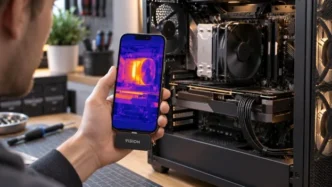
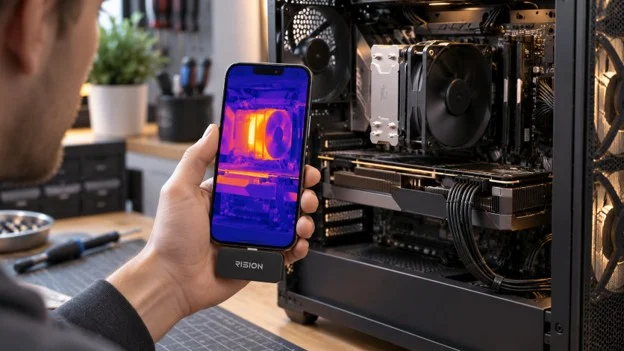
An overheating PC does not always make the source of the problem obvious. The fans may become loud, a game may slow down, or the computer may shut off under load. Monitoring software can confirm that a processor or graphics card is running hot, but it may not explain why.
Thermal imaging adds a view that software cannot provide. It shows heat across the parts the camera can see. That may expose weak airflow, uneven radiator cooling, or a connection that needs a closer look. Think of the image as a clue, not a verdict.
Start With the PC’s Internal Temperature Sensors
Start with the data already inside the computer. Monitoring software can read sensors in the CPU, GPU, main board, and storage drives. Note when the problem starts and which part heats up. Also check whether the PC lowers its clock speed.
A thermal camera reads infrared energy from visible surfaces. It cannot measure the heat deep inside a processor, so its result may not match an internal sensor. The two readings answer different questions: software reports internal heat, while the camera maps heat on the outside.
Build a Repeatable Idle-to-Load Test
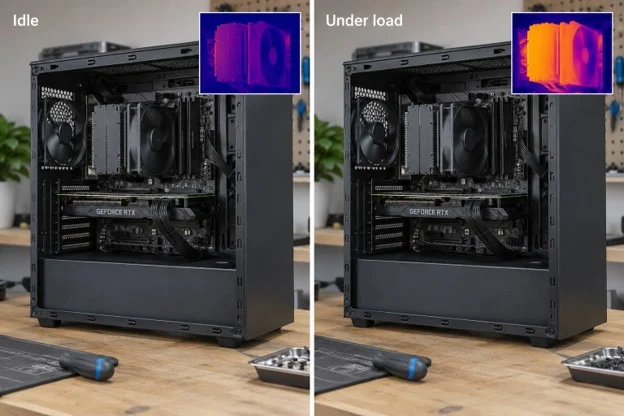
Let the PC idle for several minutes, then record its sensor temperatures, fan speeds, and room temperature. Capture thermal images of the areas you want to compare. Next, run a familiar game or steady benchmark for a set amount of time and scan the same locations again.
Keep the workload, camera distance, angle, side panel, and temperature scale the same. Many cameras change the display range on their own. As a result, the same color may mean a different temperature in the next image. Check the numbers and use a fixed scale when possible.
Follow Heat Through the Cooling Path
For an air-cooled CPU, heat moves into the cooler and then into the air crossing its fins. With liquid cooling, it travels through coolant to the radiator. Fans then carry the heat out of the case.
An odd pattern can narrow the search. If only part of a radiator warms under a steady load, check pump speed, fan direction, and mounting. Review the cooler maker’s guide as well. A hot pocket near the graphics card may point to dust, cables, or poor airflow.
Metal, Plastic, and Circuit Boards Can Look Different
A circuit board contains plastic packages, coated parts, solder, labels, and exposed metal. Those surfaces release and reflect infrared energy differently. Two items at a similar real temperature may therefore look different in the image.
Compare like with like: matching radiator areas, similar connectors, or the same component before and during a workload. If a bright patch changes when the viewing angle changes, it may be a reflection rather than a true hot spot.
Turn the Pattern Into a Testable Question
Readers who want to save the test on a phone can use a tool such as the Rision Thermal camera for Smartphone to record how the outside heat pattern changes from idle to load. RISION’s AI dual-light fusion pairs the thermal view with visible detail from the phone camera, helping you locate a warm area on the PC exterior.
For a PC builder, the useful record is not a single alarming frame. It is a before-and-after set that connects the workload, internal sensor readings, fan curve, and visible airflow path. That makes it easier to tell whether a new fan placement helped, or simply shifted heat toward another component.
Use the result to choose the next check. Compare a warm storage drive with its internal sensor, inspect a hot connector after shutting down, or test airflow after changing one fan setting. Change one condition at a time so you know what affected the result.
Stop testing if you notice smoke, a burning smell, melted insulation, electrical arcing, or repeated power loss. Never open a power supply. Used within these limits, thermal imaging can reduce guesswork and help you investigate an overheating PC more methodically.