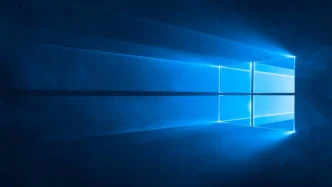
Microsoft’s widely used Windows 10 operating system officially reaches its end of life today October 14, 2025. This marks the cessation of feature updates, quality improvements, and general technical support, leaving millions of devices vulnerable to security threats. Users must now decide between upgrading, enrolling in extended security updates, or replacing their hardware.
Key Takeaways
- Windows 10 support officially ends on October 14, 2025.
- Devices running Windows 10 will no longer receive security updates.
- Extended Security Updates (ESU) are available for a limited time.
- Upgrading to Windows 11 is free for compatible devices.
- Ignoring the deadline poses significant security risks.
The End of an Era
After powering millions of desktops since its release in 2015, Windows 10 will no longer receive crucial security patches or feature updates from Microsoft starting October 14, 2025. While devices will continue to function, they will become increasingly susceptible to malware and security exploits. This transition marks a significant shift, comparable to the end of Windows XP’s support.
Extended Security Updates (ESU)
Microsoft offers an Extended Security Updates (ESU) program to provide a temporary safety net. This program offers critical and important security patches for a limited period after the official end of support. However, ESUs are not a permanent solution and come with varying enrollment rules, pricing, and eligibility criteria depending on region and user type (consumer or organization). For users in the European Economic Area, ESU packages are free for one year, requiring a Microsoft Account login. Businesses and enterprise deployments have different pricing structures, with costs potentially reaching hundreds of dollars per PC over three years.
Upgrade Options and Considerations
Users facing the end of Windows 10 support have several paths forward:
- Upgrade to Windows 11: For devices meeting the minimum hardware requirements, upgrading to Windows 11 is the most logical and recommended step. This ensures continued support, improvements, and regular security updates. Microsoft provides several free methods for upgrading, including through Windows Update, the Installation Assistant, or by creating installation media.
- Purchase a New PC: For older machines that do not meet Windows 11 compatibility requirements, purchasing a new PC is a viable option. Microsoft and its partners are encouraging users to consider newer models, including those with advanced features like Copilot+.
- Ditch Windows Completely: Users with technical expertise may consider switching to alternative operating systems like Linux or ChromeOS Flex. This can be a cost-effective way to repurpose older hardware, especially for users who rely heavily on web-based services.
- Accept Increased Risk: Continuing to use an unsupported operating system without any security updates significantly increases vulnerability. While some may opt for third-party security solutions like 0patch, this is generally not recommended for business-critical systems.
Security Implications
The end of Windows 10 support creates a significant security challenge, especially as many users are reportedly hesitant to upgrade due to perceived complexity or hardware limitations. Security experts strongly advise backing up data, updating antivirus software, and avoiding risky online behavior for those who remain on an unsupported OS. The transition underscores the importance of proactive security measures and staying current with operating system updates to protect against evolving cyber threats.