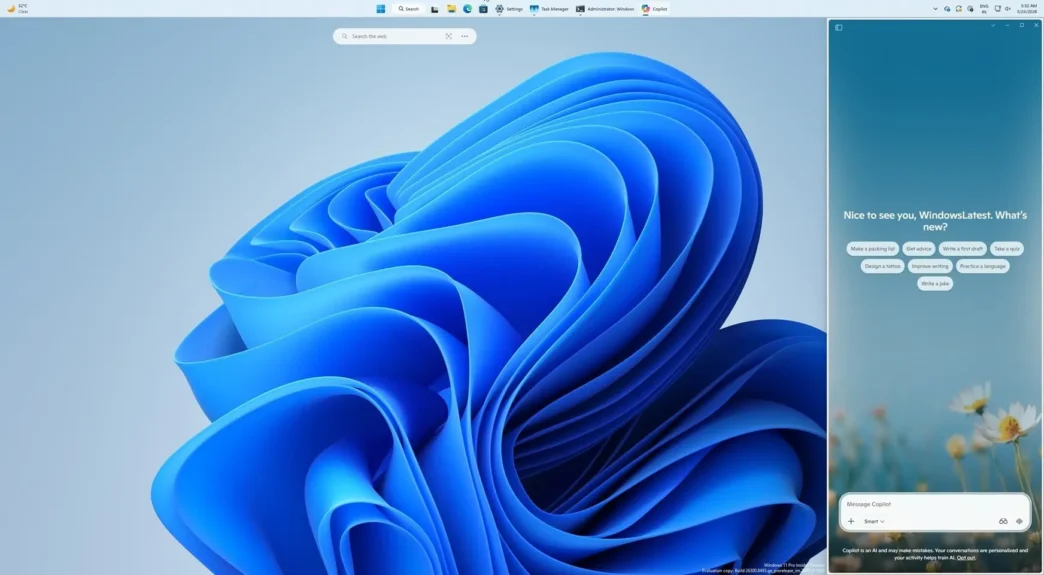
Microsoft is reintroducing the Copilot sidebar to Windows 11, marking another significant shift in its approach to integrating AI assistance directly within the operating system. The newly dockable Copilot is designed to give users persistent access to AI features while simultaneously reshaping how desktop real estate is managed.
Key Takeaways
- Copilot is returning as a dockable sidebar, similar to earlier concepts and Google’s Gemini in Chrome.
- Users can now pin Copilot to the left or right of the screen, with the OS adjusting open apps automatically.
- The update is being rolled out gradually and remains optional during early testing.
- The persistent sidebar approach may impact workflows for users and developers, particularly those relying on maximized or multi-window desktop arrangements.
A Return to the Sidebar Concept
After several redesigns, Microsoft appears to favor the original vision of Copilot—a sidebar adjacent to the desktop, rather than an isolated floating app. The new implementation lets users dock Copilot to either the left or right side of the screen, echoing the integration style of Google’s Gemini assistant in Chrome.
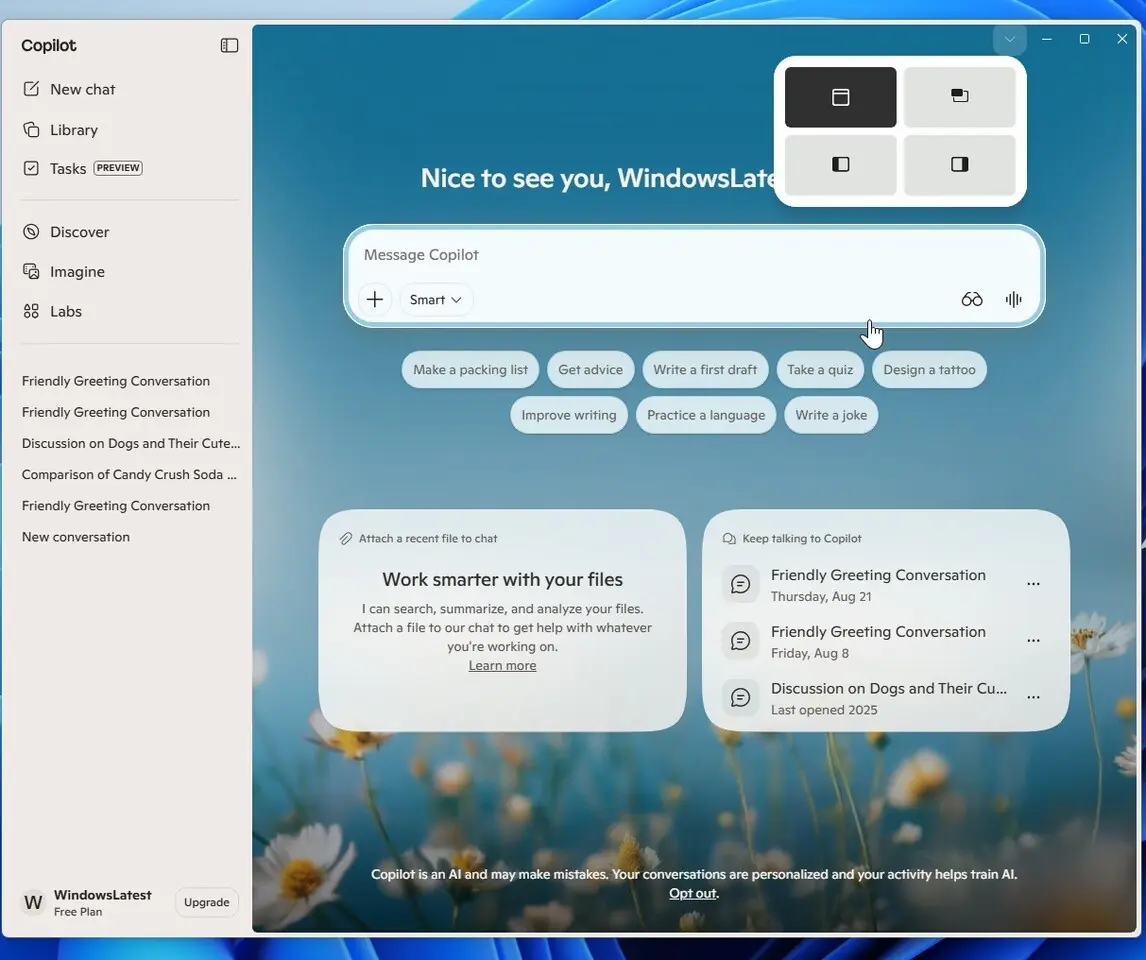
When docked, Copilot stays fixed to one edge, while all other open applications and desktop elements are dynamically resized. This means multitasking remains uninterrupted, with AI support readily available in a non-intrusive manner.
Enhanced User Controls and Flexibility
This revamped Copilot offers more control than prior iterations. Accessed via a drop-down in the title bar, the new “snap” options not only include docking to either side but also a picture-in-picture mode for minimal screen impact. Users can choose the interface style that best suits their needs, facilitating a more tailored AI experience.
Importantly, this change returns to a more native feel, moving away from web wrapper solutions that left Copilot feeling disconnected from the OS. While the sidebar approach is optional in current test versions, it marks a clear tactical shift from previous launches.
Impact on User Experience and Developer Ecosystem
Introducing a persistent AI sidebar alters how users and applications interact with available workspace. For end users, constantly available AI support could enhance productivity, especially for quick queries or context-based actions. However, developers need to consider additional layout possibilities to ensure apps play nicely with the dynamically resizing workspace, especially apps that depend on full-screen usage, such as video editors and CAD software.
Microsoft is expected to provide updated developer guidelines if this feature rolls out broadly, advising how to accommodate persistent sidebars and avoid potential performance slowdowns.
Managing Copilot: Removal and Customization
For those who prefer not to use Copilot, Microsoft has introduced clearer ways to disable or remove the feature. Options now exist for both registry edits and group policy changes, which is particularly relevant for IT administrators looking to manage Windows deployments in enterprise environments.
Looking Ahead
The docked Copilot sidebar is still in testing, with broader rollout dependent on feedback from users and developers. Microsoft’s ongoing adjustments reflect the broader trend of weaving AI more deeply into daily computing while balancing usability, user control, and system performance.
The final form of Copilot in Windows 11 may change based on testing, but one thing is clear: AI-powered assistance is set to remain a core component of the Windows desktop experience.
Via Windows Latest