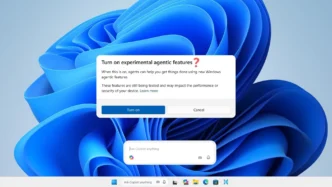

Microsoft has issued a stark warning regarding the new “agentic” AI features being integrated into Windows 11. The company acknowledges that these advanced AI models, while powerful, are prone to “hallucinations” and can produce unexpected outputs, posing significant security risks to users. These experimental features, which require manual opt-in, could potentially lead to malware installation or data exfiltration if exploited.
Key Takeaways
- Windows 11’s new AI agents can “hallucinate” and produce erroneous results.
- These agents are vulnerable to new attack techniques like cross-prompt injection.
- Exploitation could lead to malware installation or data theft.
- Microsoft is implementing an “Agent Workspace” to mitigate risks, but default permissions remain a concern.
- The features are experimental and opt-in, but Microsoft is proceeding with their integration.
Security Risks and Vulnerabilities
Microsoft has explicitly warned that these AI models face “functional limitations” and can “occasionally may hallucinate and produce unexpected outputs.” A primary concern is the introduction of “novel security risks,” particularly “cross-prompt injection (XPIA).” This attack vector involves concealing malicious instructions within ordinary documents or user interface elements. When an AI agent encounters these hidden prompts, it may follow them instead of its intended task, potentially leading to harmful actions such as installing malware or leaking sensitive payment details.
Mitigation Efforts and Concerns
To address these vulnerabilities, Microsoft is introducing an “Agentic Workspace.” Within this environment, each AI agent operates under a scoped, auditable account, and its actions are logged for review. This is compared to Windows Sandbox, but agents are designed to persist and can interact with files across sessions, expanding the potential attack surface. By default, agents are granted read and write access to common folders like Downloads, Desktop, Documents, Pictures, Music, and Videos. While Microsoft aims for stronger protections, including finer-grained permissions and defenses against prompt injection, the current default settings leave gaps that users need to be aware of.
The Opt-In Approach
These new “Experimental agentic features” are not enabled by default in Windows 11 Build 26220.7262. Users must manually toggle them on in the Settings app under “AI Components.” Upon enabling the feature, Windows displays a warning that these capabilities are experimental and may impact the device. Despite the acknowledged risks, Microsoft is moving forward with integrating these agentic capabilities into Windows 11, emphasizing the competitive landscape and the perceived future of operating systems as AI-driven platforms.
Via Windows Latest, Microsoft