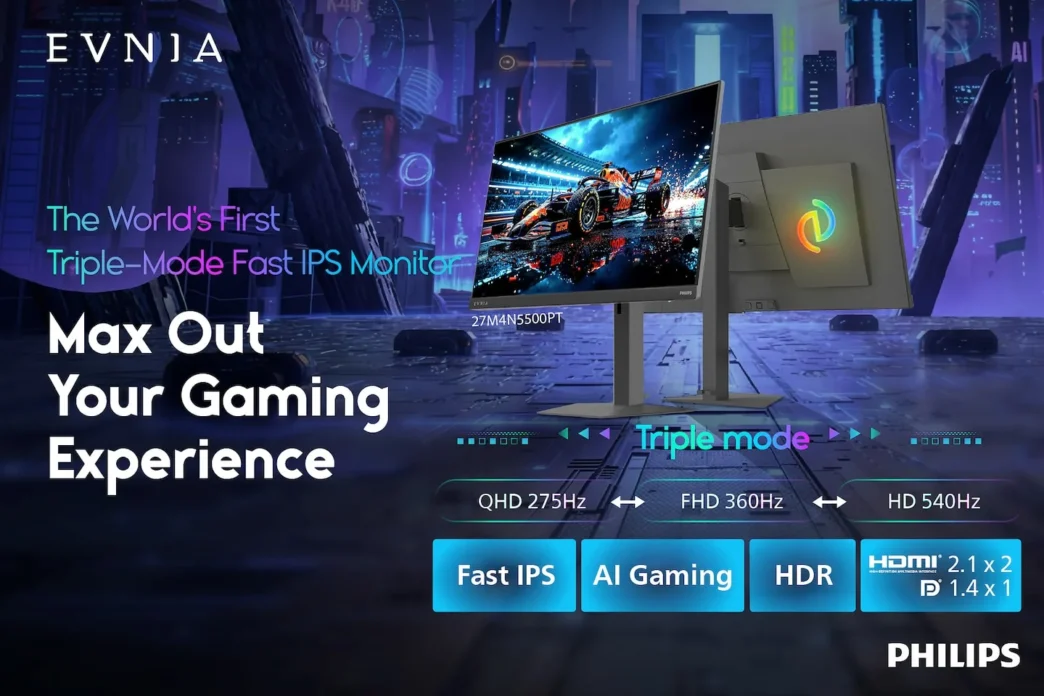
Philips Evnia has officially launched its new M4 monitor lineup, featuring groundbreaking Triple-Mode technology. By allowing gamers to toggle between three distinct resolution and refresh rate presets, the 27M4N3500PT and 27M4N5500PT models aim to provide unparalleled flexibility, catering to both high-fidelity AAA gaming and ultra-fast competitive esports environments.
Key takeaways
- Revolutionary Triple-Mode technology enables instant switching between resolution and refresh rate presets.
- Exceptional performance versatility, ranging from 1440p at 275Hz to an ultra-fast 720p at 540Hz.
- Integrated AI gaming tools including smart crosshair and shadow boost features.
- Ergonomic SmartErgoBase design allows for height, tilt, swivel, and pivot adjustments.
Unmatched flexibility for modern gamers
The most significant innovation in the new M4 series is the ability to adapt the display output to specific gaming needs. Users can utilize the on-screen menu to toggle between three configurations, eliminating the need for manual settings adjustments. This allows players to prioritize image quality for immersive titles or refresh rate for frame-sensitive competitive play.
Performance specifications
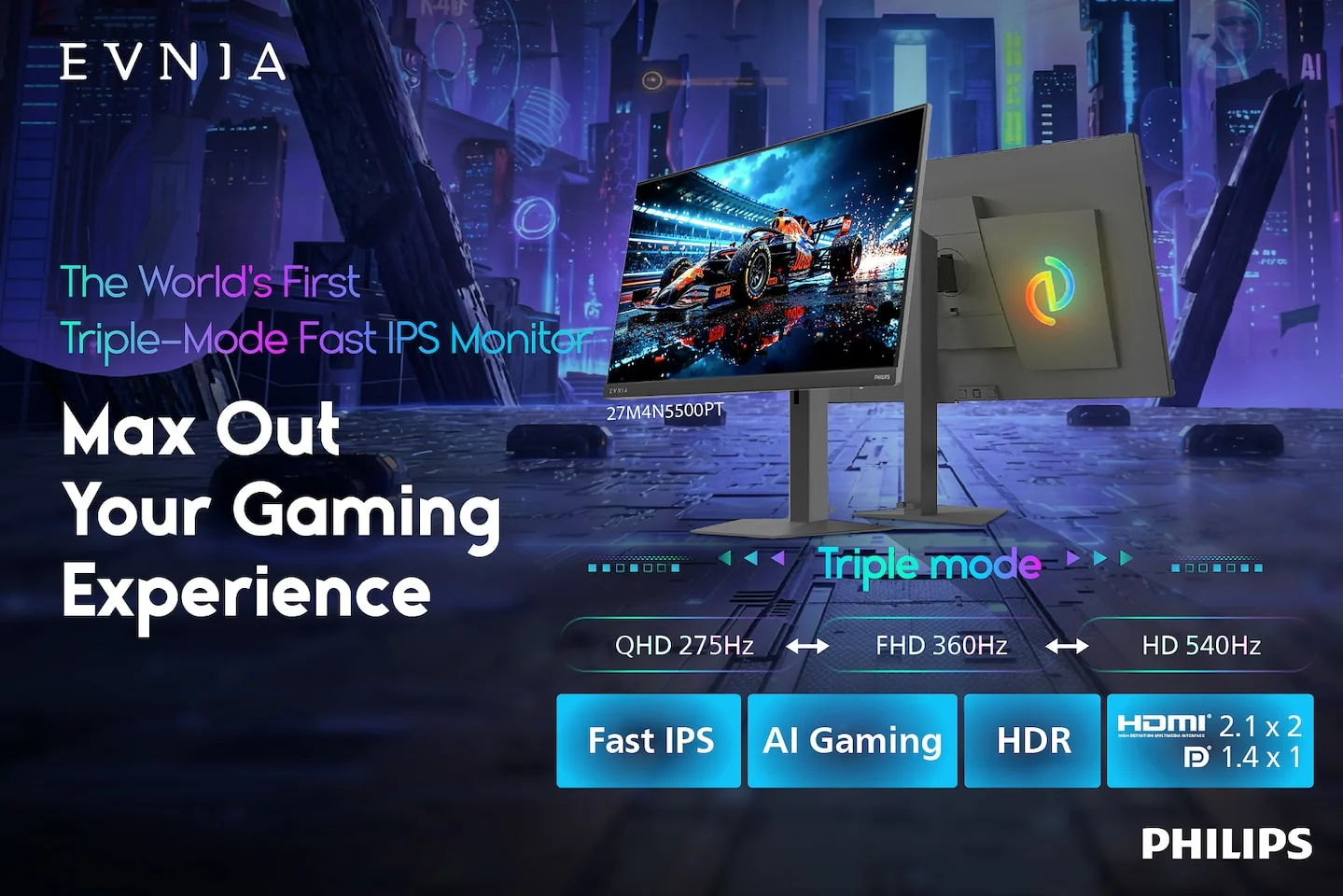
The following table outlines the three selectable modes available in the new Philips Evnia M4 series:
| Mode | Resolution | Refresh Rate |
|---|---|---|
| AAA Immersion | 2560 x 1440 (QHD) | 275Hz |
| Balanced Speed | 1920 x 1080 (Full HD) | 360Hz |
| Competitive Esports | 1280 x 720 (HD) | 540Hz |
Ergonomics and aesthetic enhancements
Beyond raw performance, Philips Evnia has prioritized marathon comfort. The Fast IPS panels incorporate low blue light and flicker-free technologies to minimize eye fatigue during extended gaming sessions. The 27M4N5500PT model further enhances workstation utility with the SmartErgoBase, which supports comprehensive height, tilt, and swivel adjustments, as well as a 90-degree vertical pivot. The monitors also debut the new EVNIA AI gaming iconglow light, adding a futuristic aesthetic to the modern desk setup.