



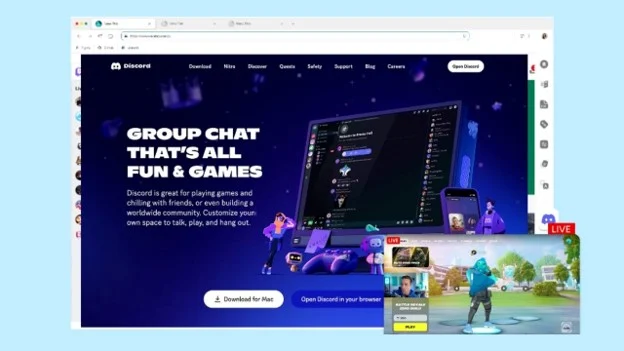
A gaming browser is about more than just gaming itself. It often becomes the hub for guides, storefronts, Discord, Twitch, video walkthroughs, and the many tabs that stay open between gaming sessions.
Wave Browser offers a Chromium foundation, multitasking features, and an environmental model tied to verified ocean cleanup. The question is not whether it can magically raise frame rates, but whether its design fits the needs of a PC gamer.
What is Wave Browser?
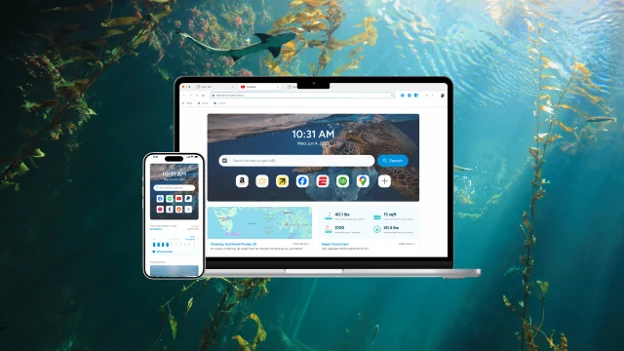
Wave Browser is a web browser that helps turn everyday browsing into verified environmental impact.
Through its partnership with 4ocean, Wave Browser helps fund the removal of plastic and trash from our ocean, rivers, and coastlines while offering features designed to support productivity, organization, and a more efficient browsing experience. Wave Browser is available on Windows, Mac, Android, and iOS.
Since it is built on Chromium, it supports modern web standards and provides a familiar browsing experience, combining this foundation with practical gaming features and a partnership that supports verified ocean cleanup.
Wave Browser and Chromium Performance
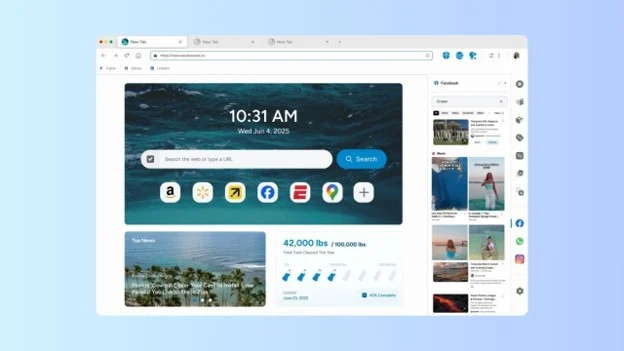
Wave Browser is built on Chromium, the open-source project that provides the technical foundation for several major browsers. Because many modern gaming websites, digital storefronts, streaming services, and companion applications are developed and tested with Chromium-based browsers in mind, users can generally expect broad compatibility with these services.
Features for a Gaming Setup
Wave Browser includes several features that can support the activities surrounding a gaming session:
- Split Screen: Keep a game guide, livestream, or chat open beside the main page without constantly moving between tabs.
- Video Pop-Out: Display a tutorial, walkthrough, or stream in a floating window while using another page.
- Sidebar: Access platforms such as Discord, Twitch, and YouTube with fewer interruptions to your browsing session.
- Memory Saver: Pause inactive tabs to make memory available to active tabs and other applications. Chromium documentation confirms how this type of resource-management feature works, although results depend on the device, open pages, extensions, and game.
- Integrated Ad Blocker: On supported platforms, reduce distractions on ad-heavy gaming guides and community pages.
Environmental Impact Built into Wave Browser
Wave Browser connects everyday web browsing with verified ocean cleanup through a certified partnership with 4ocean.
This means gamers can use the browser to access gaming platforms, walkthroughs, streams, and community chats while supporting ocean cleanup through their regular browsing activity. Cleanup results are displayed through a live Impact Tracker on the browser’s homepage, giving users a running view of the pounds removed.
Learn more about Wave Browser’s environmental mission on the official mission page.
Trust, Safety, and User Feedback
Wave Browser is certified by AppEsteem, a third-party organization that evaluates software against certification requirements covering installation practices, transparency, user control, and uninstall experience.
For gamers, this certification provides added confidence that Wave Browser meets recognized standards for transparent installation, responsible software behavior, and straightforward removal.
Wave Browser has also earned the SourceForge Leader Award for three consecutive seasons (Winter, Spring, and Summer 2026) based on outstanding customer reviews.
The Summer 2026 recognition placed Wave Browser among the top 5% of more than 100,000 reviewed software products on SourceForge in the Web Browsers and Eco-Friendly Web Browsers categories, demonstrating consistently positive user feedback over time.
Why Gamers May Consider Wave Browser
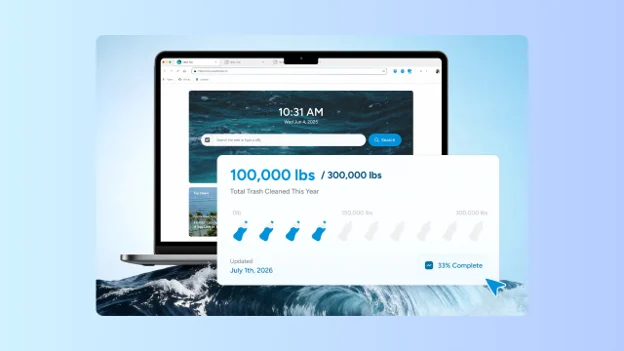
Wave Browser presents a solid option for players who want Chromium compatibility, organized companion content, and visible environmental reporting in one browser. Its strongest gaming benefits concern browsing workflow and background-tab management, not unverified promises of higher FPS or lower network latency.
For gamers looking for a Chromium-based browser with practical multitasking features and an environmental mission, Wave Browser combines broad web compatibility with tools designed to support everyday browsing and gaming.