In a moment of unfortunate timing, Microsoft’s Media Creation Tool (MCT), a primary method for users to upgrade to Windows 11, has ceased to function correctly just as Windows 10 reaches its end-of-life. This glitch leaves many users scrambling for alternatives as official support for Windows 10 concludes.
Key Takeaways
- Microsoft’s Windows 11 Media Creation Tool is reportedly closing unexpectedly without error messages on Windows 10 devices.
- The issue arises just one day before Windows 10 officially ends its support lifecycle.
- Microsoft acknowledges the problem and is working on a fix, but has provided alternative methods for upgrading.
The Unfortunate Timing
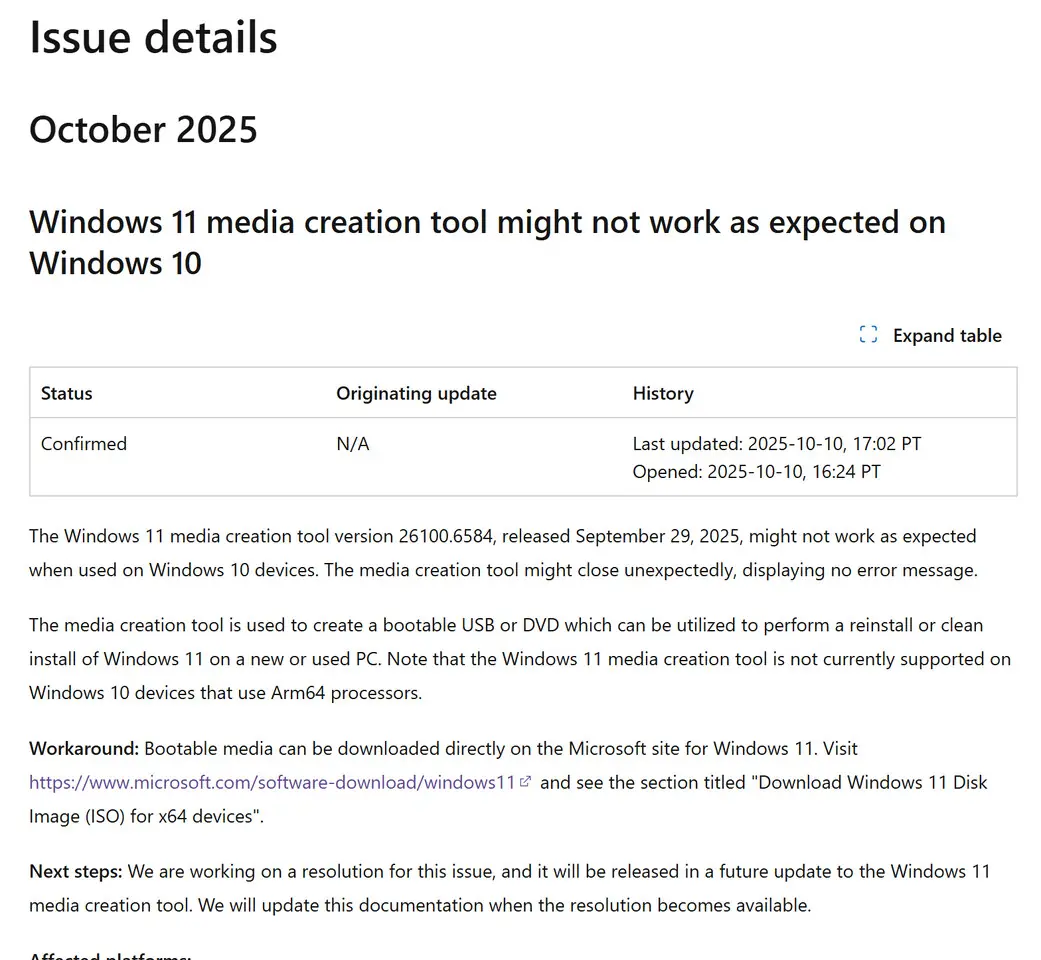
With Windows 10’s official support ending on October 14th, users looking to transition to Windows 11 have found a significant hurdle in their path. The latest version of the Windows 11 Media Creation Tool, released recently, has been confirmed by Microsoft to “might not work as expected when used on Windows 10 devices.” The primary symptom reported is the tool closing abruptly without any error messages, a frustrating experience for those on a tight deadline.
This malfunction is particularly inconvenient as the MCT has been a go-to utility for creating bootable USB drives or DVDs for a clean installation or upgrade to the latest Windows operating system. The timing of this failure, mere hours before Windows 10’s end-of-life, has drawn criticism and concern from users and tech observers alike.
Microsoft’s Acknowledgment and Workarounds
Microsoft has officially acknowledged the issue on its support pages, stating that the Windows 11 Media Creation Tool version 26100.6584, released on September 29, 2025, may exhibit this behavior on Windows 10. The company also noted that the tool is not currently supported on Windows 10 devices utilizing Arm64 processors.
While a fix is reportedly in the works, Microsoft has provided users with alternative methods to upgrade to Windows 11:
- Windows Update: Users can check their Windows Update settings in Windows 10 for a “Download and Install” option for Windows 11. This option may not be available for all systems.
- Direct ISO Download: Users can download the Windows 11 Disk Image (ISO) directly from Microsoft’s official software download page. This ISO can then be used to create bootable media with third-party tools like Rufus.
The Road Ahead for Windows 10 Users
As Windows 10 reaches its end-of-life, devices running the operating system will no longer receive security updates, technical support, or feature enhancements. While users can continue to use Windows 10, they will be more vulnerable to security threats. Microsoft is offering Extended Security Updates (ESU) for a fee, or potentially for free through specific programs like Microsoft Rewards or by syncing with a Microsoft account via OneDrive, though these options have their own caveats.
The failure of the Media Creation Tool at this critical juncture highlights the challenges some users may face in migrating to Windows 11, especially those with older hardware that might require workarounds for compatibility issues, such as bypassing TPM requirements, which tools like Rufus can facilitate.
Via Microsoft