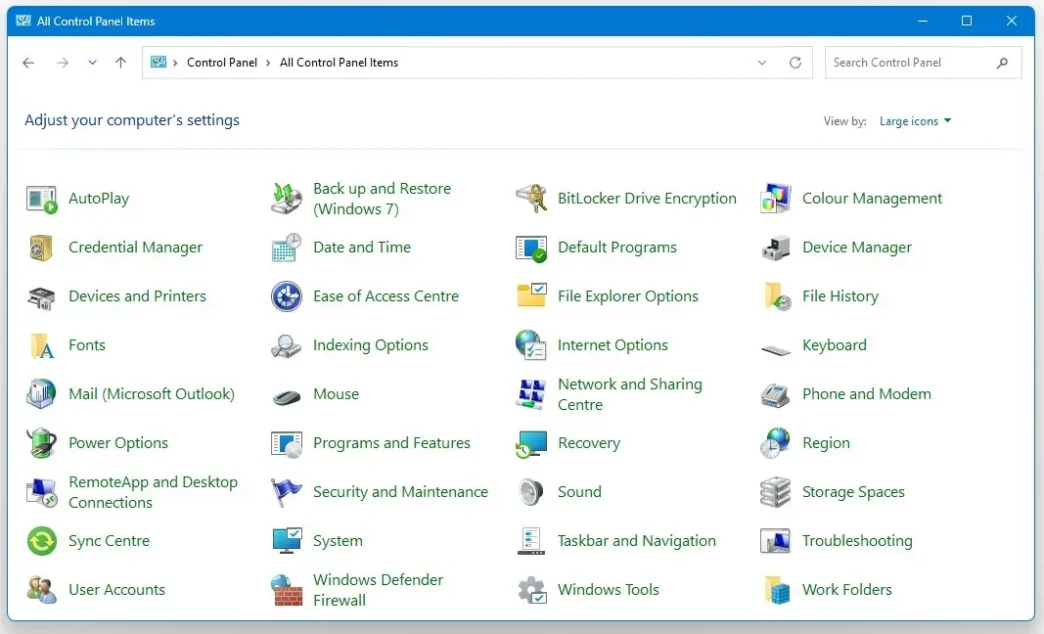
Microsoft has announced its intention to phase out the legacy Win32 Control Panel from Windows 11 in favor of a complete transition to the modern Settings app. This marks the end of an era for a tool that has been central to Windows configuration for decades, signaling deeper changes in how users will interact with the operating system moving forward.
Key Takeaways
- Microsoft will eventually retire the classic Win32 Control Panel in Windows 11.
- Feature migration is gradual to ensure device compatibility, especially for hardware management.
- Not all Control Panel features currently exist in the Settings app, but migration is ongoing.
- Users can expect more Settings app improvements and new features in future Windows 11 updates.
The Phased Transition Strategy
Microsoft’s approach to retiring the Control Panel is to move features methodically into the Settings app. With each Windows 11 update, additional sections of the old Control Panel are replicated or redesigned within the modern app. This careful migration is especially crucial for components integrated with device drivers like printers and network adapters, which depend on long-standing Control Panel utilities.
What Features Are Still Missing?
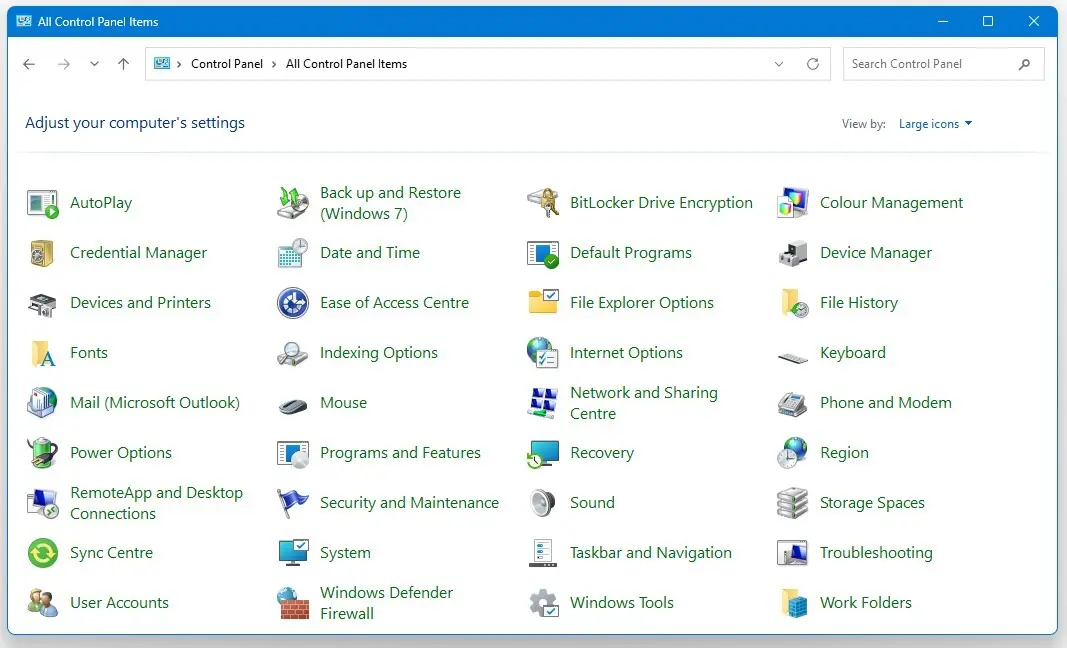
Despite the progress, several essential tools such as BitLocker Drive Encryption management, advanced sound options, File Explorer preferences, device and disk management, and certain recovery controls remain exclusive to the Control Panel. Many users and experts argue that these features are fundamental and need to be available in the Settings app before a complete migration can be realized.
Top Control Panel Features Yet to Migrate:
- BitLocker Drive Encryption: Default drive encryption now applies to all versions of Windows 11, making easy access to encryption settings more important than ever.
- File Explorer Options: Advanced options for navigation, hidden files, and checkboxes are still not fully featured in Settings.
- Sound Settings: While some sound features are in Settings, turning off system sounds still relies on legacy tools.
- Device and Disk Management: Setup and management visuals, especially for advanced hardware, don’t match modern the UI or accessibility standards yet.
- Recovery Tools: Creating restore points and managing system recovery is still handled through older, less accessible interfaces.
User Reactions and Design Considerations
The move has sparked nostalgia and concern among users and critics, who lament the loss of Control Panel’s quick access and multi-window capabilities. While the Settings app offers a cleaner, touch-friendly aesthetic consistent with current UI trends, it lacks the tabbed, efficient navigation many have relied on for years. Some worry that the new app’s focus on flat design and extensive menus could reduce usability, especially for power users.
What’s Next for Windows Settings?
Microsoft continues to modernize the Settings app with added features and improved integration. The company expects users to monitor future updates, as migration will take time, with features appearing in preview builds before making their way to public releases. The goal is to streamline configuration experiences across devices while keeping stability and compatibility at the forefront.
Conclusion
Microsoft’s move to sunset the Control Panel is part of a broader effort to modernize Windows for consistency, accessibility, and ease of use. While some users will miss the classic interface and its proven efficiency, the company aims to bring a more unified and touch-friendly experience to Windows 11 with the Settings app as the central hub for all configurations.