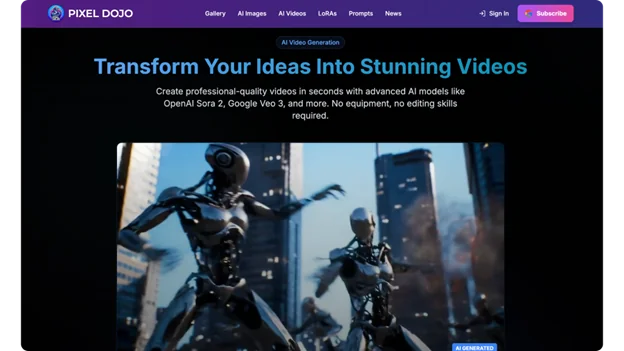
AI video software can turn ideas into sharp‚ creative‚ and eye-catching video content with little effort․
Just a few methods and techniques can make your videos pop in social media feeds․
This guide provides strategies for quality‚ engagement‚ and scalability․
Master Prompt Engineering
Crafting precise prompts unlocks the full potential of an AI Video Generator, serving as the cornerstone for generating professional-grade footage from simple descriptions.
It is ideal to have clear and detailed prompts‚ for example‚ “a majestic eagle gliding over misty mountains at dawn‚ wide-angle lens‚ golden hour lighting‚ slow-motion dive”․
The more detailed and specific a prompt is‚ the more similar the results of different generations will be․
Apply layers of detail‚ from broad strokes to specific styles‚ like cinematic realism or surreal abstraction․
Experiment with various adjectives (for example‚ “ethereal fog” or “crisp sunlight”) until the project evokes the desired atmosphere․
Once established‚ these templates can reduce experimentation in future work․
Automate Editing Workflows
Using automation‚ raw footage is cut and created into an action sequence by identifying the best moments and applying cuts‚ transitions‚ color corrections‚ and pacing changes based upon emotional values․
Keep clips between 1-2 seconds per beat to comply with social platforms’ snappy hooks to retain viewership․
Motion graphics like particle explosions or lens flares can be added to an edit to stress a particular action without needing to set keyframes․
Batch exports for multiple videos with different aspect ratios (such as square for stories and vertical for reels) are possible as well․
This efficiency allows more time for creative brainstorming․
Generate Dynamic Content
Dynamic generation generates content on-demand‚ using scripts and data sets to create scenes‚ voiceovers‚ and music that change according to variables like viewers’ geographic location and viewing preferences․
Branching narratives based on choice can provide more interactivity and encourage a higher replay value․
In tutorial videos‚ annotations may overlay video‚ displaying context-based information․
In marketing videos‚ demographic requirements may include warm colors for lifestyle videos and black and white or high contrast for technical videos․
These allow one single base idea to be turned into many tailored campaigns․
Enhance Visual Quality
Upscale low-res input to gorgeous 4K‚ cleverly smoothing artifacts while sharpening detail․
Color grade output to create a mood: desaturated blues or blacks to build tension‚ or pops of color to create excitement․
The noise reduction helps preserve details of texture in the shadows‚ as high-end cameras․
Stylization filters can give live-action scenes a painterly appearance or a voxel art look; depth-of-field blurs can be applied to help focus the viewer’s attention․
This gives the games smooth playback and a professional feel fit for client pitches or brands․
Incorporate Interactive Features
Interactivity creates opportunities to engage viewers longer‚ by using hotspots for a pause-and-explore mode to reveal hidden layers or alternative angles through clicking․
You can hold conversations with lip-synched avatars that will respond to prompting questions with scripted data․
Real-time adaptations change pacing and presentation based on user involvement‚ with some speeding up if users are restless․
Gamified elements such as progress bars and quizzes encourage completion; these features enable community building as users share their personalized journeys․
Optimize Audio and Subtitles
Smooth integration of AI voiceovers (various accents) builds immersion; ambient track and voiceover volume and pitch vary with visual cues: swelling strings on reveal‚ modern pulsing tracks on tension․
Dialog can be auto-transcribed into timed captions/subtitles in multiple languages for global accessibility․
Use spatial audio for panning with on-screen motion․
For wellness content‚ adding calming narration to fading in and out can improve relaxation․
Timely delivery avoids distraction from rapid cuts and outlines the message․
Leverage Personalization Engines
Thumbnail and intro personalization‚ informed by watches‚ highlights a video’s most compelling moments․
The industrial viewer sees sweat-slicked plays‚ the creative viewer sees abstract flows․
This increases clicks by making previews relevant to individual interests․
Scale adaptive stories (short on mobile‚ long on desktop)‚ use A/B testing and feedback loops to learn user preference over time․
Embed e-learning’s per-skill level difficulty ramps in general lessons‚ to transform those into personalized journeys for users․
Analyze Emotions and Performance
Emotion detection looks at the micro-expressions of a test audience and determines the point where they stop․
Recreate those segments with a greater intensity‚ such as more smiling․
Metrics like dwell time are then used to iterate on those attention-grabbing hooks․
These forecasts filter out mass reactions prior to publication․
Faceless forms‚ such as montage of transient images and ranting voiceover‚ provoke debate․
Data-fueled iterations ensure virality‚ concentrating on and sharpening what works․
Explore Viral Trend Formats
Viral formats include micro-movies with offbeat twists in under 60 seconds‚ parody trailers with dramatic voiceover for ordinary things (e․g․‚ office supplies in a heist)‚ creating suspense to keep viewers watching‚ and endless loops of eye-grabbing transitions․
Fantasy shorts set on floating islands or in ancient ruins to rhythmic editing and hypnotic beats are designed to loop and share endlessly‚ driving engagement and dominating feeds across all ages and platforms․
Animate from Stills and Images
First still‚ then animated․
Compositions are first: rule-of-thirds framing‚ even lighting‚ scene depth with everything in focus․
Movement is often created by adding pans and zooms‚ which reduces the rendering budget and creates stylistic continuity across episodes․
Additional features include time-lapses (e․g․ “plant growth timelapse”)‚ carousels and multi-motion camera movements‚ i․e․ orbit‚ dolly and rack focus․
Hybrid still-video blends scrolling stories with cinematic depth․
Scale with Batch Processing
Batch generation: Automate frame variants and upscale․
For long content‚ create short snackable content with smart trims that focus on the narrative core while omitting full context․
Platform exports can automatically handle ratios․
In addition to making characters consistent across episodes‚ cross-posting creates the possibility of controlling multiple channels at once‚ and building reusable libraries for endless remixing․
Future-Proof Your Workflow
By integrating AI in pipelines from storyboard sketches to final mixes‚ there is potential for an end-to-end automated production cycle․
For example‚ emotion-driven performances may include subtle frowns for conflict or wide grins for victory․
Hybrid experiences that combine video content and choice․
Focus on tool-based practice and format-agnostic design prepares for upcoming technology․
Trends and inspiration will become outdated‚ but experimentation with a mix of trends and original work can achieve longevity․
With these strategies, you will be equipped to craft addictive AI videos that fascinate and convert․
Precision in every process step from prompts to polish sets your creation apart․