Usage & Final Thoughts on the EPOMAKER RT85 Mechanical Keyboard
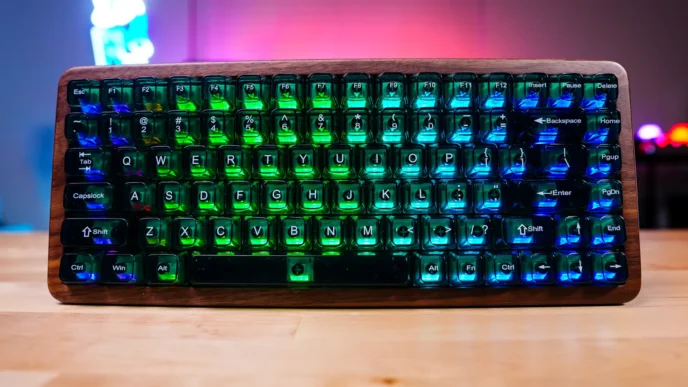
I’ve been using the RT85 for the past couple of weeks and I’ve really been enjoying it. I think the big thing when it comes to any keyboard is how comfortable it is and the sound profile. As far as comfort goes the RT85 is quiet good. Even though we have a plastic chassis the multiple layers of dampening material make for a very comfortable typing experience, although it could be a little less stiff. When it comes to gaming I found the Creamy Jade switches to be very responsive and I’ve been playing Battlefield 6 non-stop with this keyboard without any issues.
Those multiple layers of dampening material also make for a very a very nice sound profile. I think we are getting to the point where so many brands understand that sound profile is very important to the end-user. Check out the sample below to hear what it sounds like to type on this keyboard.
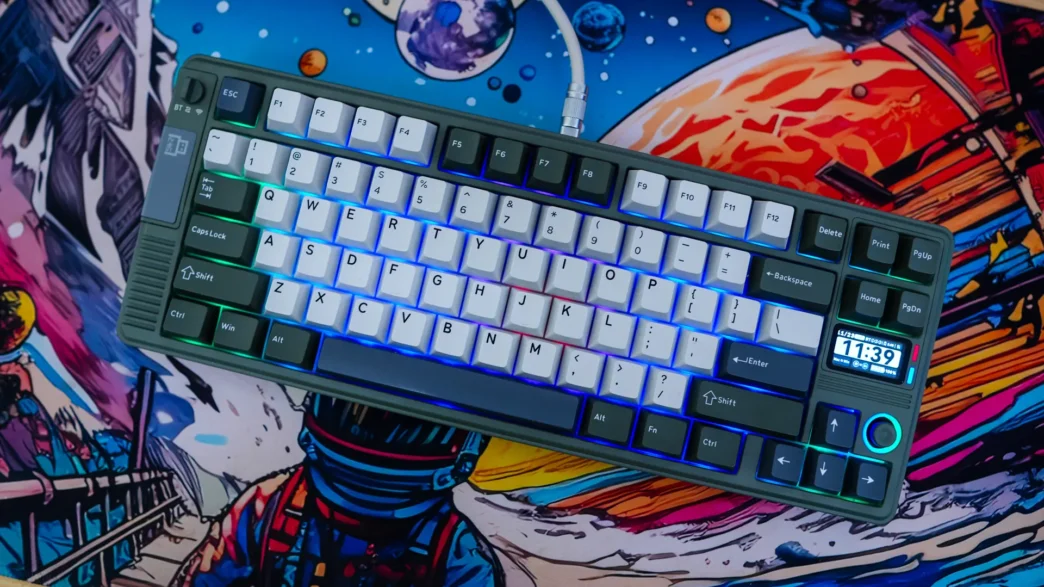
The 1.47-inch 1.47-inch TFT display is a nice addition to the keyboard, I just wish there was a bit more customization. While you can add your own images etc, the default screen (with the time) can’t be changed at all. I would have liked to at least be able to change the time format from 24-hour to 12-hour. Below that is the little joystick which you can use to adjust system volume and change the RGB effect on the keyboard, but you can’t customize what the joystick does.
I do like that this is a tri-mode keyboard so you can use it wired, wireless via Bluetooth, and wireless with the included 2.4 GHz dongle. It is nice that there is a little hidden spot for the dongle as well.
While the normal price of the RT85 was $85.99, it is currently on a Black Friday sale over at Amazon for $60.19, which you really can’t complain about. Overall ThinkComputers gives the EPOMAKER RT85 Mechanical Keyboard an 8 out of 10 score.

Pros:
– Great sound profile
– Pretty comfortable overall
– Price
– Tri-mode connectivity
Cons:
– Not as much customization as I would have liked
– Slightly stiff typing experience