As autumn winds down and November days darken faster, it’s the perfect time to escape the daily grind and unwind. It’s a time to get creative, try new things, and indulge in quirky activities.
Whether you’re spending time with your family, training in heavy lifting, scrolling social media platforms, or enjoying well-deserved relaxation, you can do whatever feels right!
One extraordinary activity to try is experimenting with AI-powered tools, e.g., for making music videos. While AI might not yet be able to handle all your work tasks or creative projects, it can help you create AI music videos in any genre you like. It can cover everything from visual styles and special effects to audio and clips. Want to channel your inner blues artist, outshine the latest SoundCloud rappers, or blow up other musicians on YouTube? Then, this guide on music video production from PapersOwl is best for you!
Check out the final result at the end of the article with two incredible music videos made using this music video creation guide!
Comprehensive Guide on How to Create Music Videos Using AI
Step 1: Use AI to Create Lyrics.
Use AI to create audio text responding to appropriate text cues and your selected topic. Consider using a service that generates lyrics for music videos, such as Fresh Bots Rap Lyrics Generator. Although there are advertisements (very typical for free services), it’s one of the AI-powered tools available for free and doesn’t require registration.
Step 1.1 Select the style of the audio track.
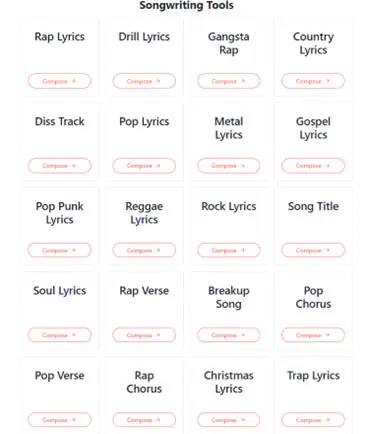
This AI application provides 20 musical styles, including metal, rap, drill, and even more specialized genres like breakup and Christmas tunes.
Step 1.2: List the themes in the audio.
Spend some time filling out the mandatory and optional fields. Three major themes can be entered to help direct your music video. These might be anecdotes from your life, world issues, career game-changers, concepts you’d like to investigate, or other themes that speak to you.
Step 1.3 Give them words to utilize.
In the next section, you will be prompted to list particular words and phrases you want to see in the finished audio file. That’s how easy it is!
Additionally, you’ll need to decide what feelings you want the songs to arouse. Although the AI website offers ideas, you are welcome to use your imagination and consider the emotions and narrative you like to portray.
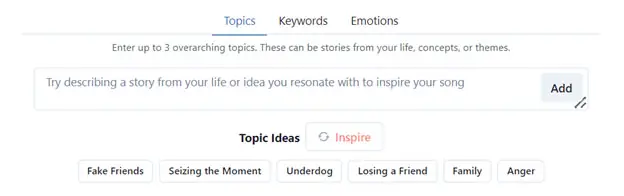
Step 1.4 Technical details.
Finally, don’t be afraid to experiment with different music scenes and syllable counts per line. You never know which combination will sound best in your music video!
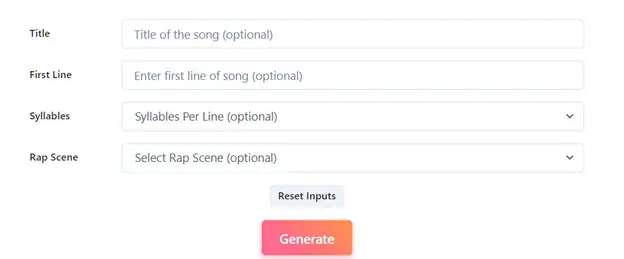
Examine further free AI lyrics-generating tools here:
Toolbaz | Rap lyrics generator
AI Free Box | AI Song Lyrics Generator
Step 2: Reorganize, modify, edit, or enhance the AI text as necessary.
Step 2.1 Remove the offensive language.
AI services may occasionally create text that contains objectionable words or phrases. Use ChatGPT or Google’s Gemini, artificial intelligence technologies, to clean up the verses by providing a text prompt such as “Change every foul word in this rap song without affecting the rhythm or meaning.”
This phase ensures that your audio words are appropriate and still express their intended meaning so that you can continue the visual narrative.
Step 2.2 Edit the AI text.
Provide specifics about the portion that needs editing if there is one that falls short. For example, you can tell the AI to replace a word or phrase that doesn’t fit the song’s atmosphere or your values in the AI-generated material.
Copy and paste the stanza you don’t like, then try a prompt like this: “Change the hurtful phrases to more positive or neutral ones while keeping the same emotion and flow.” This method allows you to improve the tone of the main text while maintaining its substance.
Step 2.3: Change the atmosphere.
With the right AI text prompts, you can modify the text to fit your artistic vision better, even if it isn’t insulting but still feels unsatisfactory.
For instance, you can use a cue such as: “Change the song’s atmosphere from energizing to uplifting while maintaining the rhythm” if you want it to inspire a different feeling. This enables you to adjust your audio’s emotional impact.
Parts of the song can be altered using the same method. You could, for instance, utilize an AI prompt such as “Rewrite the chorus” to highlight optimism and fortitude while ensuring that it is consistent with the overarching concept of conquering obstacles. This deliberate improvement aids in crafting a story that more fully connects with your desired message.
Step 2.4: Make the music more rhythmic.
You can provide customized AI text prompts with instructions to fix verses that seem strange or don’t flow quite well. For instance, changing the number of syllables while maintaining the original meaning can make these verses more rhythmic. This guarantees that the music will continue to flow naturally and captivatingly.
The secret is to use precise and unambiguous language prompts. The more specific your instructions are, the more effectively the AI can align the lines with your creative idea for future video content.
Thanks to this focused training, AI tools may provide verses that are considerably more in line with your creative vision. Additionally, remember that any song’s success depends on the line “keeping the rhythm intact” always being included.
Step 3: Convert the lyrics into songs.
You should then add music to your lines to create a song. The procedure is simple: copy and paste your words into an AI music generation service, select your favorite style using additional parameters, and press the button to start the creation process.
Step 3.1 Turn every tumbler around.
For example, using an AI music service like I Love Song, you can choose words and genres that fit the mood, visuals, and aesthetics you want to achieve.
Generally speaking, this and other platforms have two primary modes: a simple mode in which you describe the general mood of the song and allow the AI to compose the lyrics and music, and a custom mode in which you can include pre-written verses.
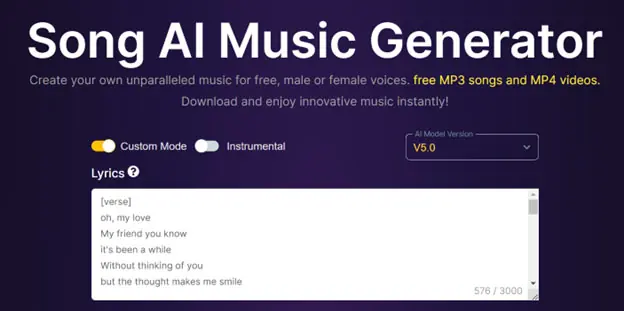
Step 3.2: Pick a voice.
Although producing instrumental-only music is an option, it might not be entirely consistent with the initial objective of producing a whole song with lyrics.
An AI request like “soulful, upbeat, melodic, rap” may be used to produce music similar to the examples in this guide. After choosing a male, female, or random voice option, press “Create” to proceed to the next step.
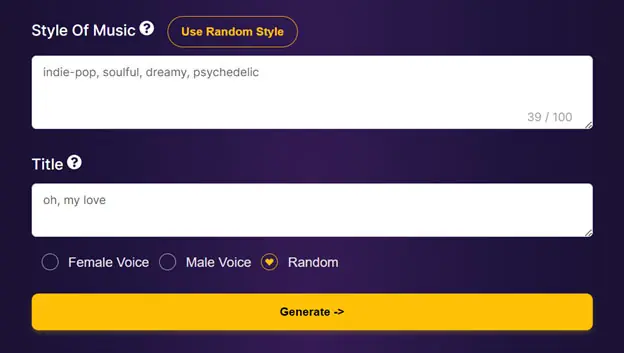
To obtain your song, you must register, but don’t worry ─ no credit card is needed, and the service is free. So, there’s no need to be concerned.
You can proceed to the next stage or briefly pause while the music service generates the tune, which should take a few minutes.
Trendy Advice: If you experience server overload troubles, use an earlier version of the AI model by navigating through a drop-down field on the right. Although a generational downgrade of an AI model won’t significantly impact the final product’s quality, it can save you a lot of time by preventing delays.
Step 3.3 Select the AI version that you like most.
After the procedure, you will receive two song versions with identical lyrics. You can then compare them with additional graphics or visuals and decide which best fits your creative concept.
Robust tools like Sendfame can produce music and words simultaneously. They let you create a song and immediately upload the audio to streaming platforms.
Step 4: Produce the Video Sequence.
At this point, the sequence should be created using the AI music video generator. Without the need for new technology, pricey gear, or a production crew, AI video generators that use stock footage to produce video commercials may make your shot look professional.
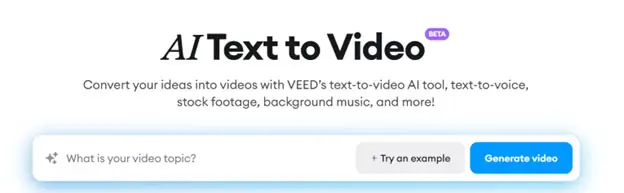
You can address veed.io, which provides tools for creating generative AI stock videos and is an excellent example.
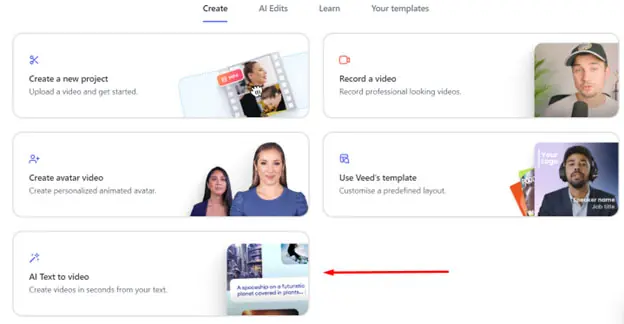
Step 4.1 Create the AI video.
You must register to utilize the AI service, just like in the earlier steps, but a credit card is unnecessary. You can create the AI-generated videos you have in mind for your beautiful music videos. Providing as much information as possible about the custom models you wish to see in the music video is critical. The AI can better match your video vision if you are more detailed about the settings, feeling, visual content, and visual elements. Additionally, you are not restricted to a single video ─ feel free to create many clips and organize them as you see fit.
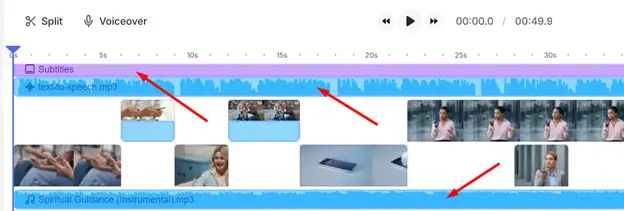
Step 4.2 Improve the AI video.
After you obtain the movie from the AI service, you can quickly alter it to match your images. For instance, you can eliminate automatically created background music or subtitles to get the uncut video footage required for the musical video project.
Step 4.1 V.2 Create the character to appear.
Alternatively, you can create the characters from scratch and animate them for a more imaginative or cartoonish feel. Using a pre-written prompt, you can produce bespoke visuals with video editing services like leonardo.ai. Additionally, dynamic generation can create original settings and characters for vivid images displayed directly before you.
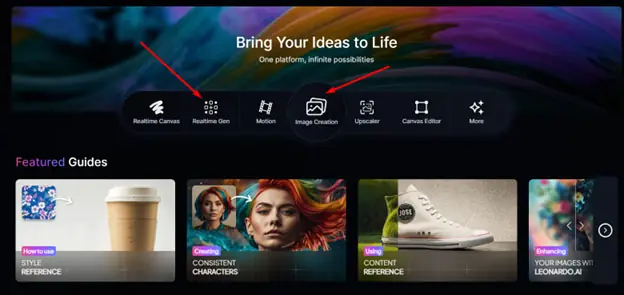
You get 150 free credits daily for three rounds of creating and animating static images.

Video generation AIs are still evolving. When creating a character in neural frames, include details like the character’s appearance, clothing, and expressions in every prompt. Repeating these details from one prompt to the next will help ensure that the AI generates consistently-looking characters, making your music video look cohesive and polished.
Step 4.2 V.2 Animate the character.
You can utilize the image2video tool to instantly make the created images appear, even when they are static.
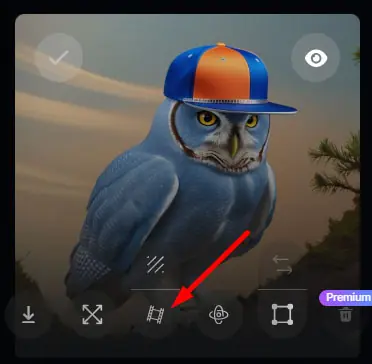
Such powerful tools as AI music video generators provide an easy way to make your music video come to life and produce stunning videos, whether you utilize animated characters for a stylized vibe or stock footage for a more realistic approach. The details are crucial. Detailed instructions will help you make the most of these AI-powered tools and create videos that flawlessly match your tunes.
Step 5: Integrate the Music and Video
Lastly, use any video editor to add a music file to the video. Your music video created by AI will be ready! Please do not hesitate to share it with your friends and the professor who assigned you this fascinating task on social platforms.
Key takeaways
Making video clips with an AI music video generator is an enjoyable vacation activity and a chance to learn more about AI technologies. Additionally, this guide is affordable because all the music video production services listed are free or include trial periods.
Here are two instances of AI-generated music videos created by precisely following this guide’s instructions:
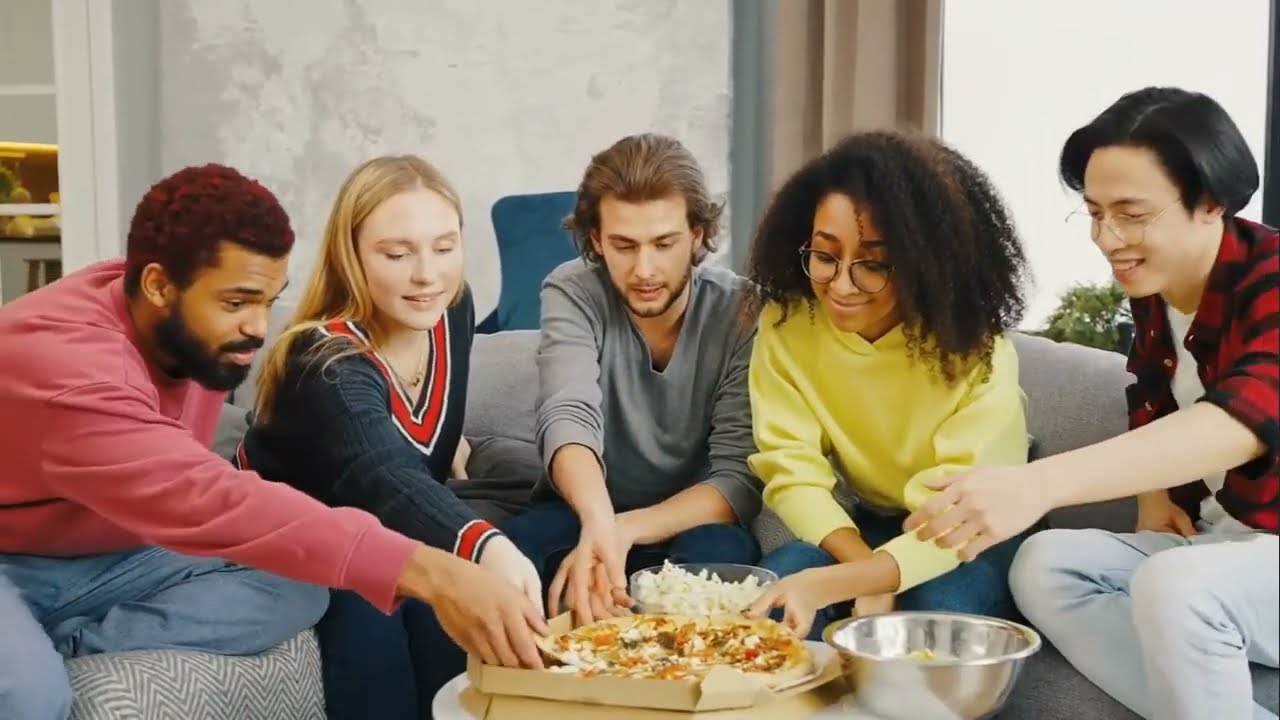
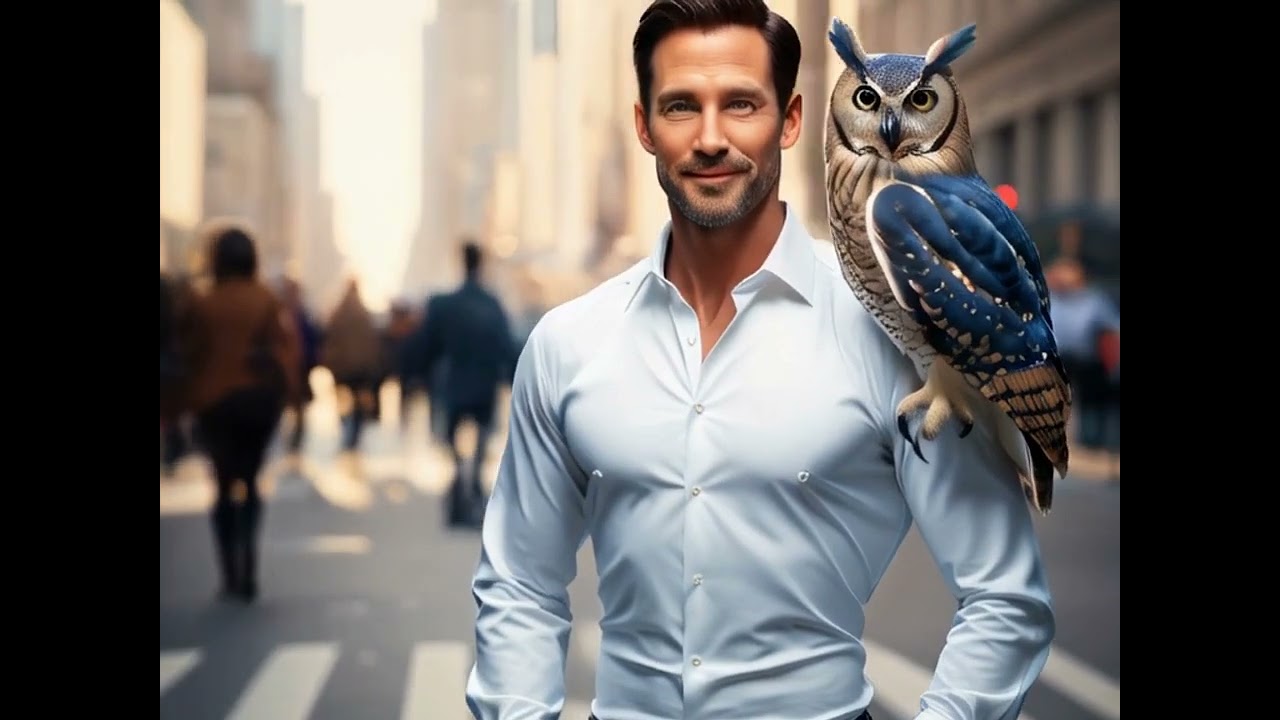
So feel free to try it out and express your imaginative side!