Multi-GPU AI workstations are no longer limited to research labs. They now make sense in serious home offices and small studios, especially as local inference, fine-tuning, and generative AI work become part of everyday workflows. Building a system that stays quiet under sustained load takes more than buying powerful parts. You need to think through power delivery, airflow, and thermals from the very first component choice.
Why GPU Hardware Choices Reach Beyond AI Workflows
Modern GPUs are useful for far more than AI. The same hardware that speeds up large language model inference can also handle demanding visual workloads, creative applications, and entertainment. Many people who build multi-GPU systems end up using them for several different tasks in the same week. A machine might spend the night running training jobs, then switch over to high-performance leisure use the next day. Builders who also use their systems for gaming often track new releases and titles via gaming hubs such as SuperBigWin. That kind of flexibility makes a carefully planned workstation easier to justify for more than one type of user.
PSU Sizing for a Multi-GPU Build
Getting the power supply right is the most important decision in a multi-GPU build. If the PSU is undersized, the system can become unstable, throttle under load, or in the worst case put hardware at risk during peak demand.
Key sizing principles to follow:
- Calculate realistic peak draw: Two high-end GPUs can each pull 300 to 450W under full AI training load. Once you add the CPU, storage, fans, and memory, total system draw can easily go past 1,200W.
- Apply a 20 to 25% headroom rule: A 1,600W PSU makes sense for a system with a 1,200W calculated peak. This keeps the unit operating in its efficiency sweet spot and can help extend component lifespan.
- Choose 80 Plus Platinum or Titanium rated units: Higher efficiency means less heat generated inside the case, and that directly helps keep fan noise down.
- Use a single high-wattage unit over two smaller ones: Dual PSU setups add synchronization complexity and rarely offer enough benefit to justify the trade-offs in a desktop build.
For detailed hardware evaluations to support this decision, power supply reviews from ThinkComputers provide tested performance data across a range of high-wattage units. The move toward local AI compute is already well underway, and building a custom AI workstation with properly sized power delivery is becoming the practical route for anyone running GPU workloads for more than a few hours a day.
Case Airflow Planning for Dual-GPU Configurations
Airflow planning is what separates a quiet build from one that turns into a constant noise source. Most standard mid-tower cases simply are not built for the thermal load of two high-end GPUs running at the same time.
The range of viable local AI build options has grown a lot in 2026, and dual-GPU setups now cover everything from inference-focused desktops to full training systems. Each of those use cases brings its own thermal demands, and a typical mid-tower often cannot manage them well.
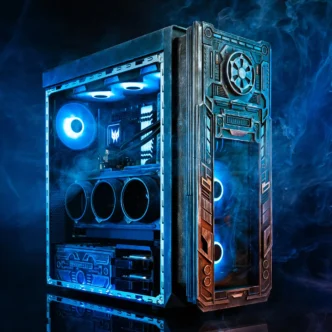
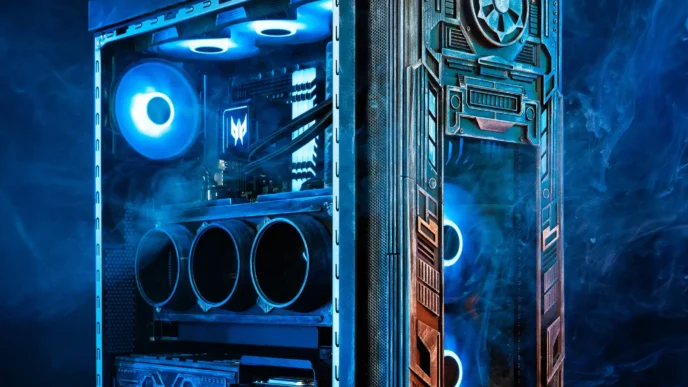
A purpose-built chassis can make a noticeable difference. The full-tower case designed for AI and multi-GPU workstations from InWin shows what that looks like in practice, with modular GPU mounting, dedicated intake zones, and cable management that helps hot air move cleanly in one direction.
Practical airflow principles for dual-GPU builds:
- Establish a front-to-back or bottom-to-top airflow path and stick with it across the entire fan layout.
- Avoid conflicting intake and exhaust positions because they create turbulence around the GPU stack.
- Leave physical space between dual GPUs when possible. Even a one-slot gap can improve thermal performance significantly.
- Use high-static-pressure fans on radiators and dense areas, and save high-airflow fans for more open intake positions.
Cooling Do’s and Don’ts
Cooling choices affect both noise and long-term reliability. The following guidance is especially relevant for multi-GPU AI workstation builds.
Do:
– Use a 360mm AIO or custom loop for CPU cooling so more case airflow is available for the GPU stack
– Set fan curves with a flat low-speed profile up to 60°C, then use a gradual ramp above that point
– Monitor GPU junction temperatures, not just core temperatures, if you want a more accurate view of thermal behavior
– Add dedicated exhaust fans above the GPU zone if the case supports top-panel mounting
Don’t:
– Rely on GPU blower coolers in enclosed builds, because they can recirculate hot air inside the case
– Assume that adding more fans always improves cooling. Placement and direction matter more than raw fan count
– Ignore dust filtration on intake positions, since months of continuous operation can lead to noticeable thermal decline
For a broader view of what performs well under heavy load, the cooling solutions reviewed by ThinkComputers cover a wide range of products tested in real workload conditions.
Bringing It All Together
A quiet multi-GPU AI workstation in 2026 is absolutely possible without giving up performance. The core of the build is a properly sized PSU, a full-tower chassis with disciplined airflow, and a cooling plan designed around sustained GPU load instead of short gaming spikes. These choices all support one another. If one of them is wrong, no amount of fan tuning will fully fix the problem. Builders who spend time planning these three areas before buying parts usually end up with systems that are quieter, more stable, and built to last.