HyperX Pulsefire Saga Pro Software
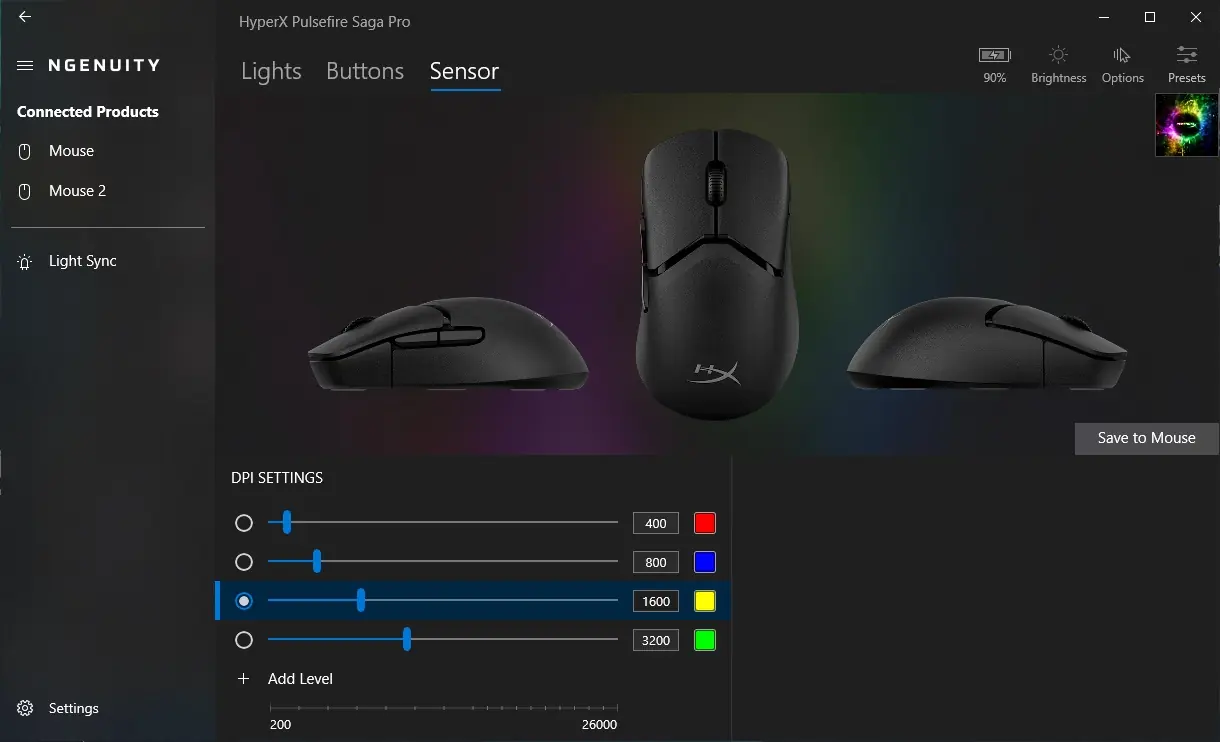
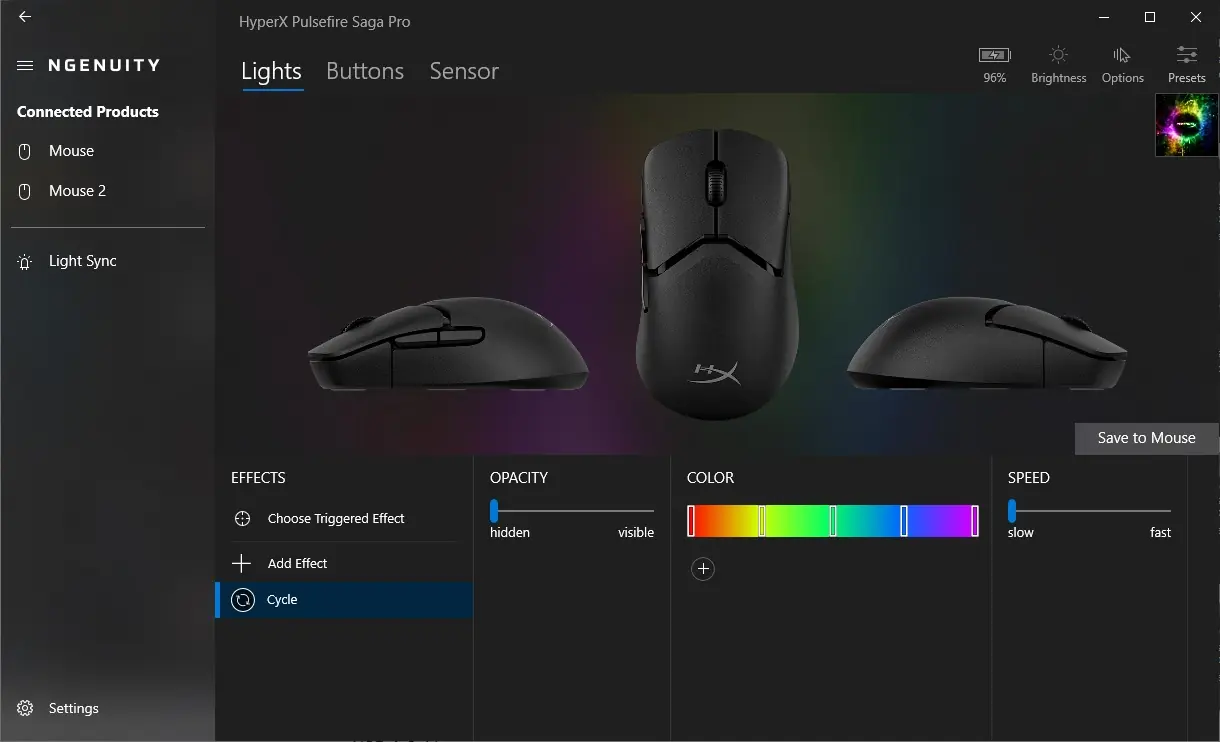
The Pulsefire Saga Pro continues the use of HyperX’s NGENUITY software, which provides easy customization for DPI settings, RGB lighting, button assignments, and macro creation. As far as I can tell, there haven’t really been any major changes to NGENUITY since the review of the Pulsefire Haste 2 Pro.
Lights
Since the only lighting found on the Pulsefire Sga Pro is in the mouse wheel, our lighting options aren’t too extensive, but you can select from a few lighting modes like cycle, breathing, and solid, each with their own set of adjustments. While it can look cool to have more than one lighting zone to configure, battery life is at a premium, especially in a lightweight mouse, so I can’t fault HyperX for only including a single lighting zone on the Saga Pro.
Buttons
This tab allows you to select the buttons on the Pulsefire Saga Pro and adjust their functionality. Depending on the button selected, you can make adjustments like swapping the left and right buttons, or even Windows shortcuts and keyboard functions. You can even create macros for more advanced actions.

Sensor
The Sensor tab is where you can adjust the DPI level of each of the mouse’s settings. You can also adjust the color associated with the DPI setting, and add additional levels to your liking.