Alesh Slovak, the developer behind ChimeraOS, has unveiled Kazeta, a new Linux-based operating system designed to emulate the classic console gaming experience of the 1990s. This passion project aims to simplify gaming for users, moving away from complex digital storefronts and embracing a more tangible, physical media approach to game ownership and play.
Key Takeaways
- Nostalgic Console Experience: Kazeta aims to replicate the “insert cart, power on, play” simplicity of 90s consoles.
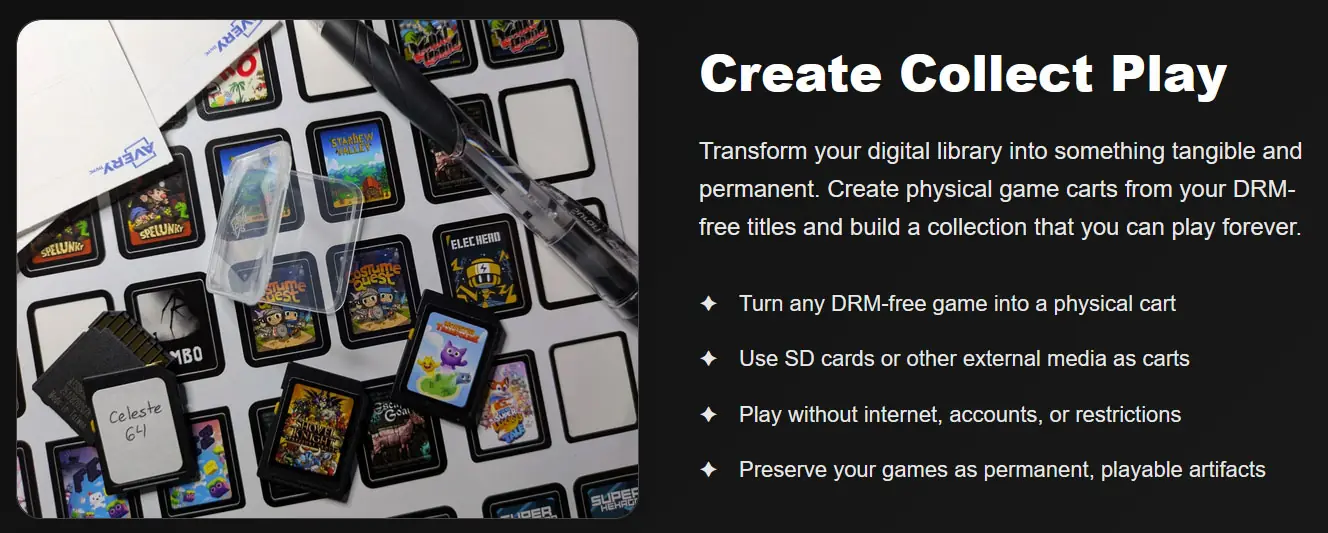
- DRM-Free Focus: The OS is designed to work with DRM-free games, which can be prepared as “cartridges” on SD cards.
- Preservation and Simplicity: It offers a way to preserve digital game collections and provides a user-friendly interface, especially for those overwhelmed by modern PC gaming platforms.
- Retro BIOS Menu: Booting without a cartridge presents a retro-style BIOS for managing game saves.
The Vision Behind Kazeta
Slovak’s motivation for creating Kazeta stems from several observations. He noted that many users, even those on systems like ChimeraOS or SteamOS, struggle with complex menus and basic game launching. Furthermore, he expressed a growing disenchantment with digital storefronts and a renewed appreciation for physical media and the collecting of old games and systems, finding the experience more pleasant than modern gaming.
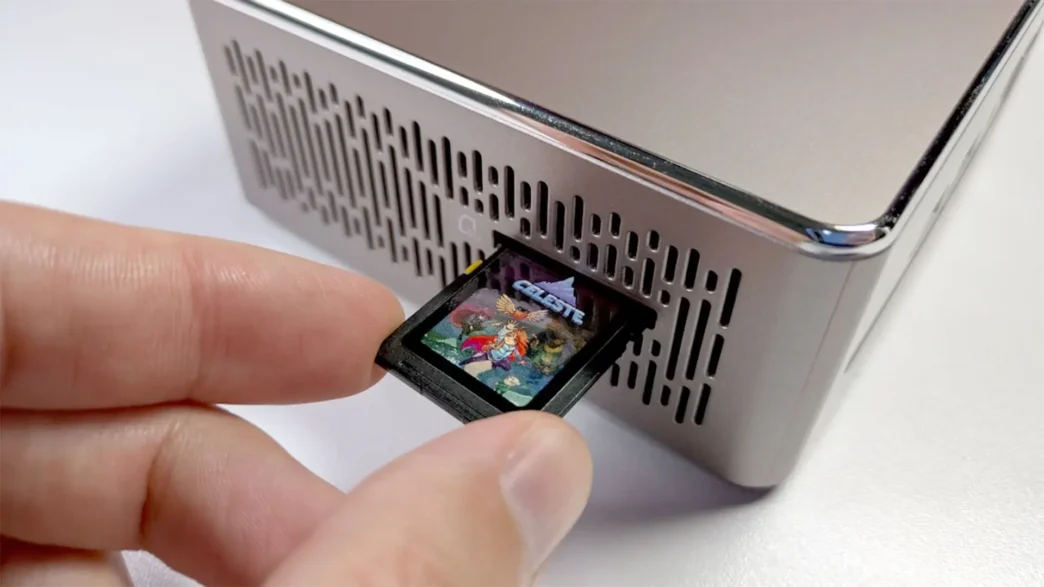
Concerns about preserving digital game collections for future play also played a significant role. Kazeta addresses this by allowing users to take DRM-free games, such as those from GOG, and load them onto SD cards, effectively turning them into “cartridges” that Kazeta can detect.
How Kazeta Works
The core concept of Kazeta is to provide a “pure gaming” environment. Once the OS is installed on a PC, users prepare their DRM-free games onto SD cards. To play, a user simply inserts the SD card “cartridge” and powers on the system. The experience is designed to be straightforward, with no accounts, online requirements, or cloud services involved. The cartridges are treated as read-only, and save data is stored separately on the PC, ensuring the game files remain untouched and preserved.
If the system is booted without a cartridge inserted, it defaults to a retro-style BIOS menu. This menu allows users to manage their game saves, reminiscent of gaming consoles from the late 1990s.
A Niche, Yet Rewarding, Experience
Kazeta is acknowledged by its developer as not being for everyone. It requires an initial setup effort, including installing the OS and preparing the game “cartridges.” However, for those who embrace the concept, it offers a unique and joyful way to revisit classic gaming. The system supports a wide range of DRM-free titles, including those from GOG and itch.io, as well as emulator titles, promising a library that can encompass both old classics and modern hits.
Via Kazeta