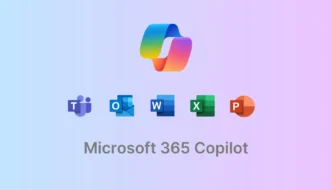
Microsoft has reignited controversy by announcing that it is resuming the automatic installation of its Microsoft 365 Copilot app on eligible Windows 11 business devices after a brief hiatus. The move comes just months after similar efforts drew sharp criticism, sparking debates about user consent and corporate control over operating systems.
Key Takeaways
- Automatic installation targets business Windows 11 PCs with Microsoft 365 desktop apps.
- European Economic Area (EEA) users are excluded from the forced rollout.
- IT administrators can opt out, but home users have limited control.
- The move comes after previous backlash related to privacy, bugs, and user autonomy.
Why Microsoft Is Pushing Copilot Again
Microsoft initially paused the widespread push of its Copilot AI assistant following technical issues—most notably a bug that reportedly allowed unauthorized access to confidential emails. After a brief review period, however, the company quietly announced it will resume auto-installation, aiming to ensure Copilot is available and easily accessible for productivity enhancements.
According to statements released in admin portals and updates across Microsoft’s messaging channels, the rationale is to simplify user access to Copilot features. The app will appear in the installed apps section by default on eligible Windows 11 devices that already run Microsoft 365 desktop apps such as Word, Excel, and PowerPoint.
What This Means for Users and Businesses
For standard business users, the change means that within weeks, Copilot may show up on systems without explicit consent or notice. While IT administrators have the ability to opt out within enterprise settings, the process is not entirely transparent and can become complex across large organizations.
Importantly, users located in the EEA are exempt from this forced installation due to stricter regional privacy laws. Outside these regions, Microsoft leverages its Office updater rather than the Windows Store, making opt-out measures less accessible for end users and smaller businesses.
Reactions and Ongoing User Backlash
The previous rollout saw widespread backlash over privacy and security concerns, with many users decrying unsolicited app installations as a breach of trust and autonomy. Critics have highlighted not only the technical bugs but also Microsoft’s broader push to embed AI into its products, despite mixed user demand.
Feedback from the IT community and end users remains largely negative, questioning whether Microsoft is prioritizing adoption figures over user control. Tech forums show recurrent frustration over convoluted opt-out mechanisms, with some predicting further erosion in user trust and satisfaction.
Copilot’s Future: Integration and Removal Options
Despite the push for broader adoption, Microsoft appears to be testing features that may someday allow users to uninstall unwanted AI components. Leaked information from Windows Insider builds suggests that easier removal options could arrive in future updates, although these remain in the testing phase with no official rollout announced.
In tandem, Microsoft is reportedly developing a Copilot “super app” to unify AI assistants across consumer and business products, hinting at deeper integration ahead.
Summary Table: Who Is Affected by Forced Copilot Installation
| Affected Users | Opt-Out Option | Region |
|---|---|---|
| Business/Enterprise PCs | IT admin can opt out | Global (ex-EEA) |
| Home Users | Limited (manual removal) | Global (ex-EEA) |
| EEA Users | Not affected | EEA |
While Microsoft presents Copilot as a productivity boost, many users remain wary of AI’s expanding role and the manner in which it’s being delivered onto their devices—with or without their explicit permission.
Via Windows Latest