Setup & Testing the MSI DATAMAG 20Gbps
Just like any portable SSD all you do is plug the MSI DATAMAG 20Gbps into an open USB port in your computer. If you don’t have a Type-C port available MSI does provide a Type-C to Type-A adapter. Once plugged in Windows will automatically recognize the drive and you’ll be good to go.
The drive comes formatted as exFAT, the will ensure that it works out of the box with not only your PC, but Mac and mobile devices. The 1TB version has 931GB of usable space.

For testing we will be running the DATAMAG 20Gbps against other portable solid state drives we have on hand so you can see the difference between the drives. As a reminder MSI lists the speeds of this drive as 1600 MB/s read and 1500 MB/s write. First up we have CrystalDiskMark.

As you can see we have sequential read speeds of 1656.88 MB/s and write speeds of 1511.29 MB/s. Here is how the drive compares to other drives we’ve tested.


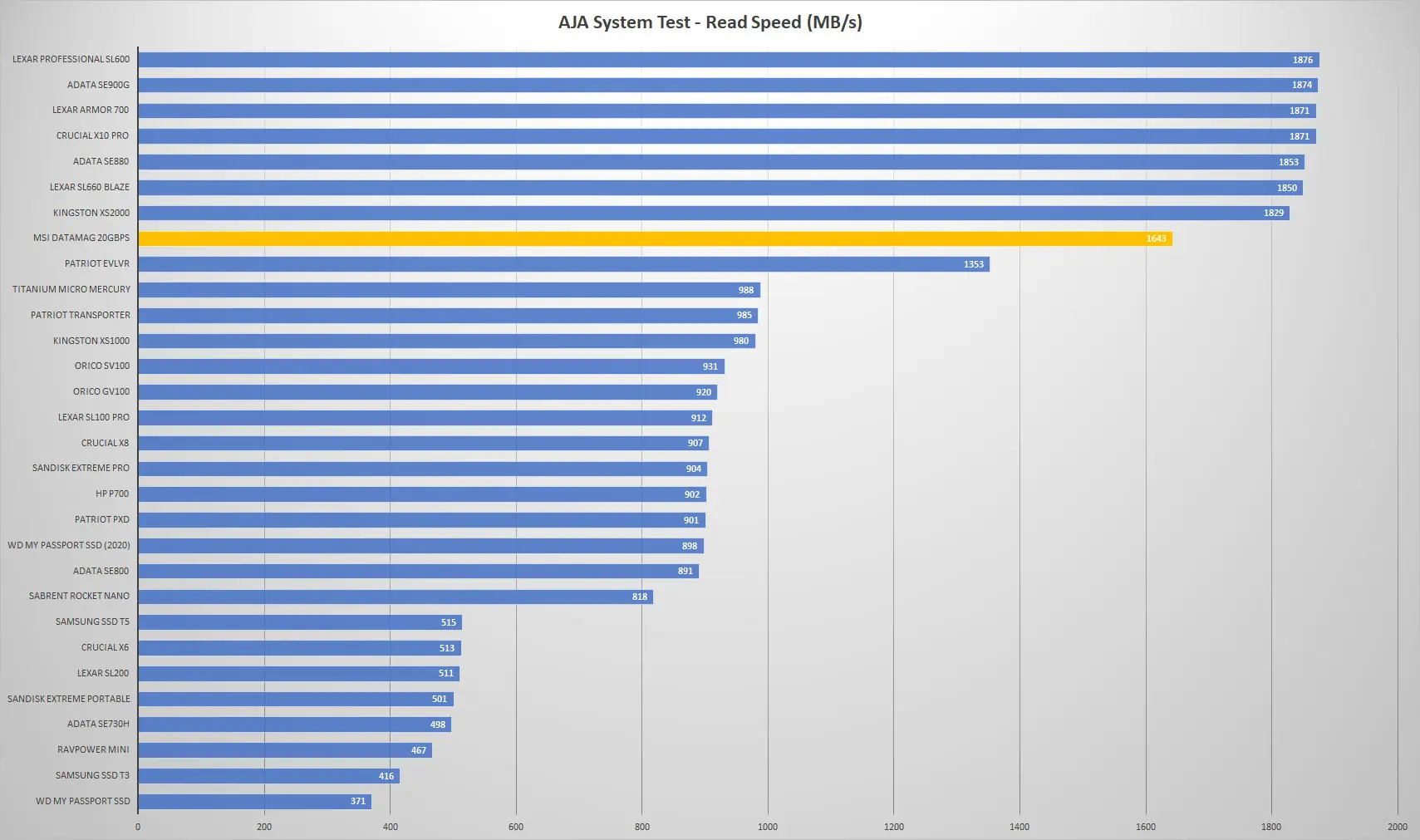
Next we run the the AJA System test. It tests different types of video formats and gives you throughput results for the drive. Our configuration was 4K RED HD footage, 1 GB test file size, and the 8bit YUV codec.

And those results compared to other drives.

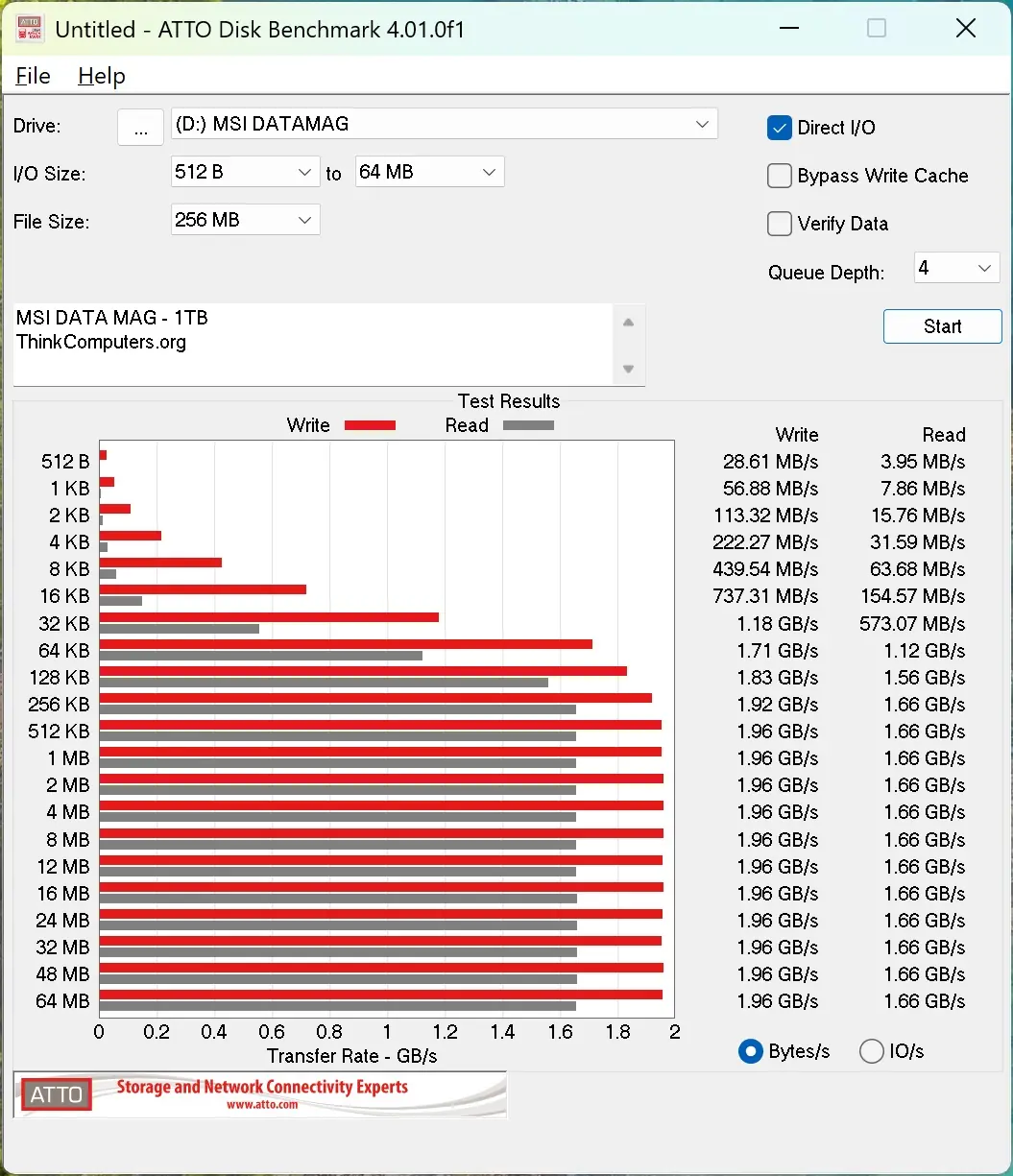
We also run the ATTO Disk Benchmark. Here we can see that it actually gets close to 2000 MB/s which is what we expect to see from a USB 3.2 gen 2×2 drive.
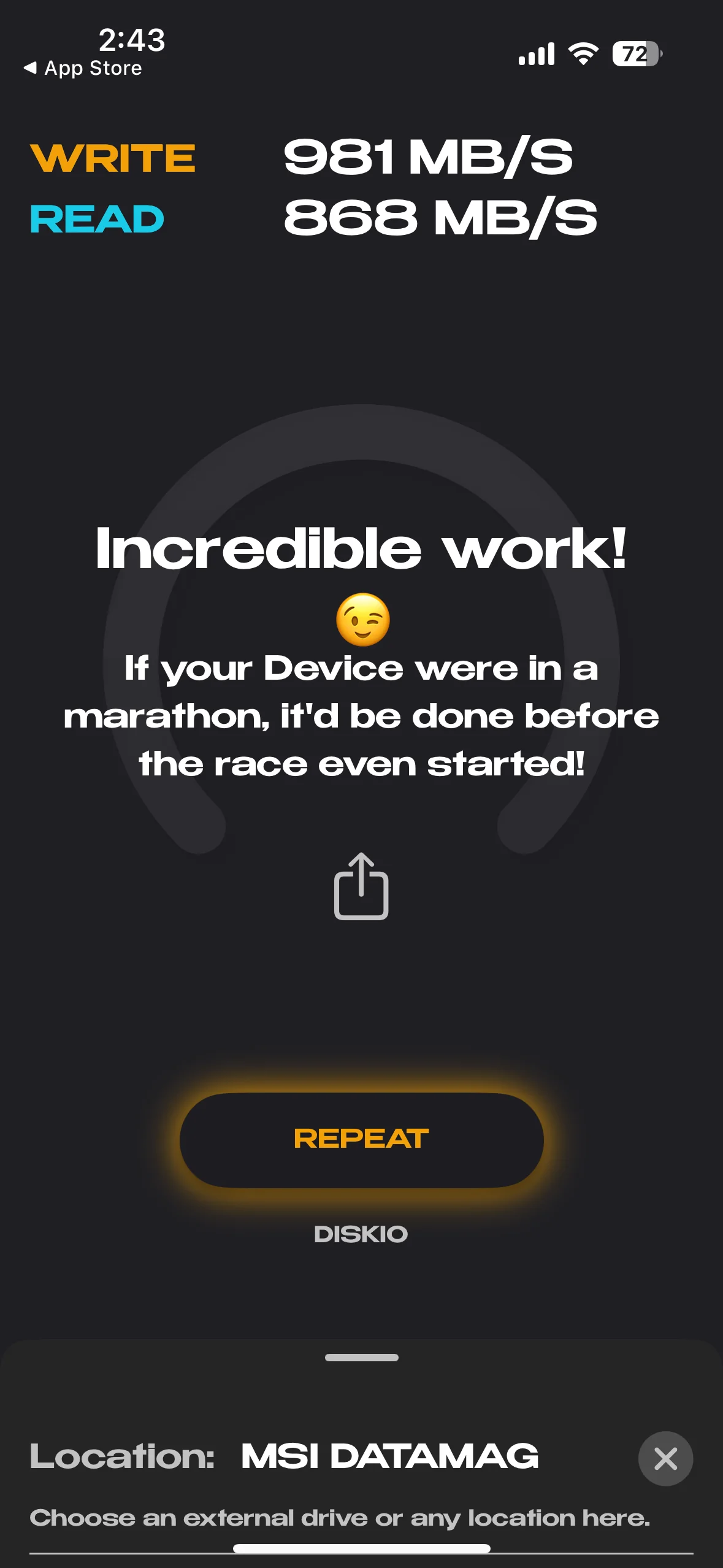
I also did test transfer speeds on my iPhone 15 Pro. As a reminder the connection on the iPhone is only a USB 3.2 gen 2 (not 2×2) so the maximum throughput we can theoretically get is 1000 MB/s. As you can see we have really respectable results of 868 MB/s read and 981 MB/s write.