Setting up the SK hynix Beetle X31
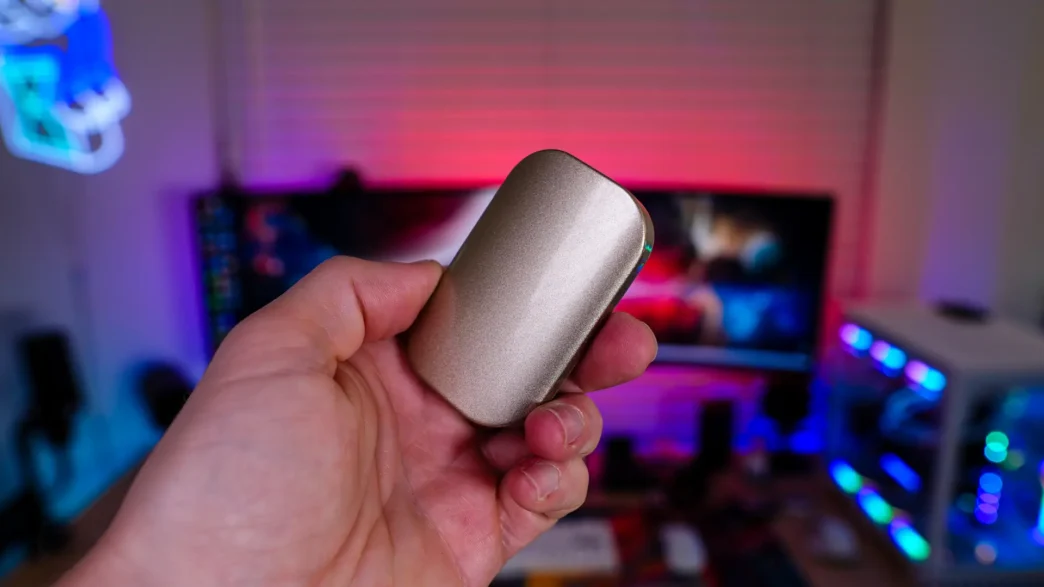
Just like any portable SSD all you do is plug the SK hynix Beetle X31 into an open USB port in your computer. If you don’t have a Type-C port available SK hynix does provide a Type-C to Type-A adapter. Once plugged in Windows will automatically recognize the drive and you’ll be good to go.
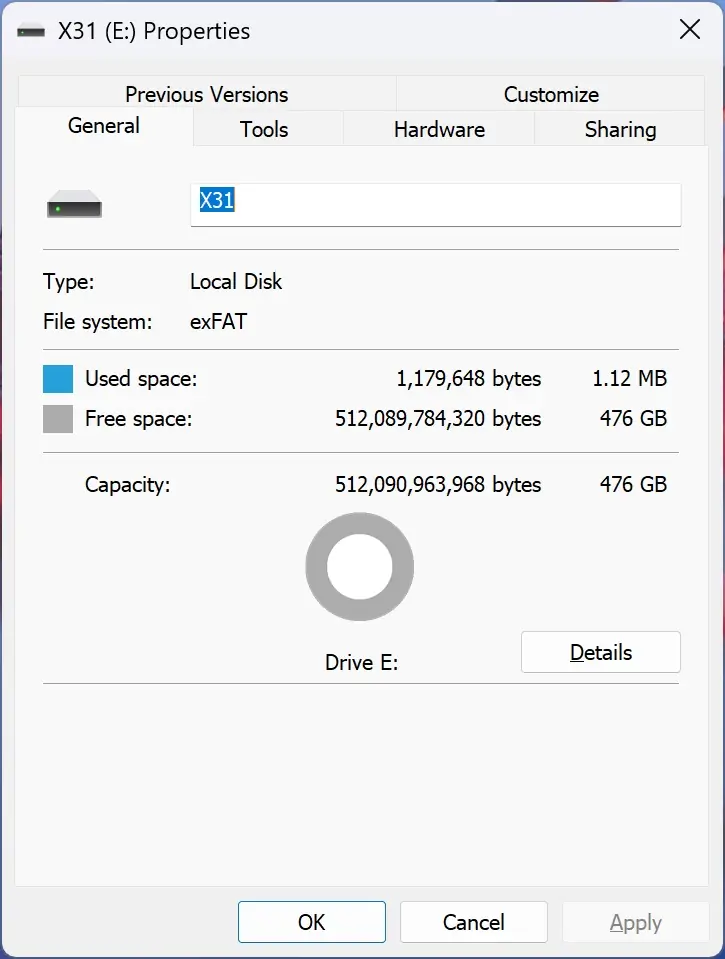
The drive comes formatted as exFAT, the will ensure that it works out of the box with not only your PC, but Mac and mobile devices. The 512GB version has 476GB of usable space.
Performance of the SK hynix Beetle X31
For testing we will be running the Beetle X31 through a handful of different storage benchmarks. As a reminder SK hynix lists the speeds of this drive as 1050 MB/s read and 1000 MB/s write.
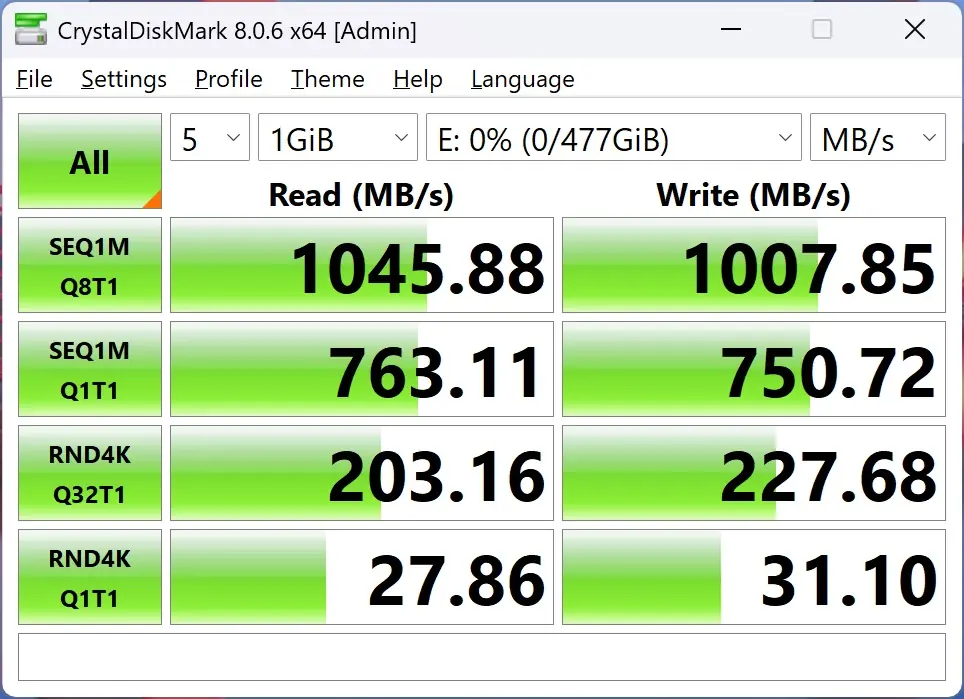
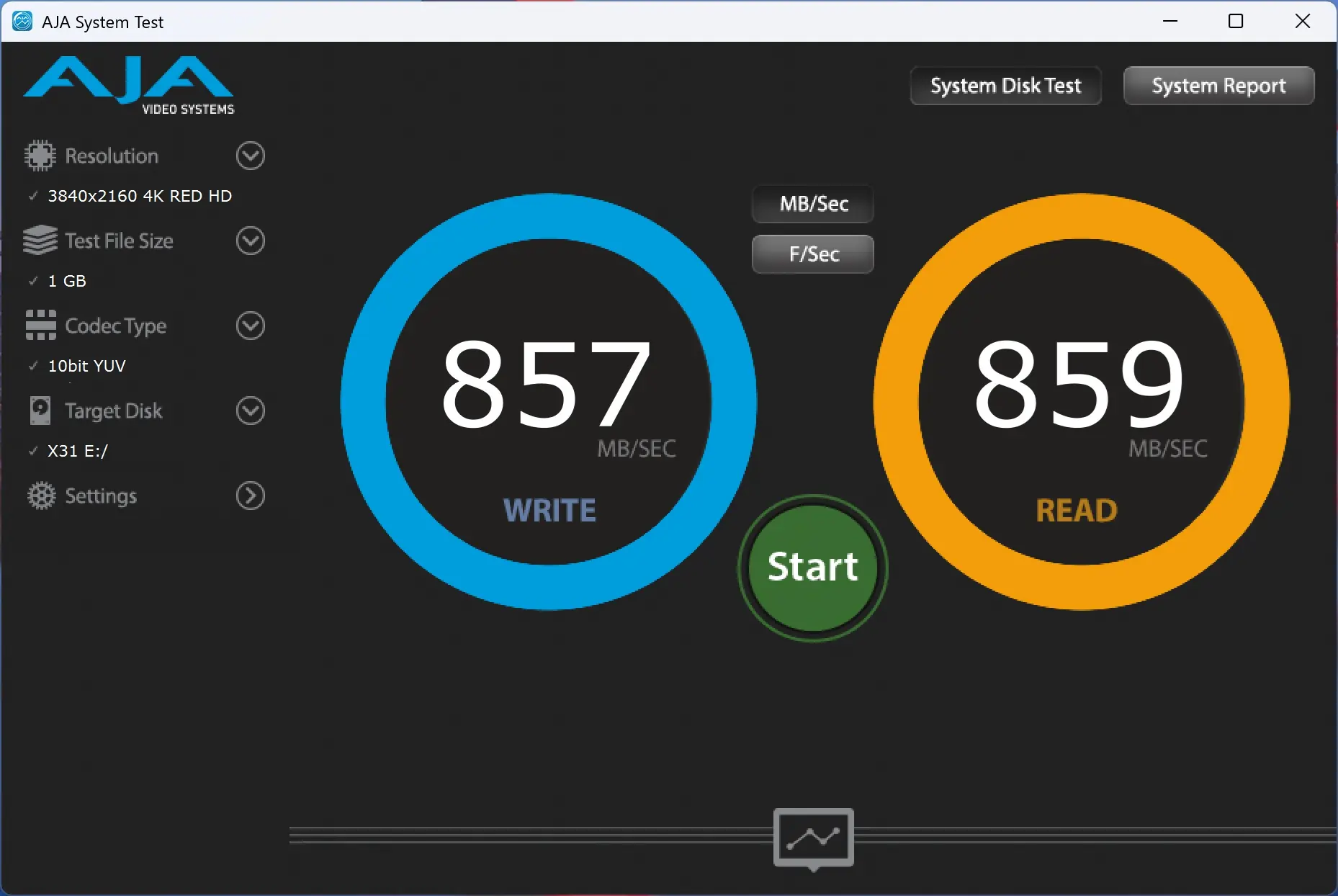
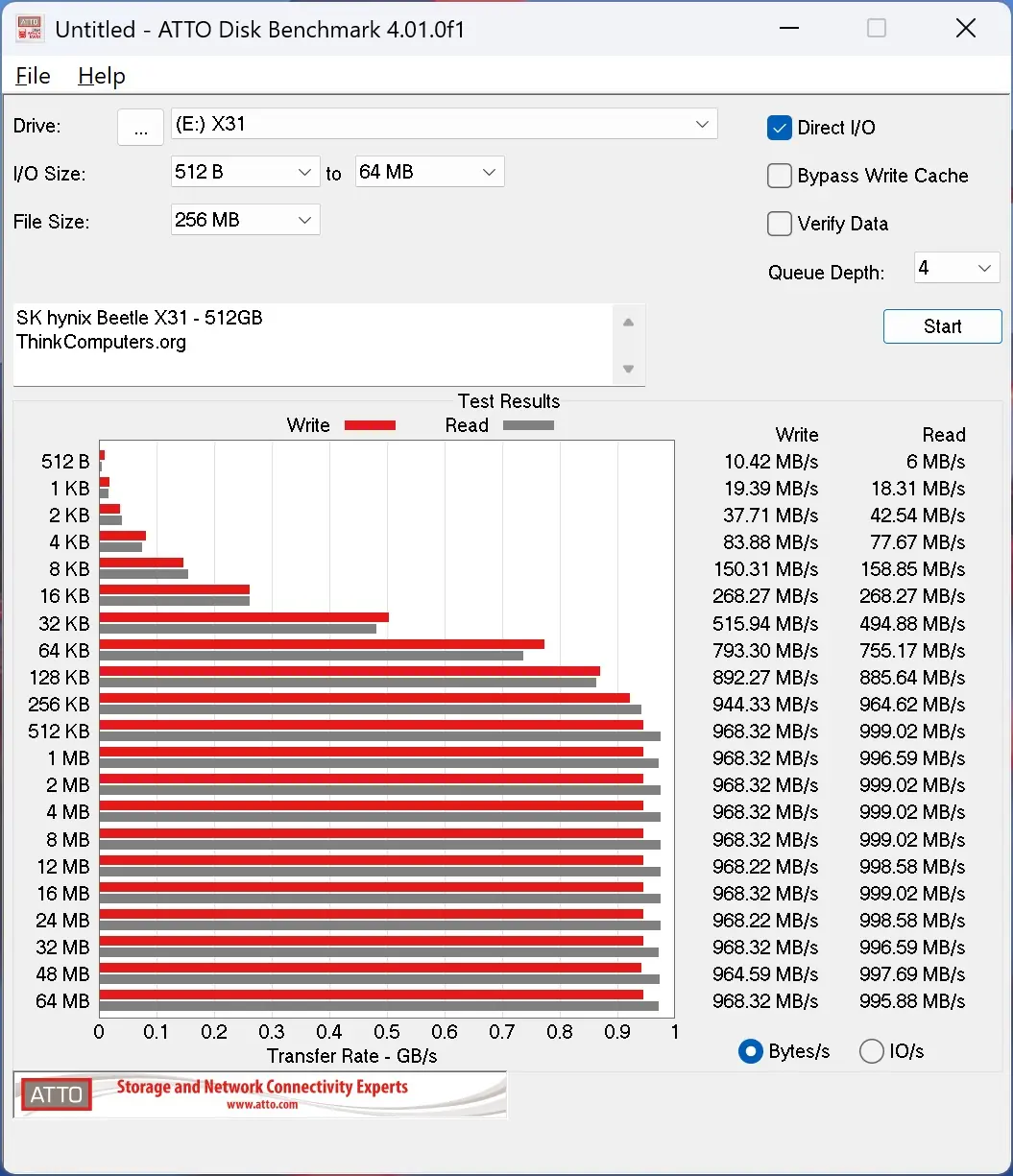
As you can see the drive performed right up to specifications!