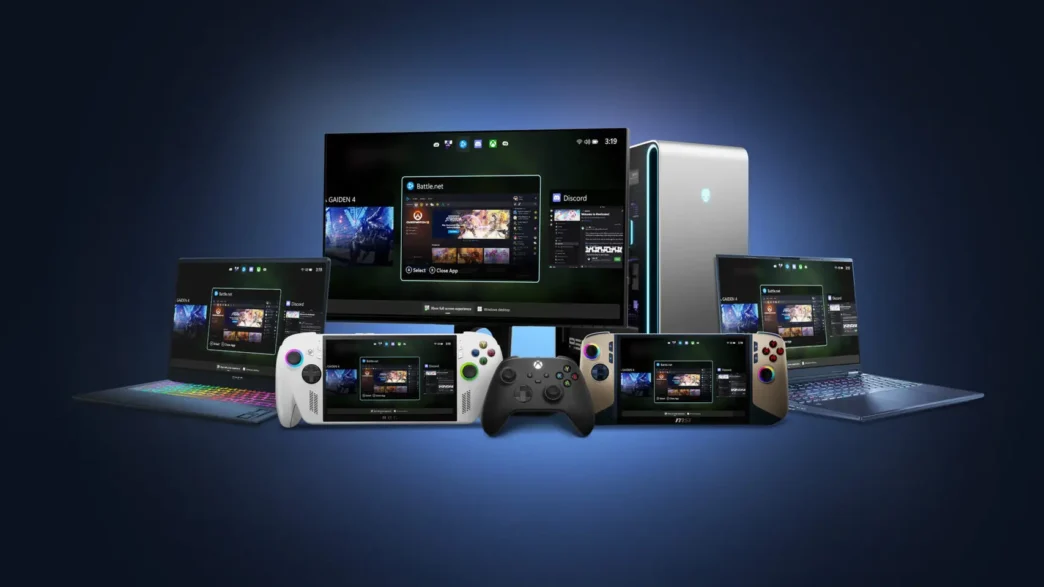
Microsoft is expanding the Xbox Full Screen Experience (FSE) beyond handheld gaming devices, making it available in preview for a wider range of Windows 11 PCs, including laptops, desktops, and tablets. This move aims to offer a more console-like gaming interface directly on standard PC hardware, enhancing the gaming experience for controller users.
Key Takeaways
- The Xbox Full Screen Experience is now in preview for Windows 11 laptops, desktops, and tablets.
- It provides a controller-navigable, full-screen UI designed for a console-like gaming environment.
- Access requires joining the Xbox Insider and Windows Insider Programs and opting into specific previews.
- The feature is rolling out gradually to Windows Insiders on the Dev and Beta channels.
Bringing Console Gaming to Your PC
The Xbox Full Screen Experience, initially designed for handhelds like the ROG Ally, offers a streamlined, controller-first interface. It allows users to easily browse and launch games from various PC storefronts within a dedicated gaming environment. This update aims to reduce friction and get players into their games more quickly, mimicking the seamless experience found on Xbox consoles.
How to Access the Preview
To get early access to the Xbox Full Screen Experience on your PC, users need to be part of both the Xbox Insider Program and the Windows Insider Program. After joining, you’ll need to install the Xbox Insider Hub app and opt into the “PC Gaming Preview” within the “Previews” section. For Windows Insiders, the feature is being rolled out via Windows Insider Preview Build 26220.7271, available on the Dev and Beta channels. The rollout is gradual, so not all eligible users will receive it immediately.

Enhanced Gaming Interface
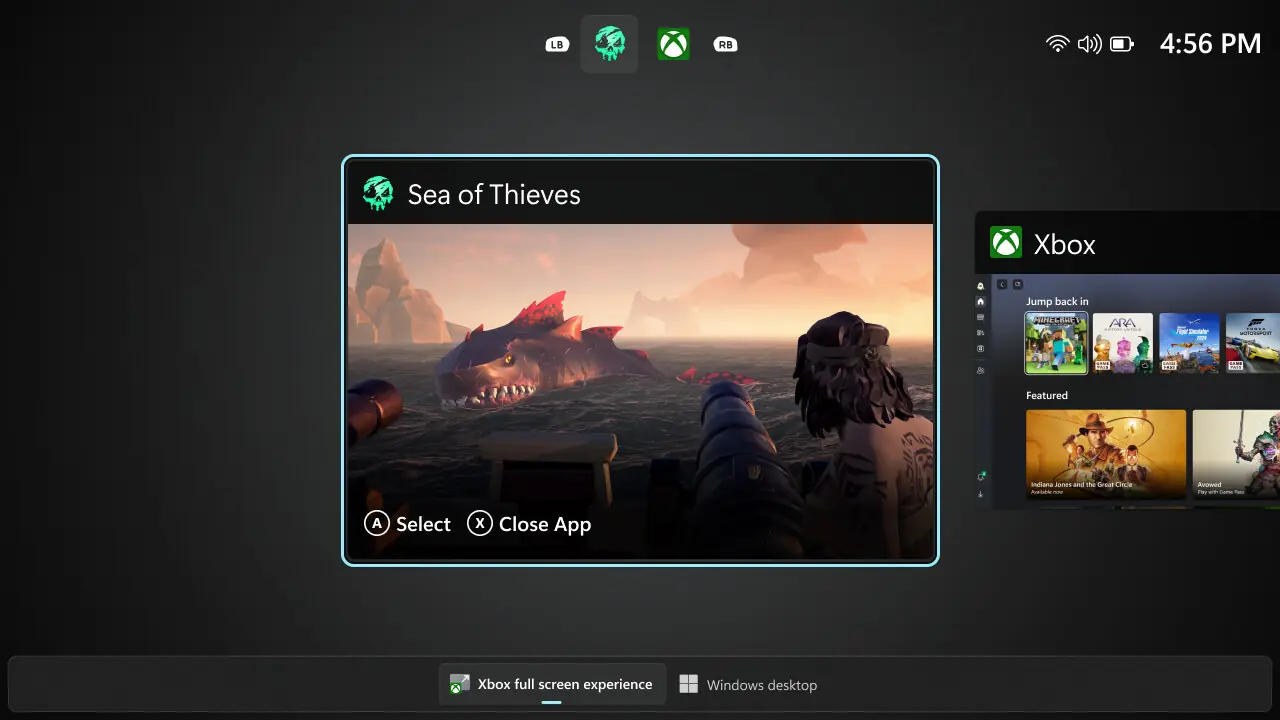
Once enabled, the Xbox Full Screen Experience can be accessed by hovering over the Task View icon on the taskbar and selecting the option, or by pressing Win + F11. It functions similarly to a virtual desktop, providing a clean, distraction-free interface. A built-in Task Switcher allows for quick transitions between games and applications, further enhancing the seamless feel. Users can easily switch back to the standard Windows desktop without needing to reboot.
Feedback and Future Development
Microsoft is actively seeking feedback from Insiders to refine the experience. Users can submit their thoughts and report issues through the Feedback Hub (WIN + F) under the “Gaming and Xbox > Gaming Full Screen Experience” category, or via the Xbox PC App. This initiative underscores Microsoft’s commitment to creating a more unified and immersive gaming ecosystem across its platforms.
Via Windows Blog