


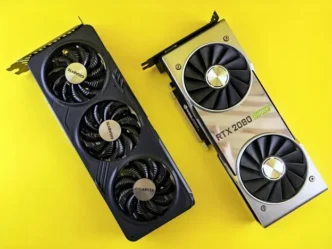
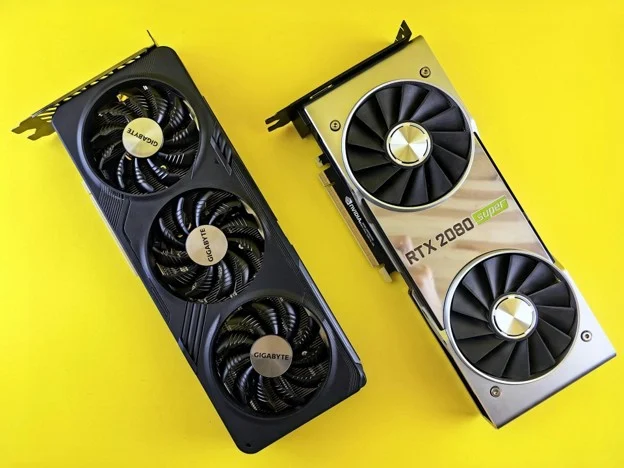
The urge to upgrade a desktop PC is familiar to hardware enthusiasts and gamers. Fresh GPU launches, faster CPU architectures, and high-speed memory kits promise higher frame rates, smoother render times, and better overall system responsiveness. Chasing peak performance can quickly drain a wallet if every new component generation triggers a complete platform teardown. Strategic PC upgrading relies on diagnosing real system bottlenecks, timing component generation cycles, and managing build funds efficiently so every dollar spent translates into measurable speed gains.
Diagnosing Bottlenecks Before Buying
Swapping out a graphics card when a legacy processor severely throttles frame times wastes money without improving gameplay smoothness. Running system monitoring overlays during demanding gaming sessions or rendering tasks isolates which component hits peak utilization first. Identifying whether memory capacity, storage access speeds, or CPU core counts are holding back performance prevents unnecessary hardware replacements.
Incremental platform upgrades often yield the highest performance-per-dollar returns. Extending the lifespan of an existing motherboard socket through a high-end, last-generation drop-in CPU upgrade avoids the expense of buying a new motherboard and fresh RAM kit. Upgrading an old SATA boot drive to a budget-friendly M.2 NVMe SSD delivers massive real-world responsiveness for minimal cost.
Timing Generation Cycles and the Used Market
Component prices on current-generation hardware drop significantly right as manufacturers announce new product architectures. Retailers clear out inventory to make room for incoming flagship lines, creating prime buying windows for previous-generation parts. Last-gen flagship GPUs and CPUs often deliver ninety percent of new-tier performance at a fraction of their original retail prices.
Exploring the secondary market offers another reliable path to saving money on build costs. While buying used power supplies or storage drives carries inherent wear risks, components like graphics cards, processors, and RAM modules are resilient and hold up well over time. Reviewing stress-test benchmarks and buying from sellers with clear return windows helps ensure secondary-market purchases perform reliably under heavy workloads.
Smart Financial Strategy for Builders
Treating PC hardware maintenance as a recurring budget line item prevents sudden financial strain when a component fails or a major upgrade becomes necessary. Selling older, functional parts immediately after replacing them recovers cash while those components still carry secondary market value, effectively subsidizing new hardware purchases.
Letting dedicated hardware funds earn interest while you wait for major launch windows helps offset price inflation on high-end tech. Tech enthusiasts saving up for major platform overhauls often look into financial basics like what does APY mean in banking, as keeping dedicated hardware funds in high-yield accounts allows interest earnings to quietly subsidize future component purchases.
Reusing Components and Avoiding Aesthetic Taxes
Certain PC components easily survive multiple motherboard and processor upgrades. High-quality PC cases, high-wattage power supplies, and heavy-duty air coolers can remain in service across several build cycles. Investing in a reliable, high-efficiency power supply with ample headroom during an initial build eliminates the need to replace power delivery when upgrading to power-hungry graphics cards later.
Avoiding aesthetic markup is another simple way to stretch a build budget. Premium RGB lighting, custom sleeved cables, and liquid-cooling displays add high cost to a build without adding a single extra frame per second to gameplay. Prioritizing raw performance hardware over cosmetic additions ensures that available funds go directly toward computing power.
Building a fast, modern system does not require throwing unlimited cash at brand-new hardware releases. Identifying true system bottlenecks, timing generation price cuts, reusing durable components, and managing upgrade funds wisely keeps performance high and build costs under control.