



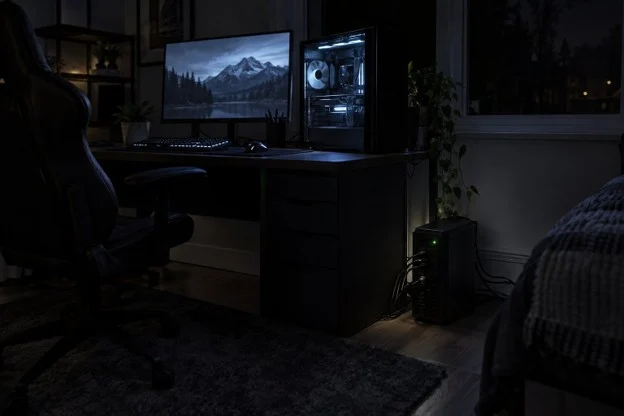
You’re one round from winning a match, or 10 minutes from the end of a movie, when the room goes dark. The game drops, the stream stops, and even after the power returns, the router still needs a few minutes to come back.
A battery backup, also called an uninterruptible power supply (UPS), is built for that moment. Most homes don’t need a huge one, and working out the right size takes only a few minutes and some basic math.
Why your setup needs a battery backup
A battery backup keeps your gear running when the power cuts out, so you lose nothing and get time to decide what to do next. U.S. electricity customers averaged 1.5 power interruptions in 2024 (U.S. Energy Information Administration, 2025), so it’s worth planning for at least one or two a year.
A sudden shutdown can wipe unsaved work, drop you from an online game or interrupt a system update. A surge protector won’t stop any of that. It helps with voltage spikes, but it stores no power, so everything still turns off.
To see what a home unit looks like, take a typical model from Goldenmate Battery, which makes lithium iron phosphate (LiFePO4) backups for homes and offices. Its 1000 VA / 600 W model protects your desktop, network gear and essential home-office equipment with pure sine wave backup power, eight outlets and a 153.6 Wh LiFePO4 battery. The company’s site lists specs and runtimes across its range, which makes comparing sizes easy, and the examples below use this model’s numbers.
When a battery backup helps most
A battery backup earns its place during short outages and the first minutes of long ones. It’s a tool for staying online and shutting down safely, not for running a house all day.
- Quick flickers: a blip of a second or two can restart a PC or router. With a backup, nothing turns off.
- Gaming and streaming: you can finish the game or episode, or at least save and quit properly.
- Working from home: you can stay on a call, save your files and shut down without rushing.
- Keeping Wi-Fi up: a router and modem use very little power, so they can run for hours. Your internet still depends on your provider’s network staying up.
For an outage that lasts all day, you’d need a much larger power station or a generator. A desktop UPS is also the wrong place for a space heater or anything else that draws a lot of power.
How a battery backup works
A battery backup sits between the wall outlet and your devices, and it switches to its battery as soon as wall power fails. Here’s what happens during an outage:
- Normal power: wall power runs your gear and keeps the battery charged.
- Power cut: the unit switches to battery. This model lists a transfer time of 20 milliseconds or less, far quicker than a blink.
- Battery time: your devices keep running until you shut them down or the battery runs low.
- Power back: the unit recharges itself, which takes up to six hours on this model.
A few terms on the box are worth knowing:
- Watts: the most your devices can draw at once. This model tops out at 600 watts, and its manual recommends about 360 to 420 watts for everyday use.
- Watt-hours (Wh): how much energy the battery holds. More watt-hours means more time.
- Pure sine wave: smooth power, like what comes from the wall. Many modern PC power supplies work best with it.
- LiFePO4: a long-life lithium battery type. This model is rated for more than 3,000 charge cycles, and lead-acid units often need a new battery every few years.
How much time you can expect
Runtime comes down to one sum: usable battery energy divided by what your gear draws. This model lists up to 25 minutes at 300 watts, which works out to about 125 Wh of usable energy, so divide 125 by your load and multiply by 60 to get minutes.
| What’s plugged in | Rough draw | Estimated runtime |
| Router and modem | 30 watts | About 4 hours |
| Laptop, router and modem | 100 watts | About 1 hour 15 minutes |
| TV, streaming box and router | 150 watts | About 50 minutes |
| Office desktop and monitor | 200 watts | About 37 minutes |
| Game console, TV and router | 300 watts | About 25 minutes (listed) |
| Gaming PC and monitor | 400 watts | About 19 minutes |
Only the 300-watt row is a listed figure. The rest are estimates based on it, using example loads, and real runtime changes with your gear, the room temperature and the battery’s age.
Gaming PCs deserve one extra check. The ATX 3.1 power supply standard requires a PC power supply to ride out a power loss for at least 11 milliseconds and recommends 16 (LTT Labs, 2026), so a 20-millisecond switch could restart some PCs. Save your work, then unplug the backup from the wall to see what yours does. Always test it.
How to choose the right size
The right size depends on what has to stay on and for how long. Start with these three questions:
- What must stay on? Plug only those things into the backup. Leave out printers and extra lamps.
- How much do they draw? A cheap plug-in power meter gives you a real number. Measure your PC during a game, not at the desktop.
- How much time do you need? Five to 10 minutes covers saving and shutting down. Finishing a match or keeping Wi-Fi on for hours takes more.
Then keep your load at about 60% to 70% of the watt rating. If a gaming PC pushes past that, or you want more time, step up to a larger model.
What to do next
Most home setups don’t need a huge backup. A mid-size unit can keep a home network running for hours and give a desktop or console setup enough time to finish up and shut down.
Add up what you want to keep on, run the simple sum above and choose a size that leaves some room to spare. Then test it once with a real power cut of your own, by unplugging it from the wall, so you know how long you have before you need it.