


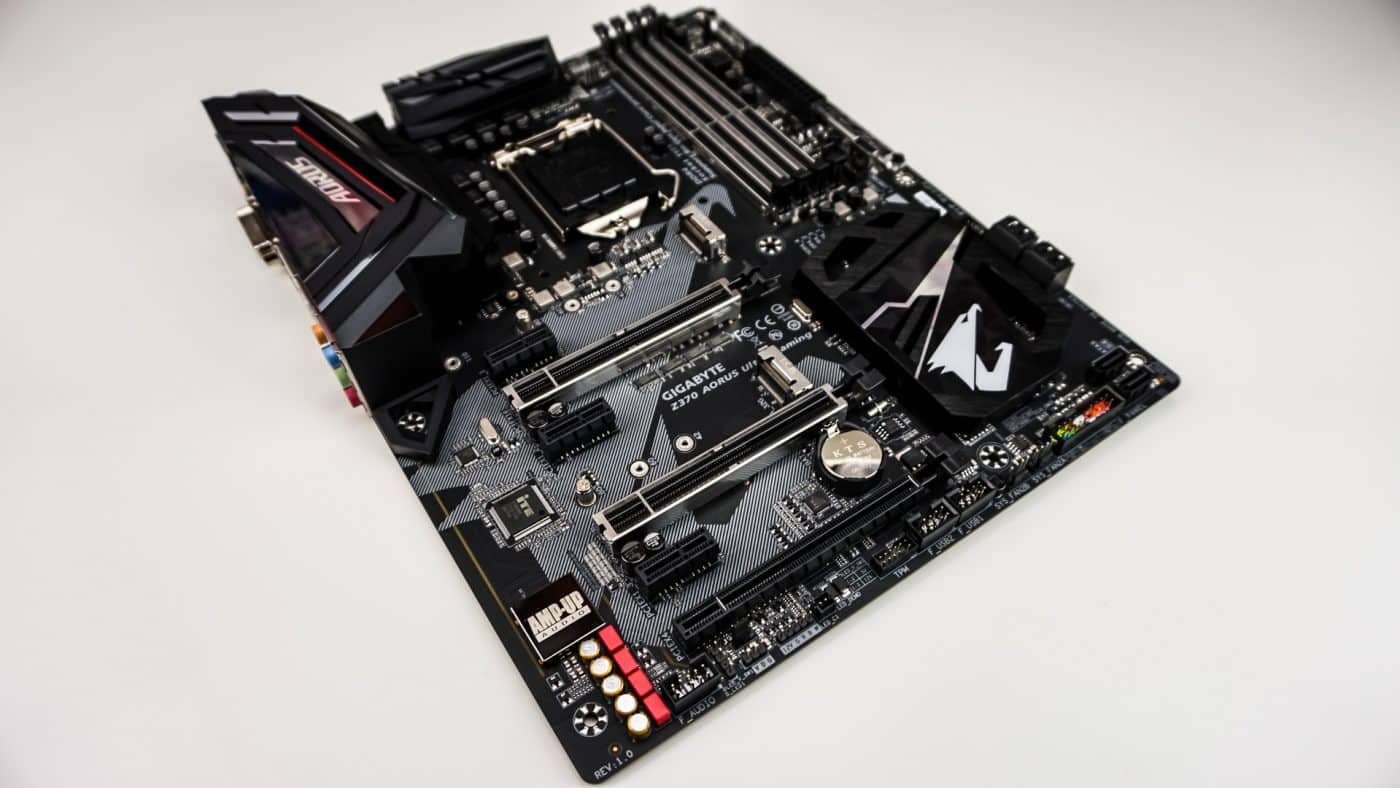
Testing – SATA, USB & Network
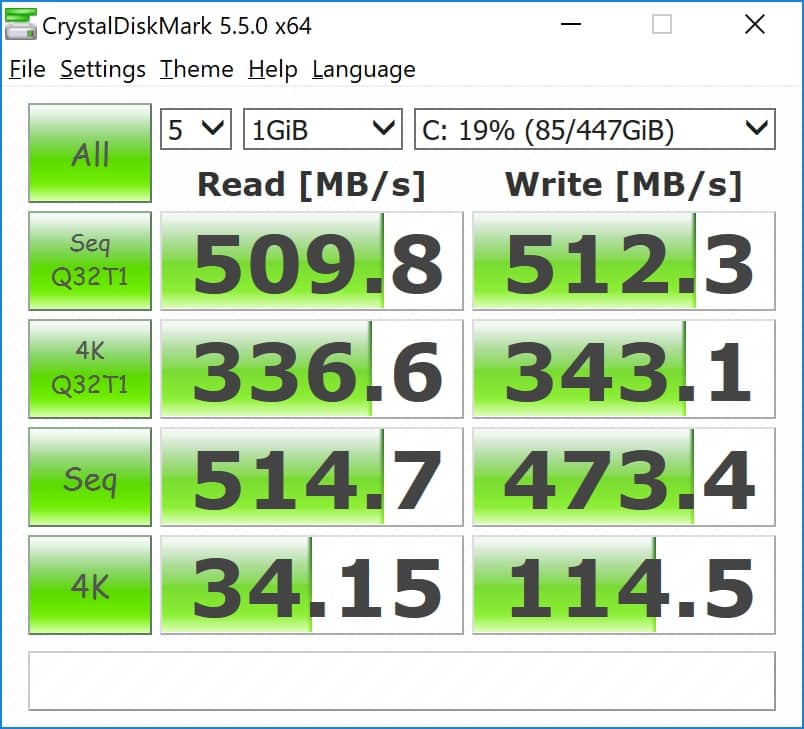
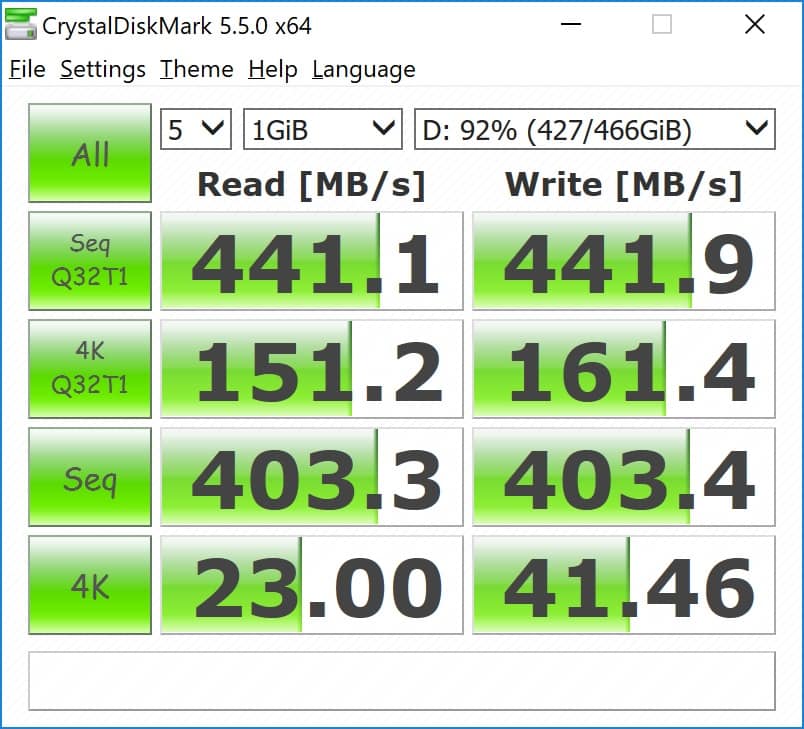
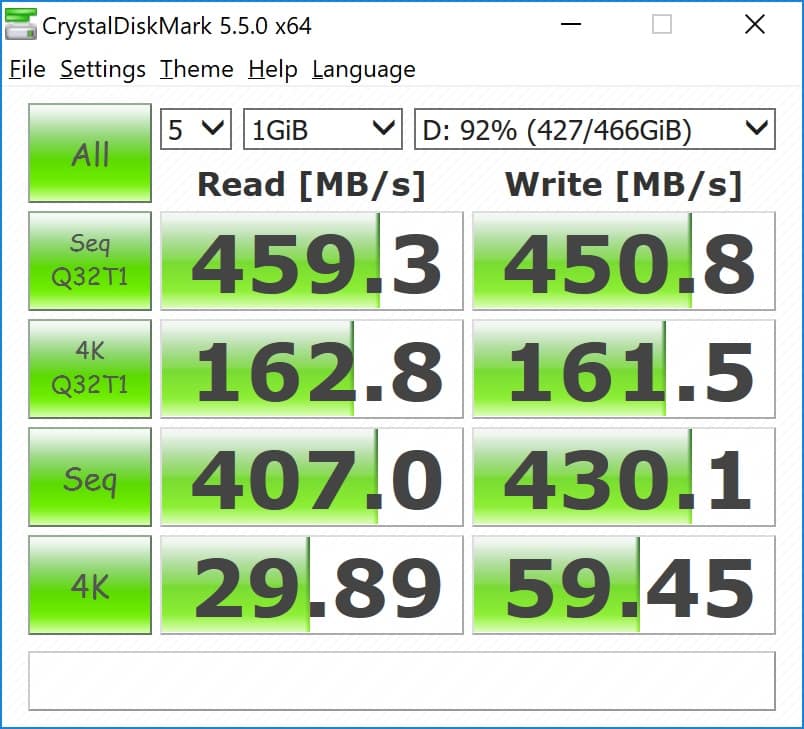
To test SATA, M.2, and USB speeds we make use of CrystalDiskMark hard drive benchmarking tool. First up is our SATA drive which is a Kingston UV400 240GB drive.
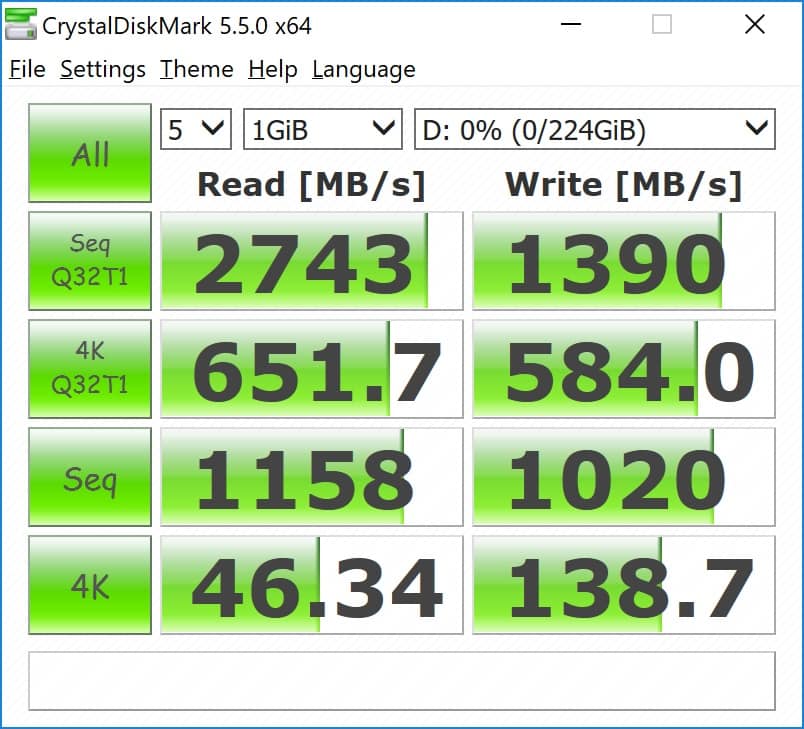
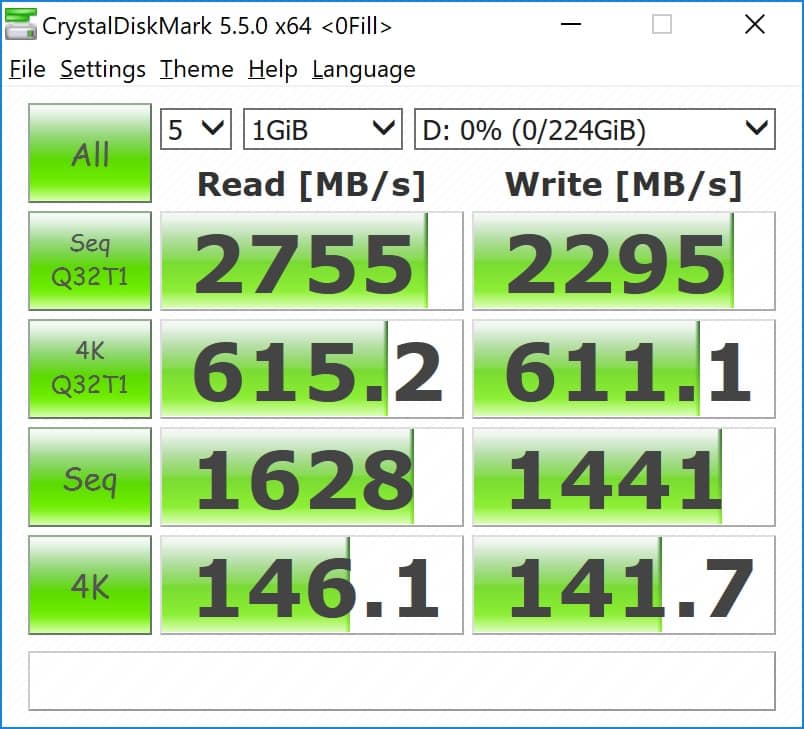
For the M.2 test we will be using the Patriot Hellfire 240GB drive. We run this test at its normal settings and then at 0fill as you can see write scores improve in that test.
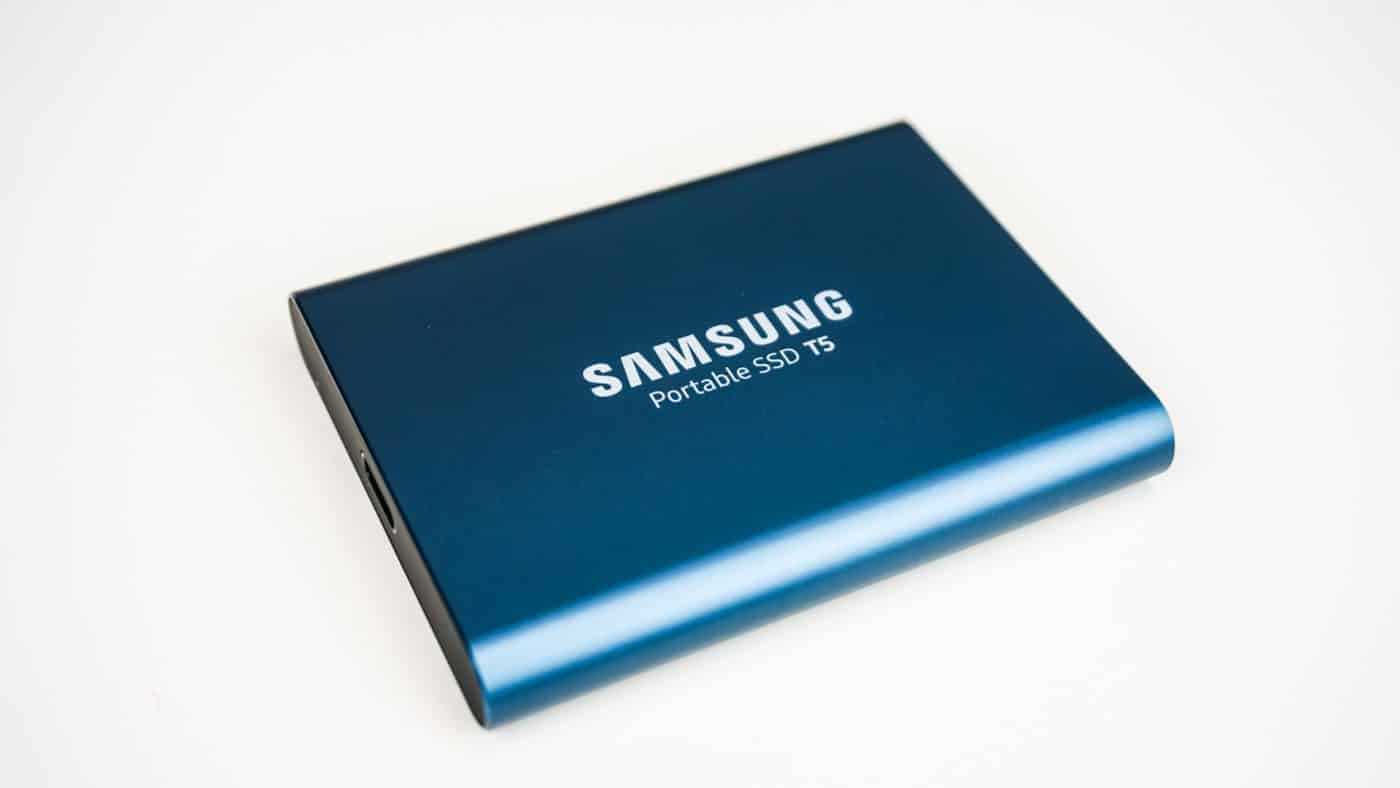
For the USB 3.1 tests we also use CrystalDiskMark. We actually decided to use a the Samsung Portable SSD T3 drive and test both the Gen 1 and Gen 2 ports. Gen 1 is on the left and gen 2 is on the right.
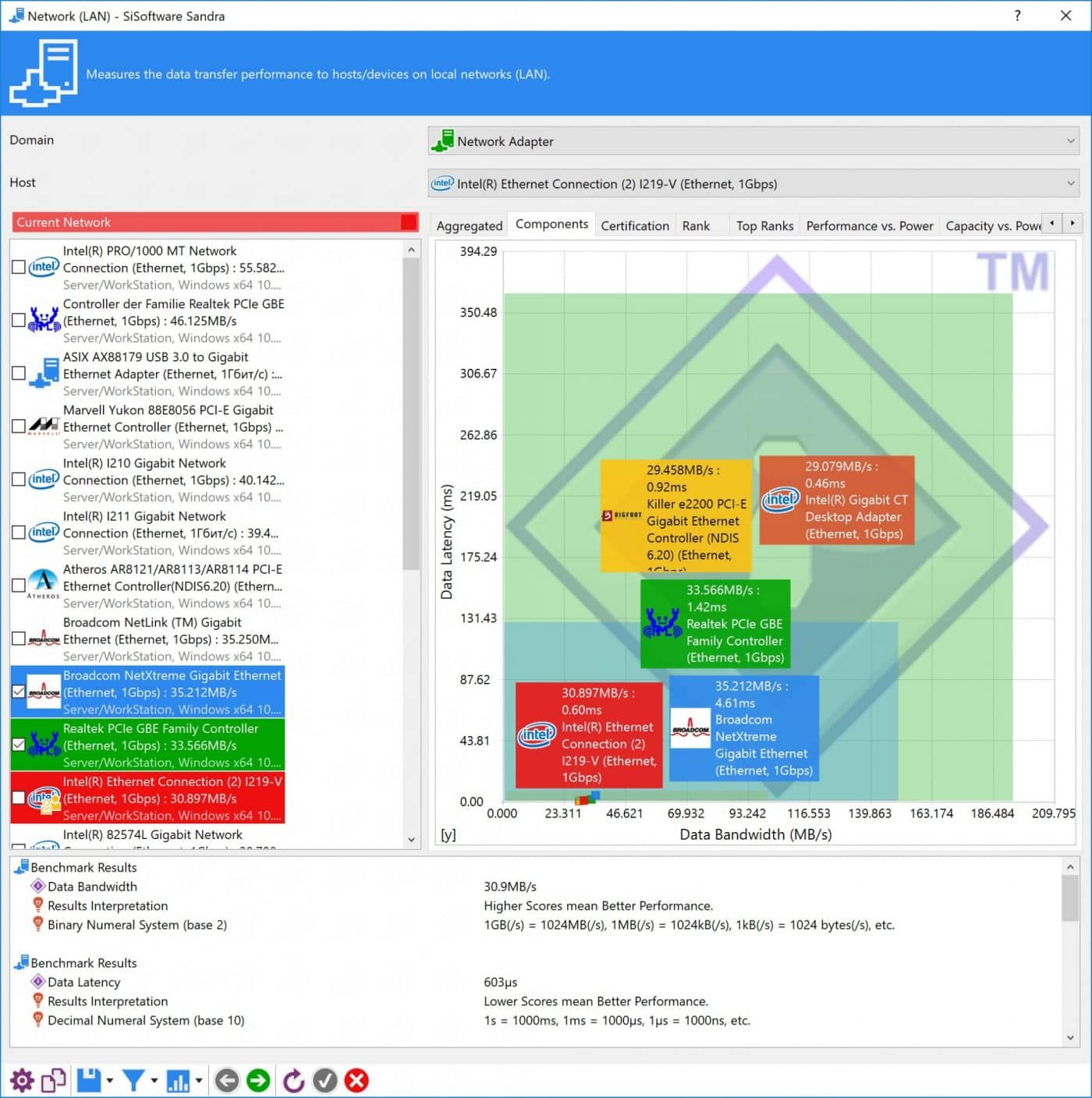
To test the network adapter performance we use Sandra’s Network (LAN) benchmark.

having problems installing the gigabyte app center somebody please help me.I’m usually really good at figuring this stuff out but this is eluding me I have no idea what could be causing this I’m thinking a bios setting but I have no idea which one would cause the app center not to install https://uploads.disquscdn.com/images/f645ddb6f9058cf7d4c98b5bb3fdb128e454dffe0e5e15bc2642b84ebb1d86d3.jpg if you guys have any idea why it won’t install please let me know its really frustrating me.