ASUS ROG Maximus Z890 Hero BTF Motherboard Overview
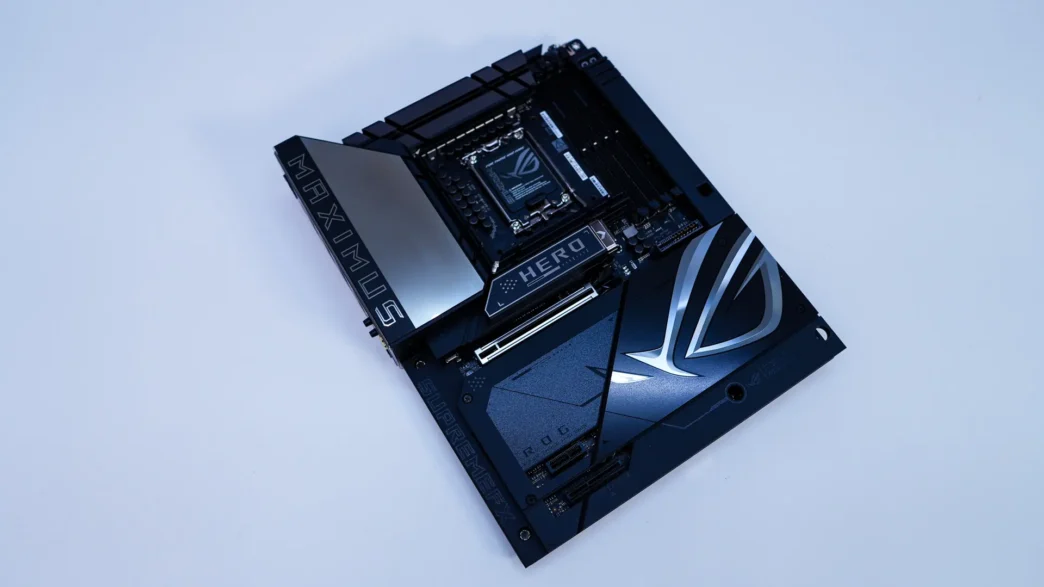
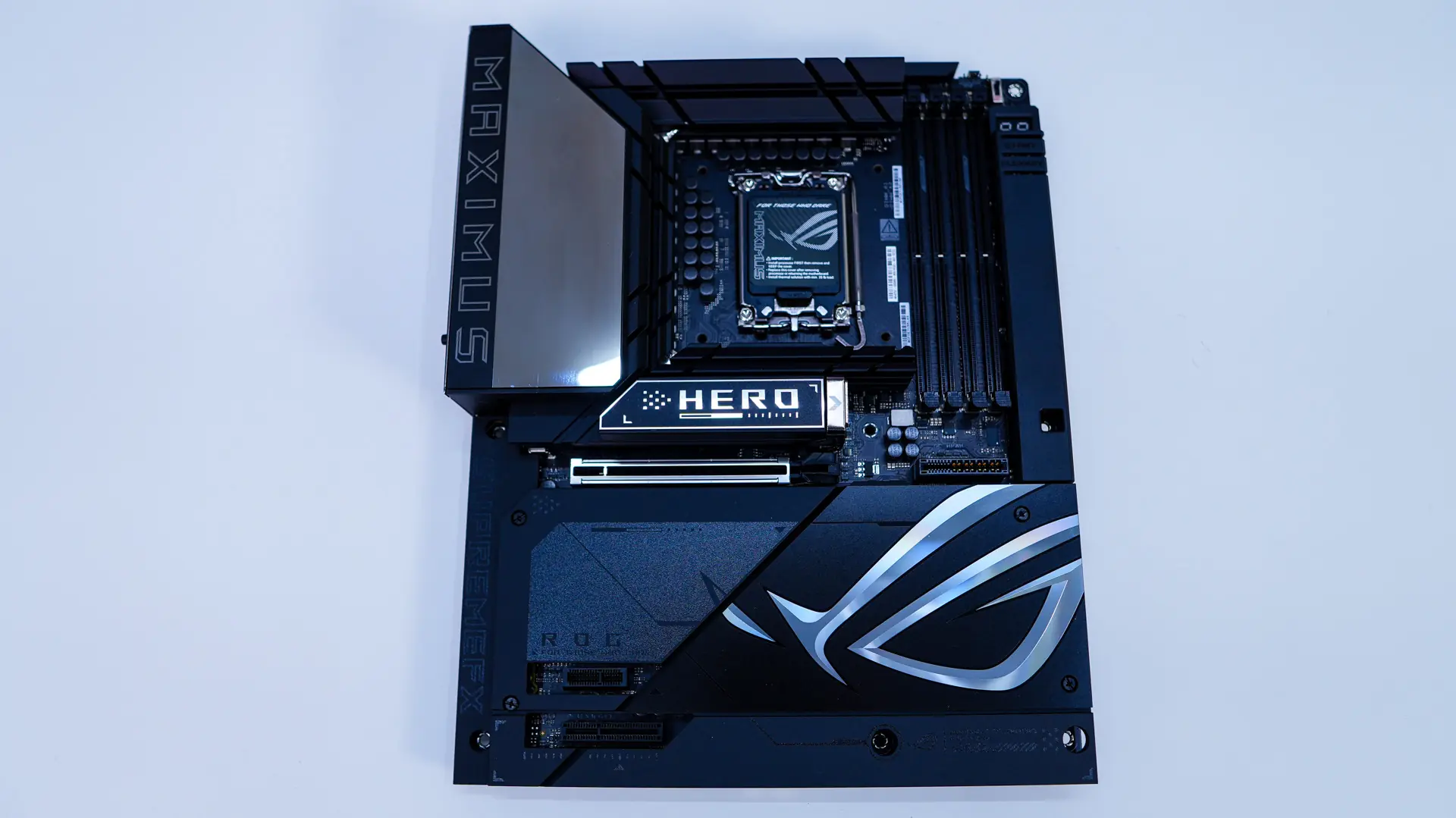
To start things off the ROG Maximus Z890 Hero BTF is an ATX motherboard so it is your standard 12 inch x 9.6 inch (30.5 cm x 24.4 cm) size. Like most ROG motherboards we have an all-black PCB with mostly black and silver accents. Since this is the BTF version of the board most of the board is covered either with heatsinks or a dust cover as the connectors that would be there are on the back.
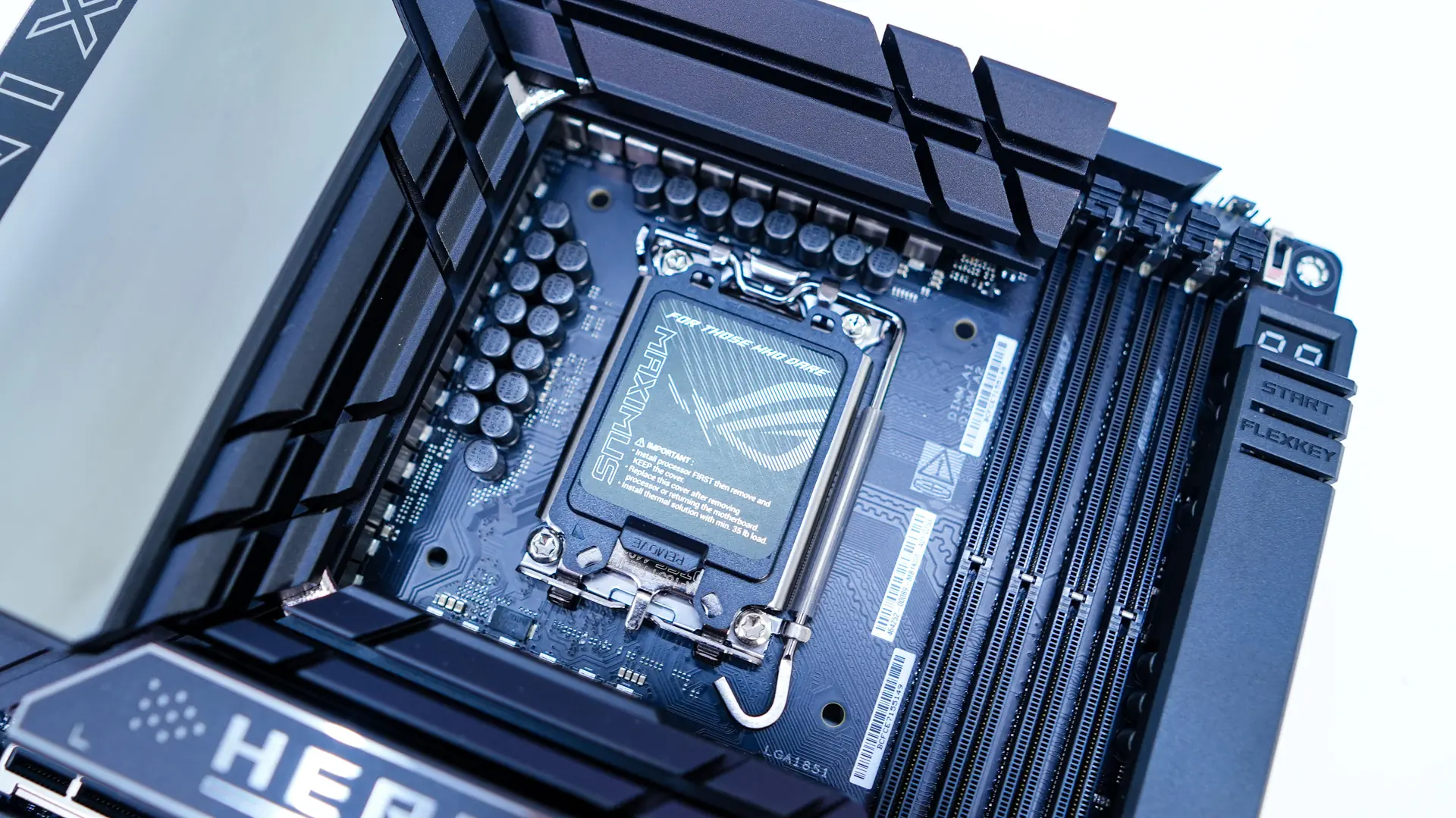
Starting at the CPU socket we have the Intel LGA 1851 socket. This socket will only currently support this generation of Intel Core Ultra processors. This socket has the same dimensions and the same center-to-center distance for the mounting holes as LGA 1700, so LGA 1700-compatible CPU coolers will work on this socket. It is worth noting the small piece of rubber and flat end on the release latch. The rubber makes it so you don’t scratch up your heatsinks and the flat end makes the latch easier to press down and release.
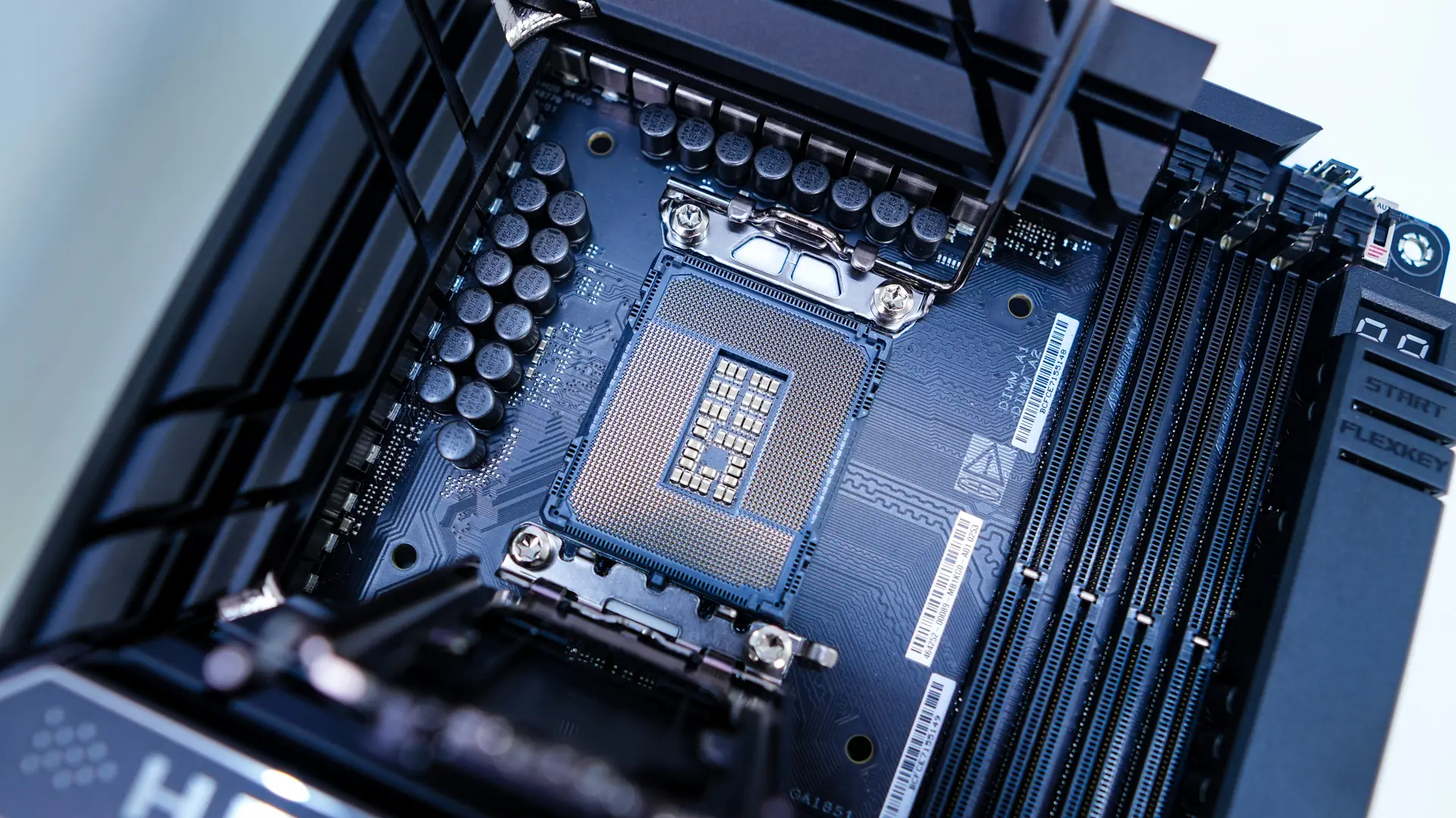
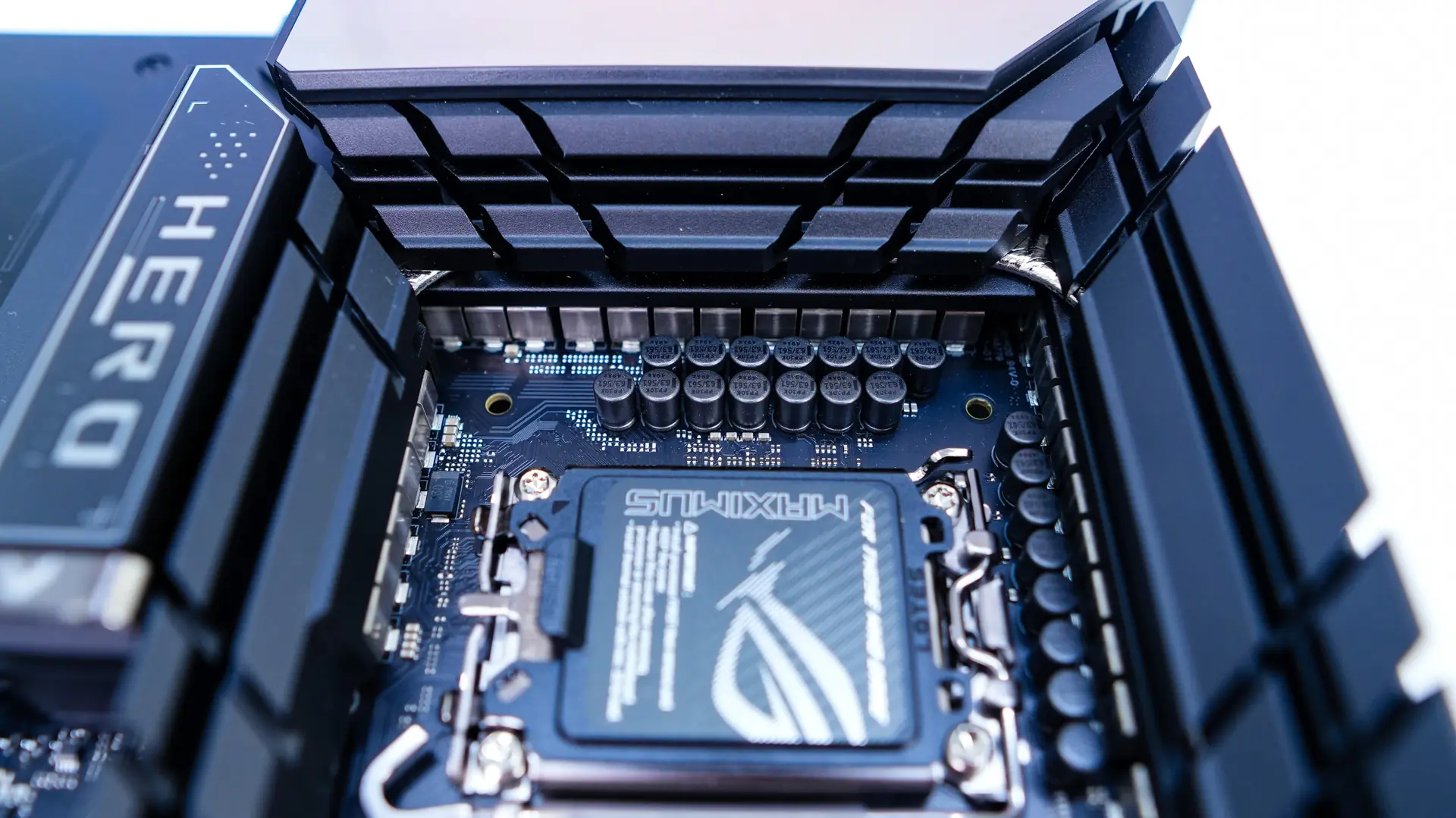
Around the CPU socket we have our power delivery components and ASUS is making use of a 22(110A)+1(90A)+2(90A)+2(80A) power phase design with ProCool II power connectors, MicroFine alloy chokes and premium metallic capacitors. These power delivery components are cooled by three separate heatsinks, all of which are connected by a heatpipe.
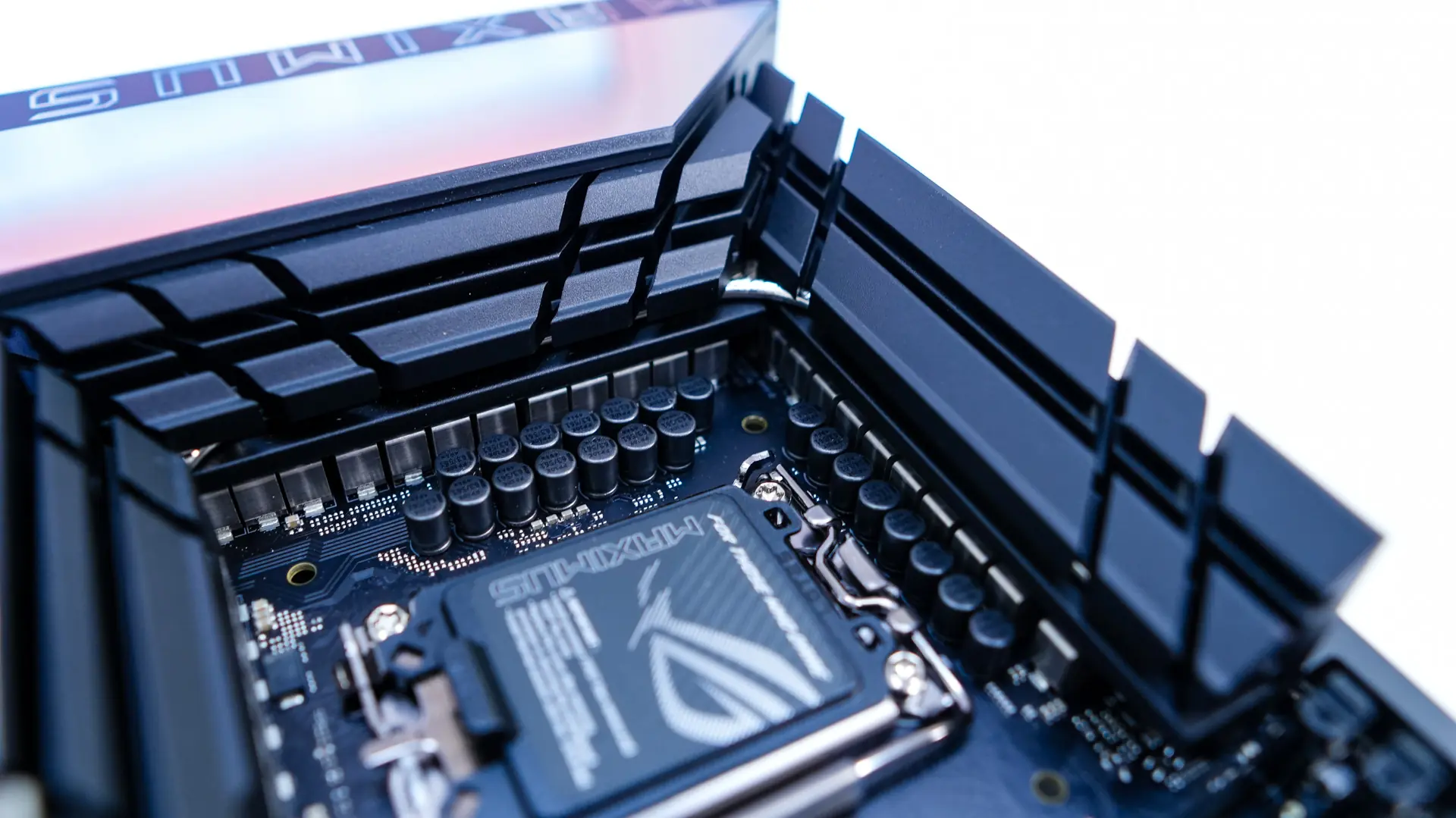
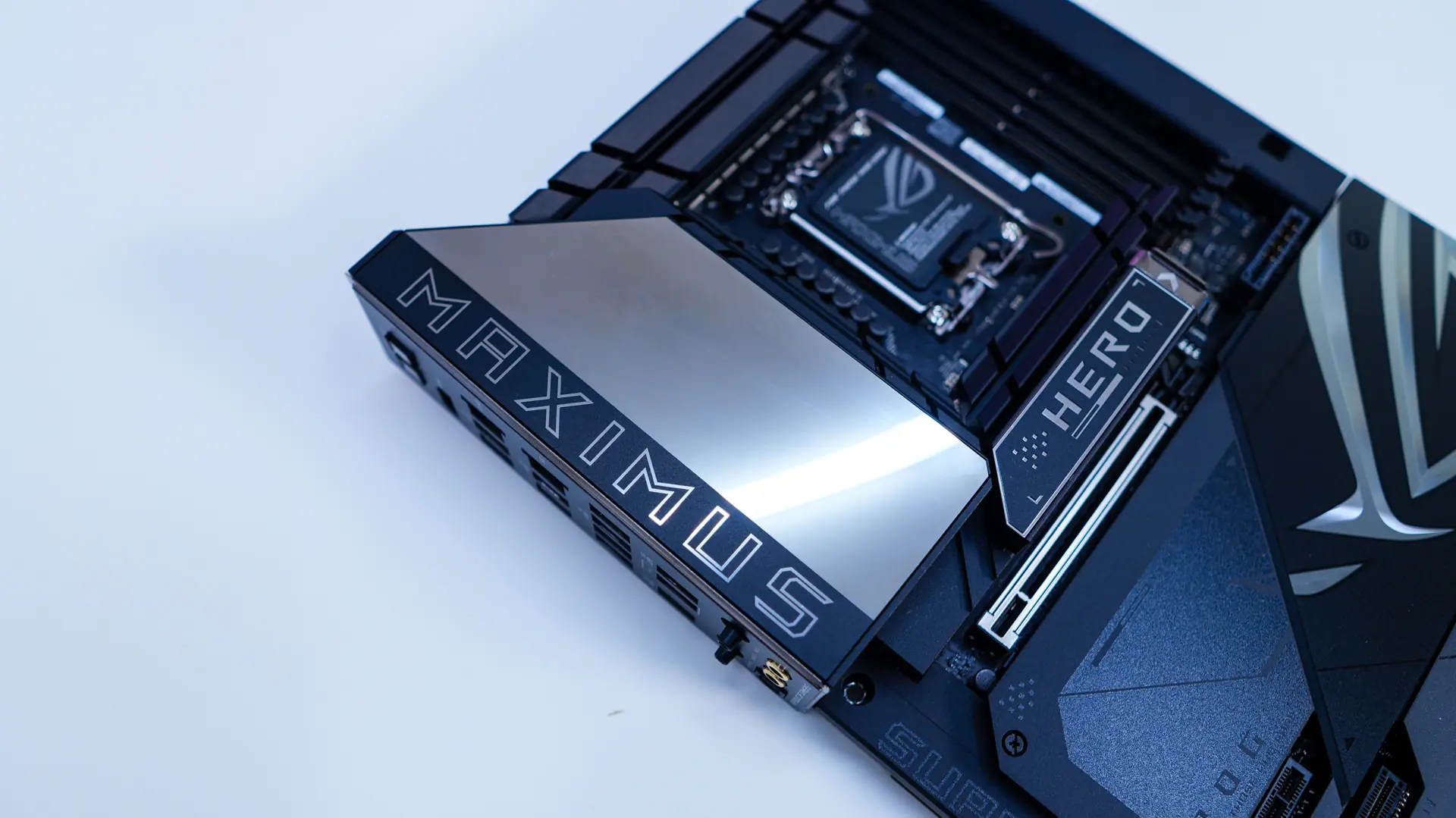
The top corner of the board comes together with a large rear I/O cover, which does cover one of the main VRM heatsinks. This cover has a mirror-like finish on it, but will light up with ASUS Polymo Lighting II when you have your system powered on. In the opposite top corner of the board you will find a few headers and a dip switch. The main header is going to be your CPU fan header.
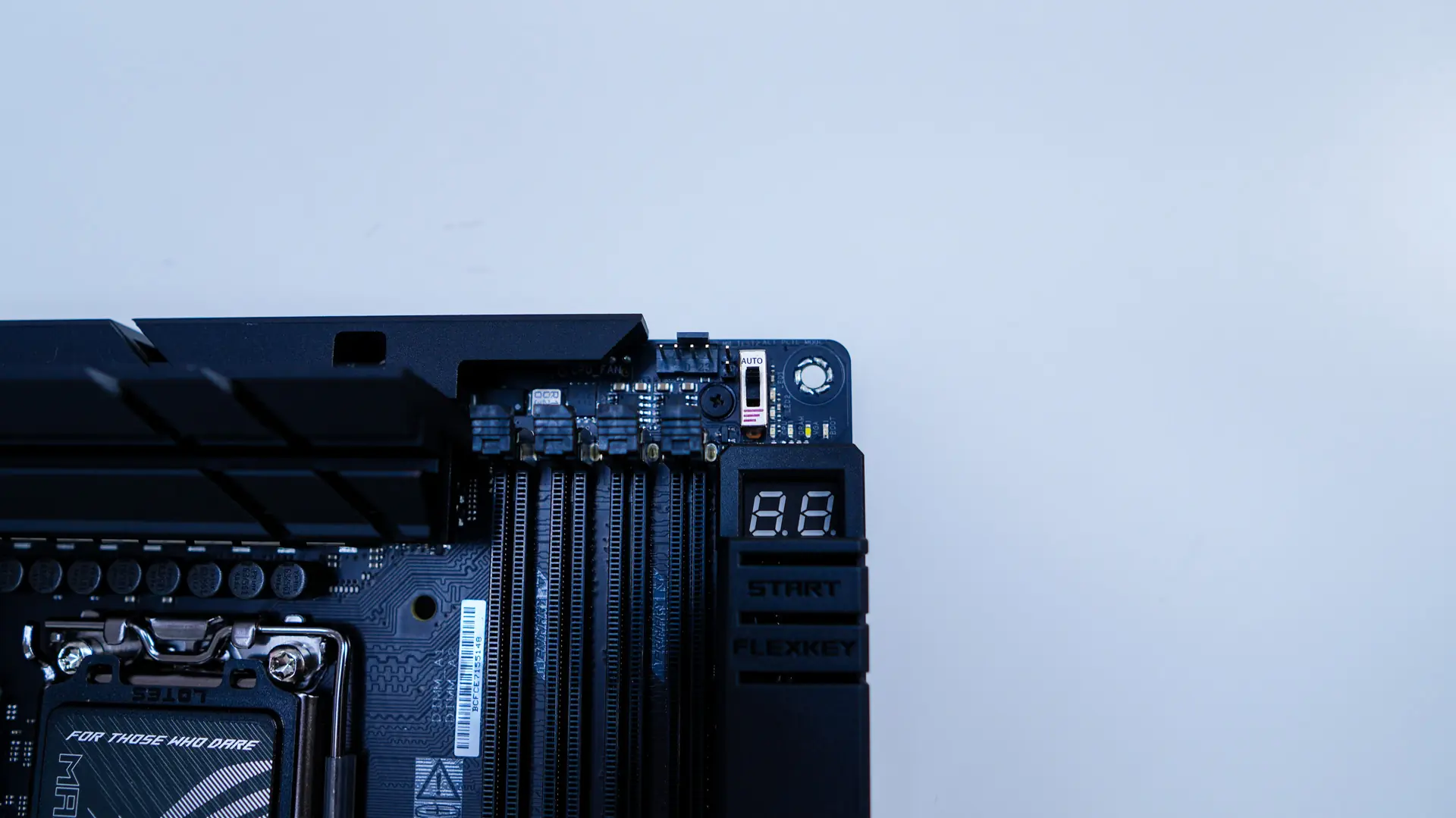
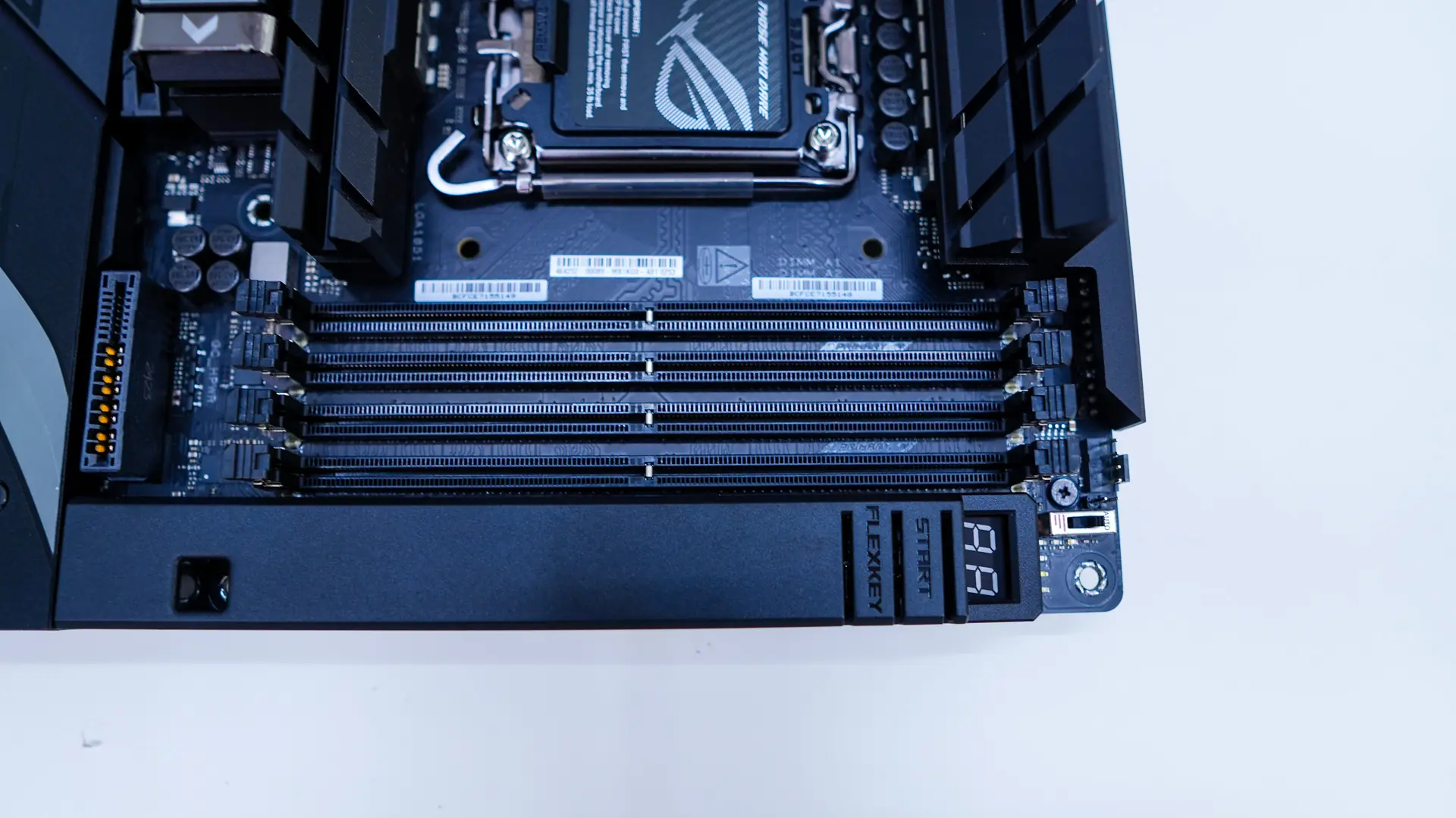
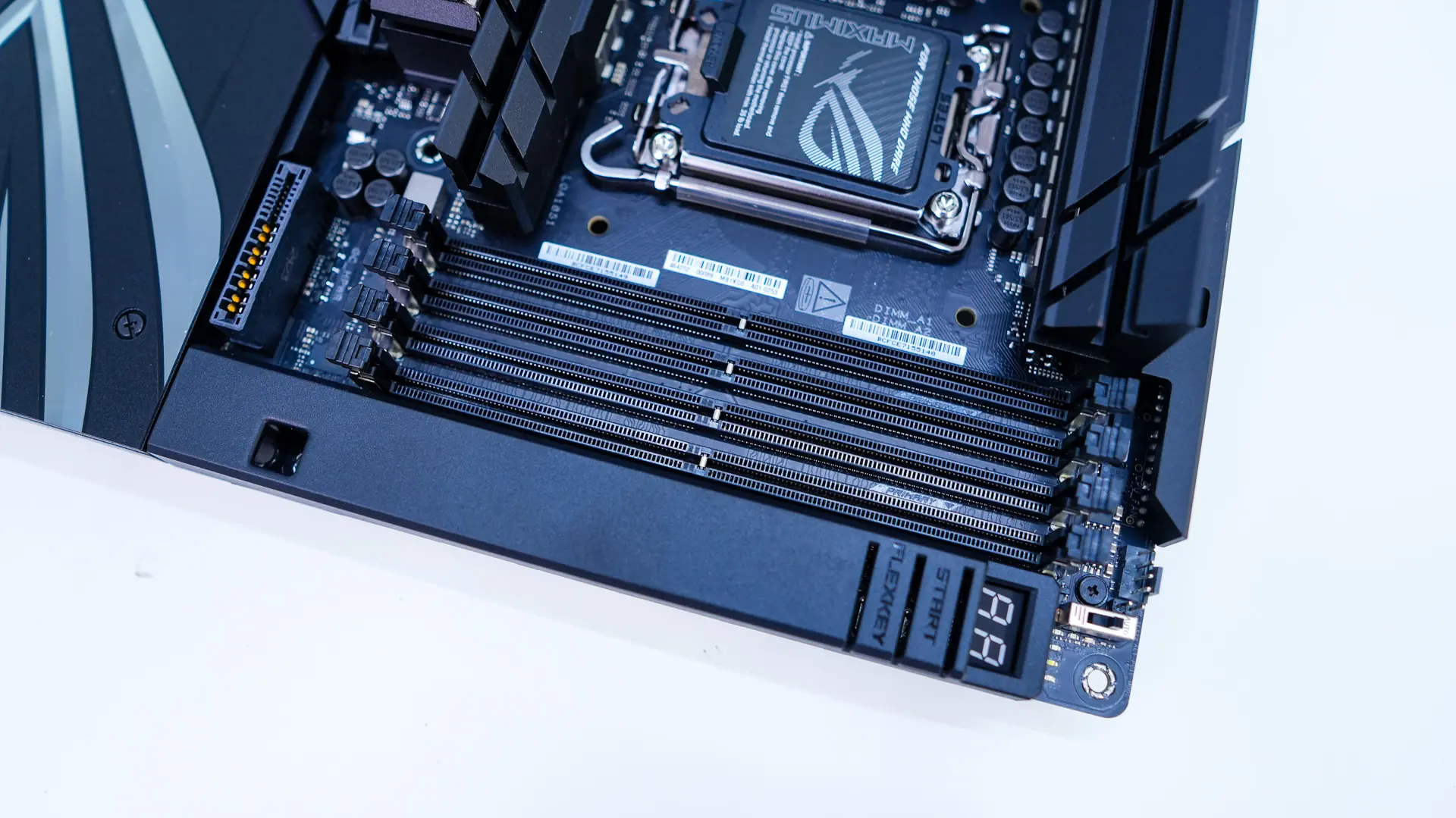
Coming over to the memory slots we have four DDR5 DIMM slots that support up to 192GB of DDR5-9200 memory. These slots have actually been redesigned and ASUS is calling this NitroPath DRAM. The new slots feature pins that are looped to terminate at the very end, eliminating the resonant excess section of the original design. Internal testing found that the NitroPath DRAM design could lead to significantly increased headroom across multiple configurations. Also we can see the dust cover which covers up the far edge of the board. Here you will find a post code display, start button, and the Flex Key button.
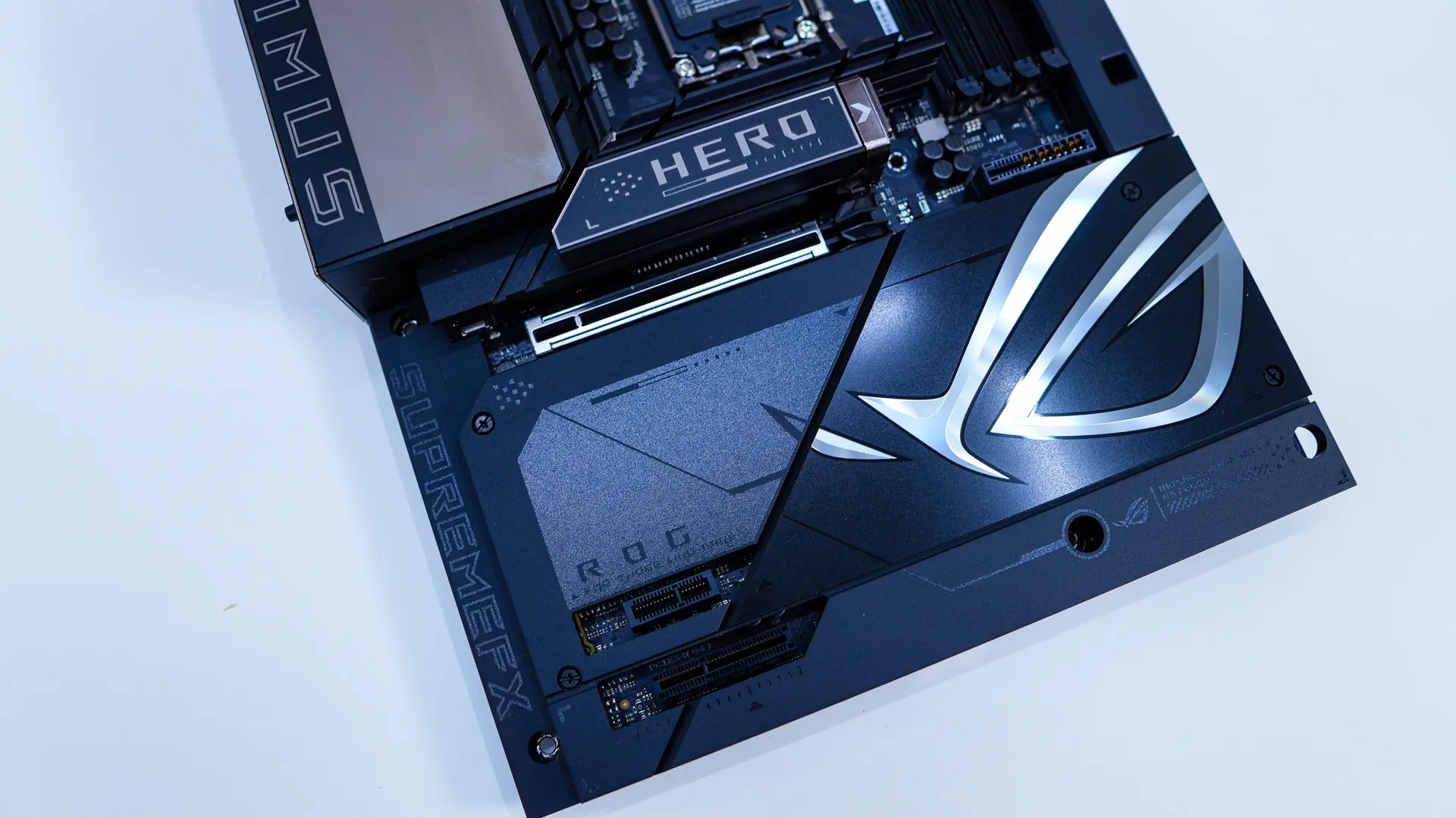
The bottom half of the board is essentially completely covered with heatsinks and dust covers. There is a very large reflective ROG logo.
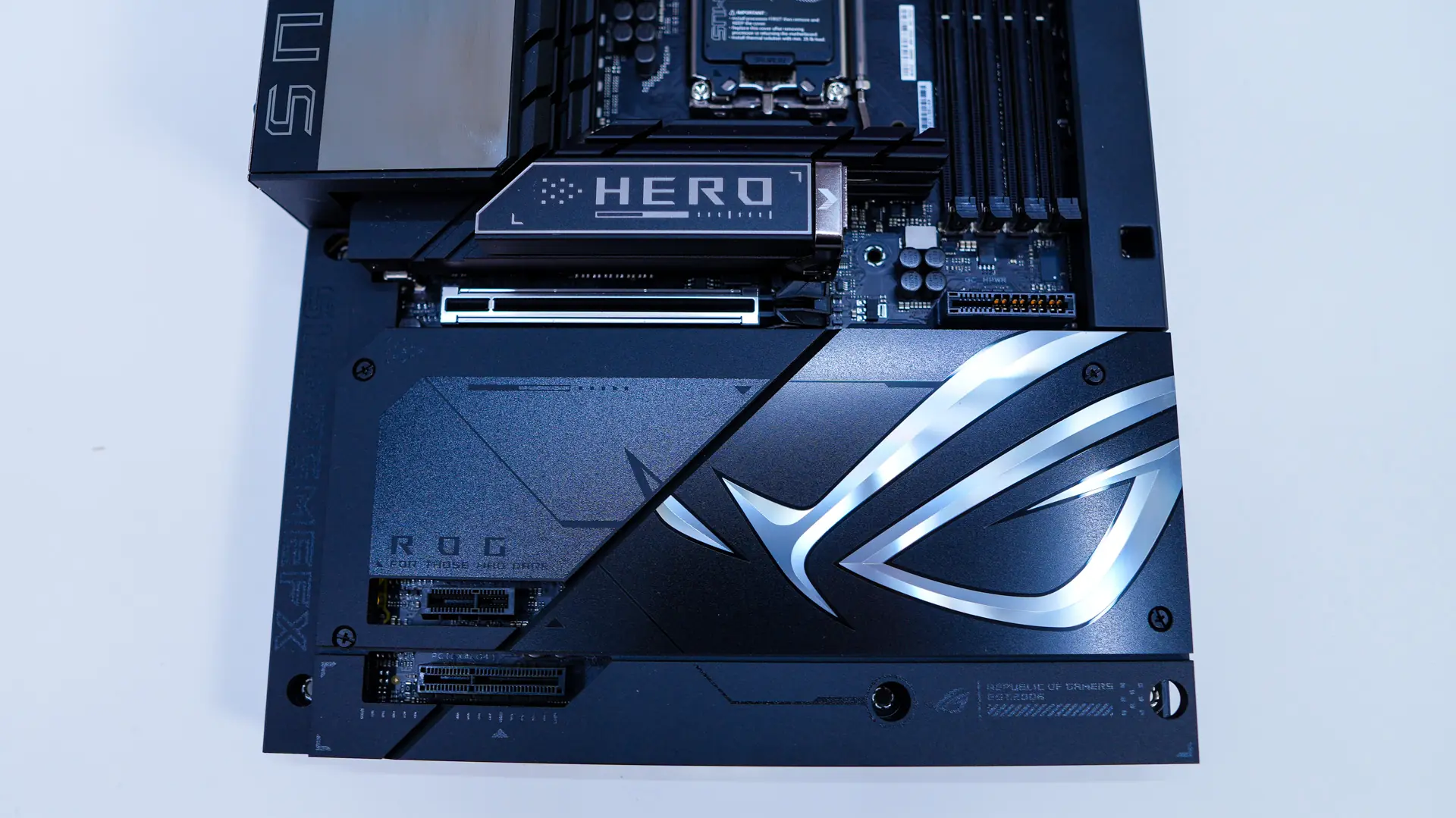
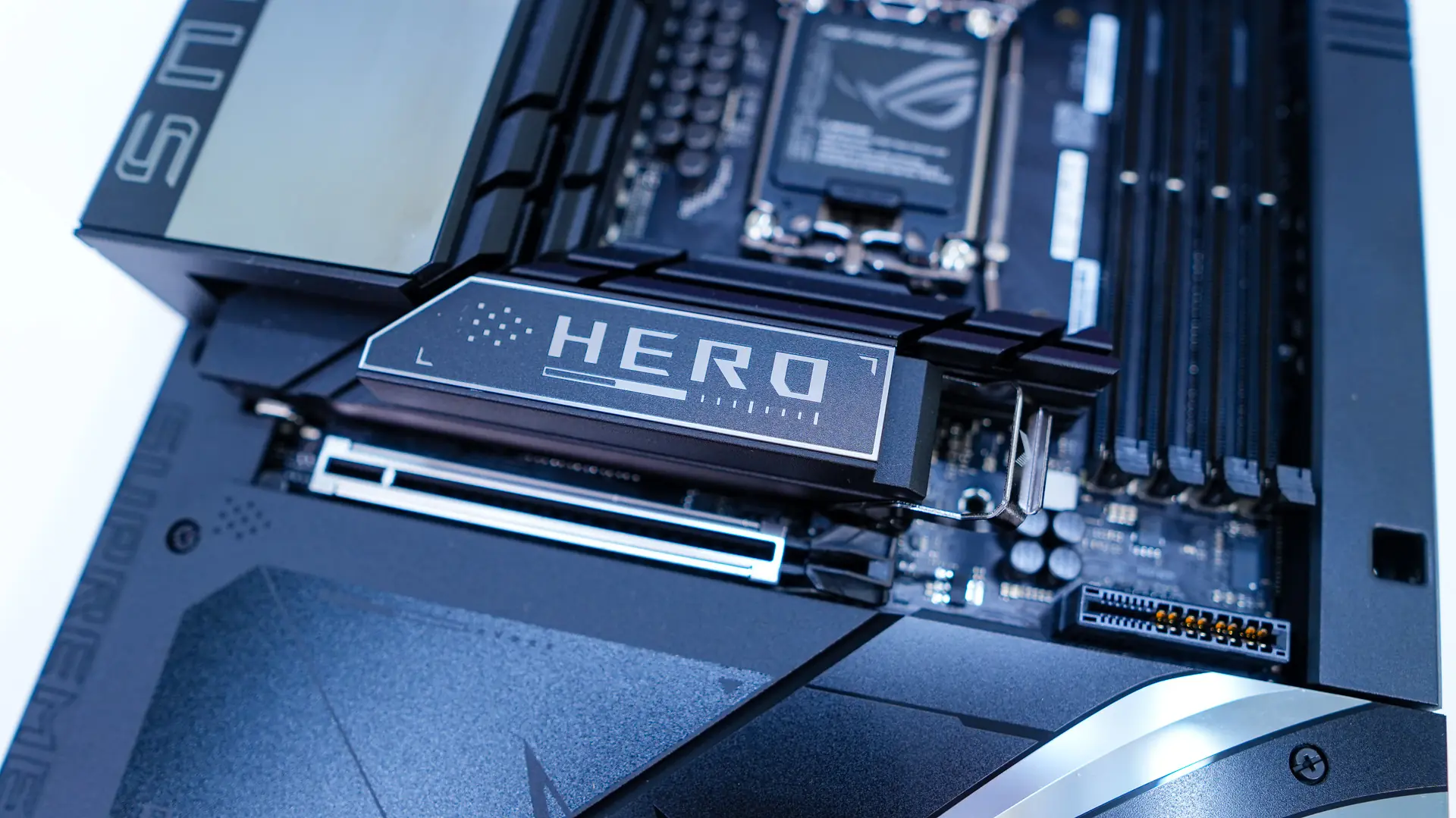
Starting with our first heatsink it says “HERO” on it. This is a larger heatsink made for cooling off a PCIe 5.0 NVMe SSD. It uses what ASUS is calling M.2 Q-Release. You essentially pull down the silver latch and the entire heatsink comes off. Reinstalling it is as simple as sliding the hinge back into place and locking it. With the heatsink removed we can see our M.2 slot which is a PCIe 5.0 x4 slot. It features the new M.2 Q-Slide, which is a retention bracket that slides along the M.2 backplate.
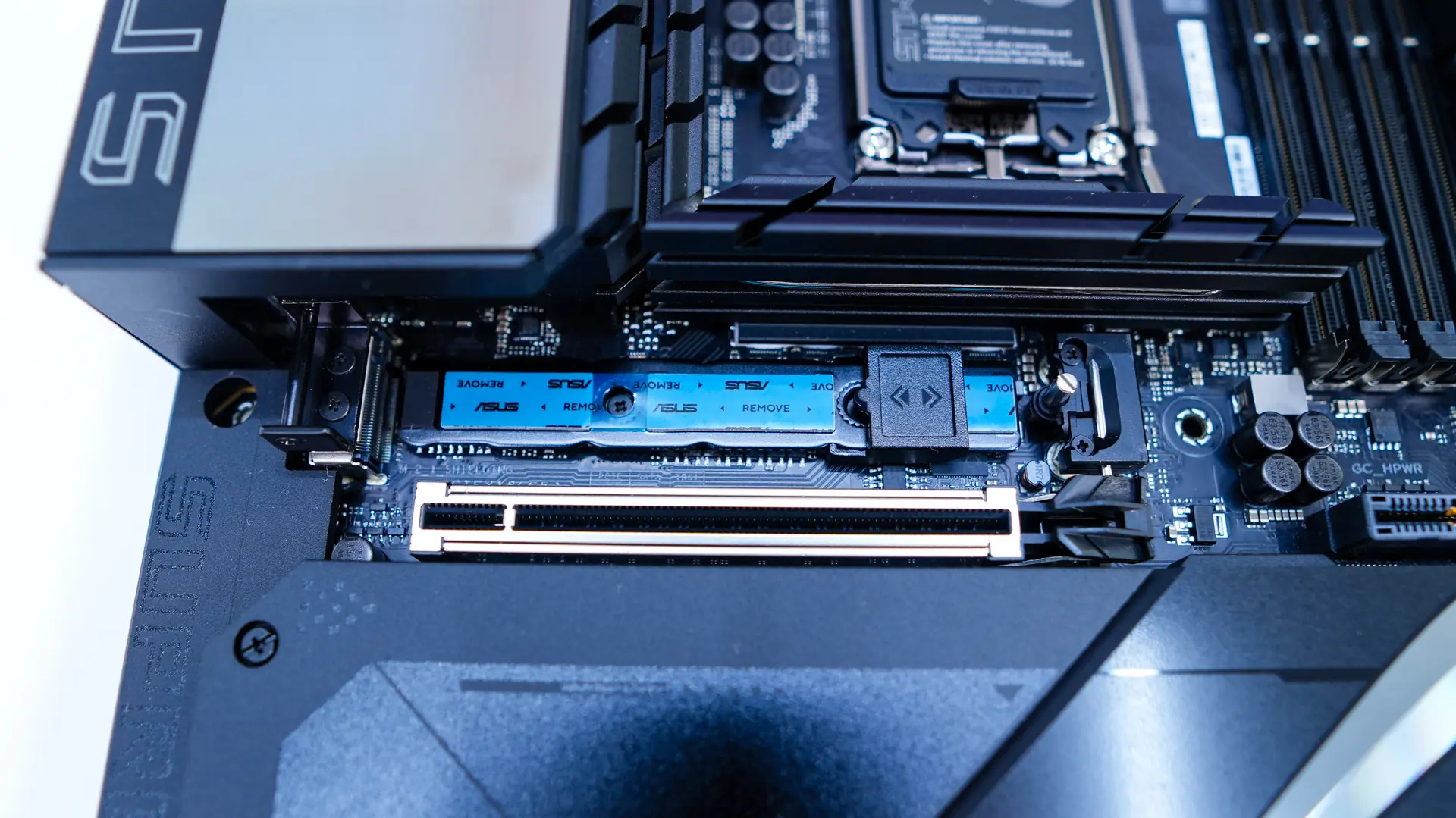
Removing 4 screws we can take the bottom heatsink off. It will reveal 5 more M.2 slots. These are a mix of PCIe 5.0 slots and PCIe 4.0 slots. The top slot here is going to be PCIe 4.0, while the middle two slots are PCIe 5.0, and then the two slots that are closer to the edge of the board are PCIe 4.0. All of these slots feature the new M.2 Q-Latch, this tool-less locking mechanism just snaps into place to lock your drive down.
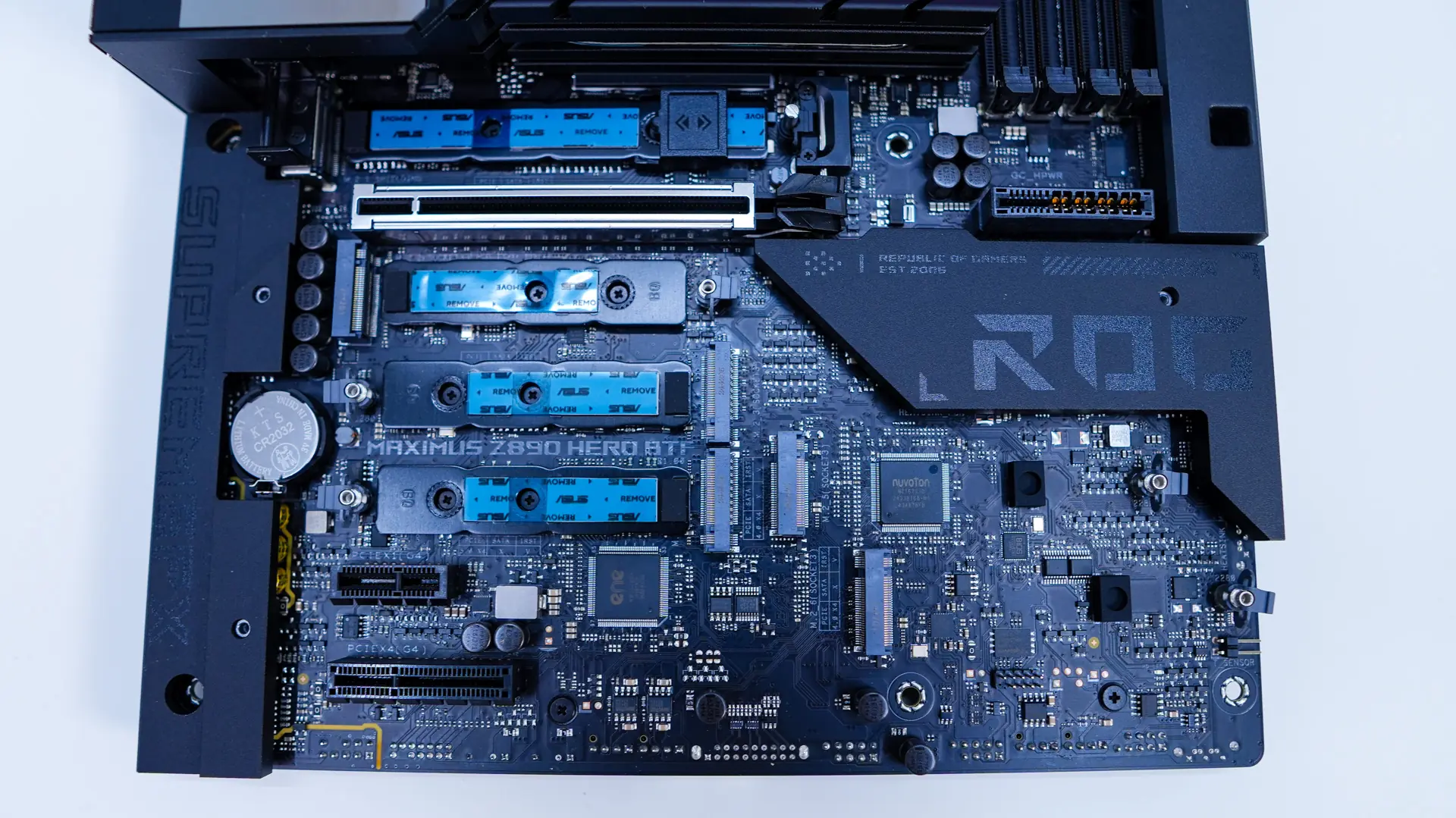
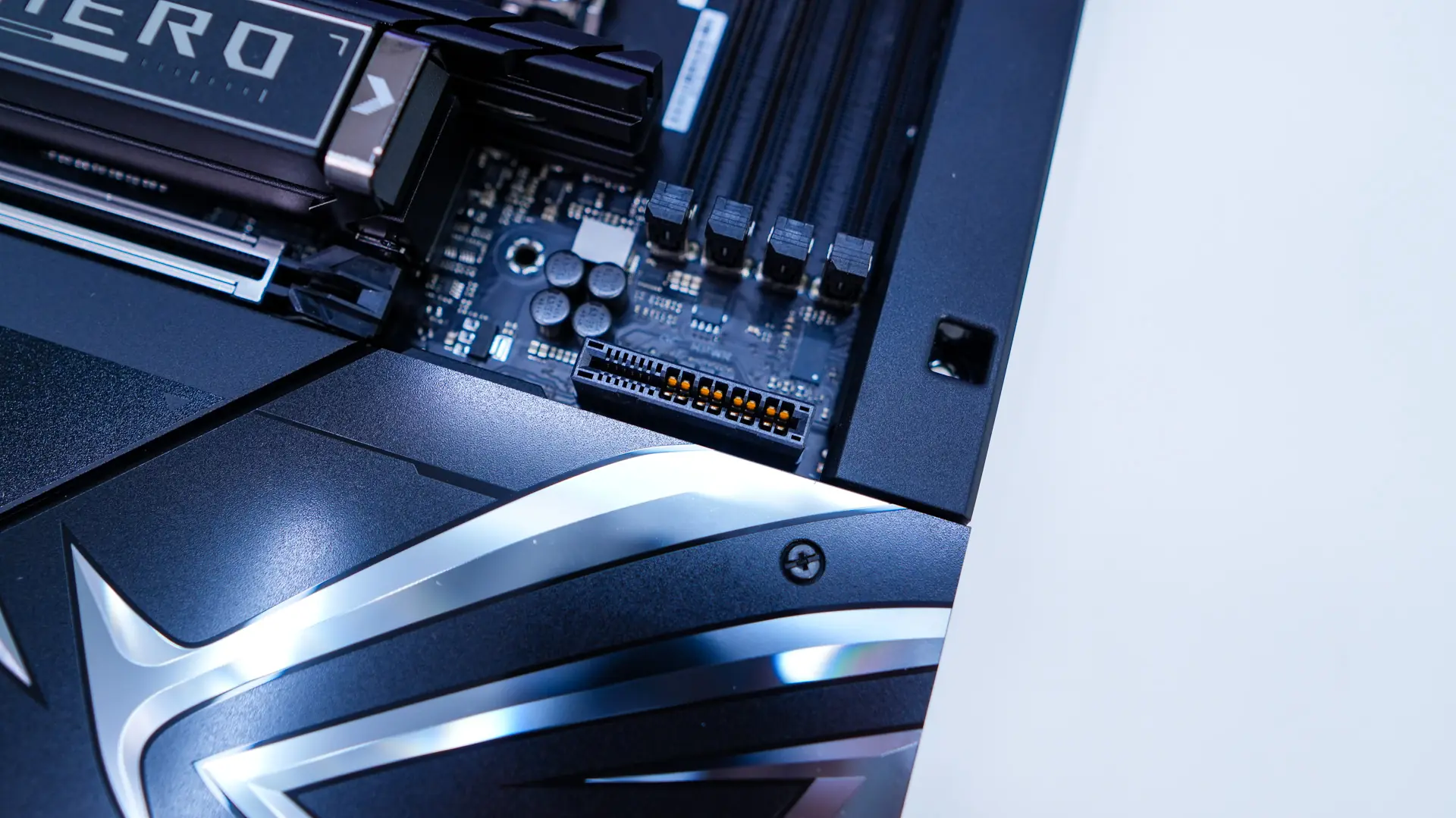
When it comes to expansion slots you have one PCI-Express 5.0 x16 slot, one PCI-Express 4.0 x16 slot (x4 electrical), and one PCI-Express 4.0 x1 slot. The top slot is metal reinforced. Since this is a BTF motherboard we do have the HCPE connector, which is made specifically for ASUS’s BTF graphics cards that have the GC-HPWR fingers on them. This connector will provide up to 600W of power. Now of course you don’t need a BTF graphics card to use this motherboard, you can use your normal non-BTF card if you want. You may have noticed there is no PCIe release button on this board. Don’t worry you won’t have to try and get your finger down between that M.2 heatsink and your card to release it. ASUS has outfitted this board with their new PCIe Slot Q-Release Slim, which actually removes the release button entirely. The slot will keep your graphics card in place securely, but hold down the motherboard and pull the card towards the chipset side and it simply releases. I’ve tested this and it works flawlessly!
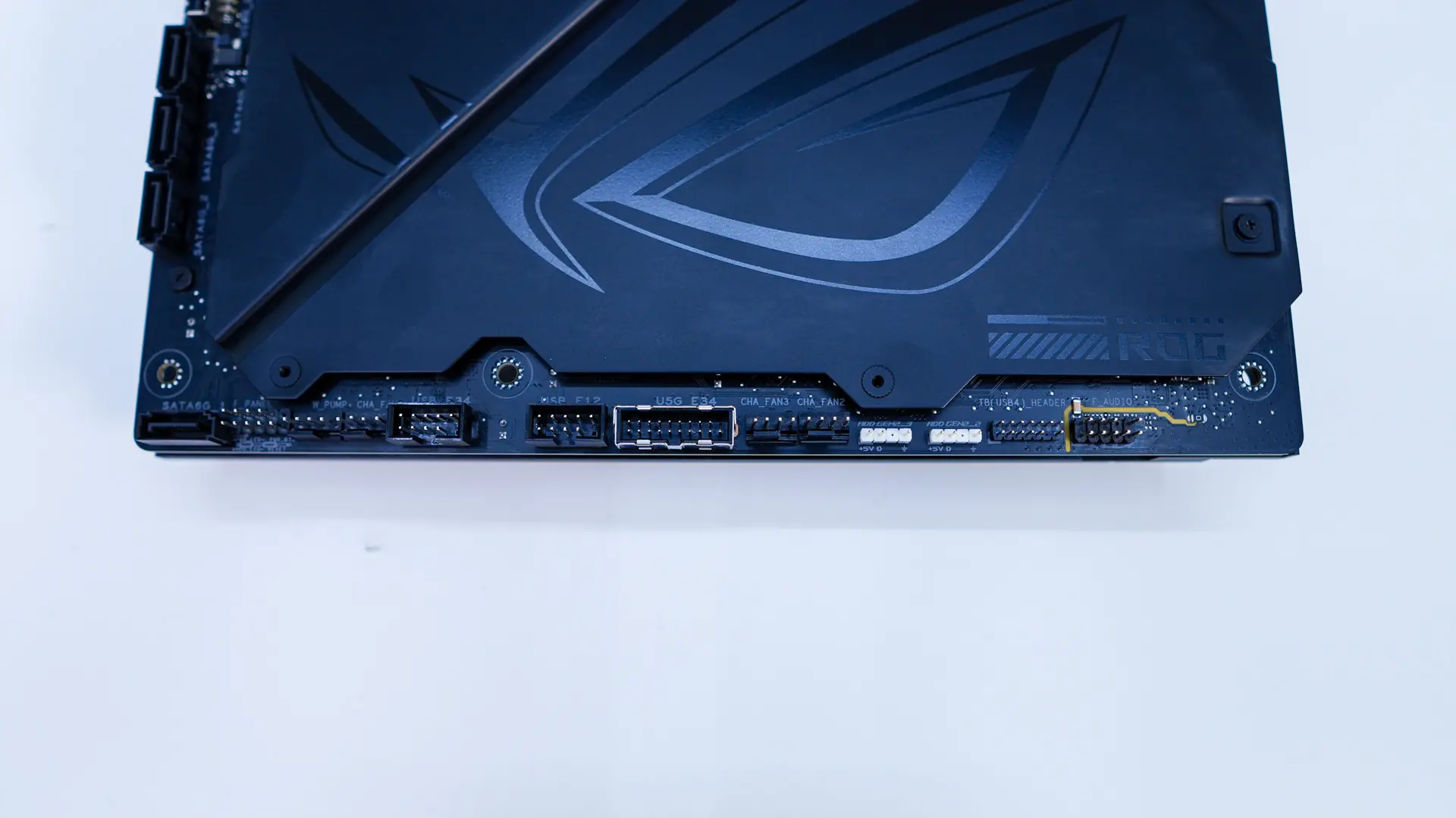
Now of course all of the headers and connections that are not on the front of the board have been moved to the back. First we can see that ASUS has wrapped the board in metal. This not only helps with rigidity of the board, but also helps cool components better.
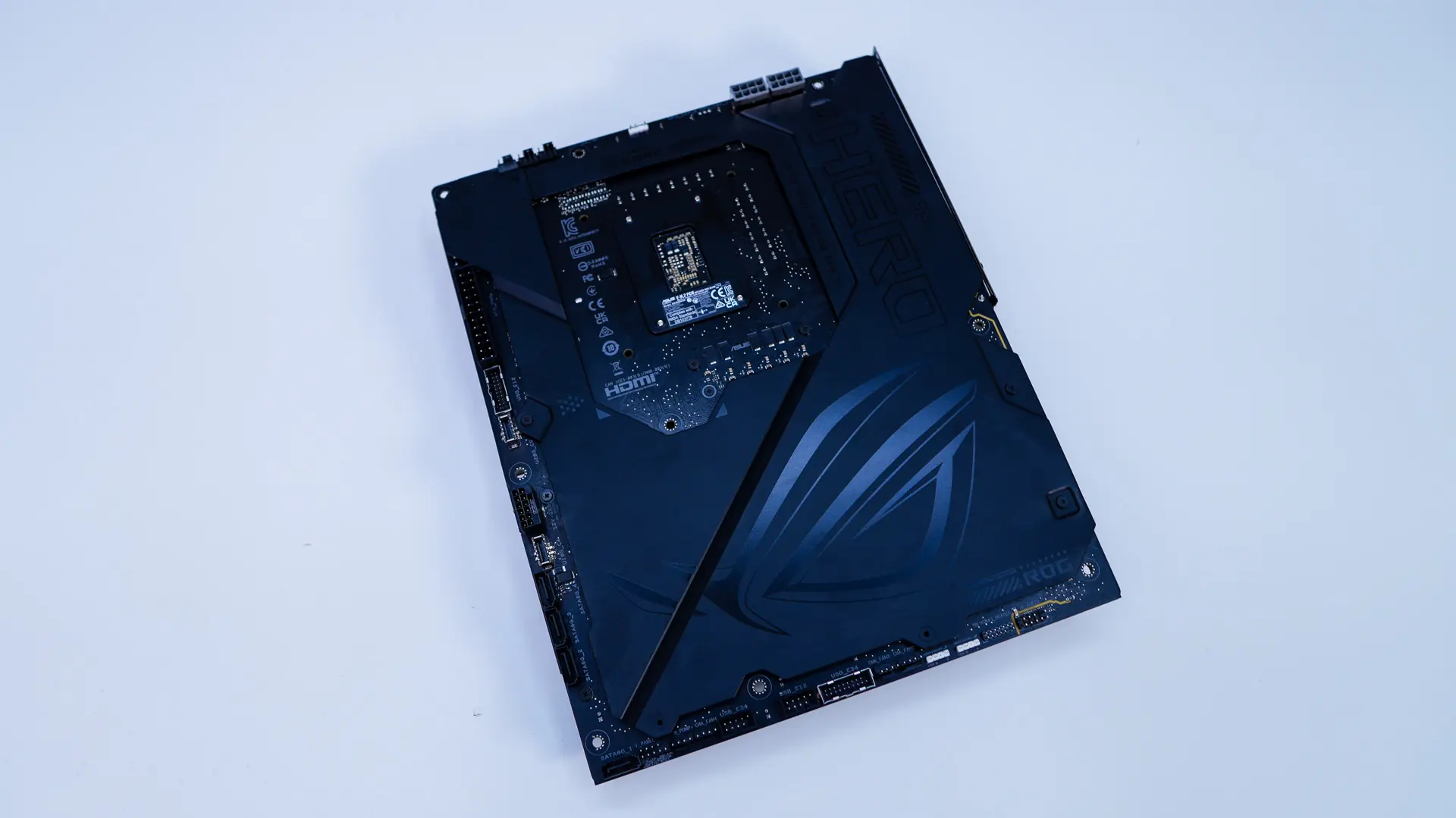
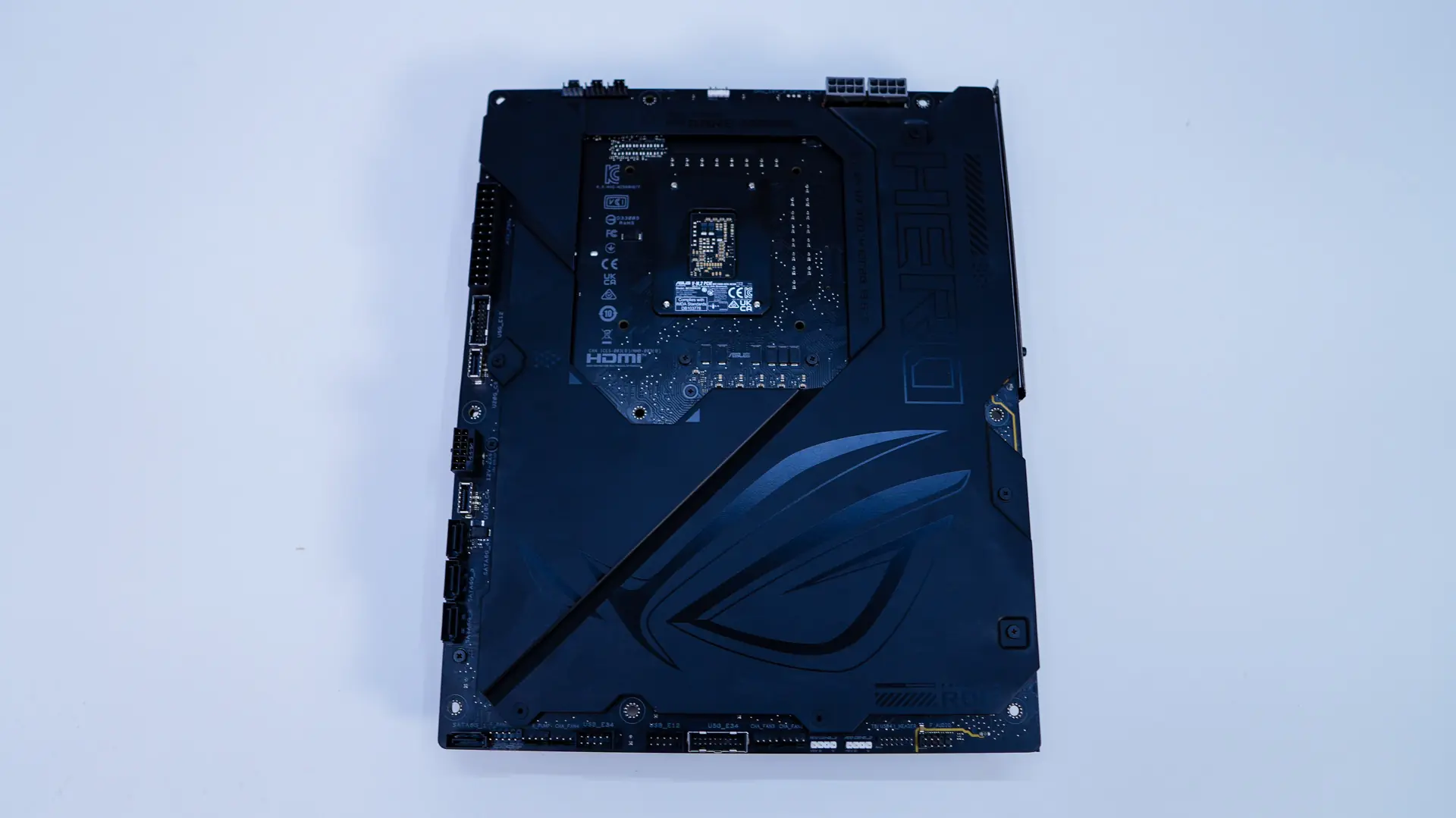
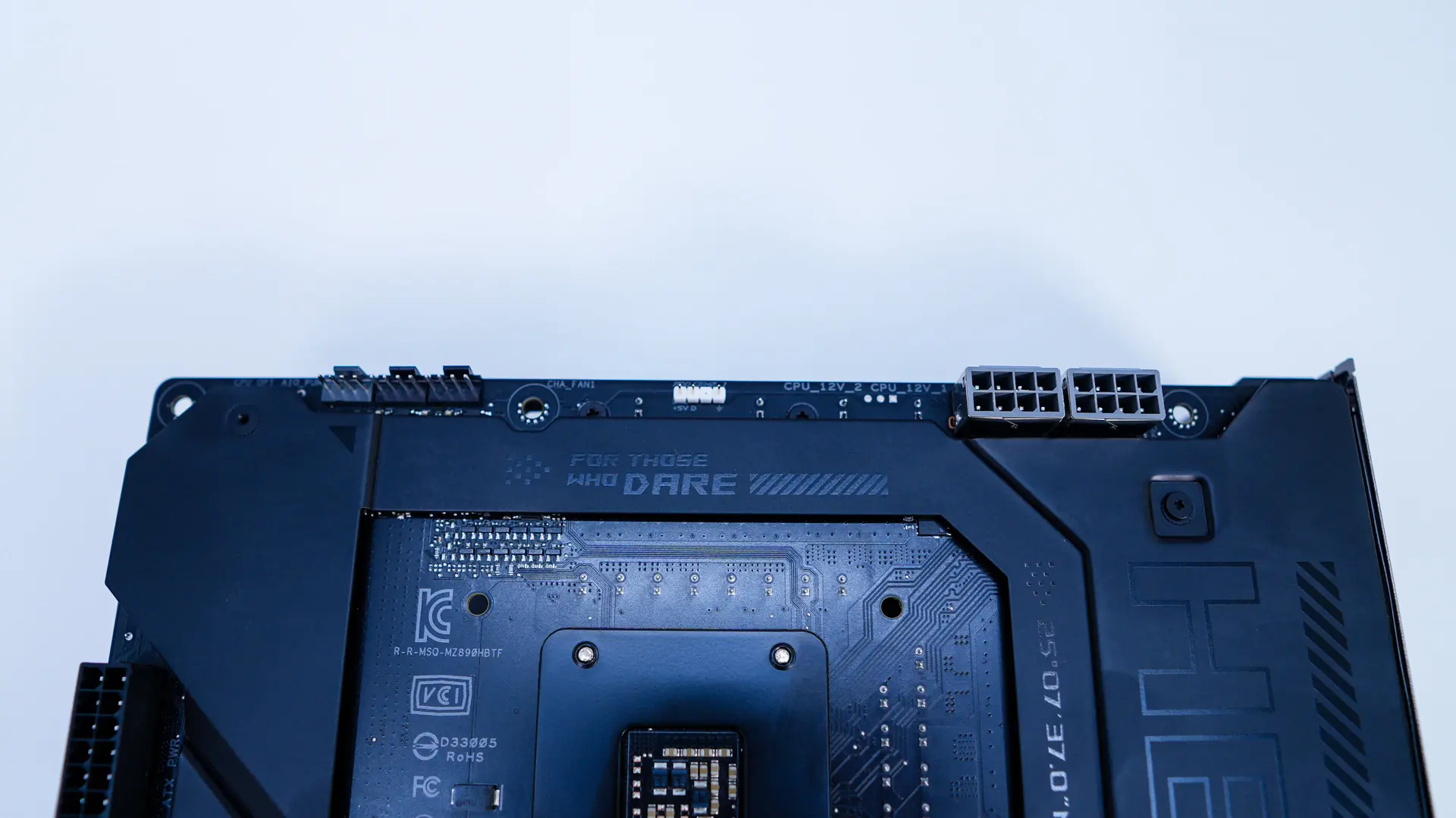
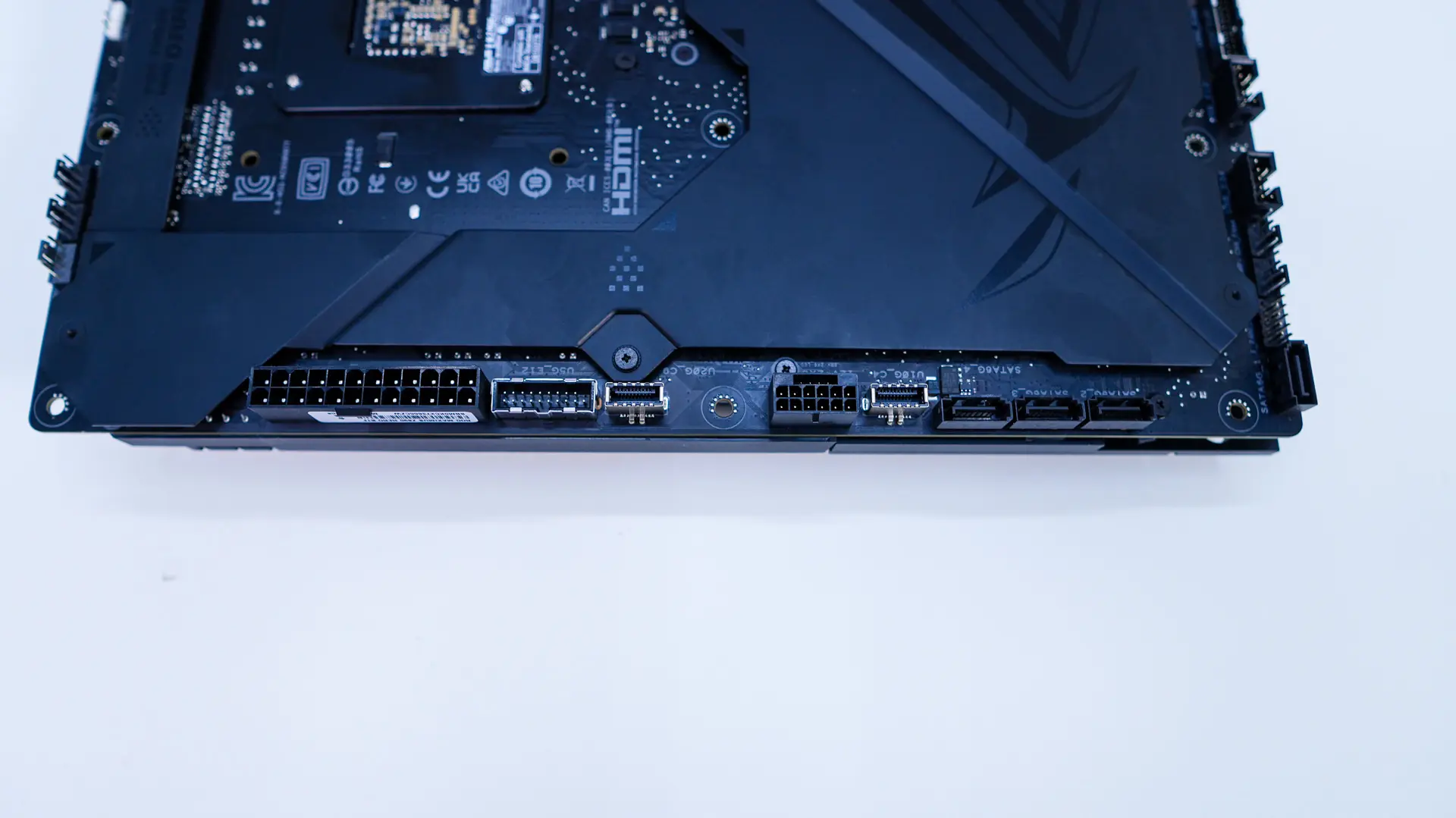
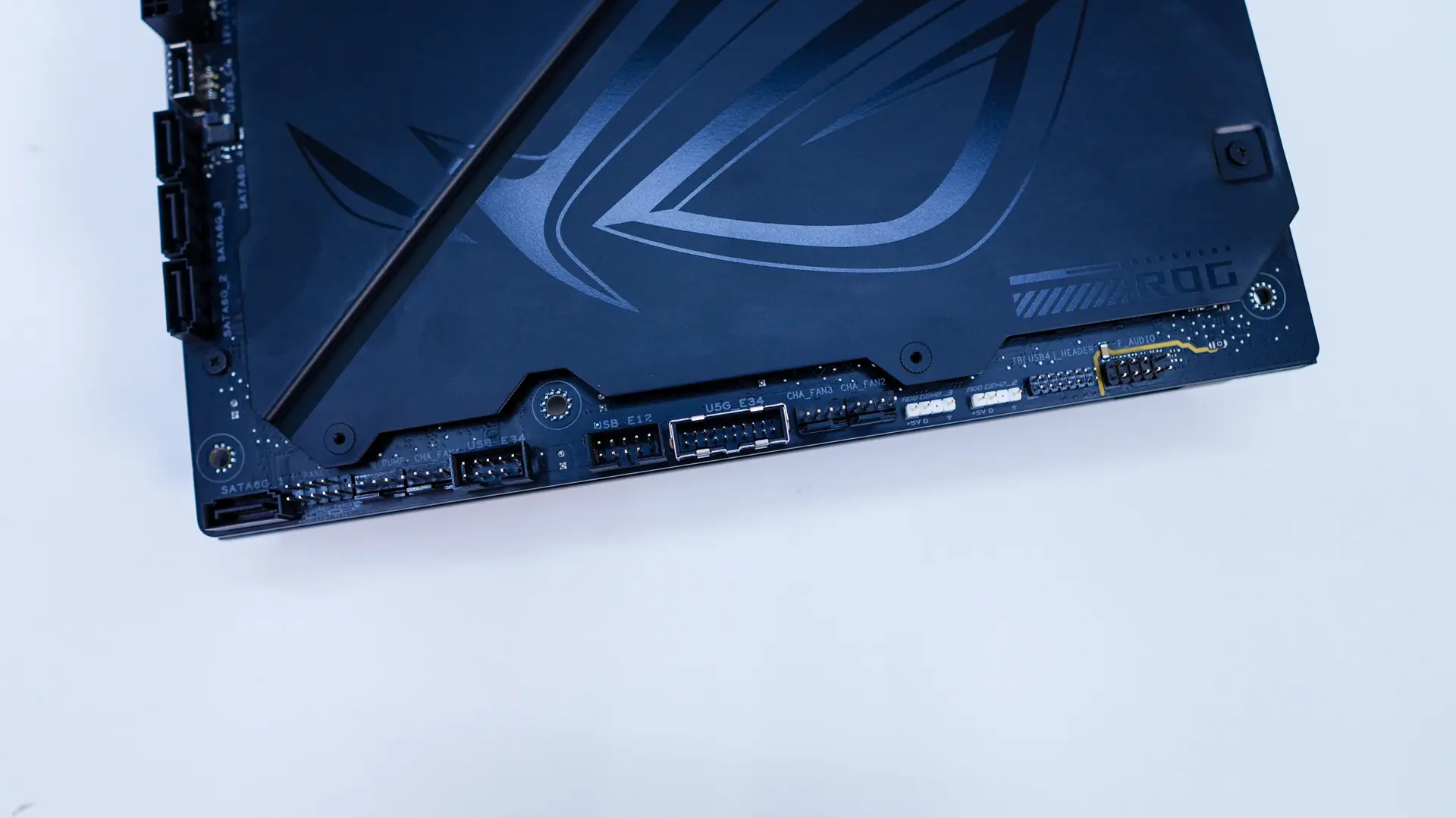
Now for our connections, across the top of the board we have our two 8-pin EPS connectors (which are metal reinforced), three 4-pin headers, and a single 3-pin addressable RGB header. When it comes to the 4-pin headers the grey header is your optional CPU fan header, then you have your AIO pump header, and then finally a normal fan header. On the edge of the board is your 24-pin ATX power connection, USB 3.2 gen 2 header, USB 3.2 gen 2×2 header, 12VHPWR power connection, USB 3.2 gen 2 header, and three SATA ports. Across the bottom of the board you’ll find another SATA port, front panel headers, two 4-pin fan headers, two USB 2.0 headers, a USB 3.2 gen 2 header, 2 more 4-pin fan headers, two 3-pin addressable RGB headers, Thunderbolt header, and finally your audio headers.
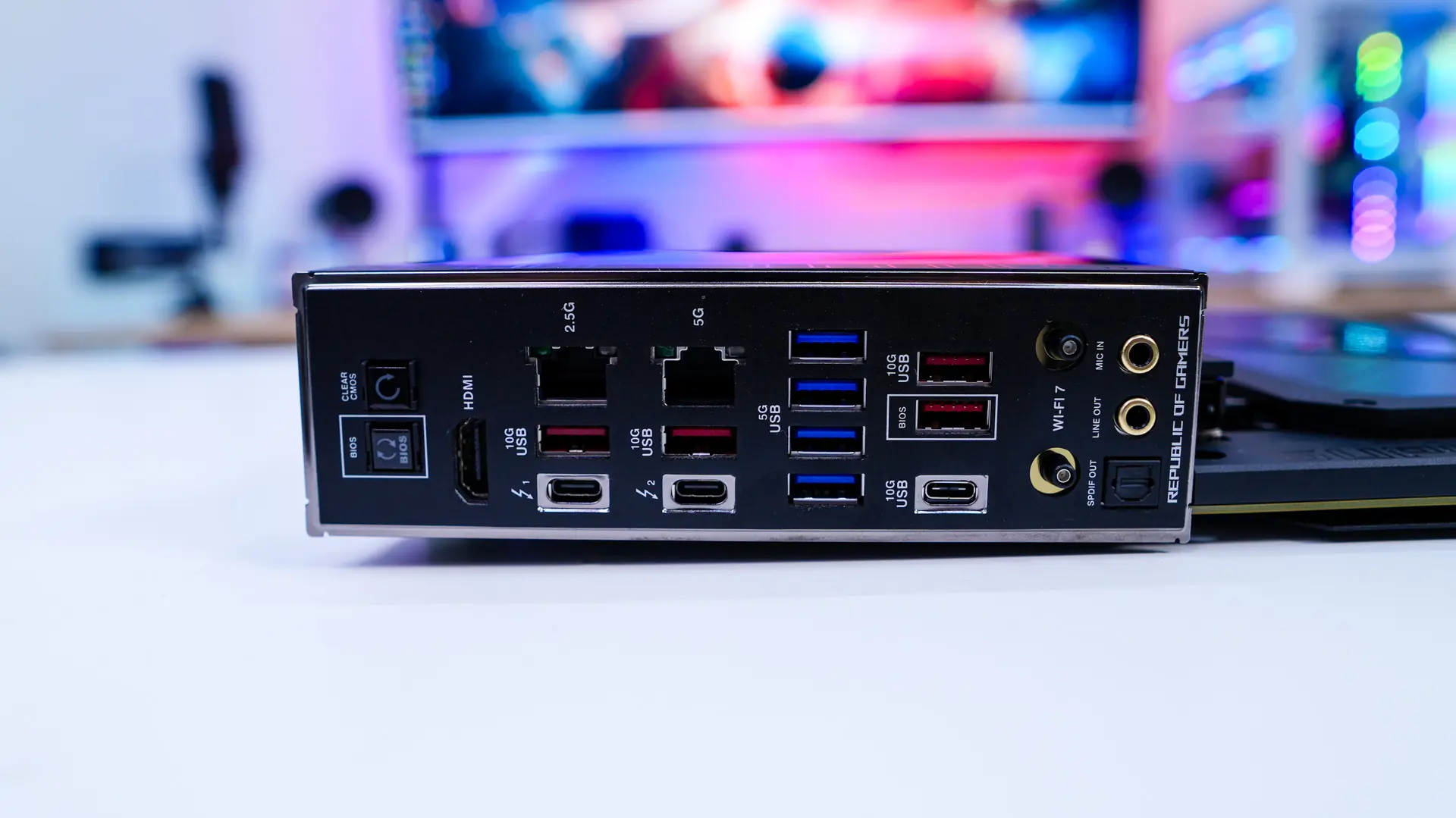
When it comes to the rear I/O we have an integrated I/O shield, which is black and simply says Republic of Gamers at the bottom. When it comes to buttons and connections on the rear I/O we have a clear CMOS button, BIOS Flashback button, HDMI, 2.5G LAN, 5G LAN, two USB 3.2 gen 2 Type-A ports, two Thunderbolt 4 USB-C ports, four USB 3.2 gen 1 Type-A ports, two more USB 3.2 gen 2 Type-A ports, a single USB 3.2 gen 2 Type-C port, WiFi 7 antenna connection, and your audio connections. Talking about those Thunderbolt 4 ports, they support Thunderbolt Share. Thunderbolt Share is quite new and allows super-fast transfers between two devices and much more! Check out this detailed blog post all about it!