Final Thoughts on the ASUS ROG STRIX B850-A Gaming WiFi Motherboard
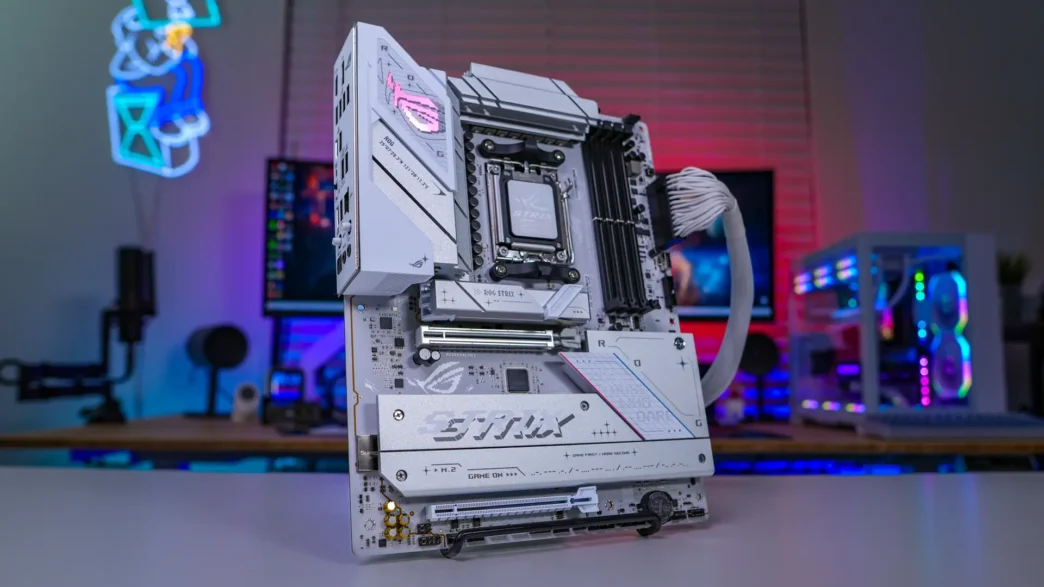
When it comes to choosing B850 over something like X870E or X870 you are going to have some sacrifices, but I think ASUS has put together a very feature-heavy board here in the ROG STRIX B850-A Gaming WiFi where you don’t feel you are missing that much.
You are going to get Gen5 support on your main graphics card slot as well as the top M.2 slot. Talking about storage you are getting a total of four M.2 slots. The bottom three are Gen4 and all of the slots make use of ASUS’s M.2 Q-Latch which makes installing your drives extremely easy and you can’t forget the top slot which has M.2 Q-Release. Keep in mind that the the bottom PCI-E slot does share lanes with the M.2_3 slot so if you do install an expansion card here that M.2 slot will be disabled.
It is really great to see USB 3.2 gen 2×2 on this board too. The rear Type-C port will be great for those super-fast USB 3.2 gen 2×2 portable solid state drives. We can’t forget WiFi 7 either, which you are getting with this board.
We’ve already talked about the DIY or ease of use features on this board when it comes to the M.2 slots, but you also get PCIe Slot Q-Release Slim which makes removing your graphics card a breeze. Finally there is the Q-Antenna which simply allows you to just plug in the WiFi 7 antenna, not more screwing in those little connectors!
Now some of those sacrifices I mentioned when it comes to this board are a slightly weaker VRM, only two SATA ports, and no USB4 / Thunderbolt 4. The big question is are those things needed or will you notice them? I think for the average user, they will appreciate the savings with this board. Talking about that, this board is selling at our favorite online retailer for $239.99. Overall ThinkComputers gives the ASUS ROG STRIX B850-A Gaming WiFi Motherboard a 9 out of 10 score.

Pros:
– Sleek white design with white PCB
– Good overall performance
– Gen5 on graphics and storage
– Four M.2 slots
– USB 3.2 gen 2×2
– WiFi 7
Cons:
– Only two SATA ports
– No USB4 / Thunderbolt 4