


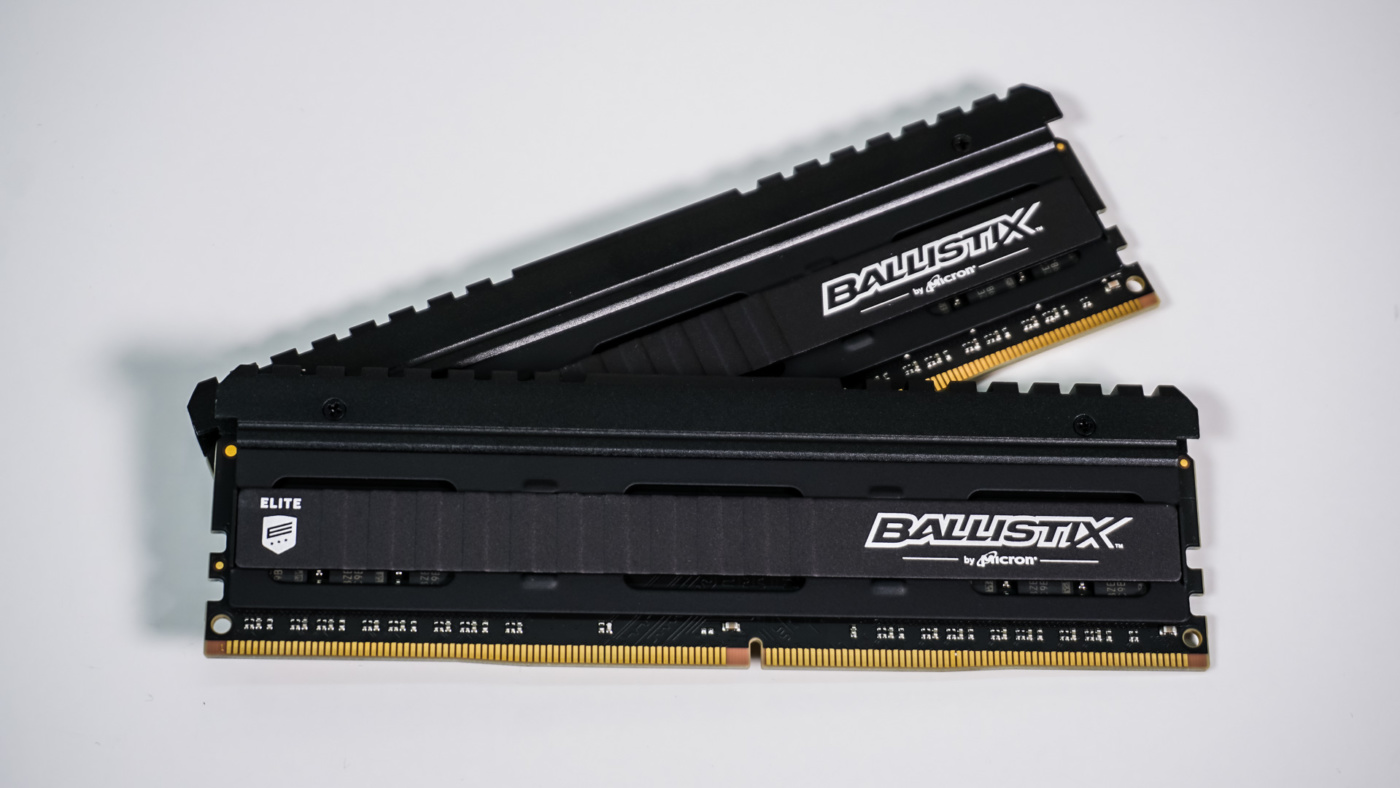
System Overview & Testing
We installed the Ballistix Elite in our Z390 test system which is made up of the following components.
Processor: Intel Core i9-9900K
Graphics Card: MSI GeForce GTX 1060 Gaming X 3GB
Motherboard: ASRock Z390 Phantom Gaming X
Memory: Ballistix Elite DDR4-3600 16GB
Storage: Zotac Premium Edition 240GB
Power: Corsair AX860i
Cooling: NZXT Kraken X52
Case: Lian Li PC-T80
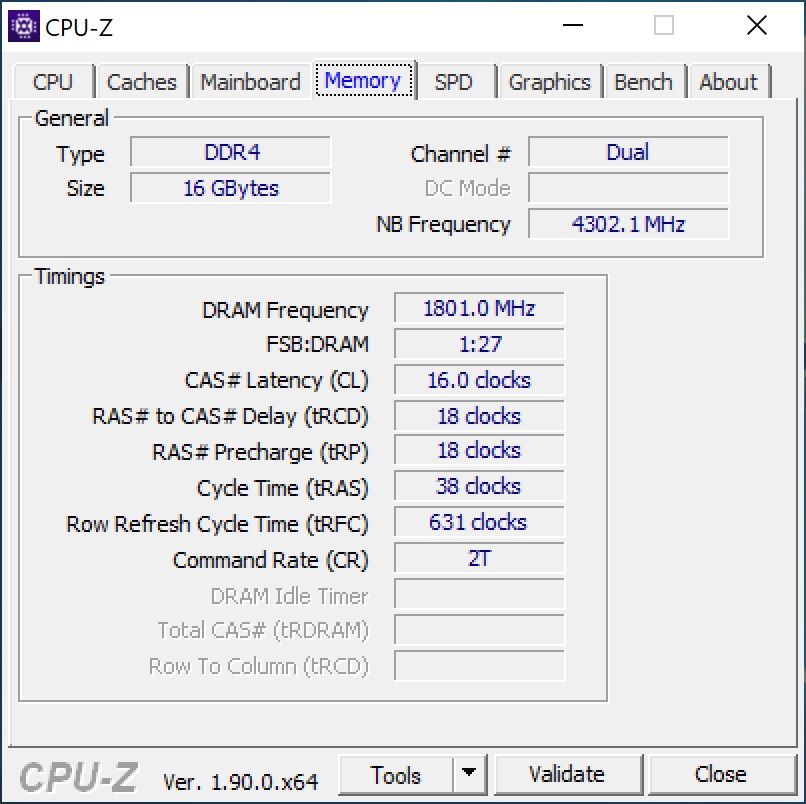
Taking a look at CPU-Z we can see this memory is running at its XMP profile, operating at 3600 MHz with timings of 16-18-18-38 at 1.35V.
For testing we will run the memory at its stock or XMP profile settings using the below benchmarking software. We will then run the tests again our overclock of 3600 MHz. Below is a list of benchmarking software that we use.
– SiSoftware Sandra Memory Bandwidth Benchmark
– SiSoftware Sandra Cache & Memory Latency Benchmark
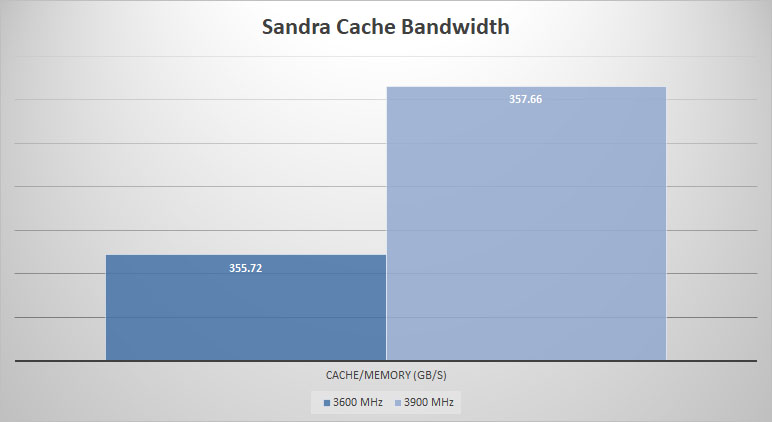
– SiSoftware Cache Bandwidth Benchmark
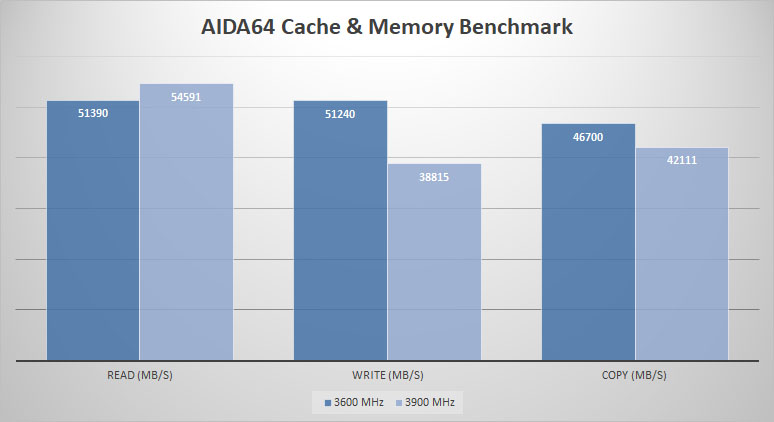
– AIDA64 Cache & Memory Benchmark
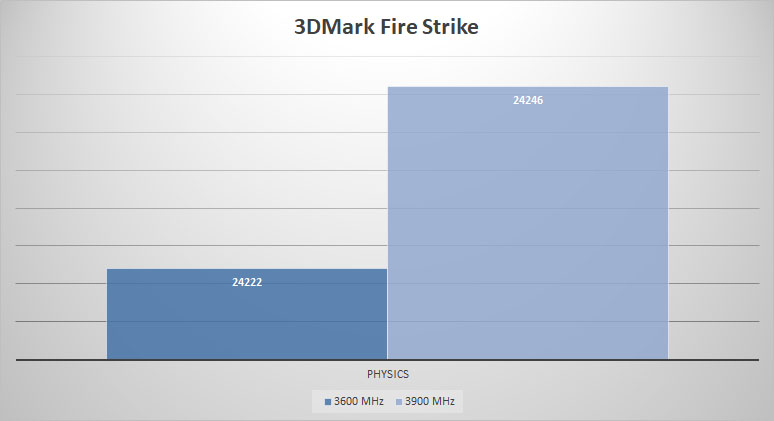
– 3DMark Fire Strike Physics test
Now let’s get to testing!
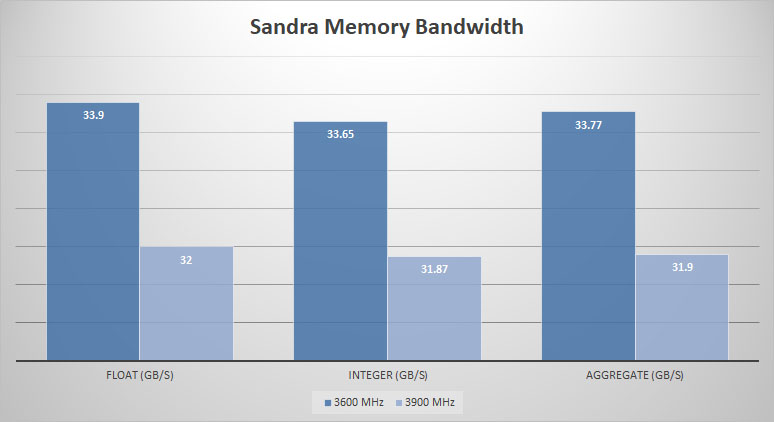
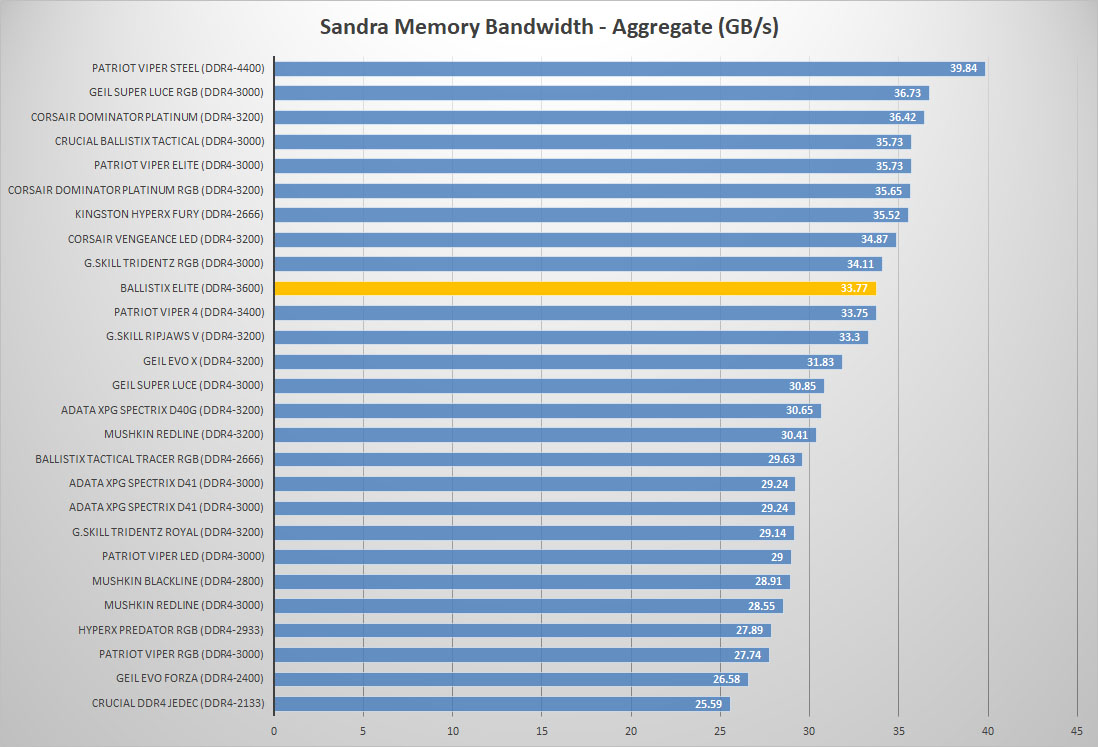
To start things off we have SiSoftware’s Sandra. The first test is the Memory Bandwidth benchmark. Higher scores are better here.
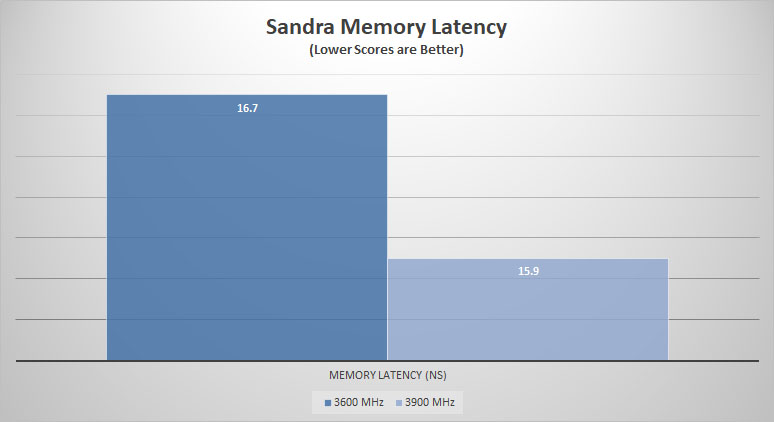
Next we have Sandra’s Cache & Memory Latency benchmark that will measure the memory kits latency. Lower scores are better here.
Our final Sandra test is the Cache bandwidth test. Higher scores are better here.
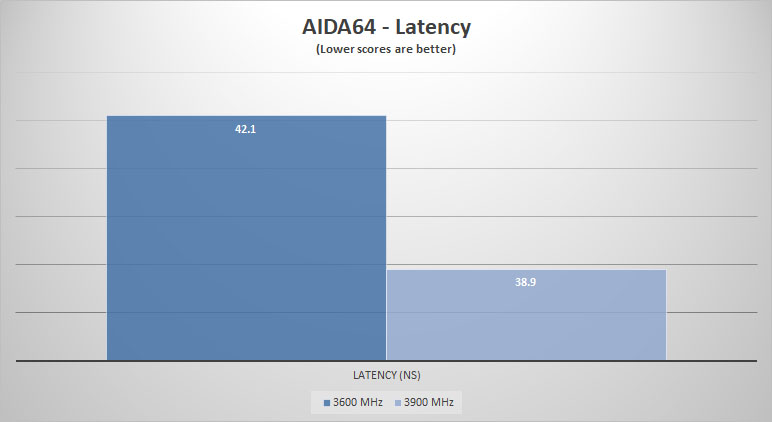
AIDA64 has a built in Cache & Memory benchmark that measures read, write, copy and memory latency. For the read, write and copy higher scores are better, for latency lower scores are better.
Finally we wrap things up with 3DMark’s Fire Strike benchmark. We will be taking the Physics score from our benchmark as it will change the most when you change memory speed. Again, higher scores are better here.
So how does this DDR4 compare to other RGB modules we’ve tested lately?
I really appreciate seeing a high-performance kit that doesn’t look like a Christmas tree. I’m glad you mentioned the built-in thermal sensor and the M.O.D. utility for real-time monitoring—that’s a feature I wish more brands would prioritize over flashy lights.
From my own experience setting up home lab clusters with older Infiniband cards https://serverorbit.com/hba-and-controllers/infiniband and dedicated HBA controllers, heat management is always the biggest headache. These high-throughput cards can run incredibly hot, and when they’re sitting right next to the memory slots in a cramped chassis, having that extra telemetry on the RAM is a lifesaver. It really helps when you’re trying to figure out if a random crash is due to aggressive timings or if your HBA is just dumping too much heat onto the DIMMs. I’ve definitely had a few “stealth” builds where the lack of RGB actually made cable management around those bulky controller cards a lot cleaner, too.
Do you think the inclusion of a thermal sensor will eventually become standard for high-frequency kits, or will it remain a niche feature for “elite” lines like this?