Testing the Cooler Master Elite Liquid 240
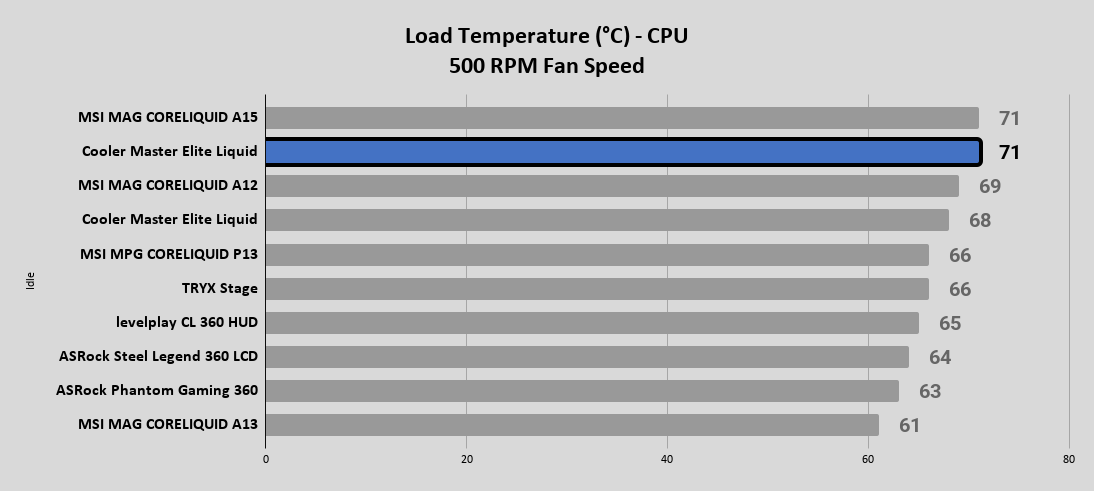
With the recent move to a new test bench setup, it is time to update the list of components below. Additionally, we are trying out a new set of testing which still involves monitoring the system while both idling and under load, which now includes set fan RPM levels to see how fan speed and the noise associated, plays into a cooler’s performance.
The following components are used for our AIO cooling testing.
CPU: AMD Ryzen 7 7600X
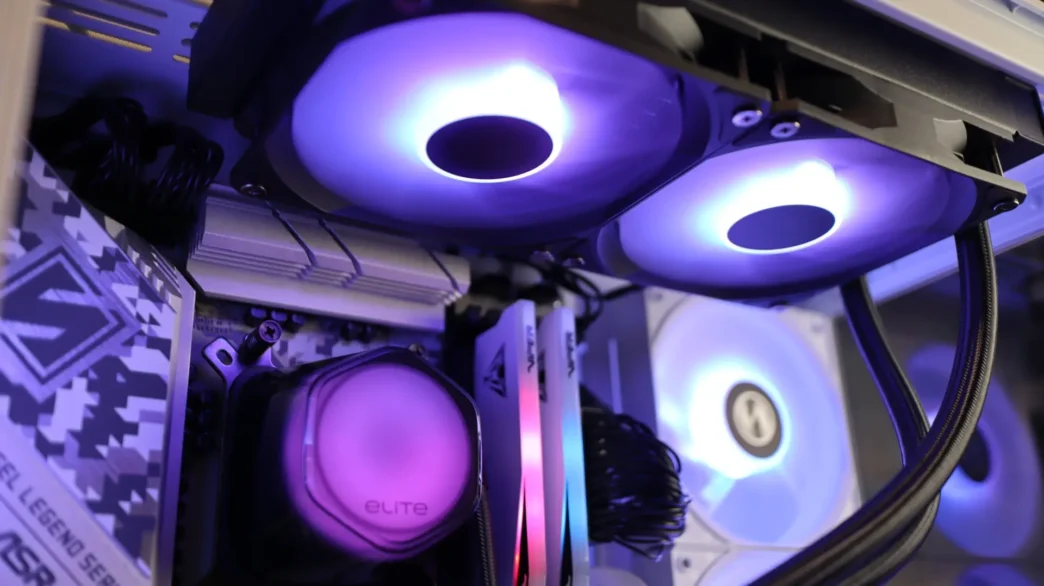
Cooling: Cooler Master Elite Liquid 240
Motherboard: ASRock B650 Steel Legend WiFi
Graphics Card: PowerColor Red Devil Radeon RX 580
Memory: Patriot Viper Gaming Elite 5 DDR5 6400MT/s 48GB
Storage: Patriot Viper VP4300 Gen4 PCIe NVMe 1TB SSD
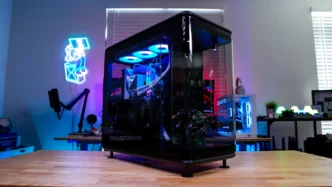
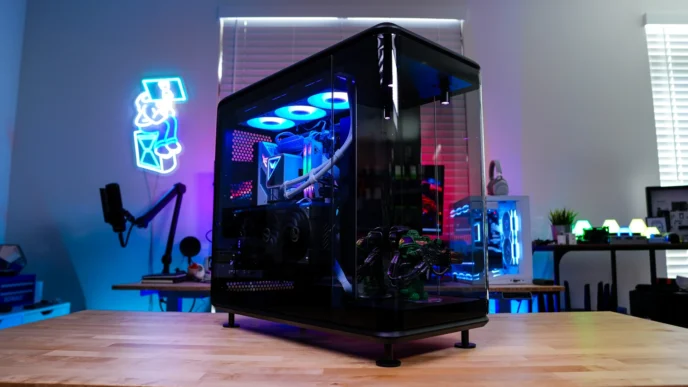
Case: Lian Li Vector V100
Power: EVGA G5 750W
List of coolers being compared:
– Cooler Master Elite Liquid 240
– MSI MAG CORELIQUID A15 360
– Cooler Master Elite Liquid 360
– MSI MAG CORELIQUID A12 240
– ASRock Steel Legend 360 LCD
– MSI MAG CORELIQUID A13 360
– TRYX Stage
– ASRock Phantom Gaming 360 LCD
– levelplay CL 360 HUD
– MSI MPG CORELIQUID P13
Please note: As we continue to test additional AIOs on this new test bed, this table will be updated in order to show comparisons to additional coolers.
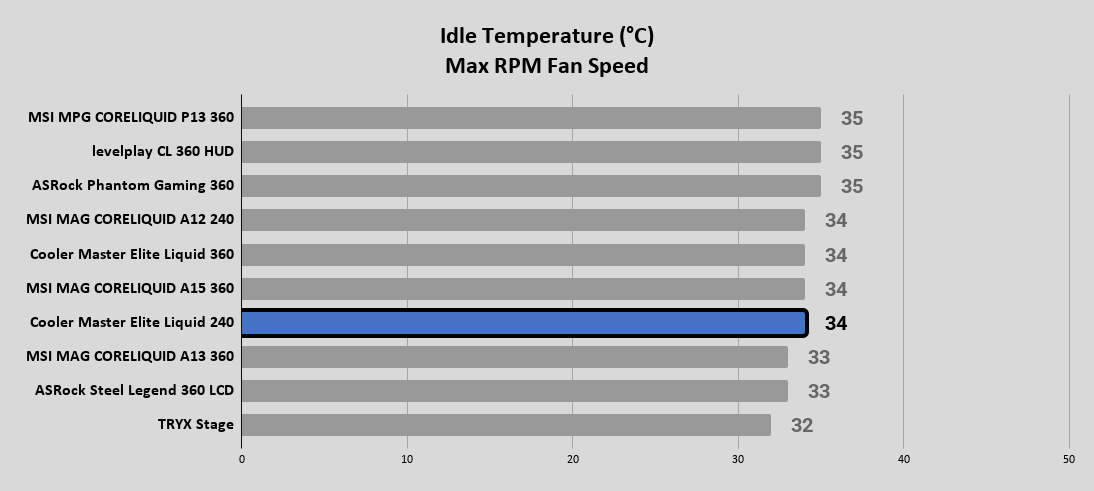
For performance testing we will first test idle temperatures. These are taken on the Windows 11 desktop an hour after the system has been turned on.
Idle
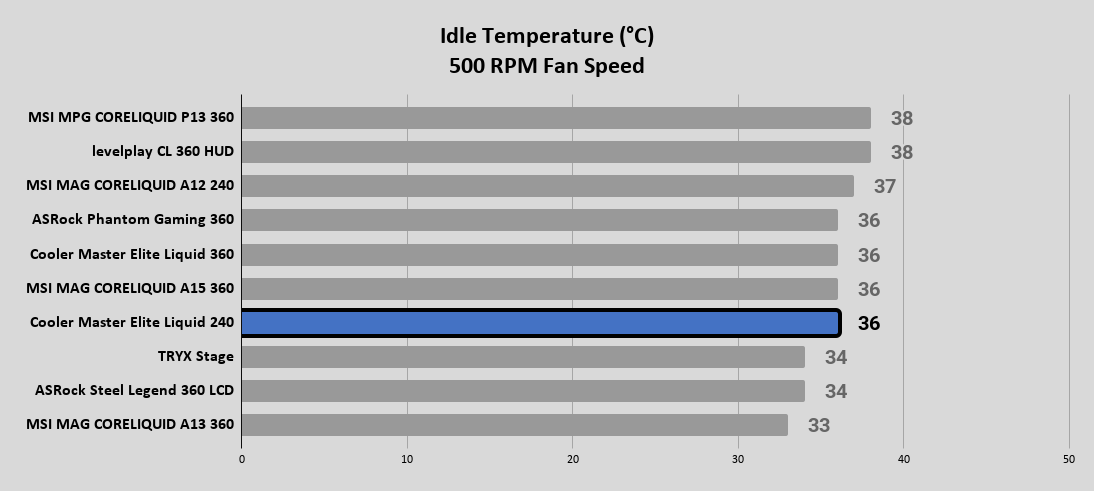
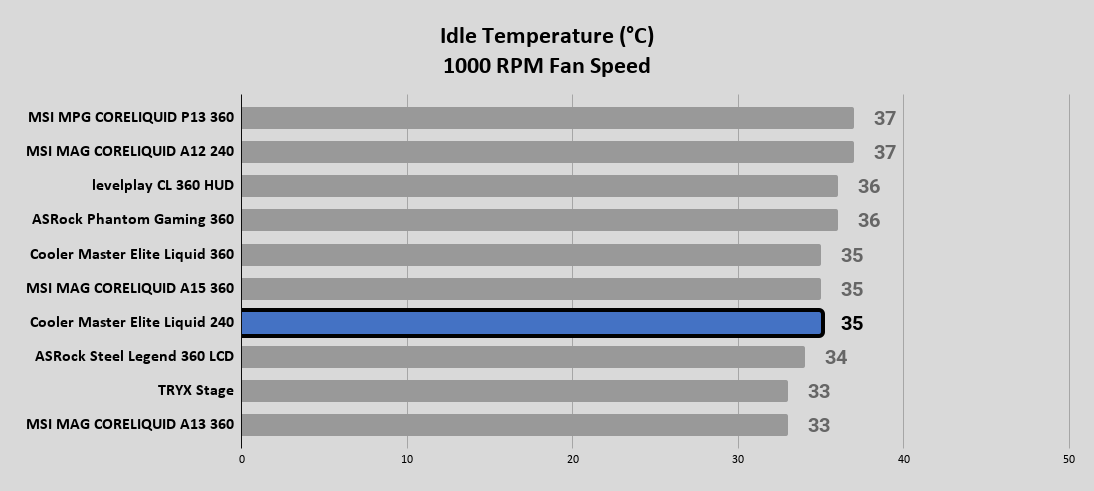
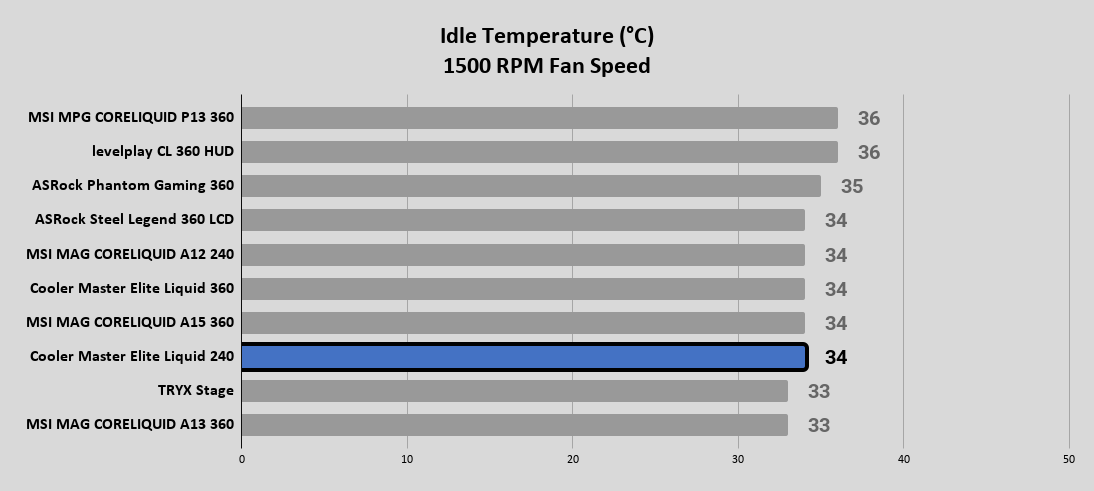
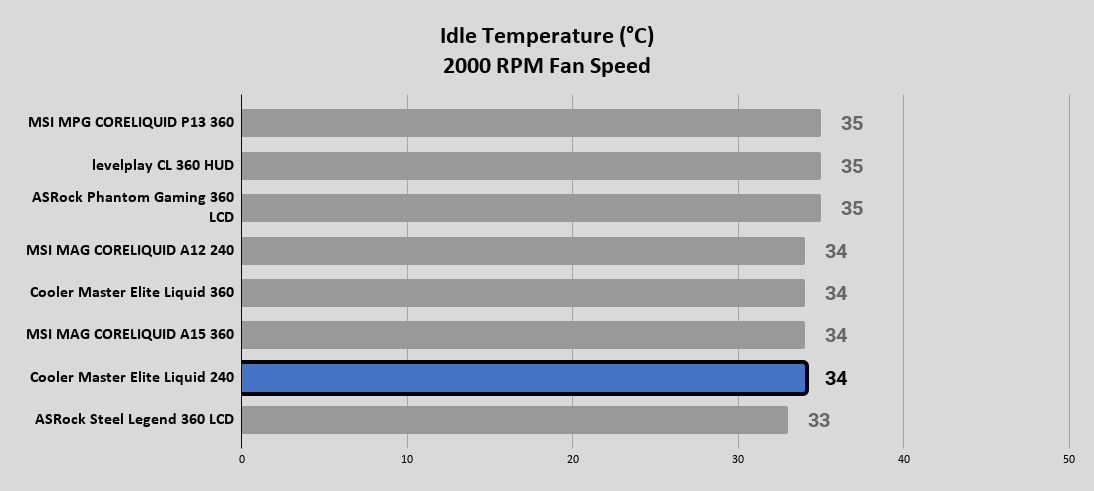
AIDA64 Load (CPU Only)
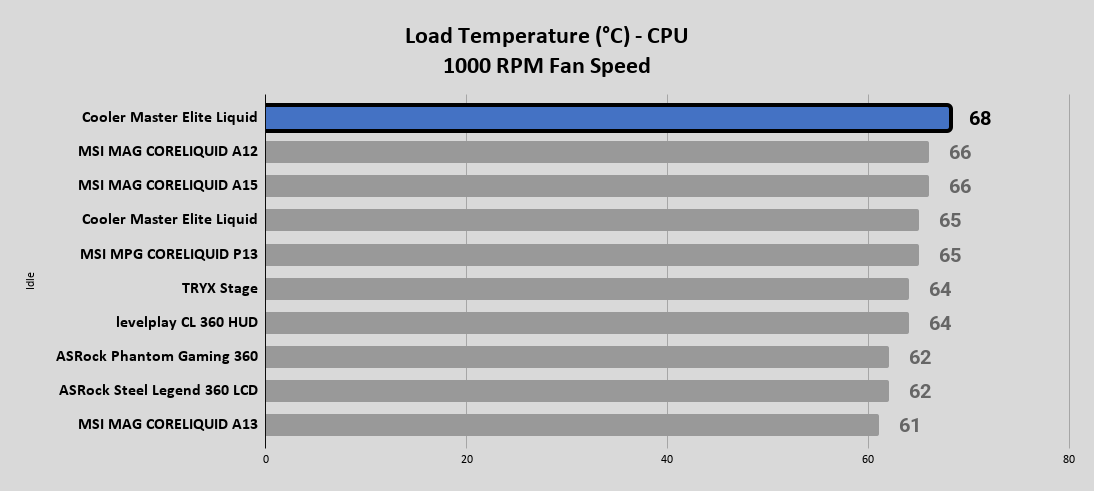
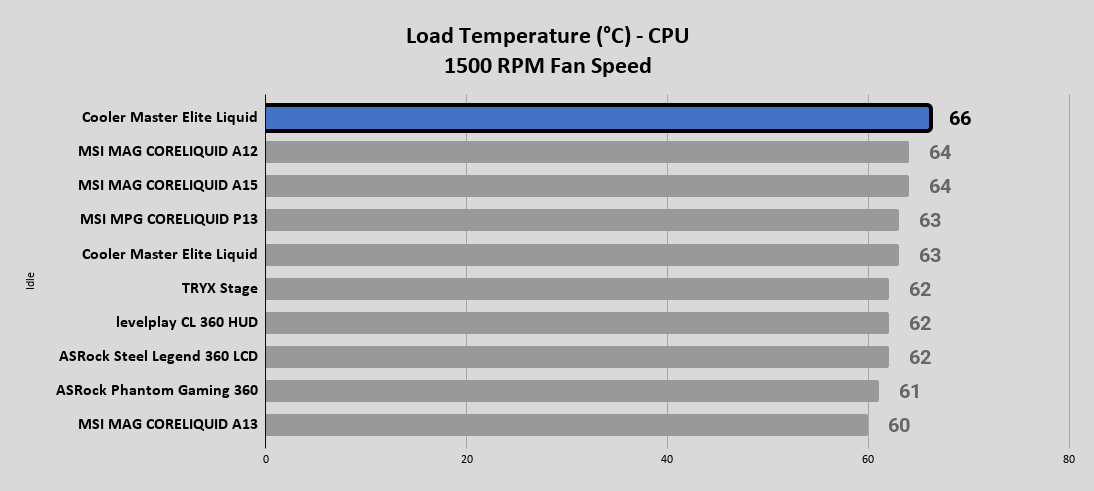
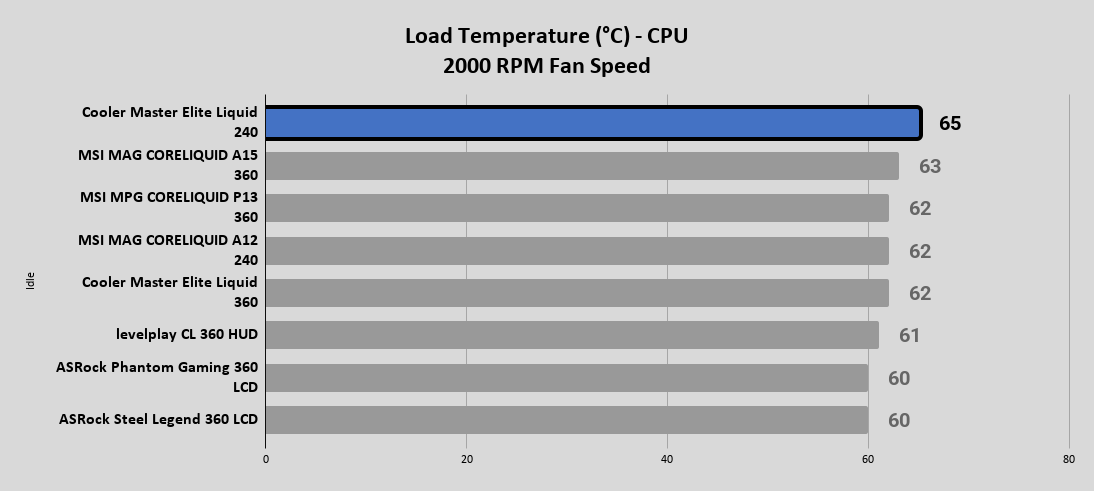
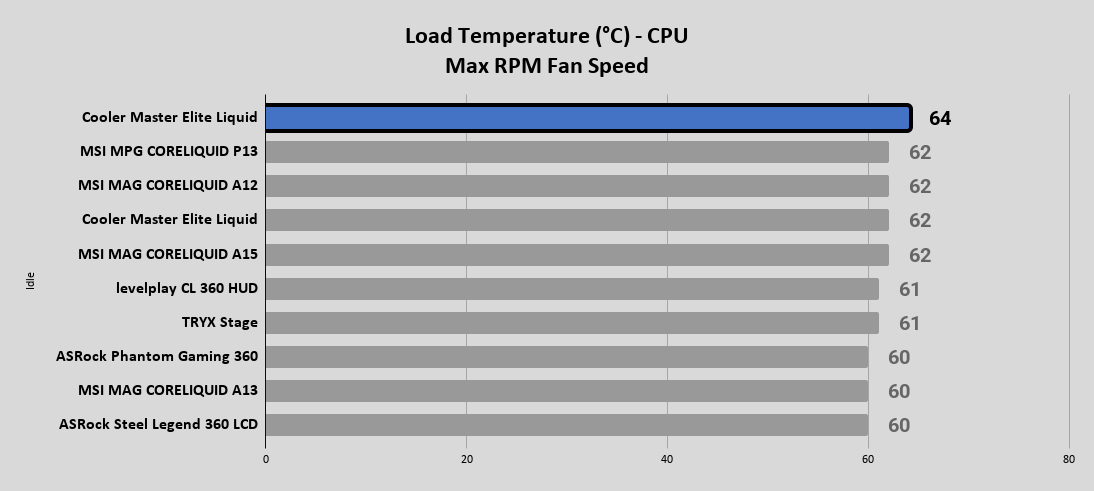
AIDA64 Load (CPU & FPU)
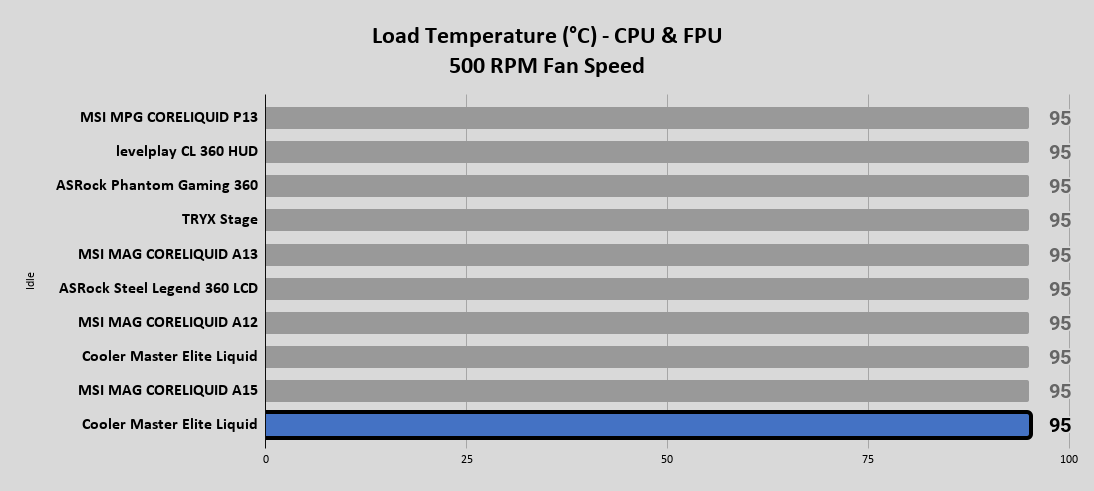
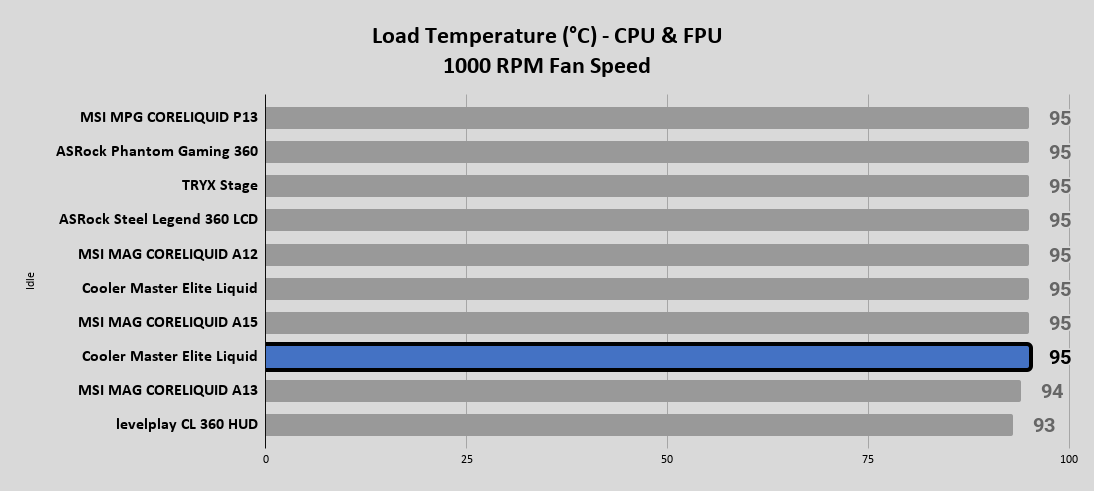
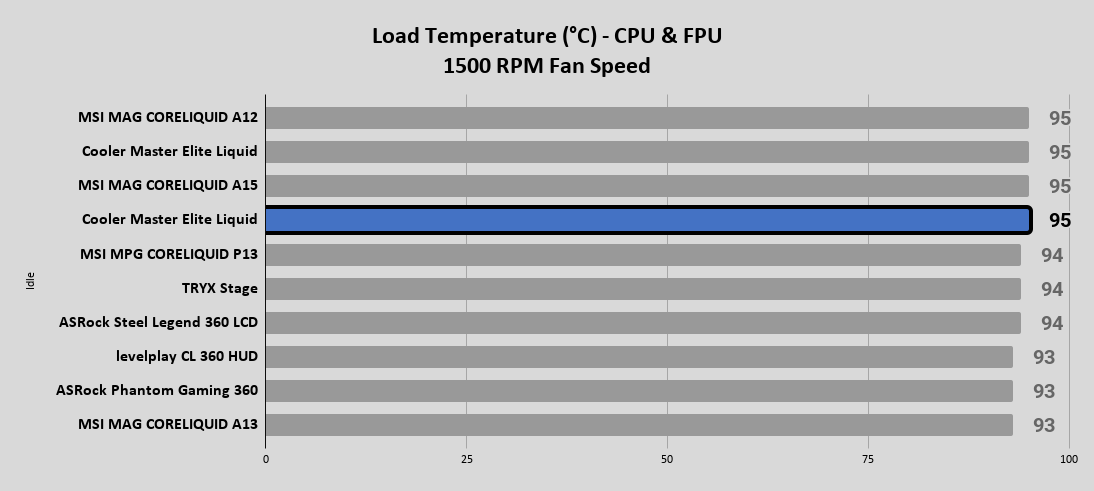
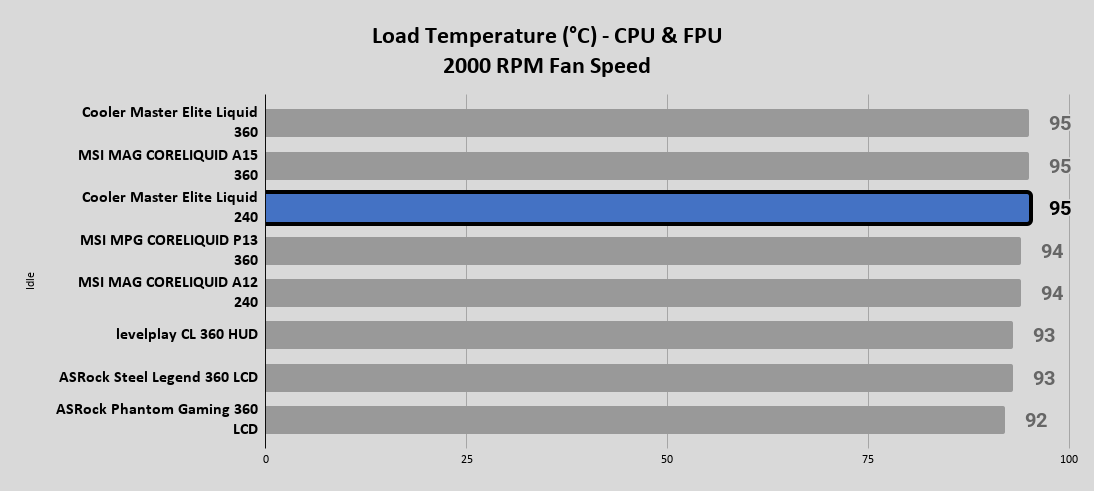
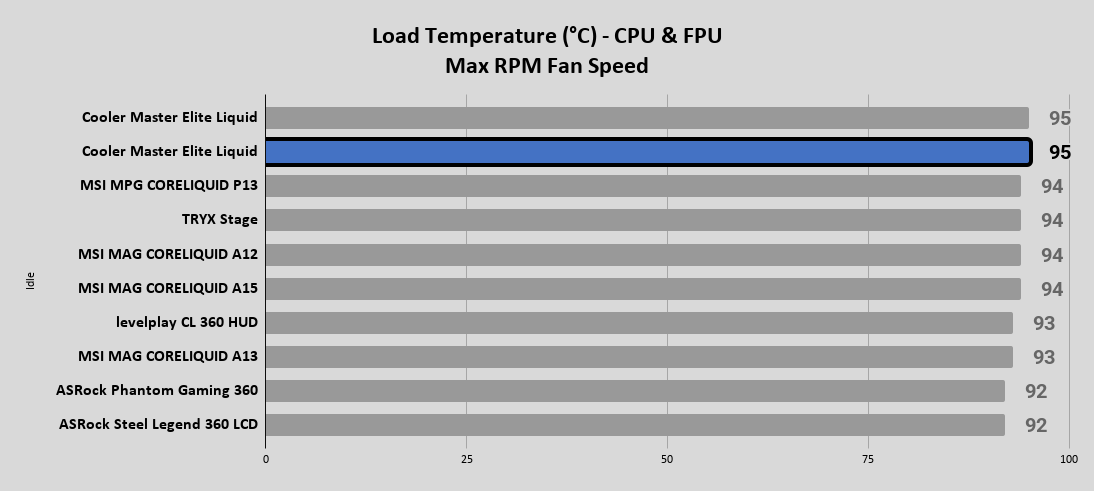
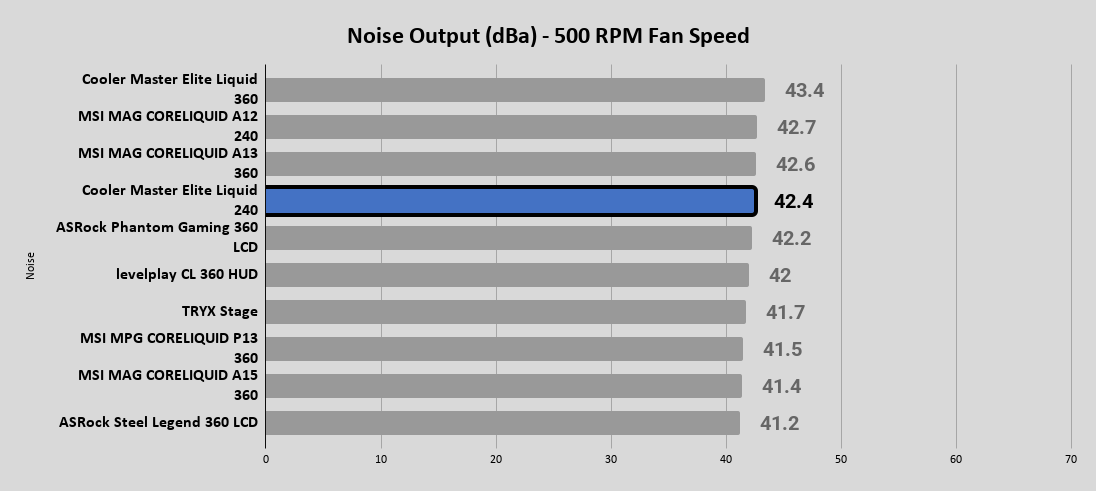
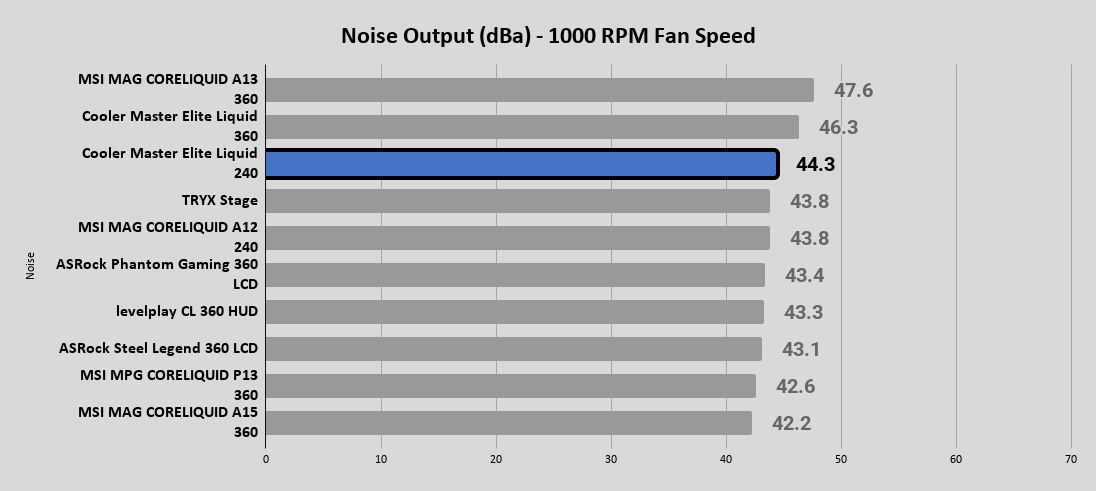
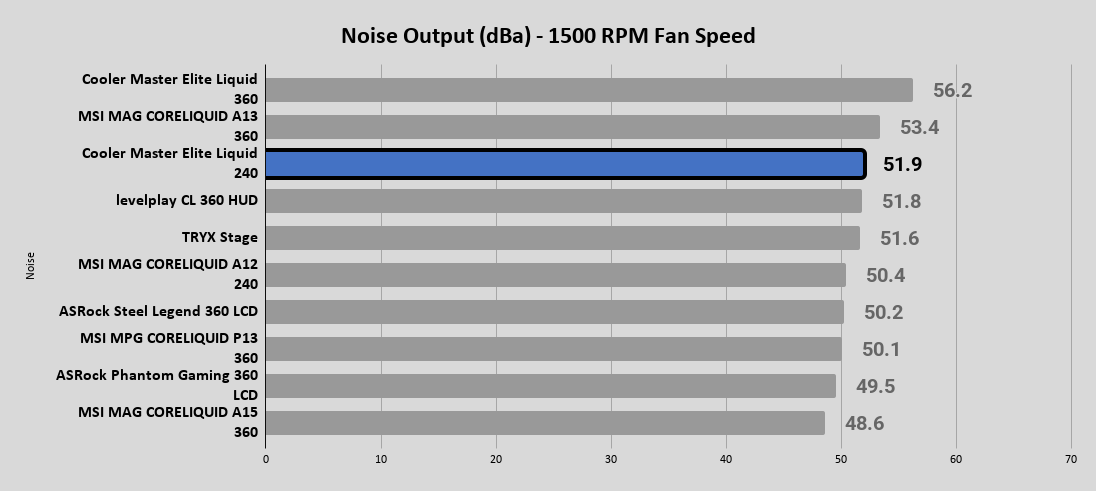
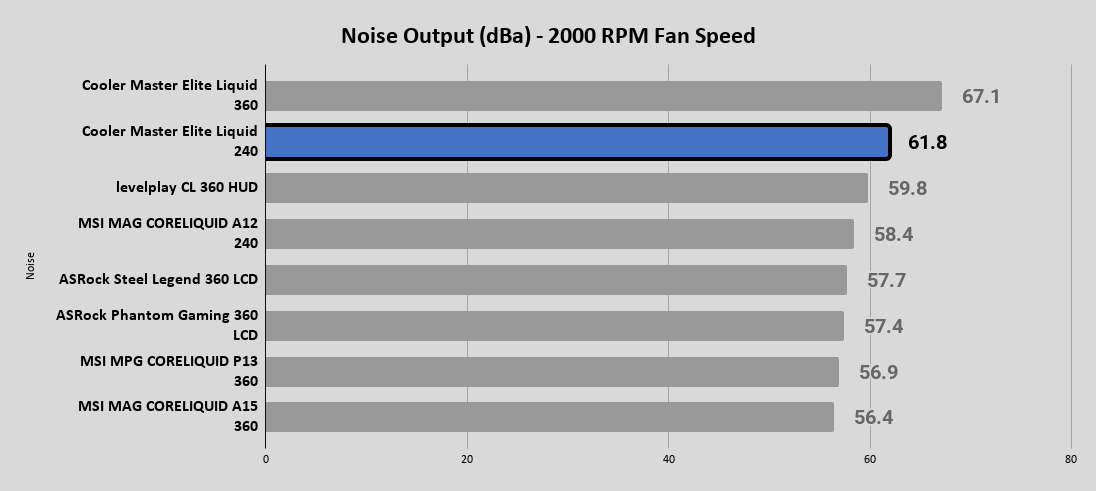
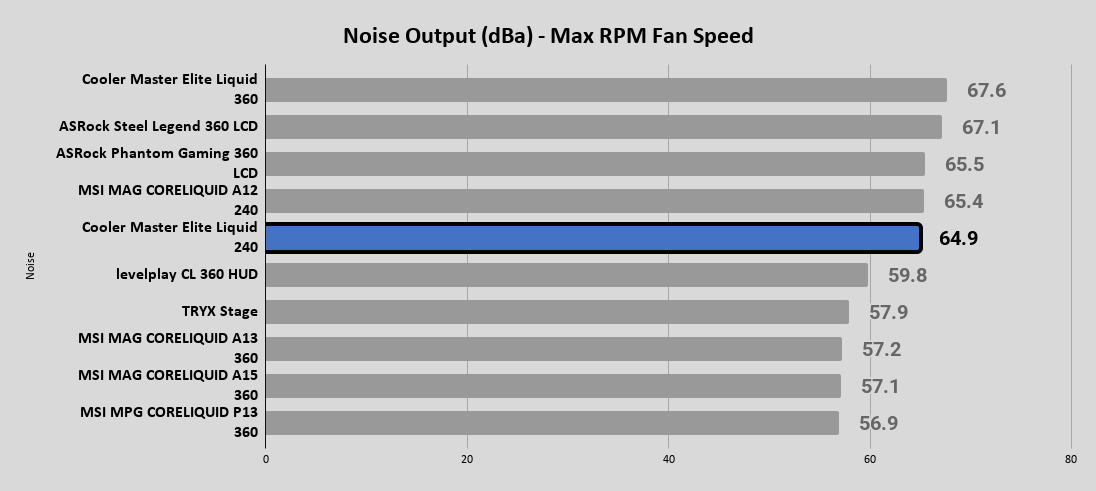
In addition to the different temperature readings across the various fan speeds, we are now also including noise output readings as well. This is important information that can help you find a nice balance of performance to noise output for your system.
Noise Output