Final Thoughts on the HYTE CNVS Intense Play Mat
RGB mouse pads are nothing new, we’ve actually reviewed a handful over the years. But like I said at the beginning of this review HYTE does things differently and this mouse pad is a lot different than other similar offerings.
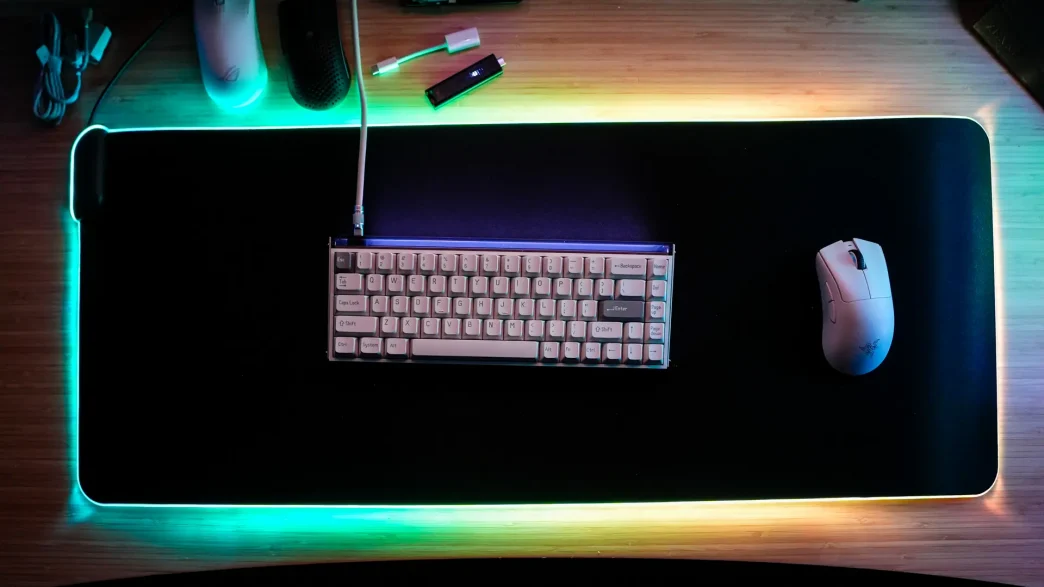
First it is not just a mouse pad, but an entire desk mat where both your keyboard and mouse will sit. This is going to give a very unified look to your setup, which I think most people who are considering the CNVS will appreciate. On top of that this desk mat is both liquid and stain resistant, so you won’t have to worry about ruining the mat if you spill something on it.
The star of the show here is of course the lighting and I have to say it is the best I’ve seen on a mousepad. It is extremely bright and unlike other mouse pads I’ve reviewed there are no “dead spots” where the RGB lighting runs out. On top of that you really get ultimate customization with HYTE’s Nexus software. I do wish there was a physical button on the CNVS itself to maybe cycle through a few different modes without having to install the software.
Also it is worth noting that once I installed Nexus, my motherboard’s (ASUS ROG Crosshair VIII Extreme) RGB lights started flashing and even if I disabled the motherboard RGB in Nexus they would not change. I had to fully uninstall Nexus for them to go back to normal. I am not sure if this is an incompatibility with my motherboard or conflict with ASUS’s Aura Sync software.
This is of course a mouse mat so how is the performance? I have to say the top coating on the CNVS really gives it a speed feel as my mouse glides effortlessly across it, much better than the standard mouse mat I was using previously.
HYTE launched the CNVS for $119.99, but have since dropped the price to $99. But interestingly enough you can actually pick up the CNVS on Amazon for $39.99! At that price you really can’t go wrong! Overall ThinkComputers gives the HYTE CNVS Intense Play Mat an 8 out of 10 score.

Pros:
– Large size (900 x 370mm)
– Best lighting I’ve seen on a mouse pad
– Get overall performance
– Water and stain resistant
– Good price (on Amazon)
Cons:
– Nexus software made my motherboard’s RGB flash and I couldn’t change it
– No physical button on the mousepad to switch effects (so you don’t need Nexus)