


Final Thoughts
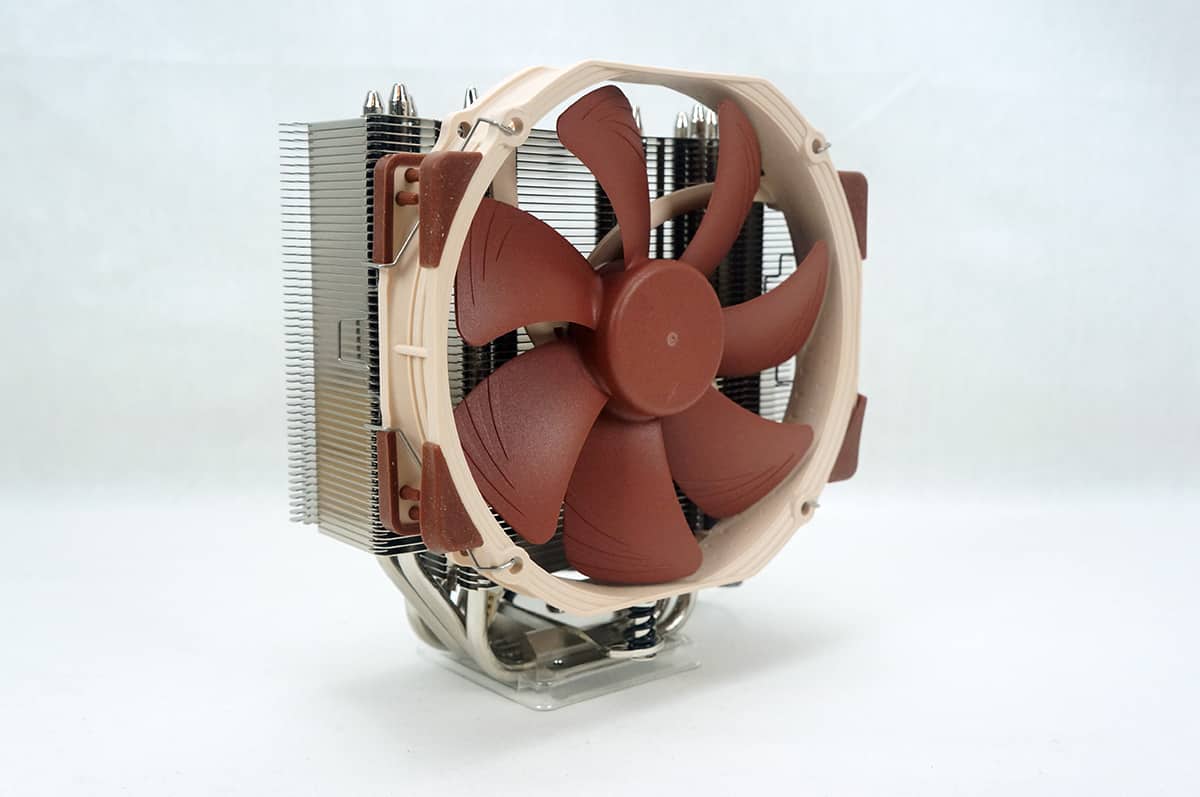
So did Noctua accomplish what they were setting out to do with the NH-U14S? I would say so! One problem many people have always had with aftermarket CPU coolers is getting them to fit with memory that has larger heatspreaders. Since most enthusiast memory comes with large heatspreaders this can be a problem. Well not with the NH-U14S. Even in our LGA 2011 system we had no issues fitting our RAM in, even with both fans installed on the NH-U14S.
Having a CPU cooler that has room for RAM is great, but if it does not perform then what is the point? Well you don’t have to worry about that with the NH-U14S. It is the best performing air CPU cooler that we have tested in 2013! With temperatures that rival many entry-level all-in-one liquid cooling systems you really cannot go wrong with this cooler. Also the fans are whisper quiet.
Another really important thing when it comes to CPU coolers is how easy they are to install. No one wants to be trying to install a CPU cooler for a long time. Like many previous Noctua CPU coolers the NH-U14S is extremely easy to install. It took us about 7 minutes to get it completely installed. Not that bad at all right? The SecuFirm2 mounting system that Noctua uses is one of the best in the business and just makes things easier, even for first time builders.
Right now the Noctua NH-U14S is selling for $78, which makes it one of the more expensive air coolers out there. Looking at the price thats about the same as many liquid CPU coolers and this air cooler performs up to par with those, is easier to install and the fans are quieter. Also when you are purchasing a Noctua it is quality and has the accessories to match. Overall ThinkComputers gives the Noctua NH-U14S CPU Cooler a 10 out of 10 score and our Editor’s Choice Award!


Pros:
– Amazing performance
– Easy installation
– NT-H1 thermal compound included
– Quiet operation
– Can add a second fan if you want
Cons:
– None that I found


Great cooler….oh wait….it won’t mount in an East/West direction on AMD processors..that eliminates an entire segment of the PC users…..lame…so nothing to see here…move along…
Not sure what you mean by East/West, but it mounts on AMD the same way as Intel, with the fans blowing out the back of the case.
this is on the Noctua website under FAQs…
“Can the cooler be installed turned by 90° on AMD sockets?
No.
The new SecuFirm2™ mounting system for AM2, AM2+ and AM3 uses the same
standardised hole spacing as the Intel system and thus allows for a much
easier installation, but the cooler cannot be installed turned by 90°.”
Reaaaaly wanted one of these for Christmas and was disappointed, so I got a Phanteks ph-tc14pe…
Paul, I think the AMD mounting does install the cooler with the East/West direction (with the cooler fan inline with the rear case fan). I agree the FAQ is kind of confusing and I think Noctua may have even put the wrong photo in to illustrate the AMD SecuFirm2 mounting. Anyway looking at the install directions and an AMD install video on Youtube by Ali Karar, I believe skinnypupp is correct.
I actually had a rep from Noctua USA Emailed me a while back and said no….bummer..obviously he was wrong…..it looks and performs sweet…sigh…went ahead and got a Phanteks ph-tc14pe…as there is only a few degrees difference depending on the web site, so I will see how it works…sorry for coming off like a butt….
Way too much thermal paste, only a rice grain-sized amount!