Usage & Final Thoughts on the be quiet! Dark Mount Gaming Keyboard
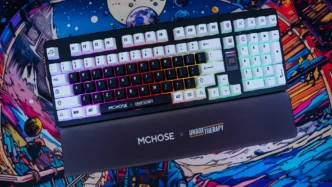
I’ve been using the Dark Mount for the past few weeks and I have to say I am quite blown away by it. I have not spent too much time with silent keyboards, but I might be converted. There is something about the satisfying feel of the linear switches without the normal thock we are used to. I mean don’t get me wrong I love the thocky and clicky sounds of keyboards, but silent just has a whole different feel for me. If you are wondering how quiet this keyboard actually is below is a sound test and we do compare against the ASUS ROG Azoth Extreme which makes use of the ROG NX Snow linear switches.
be quiet! Dark Mount
ASUS ROG Azoth Extreme
As you can tell the Dark Mount is extremely quiet. Which means if you did want to use this in an office setting you totally could! Beyond just how quiet this keyboard is, it is extremely comfortable as well. The typing as well as gaming experience is great! This has a lot to do with the triple-layer dampening system be quiet! has used and also the foam added into the spacebar keycap. Using the keyboard just feels smooth, natural, and not stiff at all. I’m actually going to be sad to move away from this keyboard to test out other keyboards we have in to review!
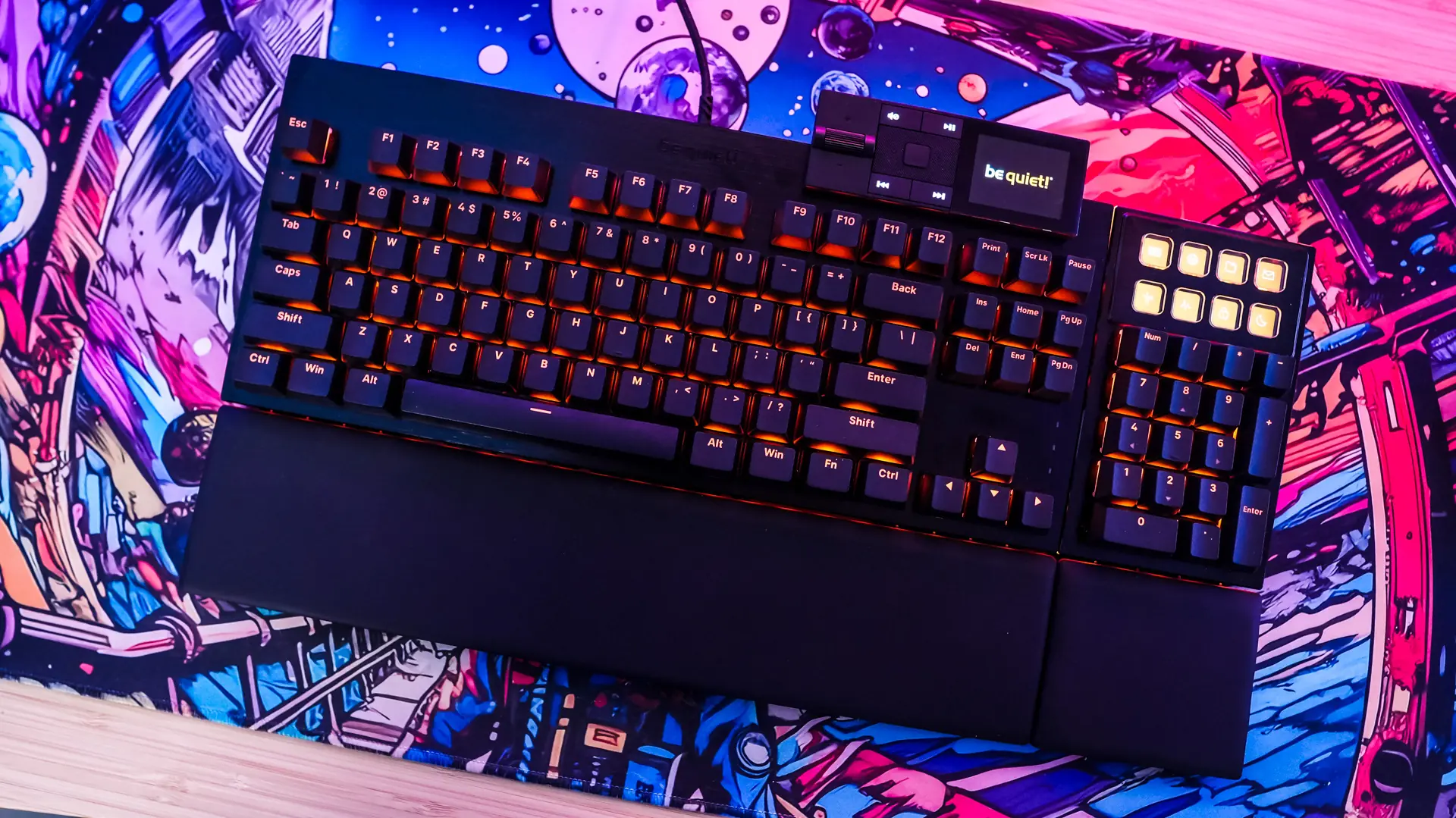
We can’t forget about the modularity of this keyboard either! You have the main part of the keyboard which is a TKL keyboard, but then you have the number pad, which you can attach to either side of the keyboard. If you don’t want to use the number pad you don’t have to either. I would have liked to have seen the ability to use the number pad as a standalone unit though. The numberpad has the eight display keys on it, which is great for shortcuts and other things. I’ve honestly never liked how these keys feel on any product that has had them. They just feel stiff and unnatural. The media dock is a nice addition to the keyboard too, I wish it supported animations though.
I really like that more brands are moving away from software that you have to download and opting for web-based software to configure devices. While be quiet! does offer web-based configuration for the Dark Mount, it does have less functionality than the desktop app. Both are easy enough to navigate so you can reprogram the keyboard, change the lighting settings, etc.
All in all I think be quiet! has a very solid keyboard in the Dark Mount. Right now you can pick it up at our favorite online retailer for $254.90, which is a bit steep, but understandable considering what all you are getting and the fact that this keyboard is going to be a great keyboard for both gaming and work. Overall ThinkComputers gives the be quiet! Dark Mount Gaming Keyboard a 9 out of 10 score.

Pros:
– Very comfortable for both gaming and typing
– Super quiet
– Modular parts
– Display keys on the number pad
– RGB lighting
– Web-based configuration available (but limited)
Cons:
– Media dock display does not support animations
– USB connection on keyboard is recessed
– Price