


Testing
We will be testing the Pure Rock in our Intel X79 system.
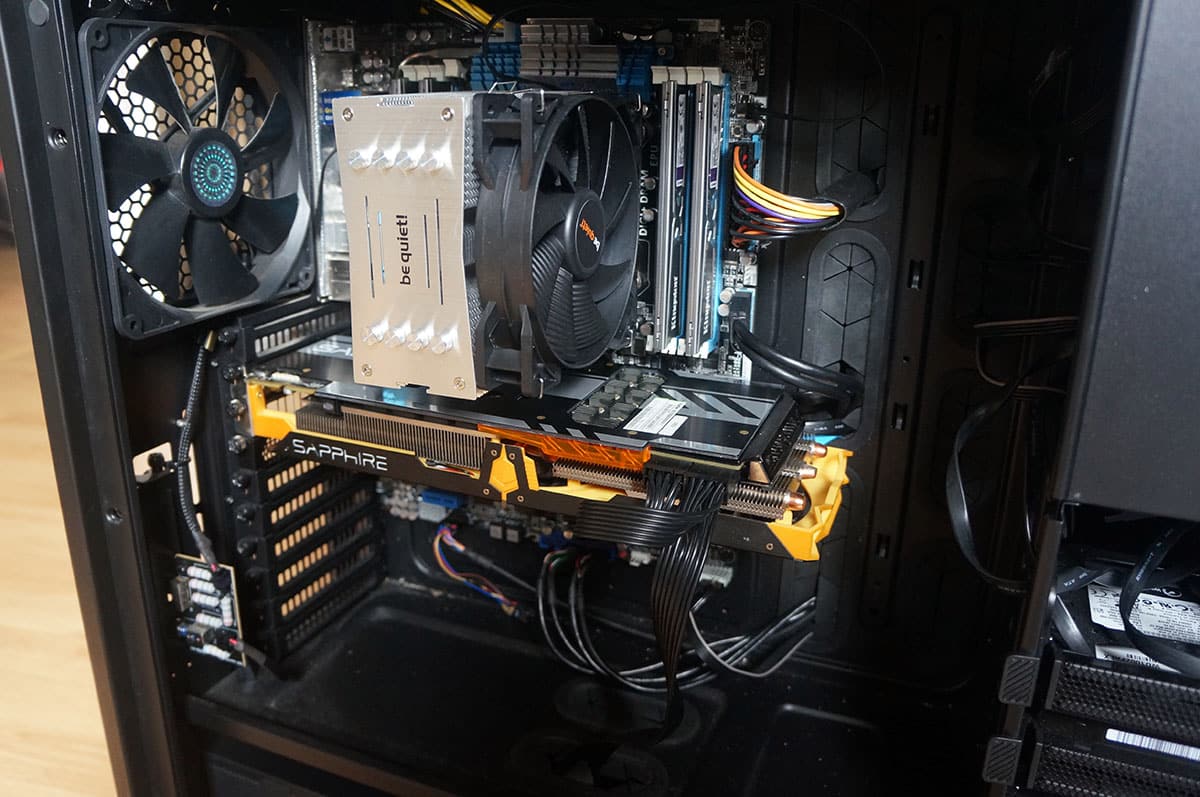
It is comprised of the following components.
Processor: Intel Core i7-4960X Extreme Edition
Motherboard: ASUS P9X79 Pro
Video Card: Sapphire R9 280X Toxic
Memory: 16GB Kingston 10th Anniversary
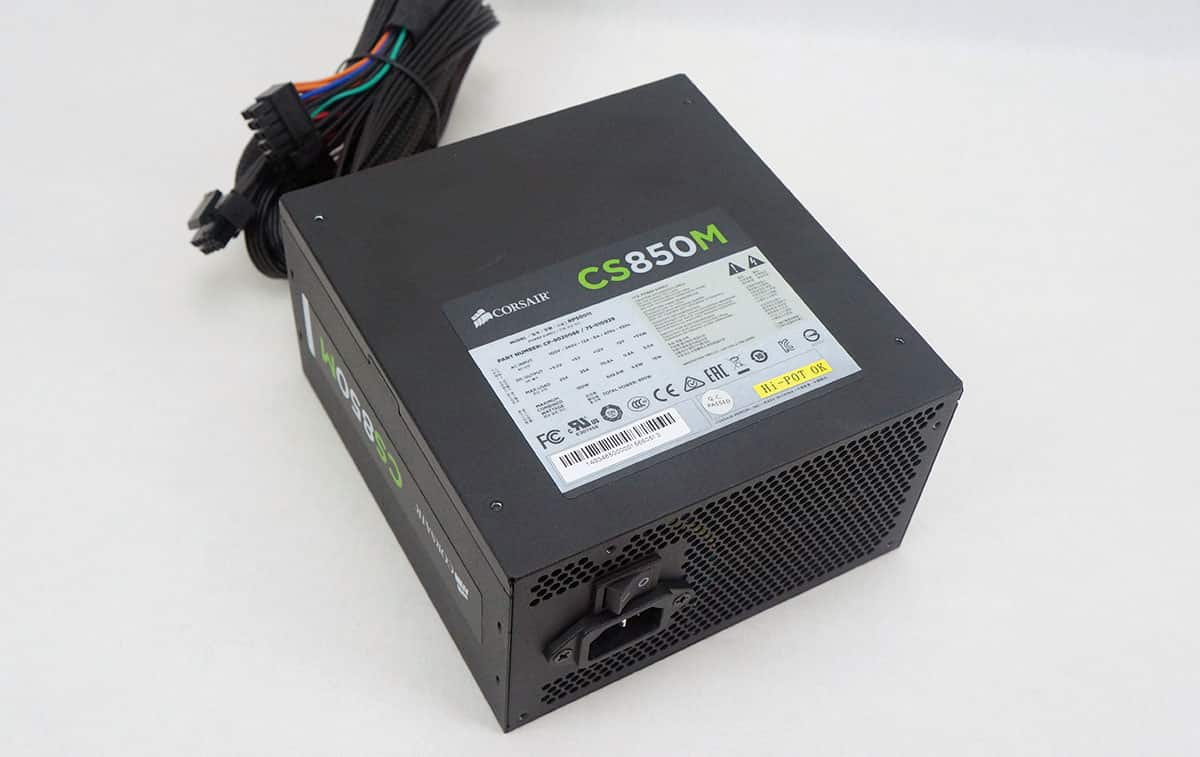
Power: Thermaltake Toughpower DPS G 850W Power Supply
Storage: 750GB SATA II Drive
Cooling: be quiet! Pure Rock
Case: Cooler Master Cosmos II with 5 fans
For testing we will be using the Intel Burn Test with the AVX instruction set. We use this instead of Prime 95 as it will push the processor much harder. We have it set on the maximum setting and let it run through 3 passes. This gives us a realistic idea of the temperatures the processor would hit when it is under full load.
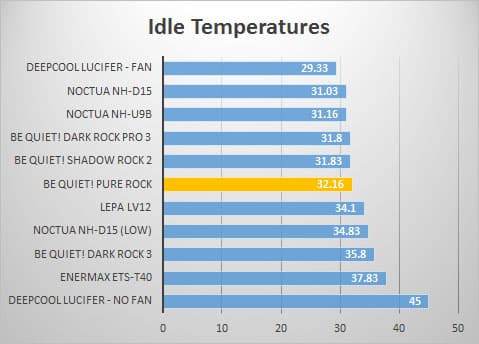
Keep in mind this is an Extreme Edition processor. These run much hotter than normal chips so keep that in mind. First up are our idle temperatures.
Now for the load test.
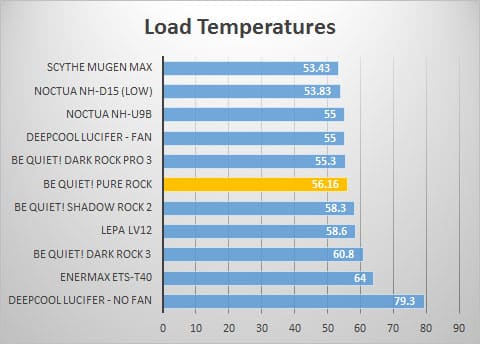
As you can see the Pure Rock sits right in the middle of the pack, which is quite respectable considering this is more of an entry-level cooler.

Could you clarify what you meant with the thermal paste? I’m not sure I understand what the issue is with the debris. I’m interested in this cooling solution as it’s affordable and would probably be a great improvement over the stock i7 fan/heatsink.
Yeah its just a thing you need to be careful with, since I install a lot of CPU coolers I prefer them to come with separate thermal paste so I can apply it myself.
Any advice when you apply thermal paste yourself so that you know you applied not too little, not too much? I’ve applied it on probably 2 previous builds years ago and don’t remember having an issue with overheating CPU and whatnot, but having not done it in a while and taking extra care with my newer build, I wouldn’t mind having extra advice on that.
I was thinking of removing the thermal that comes with the cooler and applying my own instead… Not sure if that’s a better way to go.
The best way to do it would be to apply a circle in the center of your processor, then install your CPU cooler.
Thanks.