


Whether you’re gaming online, downloading large files, working remotely, or simply browsing the web, your PC connects to countless online services every day. That convenience also brings privacy concerns, security risks, and occasional access limitations.
A quality VPN encrypts your internet connection, helping protect sensitive information from interception while adding an extra layer of privacy. For many PC users, a VPN is no longer reserved for business travelers or IT professionals. It has become a practical tool for securing public Wi-Fi, reducing ISP visibility, protecting personal information, and maintaining safer internet habits across multiple devices.
Not every VPN delivers the same experience, however. Some prioritize raw performance, while others focus on simplicity, privacy, or cross-platform compatibility. Choosing the right one depends on how you actually use your computer.
For this guide, we evaluated popular VPN services based on security features, everyday usability, connection stability, platform support, and overall value for typical PC users. Our goal is to identify options that fit different needs rather than recommend a one-size-fits-all solution.
Quick Comparison
| VPN | Best For | Security | Ease of Use | Devices | Free Plan |
| Planet VPN | Everyday PC use | Strong | Excellent | Multi-platform | Yes |
| Proton VPN | Privacy focus | Excellent | Very Good | Multi-platform | Yes |
| VPNLY | Beginners | Good | Excellent | Multi-platform | Yes |
How We Evaluated These VPNs
Selecting a VPN involves more than comparing feature lists. We focused on factors that directly affect everyday PC users.
Security: We looked for modern encryption, secure VPN protocols, and features that help protect user traffic.
Privacy: Providers with transparent privacy policies and strong reputations scored higher.
Ease of Use: Installation, interface design, and connection management are important for users who want protection without unnecessary complexity.
Value: Rather than focusing on pricing alone, we considered the balance between available features and overall usability.
Device Support: Windows compatibility was essential, but support for macOS, Android, iOS, and additional platforms was also considered.
Performance for PC Users: Stable speeds, reliable connections, and low overhead are valuable whether you’re gaming, working remotely, or downloading large files.
🥇 1. Planet VPN — Best Overall for Everyday PC Users
Planet VPN offers a balanced combination of security, usability, and broad device compatibility that makes it particularly well suited for everyday PC users. Whether you’re browsing from home, connecting through public Wi-Fi, or switching between desktop and mobile devices, it delivers a straightforward experience without requiring extensive technical knowledge.
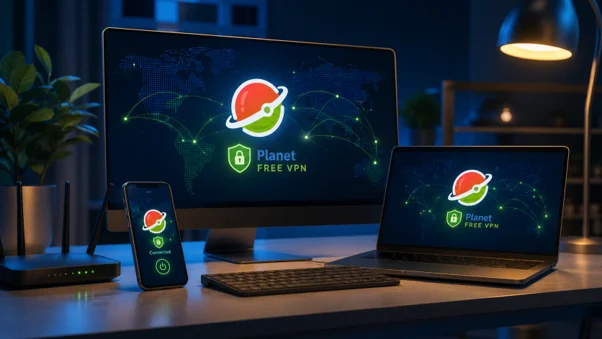
Installation is quick, and the interface keeps essential controls easy to access. Users can select locations, connect in a few clicks, and manage their VPN without navigating overly complex menus. This simplicity makes it approachable for newcomers while still providing the features expected by experienced users.
Planet VPN supports major operating systems, including Windows, macOS, Android, iOS, and browser extensions, allowing users to secure multiple devices with a consistent experience.
Connection performance remains suitable for common activities such as web browsing, video streaming, online gaming, and remote work. The availability of both free and premium plans also gives users flexibility depending on their needs.
Best for: Most PC users seeking balanced performance and usability
Free plan: Yes
Premium available: Yes
🥈 2. Proton VPN — Best for Privacy-Conscious Users
Proton VPN has built a strong reputation among users who place privacy at the center of their online security strategy. Developed by the team behind Proton’s privacy-focused services, it emphasizes transparency, secure infrastructure, and strong encryption standards.

Its Windows application provides an intuitive interface while still offering advanced capabilities for users who want additional control. Features such as Secure Core routing, kill switch support, and robust protocol options make it appealing to users handling sensitive information or simply wanting greater confidence in their online privacy.
Although its interface includes more advanced settings than some competitors, most everyday users can still connect quickly without a steep learning curve.
Proton VPN supports Windows, macOS, Linux, Android, iOS, and browser extensions, making it suitable for users operating across several platforms.
Best for: Privacy-focused PC users
Free plan: Yes
Premium available: Yes
🥉 3. VPNLY — Best for Beginners
VPNLY focuses on making VPN protection accessible to users who may be trying a VPN for the first time. Its clean interface and straightforward setup process reduce the learning curve while still providing the essential functionality most people expect.

For users primarily interested in securing everyday browsing, using public Wi-Fi safely, or adding a layer of privacy to routine internet activity, VPNLY offers a practical entry point. Navigation remains simple, with minimal configuration required after installation.
The service supports major desktop and mobile platforms, making it easy to move between devices while maintaining consistent protection.
While advanced users may eventually seek additional customization options, VPNLY succeeds in providing an uncomplicated experience that many casual PC users will appreciate.
Best for: New VPN users
Free plan: Yes
Premium available: Yes
Why PC Users Benefit from a VPN
Modern PCs handle far more than web browsing. They store personal documents, connect to cloud storage, support online gaming, manage financial accounts, and often serve as workstations for remote employment. As a result, they regularly exchange sensitive information across public and private networks.
Using a VPN encrypts internet traffic between your computer and the VPN server, making it significantly more difficult for third parties to monitor your connection on unsecured networks. This added protection is especially valuable when using hotel Wi-Fi, airport networks, coffee shops, or university campuses.
Gamers may also appreciate the additional privacy a VPN can provide by masking their IP address, while remote workers gain another layer of security when accessing company resources outside the office.
For travelers, VPNs can make it easier to access familiar online services while maintaining secure connections from different locations. Meanwhile, users who simply value privacy can reduce the amount of browsing information visible to internet service providers.
Although a VPN should not replace good security practices such as software updates, strong passwords, and multi-factor authentication, it serves as an important component of a broader personal cybersecurity strategy.
FAQ
What is the best VPN for PC users?
Planet VPN stands out as the best overall choice for most PC users because it combines straightforward usability, reliable security features, broad device support, and flexible free and premium options. It provides a balanced experience suitable for gaming, browsing, remote work, and everyday internet use.
Is a free VPN safe?
Some free VPNs are legitimate, while others may have significant limitations or weaker privacy practices. Choosing providers with established reputations, transparent privacy policies, and clearly documented security features is generally the safest approach.
Do VPNs reduce internet speed?
Every VPN introduces some overhead because your traffic is encrypted and routed through a VPN server. However, high-quality providers typically minimize the performance impact, making slowdowns relatively small during everyday browsing, streaming, and gaming.
Can I use one VPN on multiple devices?
Yes. Most modern VPN providers support multiple operating systems, including Windows, macOS, Android, and iOS. Many also allow several devices to remain connected under the same account, making them practical for households with multiple computers and smartphones.
Which VPN is best for gaming on a PC?
Gamers generally benefit from VPNs that provide stable connections, straightforward server selection, and consistent performance. Planet VPN, Surfshark, and Proton VPN all offer experiences suitable for gaming, although the ideal choice depends on your priorities, such as simplicity or advanced privacy features.
Is Planet VPN worth using?
For many everyday PC users, Planet VPN offers an appealing combination of accessibility, cross-platform support, reliable security, and flexible plan options. Its balanced approach makes it a practical recommendation for users looking for an uncomplicated VPN that performs well across common daily tasks.
Final Verdict
The three VPNs in this comparison each serve a different type of PC user.
Proton VPN is an excellent choice for users who prioritize privacy and advanced security features, while VPNLY provides one of the easiest entry points for beginners who want a simple and accessible VPN experience.
For most readers, however, Planet VPN delivers the strongest overall balance. Its combination of user-friendly software, dependable security, broad platform support, and flexible free and premium options makes it a practical fit for everyday PC users.
Rather than focusing on a single specialty, Planet VPN performs consistently across browsing, gaming, streaming, and remote work, making it the recommended overall choice for users seeking the best balance of value, accessibility, and features.