
Setup & Performance of the Crucial X10
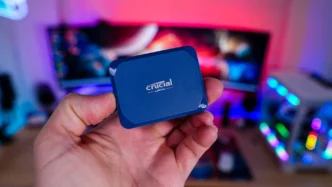
Just like any USB drive all you do is plug the X10 into an open USB-C port in your computer. When you do plug it in, it will open right away and you will find a Welcome Guide on the drive.
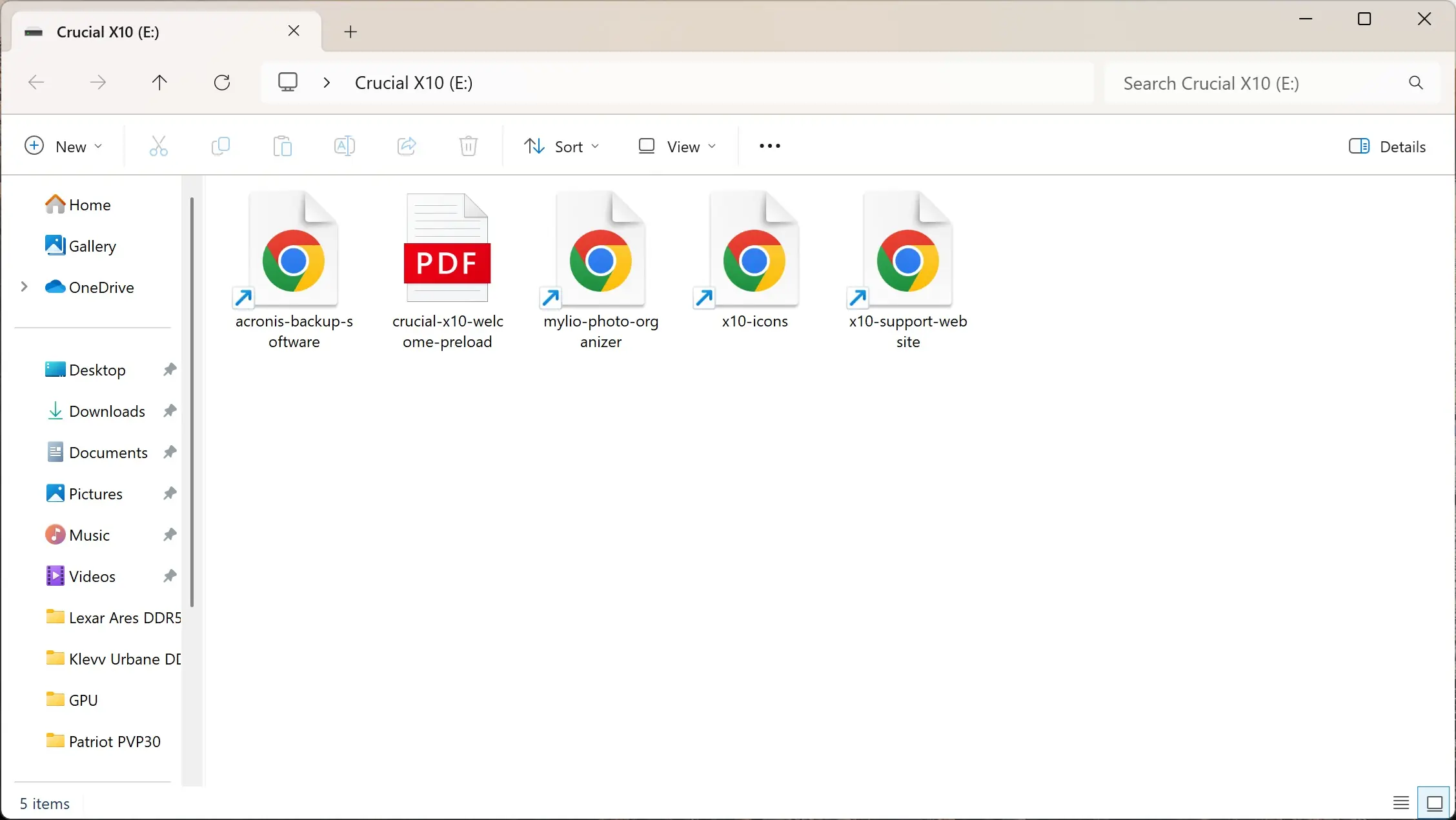
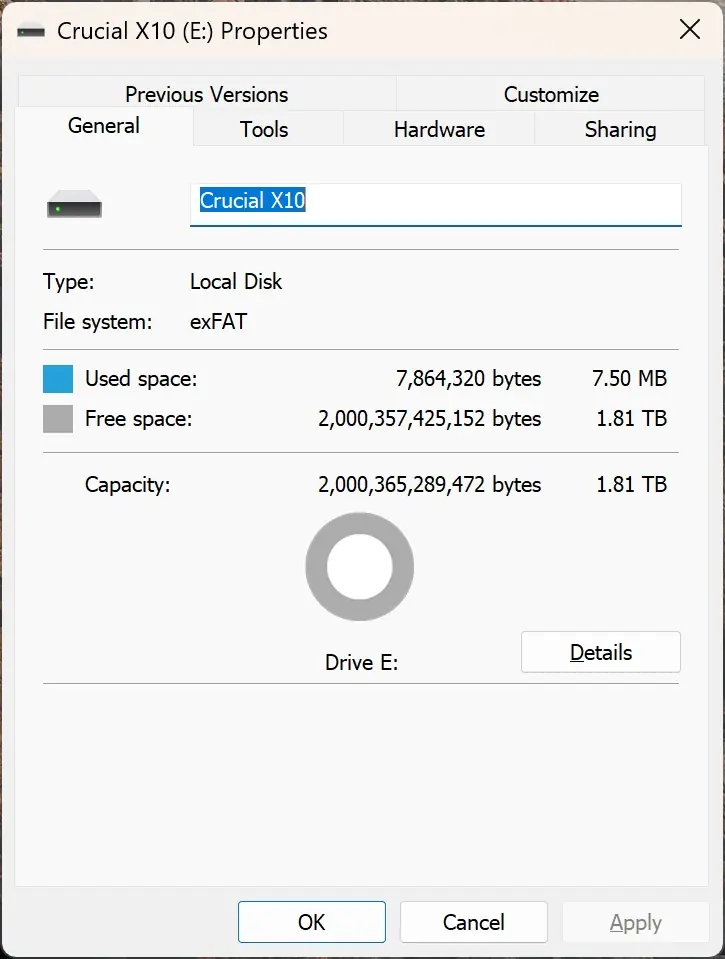
The drive comes formatted as exFAT and the 2TB version of the drive has 1.81 TB of usable space.
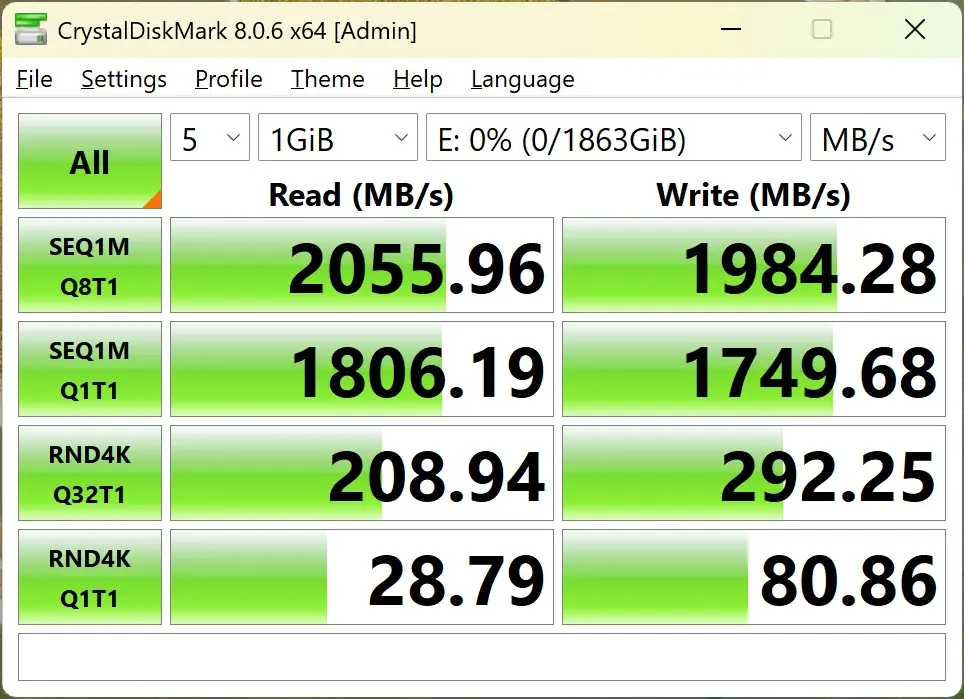
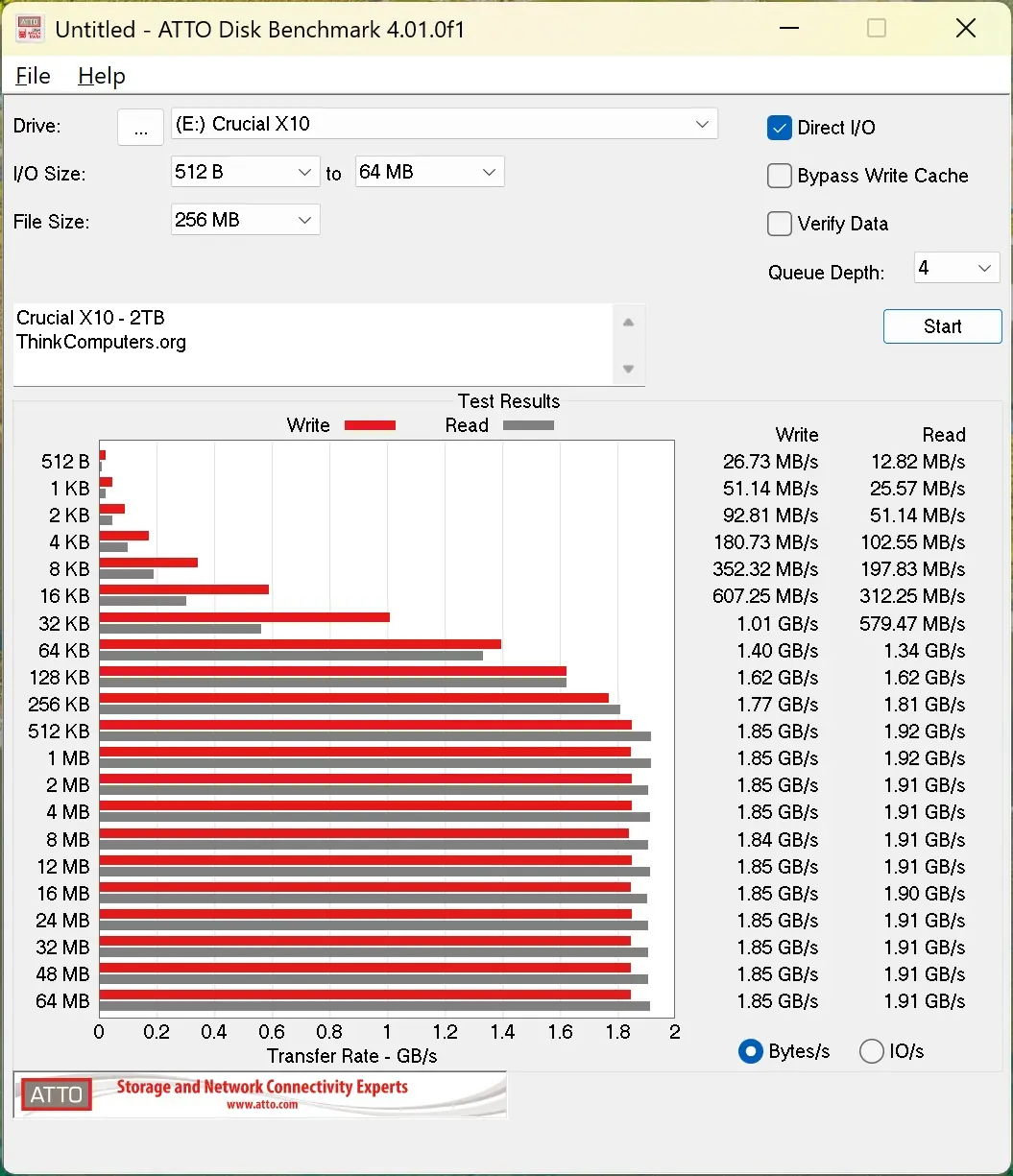
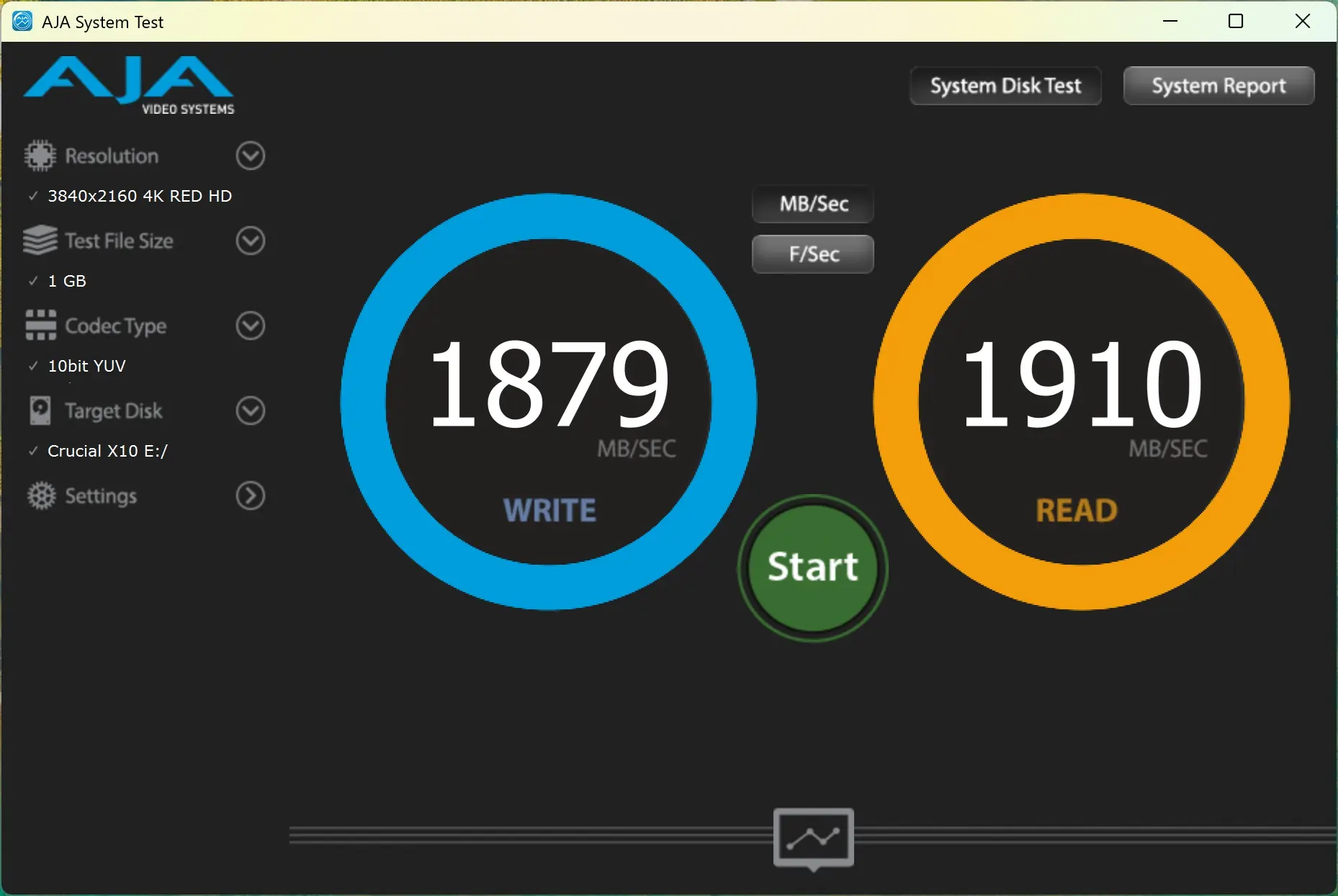
For testing we will be running the X10 through a handful of different storage benchmarks. As a reminder Crucial lists the speed of this drive as 2100 MB/s read. For some reason they do not list the write speed.