


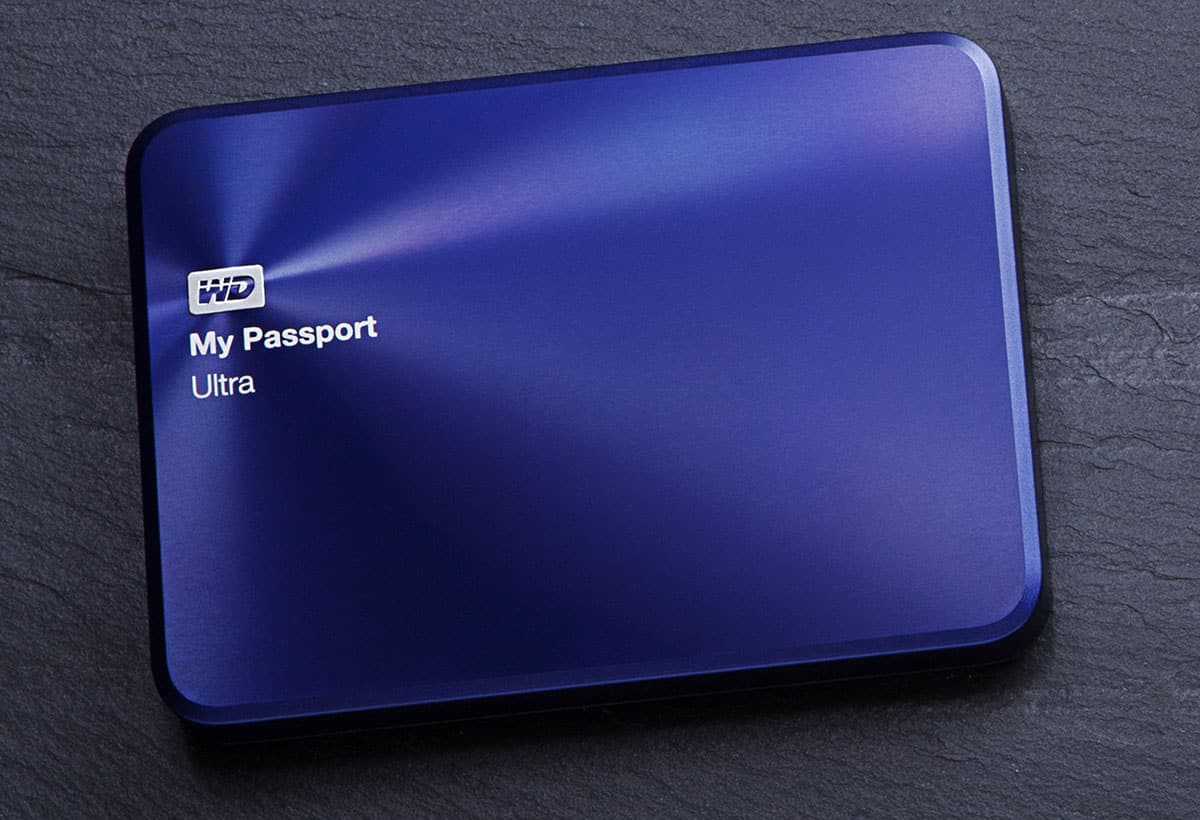
Setup & Usage
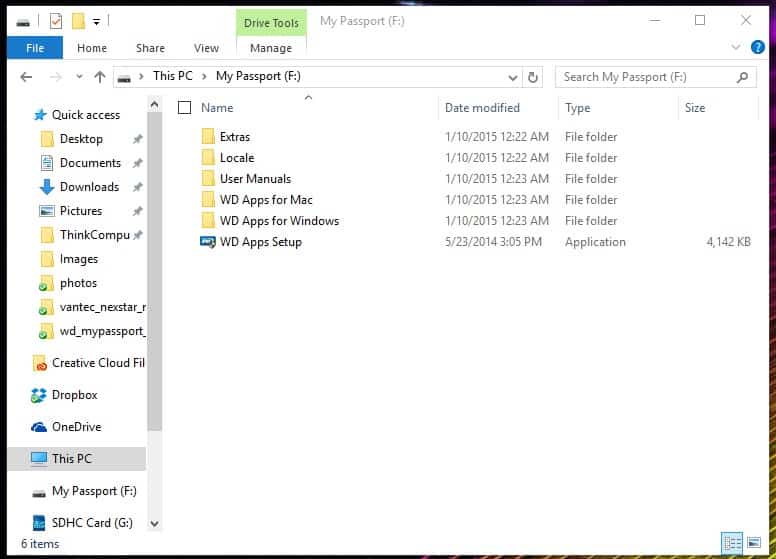
To use the drive all you have to do is plug it in to any USB 3.0 / 2.0 port on your PC. It will automatically be recognized and you can start transferring files etc. You will notice there are a few things on the drive, these are WD’s Apps which we will discuss on the next page.
To give you an idea of speeds on the drive we used three different testing applications. They include HD Tune (file benchmark), ATTO Disk Benchmark, and CrystalDiskMark. These should give you a good idea of performance of the drive. Here are our results.
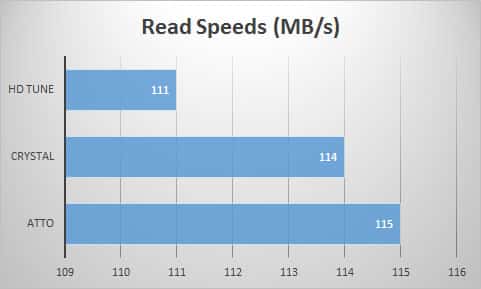
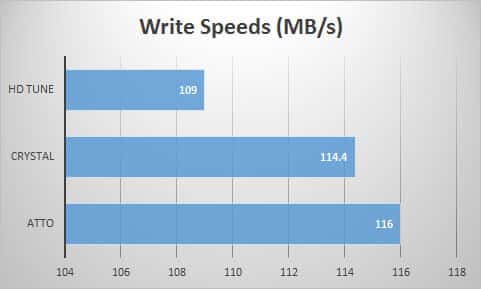
As you can see the results are quite good. Getting over 100 MB/s on both the read and write tests is great. Remember there is a normal hard drive inside the My Passport, not a solid state drive.

The review was excellent Bob, I have been using WD for many years, with external and internal, I have recently switched over to SSD now that the prices have fallen so drastically, and my need for storage next to some of you guys is minimal, I max out at about 5 Tbs and back it all up into Cloud storage. When WD came out with their metal Anniversary Edition, it was unique enough to purchase, and yes I am into asthetics LOL.