


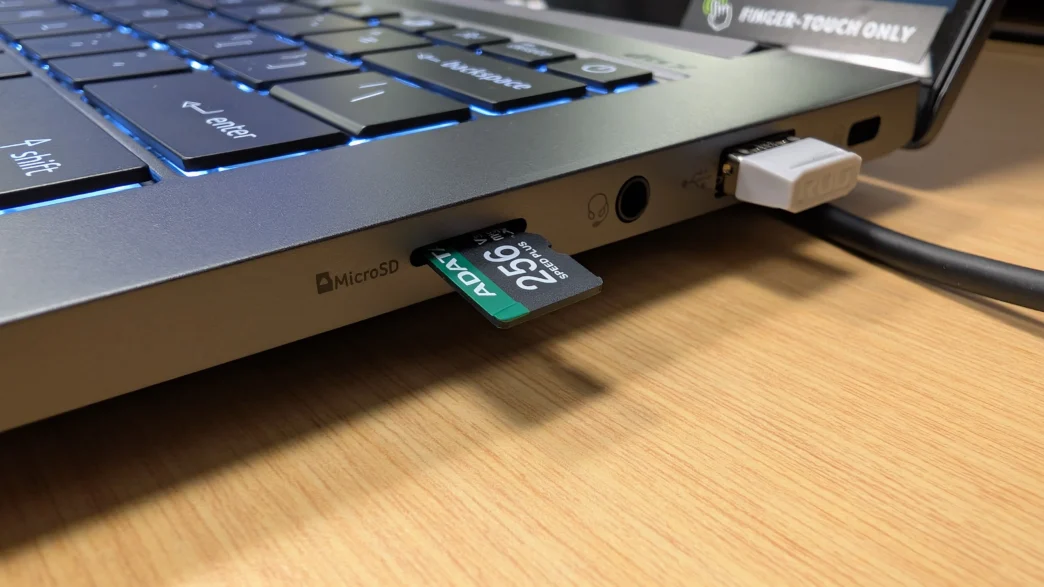
SD Cards, whether full size or micro, are used in so many devices these days. From drones and action cams, to tablets, security cameras, dash cams, and more, there are nearly unlimited combinations of device and SD card pairings, and not every one of them is going to be a success. So that’s why we are here to talk about the importance of pairing your device with the right type of card for ideal performance. And not just performance as we think of it in terms of raw transfer speeds, but also as it relates to endurance and environment as well. With a recent 2,000+ mile road trip under my belt, I had the chance to use some of ADATA’s SPEED PLUS microSDXC cards in a variety of scenarios, and I wanted to share those results.
Special thanks to ADATA for providing their SPEED PLUS microSDXC UHS-I U3 Class 10 cards for this article!
To start things off, I want to point you to Bob’s full review of the ADATA SPEED PLUS microSDXC UHS-I U3 Class 10 cards for all of the details, specifications, and performance data related to the cards that were used for the purposes of this article. There is a ton of great information over there, so be sure to check it out if you are wanting all of the technical details.
Why SD Card Specifications Actually Matter
Not all SD cards are interchangeable, even at the same capacity. The type and performance rating determine whether a card can keep up with what’s recording to it, and mismatched cards are one of the most common causes of dropped frames, corrupted files, or cards that fail early from being pushed too hard for their design.
Physical/Capacity Types
Speed Class Systems (this is where it gets confusing — cards often carry 3-4 different ratings)
Speed Class (C2, C4, C6, C10): Minimum sequential write speed in MB/s (the number, roughly). Mostly legacy at this point; C10 is the baseline on nearly all modern cards.
UHS Speed Class (U1, U3): Guarantees minimum sustained write of 10MB/s (U1) or 30MB/s (U3). This matters more than Speed Class today.
Video Speed Class (V6, V10, V30, V60, V90): Designed specifically around sustained video recording, guaranteeing minimum MB/s write speeds (matching the number, e.g., V30 = 30MB/s minimum sustained). This is the rating you should prioritize for video-recording devices.
App Performance Class (A1, A2): About random read/write IOPS, relevant for cards running apps directly (like on a gaming handheld, Raspberry Pi, or older Android phones using adoptable storage) — largely irrelevant for cameras.
UHS Bus Interface (UHS-I, UHS-II, UHS-III): The physical/electrical interface determining max theoretical throughput. UHS-I tops out around 104MB/s, UHS-II can hit 300MB/s+. A card can be U3/V30 rated but still bottlenecked if it’s only UHS-I.
The critical point: The advertised speed on the front of the package (often “up to 170MB/s”) is usually the read speed, achieved in ideal conditions with a compatible reader. The sustained write speed, what actually matters for continuous recording, is the smaller, easy-to-miss V-rating or U-rating. Marketing numbers and real-world recording performance are often very different things.
So taking this information into account, the SPEED PLUS cards from ADATA that were used for this article have the following specifications:
Endurance Rating
Some cards are explicitly rated for continuous/loop recording (dashcams, security cameras) — often labeled “High Endurance” or “Max Endurance.” These are built with firmware and NAND flash designed to handle constant overwrite cycles without degrading. A standard consumer card used in loop-recording mode will often fail within months because it isn’t designed for that write pattern (thousands of overwrite cycles on the same physical blocks).
Matching Card to Use Case
Action Cameras (GoPro, Insta360, etc.)
Dashcams
Security/CCTV Cameras
Drones
Indoor vs Outdoor & Temperature Considerations