


Overclocking
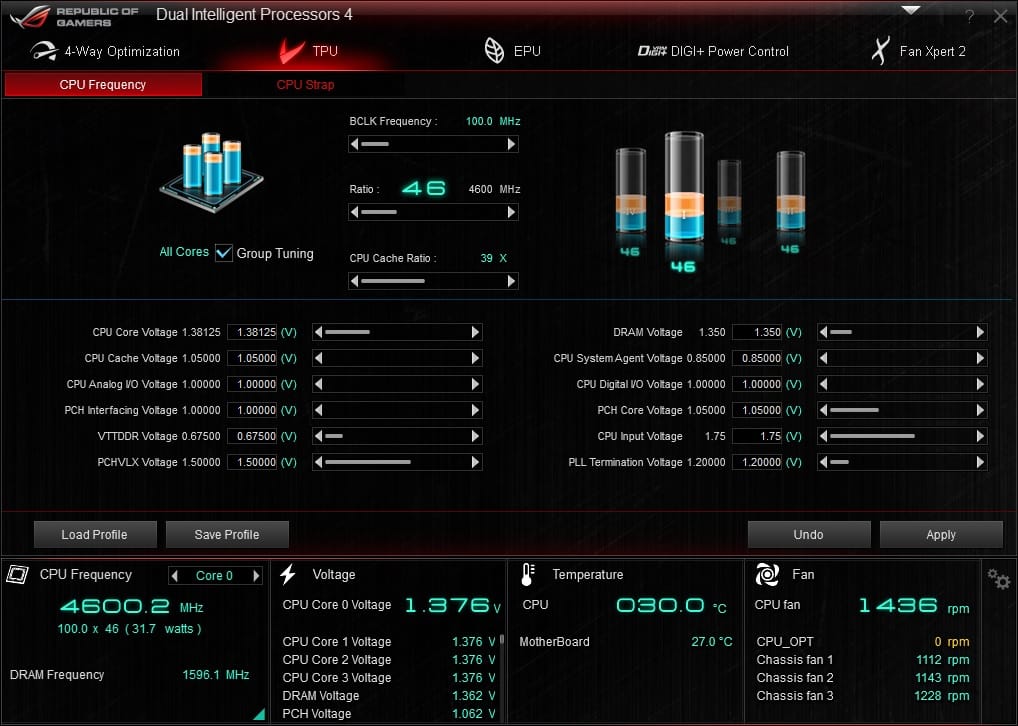
Like most motherboards these days there are quite a few different ways to overclock your system. The easiest way would be in the TPU section of the Ai Suite III software. Here you change the values for the BCLK Frequency, CPU Ratio, CPU Cache Ratio, CPU Strap as well as all of your voltages.
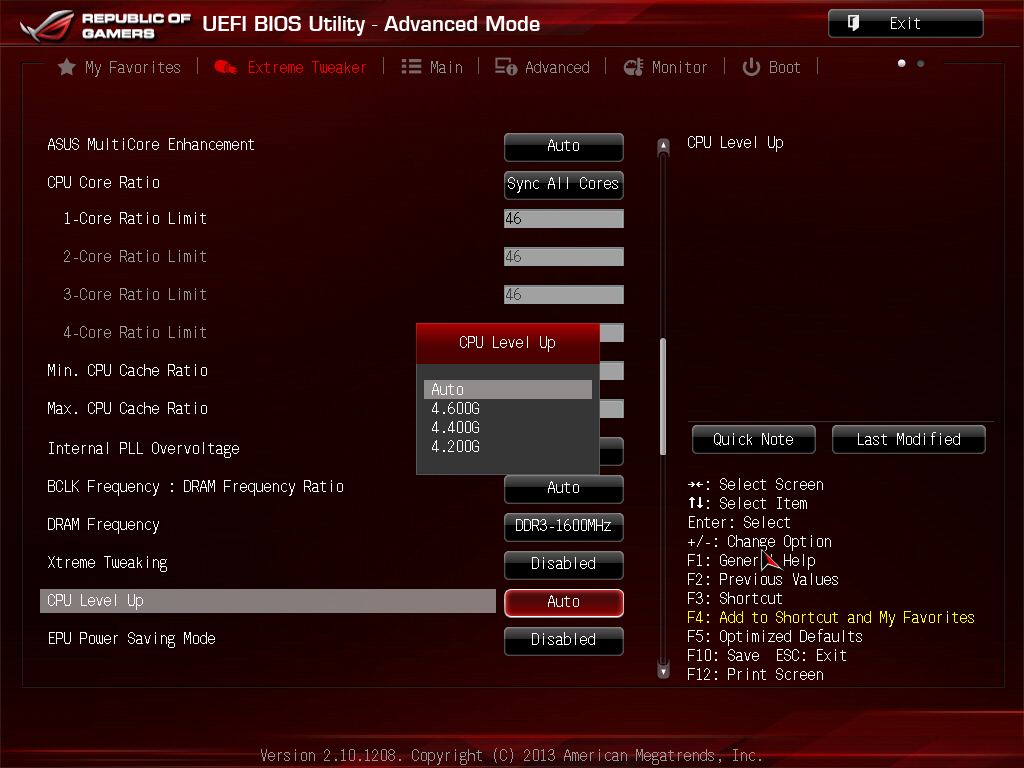
Moving into the BIOS there is a CPU Level Up option that will give you instant overclocks based on your processor. For our Core i7-4770K it has set overclocks for 4.2 GHz, 4.4 GHz and 4.6 GHz.
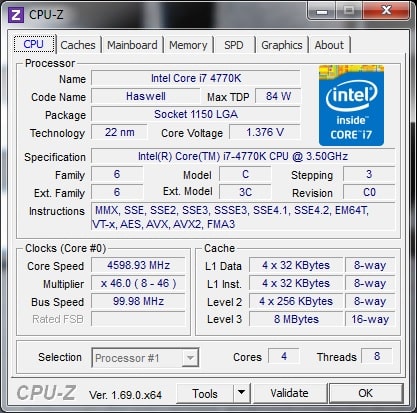
Of course we are going to do our own tweaking in the BIOS to get the best overclock. I was able to get the system to boot at 4.8 GHz, I had to move things down to 4.6 GHz for the system to remain stable. Interesting enough this board has the same power delivery components as the Maximus VI Hero and the Maximus VI Formula, yet I was able to get both of those boards up to 4.7 GHz stable.
Would you prefer this board to the Gigabyte Sniper M5? I’ve bought two of the gigabyte boards in the last week. First DOA board I’ve ever had and I got two in a row so I think I’ll try this Asus board next instead.
Maybe I’m just old, but maybe not…is it not better to have 1 really good GPU, compared to having 2 (or more) mediocre GPU’s?
I know that ROG is a great standard of components; but does a typical gamer really need to run more than 1 GPU (if it’s of a high-end variety)…unless he/ she is running 4K graphics?
You are correct, if you are gaming in 1080p 1 GPU is all you are going to need. You will not see a huge difference in performance even if you add another GPU, this is only seen in 4K and multi-display gaming.