


How many times in life have you met a girl and started developing some kind of relationship with her only to find out she has a smarter better looking sister that also likes you? The worst part of the situation is always the fact that she could never have anything with you because her sister has already been with you. Who am I kidding… we’re all nerds here, that doesn’t really happen to us. Let me get back to a topic that everyone reading this review will understand (Women, LOL). Computer parts leave me feeling the same way as I would during the “sister dilemma”. Just when I think I now own something awesome, the company I just purchased the item from decides to introduce me to its “smarter hotter sister”.
A few months back Cooler Master allowed me to review The CM Storm Quick Fire Pro (QFP). You can check out the review here. In that review I proclaimed that “Cooler Master hit the nail on the head when focusing on the important aspects of a gaming keyboard.” If you read the review you’ll know that I really liked the Quick Fire Pro and then Cooler Master up and HAD to send me the CM Storm Trigger. The CM Storm Trigger Mechanical Gaming Keyboard for all intents and purposes is the “smarter hotter sister” of the Quick Fire Pro. Even though I’ve been hooked on the Roccat ISKU Illuminated Gaming Keyboard recently why do I feel like I’m cheating? I really need to get out more…
The CM Storm Trigger Mechanical Gaming Keyboard is the first gaming keyboard that Bob asked me to review in what I refer to as the “dime-piece” category. For the most part, regardless of price, the recent gaming keyboards I’ve reviewed for ThinkComputers have been in the Mid-Upper price tier of gaming peripheral products. The Trigger on the other hand is in the highest price tier and is supposed to be the best of the best that Cooler Master has to offer. Let’s see if it lives up to the hype.
Bob took the liberty of doing an un-boxing video for us a while back so if you enjoy looking at his sexy hands watch the video below:
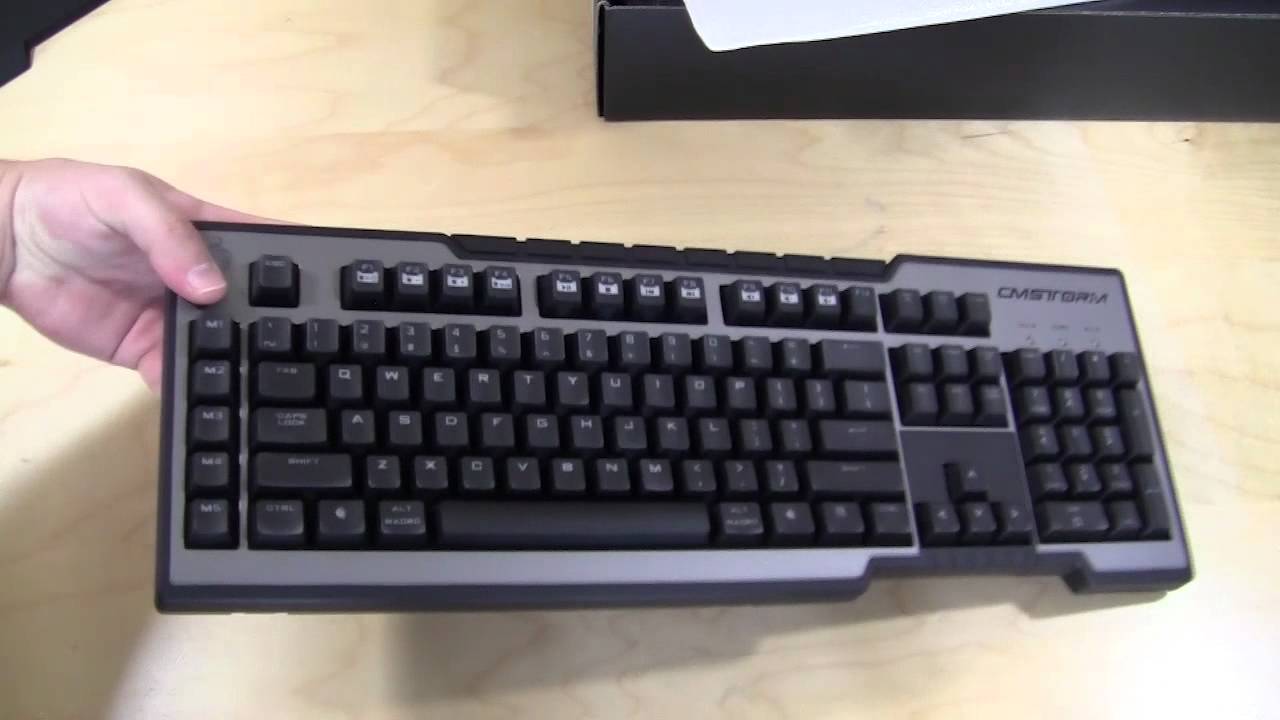
Packaging
When I first laid eyes on the CM Storm Trigger Box it reminded me a lot of the box that the Quick Fire Pro came in just a tad bit thicker. The box showcases what the keyboard looks like without all the bells and whistles attached.


On the back we have the common features listed in 300 languages:
· High durability gold-plated Cherry switches rated for over 50 million key strokes
· Multi-media control keys for convenient sound control
· 5 macro keys with profile management
· 18K gold plated ultra low latency USB plugs
· Anti-ghosting 6 key rollover
· 64KB on-board memory for profile storage
· Storm tactics key for deactivation of Windows key
· 1000Hz driverless polling / 1ms response time
· Two port enhanced USB 2.0 hub
· Detachable wrist rest
· Braided cable for durability
· Non-slip rubber coating
Once we have everything out of the box we have a couple things to focus on. The box includes you typical “instruction” manual and a notice to go to the CM Storm website to DL the latest drivers. I guess Cooler Master doesn’t expect to be selling this keyboard to people without internet… who am I kidding, who doesn’t have internet these days? I would have answered the Amish but without it how would you ever see that listing of the cute purebred puppy you always wanted from Jebediah and Mary-Lou? Next, we have a mini-USB braided 6 ft cable. LONG LIVE MINI-USB! And lastly, we have the keyboard itself. The Trigger ships with the wrist rest detached but for the sake of the photo we attached it.

I use one of these and it is a great, classy piece of equipment. The rubber coating does not show up skin oils quickly (at least not mine) but then I wipe it with a damp cloth now & then. As for the 5v adapter, I use one my very old Nokia cell phone chargers which fits & works perfectly so I didn’t have to spend a cent extra. I agree with you about the macro keys, I can well do without them but seeing I have them I would rather use them for launching programs such as email, browser etc but I don’t know how to assign them to those functions so I contacted Cooler Master who promptly emailed me a pdf guide but that only served to confuse me more. I guess they will always be “dead keys” while it’s in my tenure.
Wayne, go to:
http://www.cmstorm.com/en/products/keyboards/Trigger/ and then the “Downloads & Faq’s” tab. You can get the configuration software there. Watch the video I have in the review that goes over how to configure those buttons.
Thanx saberwolf. I have seen this but it makes absolutely no sense to me so I’ll leave things as is. Macro keys are a redundant feature on keyboards for me.
I own this keyboard and I am disappointed with this keyboard, so I am surprised seing 10/10 score. Inability to assign anything else than macros to M1-M5 keys or limiting storm button customisation to windows or command is really a waste of potential.